
🔍 Read the full analysis: The 2027 Guide To 8 Drawing Tablets For Digital Art on ThorstenMeyerAI.com

Get the latest gadgets delivered free with Prime
- Fast, free delivery on millions of items
- Prime Video, Amazon Music and more included
- Member-only deals all year
TL;DR
This is a buyer’s guide comparing eight drawing tablets, not a report of a new product launch or independently verified test results. It recommends the HUION Kamvas 13 (Gen 3) for a computer-connected screen workflow, while emphasizing that workspace, compatibility and standalone use may matter more than advertised pen specifications.
A 2027 drawing-tablet guide from ThorstenMeyerAI.com, the original analysis, compares eight devices across three setups: drawing directly on a screen, using a screenless tablet with a computer, or working on a standalone device. It names the HUION Kamvas 13 (Gen 3) its best overall pick, but the recommendations are presented as buying guidance rather than as results from a disclosed testing program.
The guide favors the Kamvas 13 (Gen 3) for artists seeking a display tablet and added controls, citing its screen and dual dials, alongside other drawing tablets to compare. It depends on a compatible computer and a suitable display connection, so it is not a self-contained option. For a screenless setup, the guide highlights the HUION Inspiroy H1060P, whose larger drawing area may suit artists who prefer broader hand movements and already have a computer.
For buyers prioritizing portability, the guide includes the HUION Inspiroy H640P and Wacom Intuos Small, options that can be considered alongside AI drawing tablets. Both use a compact, screenless format, trading workspace for a smaller footprint. The guide also lists the XP-Pen Artist 13.3 Pro V2 twice. It says the listings appear closely related and advises comparing the exact product version, specifications and included accessories rather than assuming the names indicate a meaningful difference.
The two standalone picks are the Frunsi RubensTab T11 Pro and PicassoTab A10, which can support drawing without a computer for compatible tasks. The source also identifies an eighth option in its guide, but the supplied material does not name or describe it. That gap means the full set of eight cannot be independently summarized from the information provided.
The 8 picks
- 1
 HUION Kamvas 13 (Gen 3) 13.3-Inch Drawing Pen Display with Dual Dial and StandView on Amazon →
- 2
 PicassoTab 10" Standalone Drawing Tablet (A10)View on Amazon →
- 3
 XP-Pen Artist 13.3 Pro V2 Drawing Tablet with Screen, 16K Pressure Levels, Re…View on Amazon →
- 4
 XPPen Artist 13.3 Pro V2 Drawing Tablet with ScreenView on Amazon →
- 5
 Frunsi RubensTab T11 Pro Standalone Drawing TabletView on Amazon →
- 6
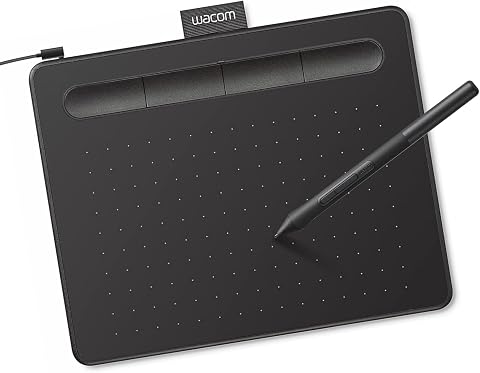 Wacom Intuos Small Wired Drawing Tablet with PenView on Amazon →
- 7
 HUION Inspiroy H1060P Graphics Drawing Tablet, 10 x 6.25 inView on Amazon →
- 8
 HUION Inspiroy H640P 6 × 4-Inch Drawing Tablet with Battery-Free StylusView on Amazon →
Choosing a Setup That Fits
The main decision is not simply which tablet has the strongest advertised pen specifications. It is whether an artist wants to draw on the image itself, work on a separate monitor, or use a device without a computer. Those setups differ in cost, portability, software options and the time needed to connect or configure equipment.
Workspace also affects daily use. A compact surface can work well on a crowded desk or while traveling, but may constrain large gestures or detailed work. A larger surface gives the hand more room, yet requires more desk space and movement. The guide’s practical value lies in matching these tradeoffs to a buyer’s routine, rather than treating every model as a direct substitute.
Products Worth Considering

Apple Watch Series 12 GPS 42mm Smartwatch

Bose QuietComfort Wireless Noise Cancelling Headphones, Sandstone

Logitech MX Master 4 for Mac
As an affiliate, we earn on qualifying purchases.
Three Ways to Draw Digitally
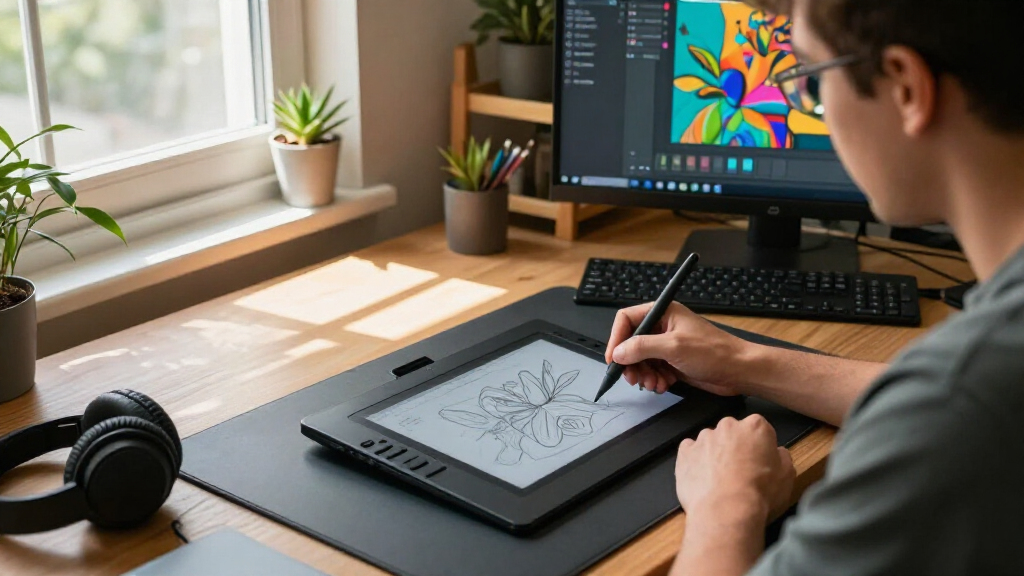
The guide groups products by how they connect to the artist’s workflow. A screen tablet displays the artwork beneath the pen, while a pen tablet sends input to a separate computer display. The latter arrangement can take practice because the hand and image occupy different surfaces. A standalone tablet avoids a computer connection for supported drawing apps, but its available software and working methods may differ from a desktop setup.
The source says its ranking weighs workspace, portability, controls, stated pen features and setup needs. It does not provide a publication date beyond calling itself a 2027 guide, nor does the supplied material establish independent benchmark results. Buyers should treat its rankings as the source’s recommendations and check current product specifications and compatibility directly before purchasing.
“The common mistake is choosing by appearance instead of checking whether the device fits your software and computer habits.”
— ThorstenMeyerAI.com guide
Details Buyers Still Need
The supplied source material does not name the eighth product, despite the guide’s stated eight-pick scope. It also gives no prices, test methodology, full specification table, or dated compatibility list. The two XP-Pen Artist 13.3 Pro V2 entries may describe closely related products, but their precise differences are not established here.
Compatibility and software support can vary by model, operating system, computer, connection and app. The source does not establish which accessories are included in each package or whether specifications remain current for every 2027 listing. Those points should be checked with manufacturers or retailers; the article’s ranking alone cannot resolve them.
Verify Models Before Buying
Before choosing, buyers should confirm the exact model and package, supported operating systems and drawing apps, required cables or adapters, and whether a computer is needed. For the XP-Pen entries, compare the product pages and included accessories directly. For standalone tablets, check that the preferred apps run on the device and support the required workflow.
The next useful step for a complete eight-product comparison would be publication of the missing model name and current specifications for all entries. Until then, the guide offers a framework for choosing among screen, screenless and standalone formats, but some product-level comparisons remain incomplete.
Key Questions
Which tablet does the guide recommend overall?
It names the HUION Kamvas 13 (Gen 3) as its best overall pick for artists who want a computer-connected display and dual dials. The guide notes that it still needs a compatible computer and suitable connection.
Which listed option has a larger screenless work area?
The guide favors the HUION Inspiroy H1060P for buyers seeking more drawing area than the compact H640P and Wacom Intuos Small. It requires a computer and separate display.
Can the standalone picks work without a computer?
The Frunsi RubensTab T11 Pro and PicassoTab A10 are presented as standalone options for supported tasks. Buyers should confirm that their preferred apps are available and suitable for their workflow.
Why does the guide list the XP-Pen model twice?
The source includes two XP-Pen Artist 13.3 Pro V2 listings and says they appear closely related. It does not establish their exact differences, so buyers should compare the precise version, specifications and package contents.
Source: ThorstenMeyerAI.com