
🔍 Read the full analysis: 10 Best 3D Printers For Multicolor Designs, Gifts, And Everyday Projects In 2027 on ThorstenMeyerAI.com

Get the latest gadgets delivered free with Prime
- Fast, free delivery on millions of items
- Prime Video, Amazon Music and more included
- Member-only deals all year
TL;DR
This is a buyer’s guide, not a report of a new product launch or independently verified performance test. It compares 10 printers for different needs, highlighting the Bambu Lab P2S Combo as the guide’s leading all-around bundle while noting tradeoffs in enclosure, multicolor workflow, setup and material waste.
ThorstenMeyerAI.com has compared 10 3D printers for multicolor designs, gifts and everyday projects, naming the Bambu Lab P2S Combo its top all-around choice because the package combines an enclosed printer with an included automatic material system. The original analysis also identifies more specialized options, including the open-frame Bambu Lab A1 Combo, the four-toolhead Snapmaker U1 and speed-focused models, while stressing that a higher speed or color count does not make a printer the right fit for every buyer.
The guide’s recommendations turn on more than headline specifications. It compares print-system design, material handling, enclosure, setup and maintenance, and gives weight to whether a multicolor bundle actually includes the hardware needed to manage multiple filaments. Its ranking places broad usefulness first, then recognizes machines that may suit narrower needs, as explored in this overview of 3D printers.
The Bambu Lab P1S and P1S Combo are treated as separate choices: the standalone P1S offers an enclosed printer without bundled multicolor equipment, while the Combo adds an AMS system. The A1 and A1 Combo are presented as more approachable open-frame options. The guide describes the Snapmaker U1 as a different multicolor approach, using four toolheads rather than relying on a filament-switching workflow.
The remaining models named are the Adventurer 5M, Anycubic Kobra X, Anycubic AD5X and Bambu Lab K2 Combo, alongside the P2S, P1S, A1 and Snapmaker U1 options. The source outlines different strengths across the lineup but does not provide a full specification table, prices, test measurements or a model-by-model account of results. Buyers should treat its rankings as editorial recommendations, not as proof that each printer will deliver the same results in every setup.
The 10 picks
- 1
 Snapmaker U1 3D Printer with 4-Toolhead and 5-Second Tool ChangerView on Amazon →
- 2
 Bambu Lab P2S Combo – P2S 3D Printer with AMS 2 Pro (Multi‑Color)View on Amazon →
- 3
 Bambu Lab P1S Combo 3D Printer with AMS – Multi‑Color PrintingView on Amazon →
- 4
 Creality K2 Combo 3D Printer, Multicolor Printing, Max 600mm/s Speed, Auto Le…View on Amazon →
- 5
 Bambu Lab A1 Combo + LED Lamp Kit (with AMS Lite)View on Amazon →
- 6
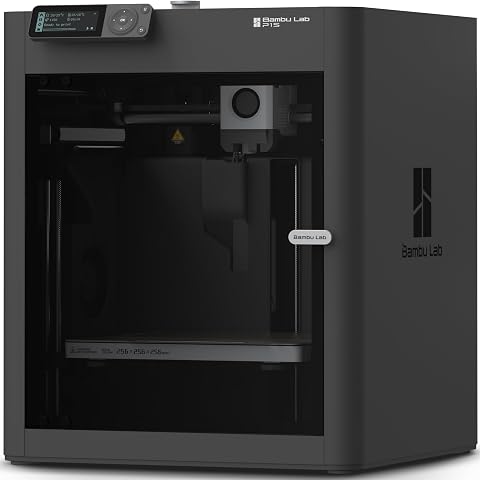 Bambu Lab P1S 3D PrinterView on Amazon →
- 7
 Anycubic Kobra X Multicolor 3D PrinterView on Amazon →
- 8
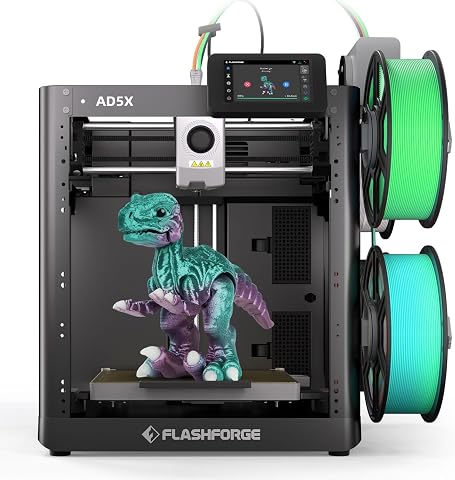 Flashforge AD5X Multi-Material 3D PrinterView on Amazon →
- 9
 Bambu Lab A1 FDM 3D PrinterView on Amazon →
- 10
 FLASHFORGE Adventurer 5M 3D Printer, All-Metal CoreXY, 600mm/s Max TravelView on Amazon →
Choosing a Printer Beyond Color Count
The comparison matters because multicolor capability has practical costs. Filament changes can add time and create purge waste, while a multiple-toolhead setup involves a different workflow and may bring added complexity. A buyer making occasional decorative gifts may value automated color changes; someone printing mostly functional, single-color parts may get more use from a simpler machine.
Enclosure is another ownership choice, not a universal upgrade. The guide says an enclosed space can help manage drafts and temperature, particularly for some materials and larger prints, while open-frame models can be easier to access and adequate for many hobby projects. Space, ventilation, material choice and maintenance all affect whether a feature is useful in practice.
The rankings can help readers narrow their options, but they are not a substitute for checking current prices, compatibility and measured print performance. Those details can change by region, bundle and software version, and the supplied source does not establish them.
Products Worth Considering

Logitech MX Master 4 for Mac

Bose Lifestyle Ultra Wireless Home Speaker, White Smoke
Bose SoundLink Max Portable Bluetooth Speaker, IP67 Waterproof, Black
As an affiliate, we earn on qualifying purchases.
How the Guide Compares Printers
The source says it assessed machines by the parts of ownership that shape finished projects: material handling, enclosure, ease of setup, expected maintenance and versatility. It distinguishes enclosed CoreXY machines from open-frame printers instead of treating maximum speed as the single measure of performance. It also favors bundles that include their multicolor material-handling hardware, since buyers may otherwise need to purchase an additional system.
For buyers, the guide recommends matching the printer to likely projects and available workspace. Build volume matters for objects that need to print in one piece, but a larger machine also takes up more bench space. Maximum travel speed is not the same as a guaranteed print time: geometry, layer height, material and cooling all influence how long a useful part takes and how it looks.
The ranking is presented as a buying recommendation, not a record of controlled benchmark testing. The source material gives no test protocol or publication date, so its comparative judgments should be read with that limitation in mind.
“The P2S Combo takes the lead for buyers seeking one package that combines an enclosed printer with an included multicolor material system.”
— ThorstenMeyerAI.com buying guide
What the Comparison Does Not Establish
The supplied source does not give prices, independently measured print times, print-quality scores, reliability data or a detailed testing method. It also does not specify when the comparison was conducted, so current product configurations, bundles and availability should be checked with manufacturers or retailers before purchase.
Its recommendations describe intended buyer fit, not a guarantee of results. Actual performance can vary with materials, model geometry, settings, maintenance and workspace. The source also does not quantify how much time or filament each multicolor method uses, leaving buyers without a direct, measured comparison of waste or operating cost.
Checks to Make Before Buying
Readers can use the ranking as a shortlist, then verify the exact printer bundle, included multicolor hardware, compatible materials and current price. They should measure bench space, account for access to filament and the build plate, and consider ventilation for an enclosed machine. For speed claims, seek tests that identify the model, material, settings and print being measured rather than relying on a maximum-motion figure alone.
The guide does not announce a follow-up test or product release. Its recommendations may need updating as products, bundles and prices change; no specific update date is provided.
Key Questions
Which printer does the guide recommend overall?
It ranks the Bambu Lab P2S Combo first for buyers seeking an enclosed printer packaged with multicolor material-handling hardware. That is the guide’s editorial judgment, not an independently verified test result in the supplied material.
What is the difference between the P1S and P1S Combo in the guide?
The standalone P1S is described as an enclosed printer without bundled multicolor hardware. The P1S Combo adds an AMS system for handling multiple filaments.
Is a multicolor printer worthwhile for everyday projects?
It depends on the work. Multicolor printing can add labels and visual details, but filament changes may increase print time and purge waste. Buyers who mostly make single-color functional parts may prefer a simpler setup.
Does the source prove which printer is fastest or most reliable?
No. The source provides no controlled benchmark results or reliability measurements. It notes that real print time and finish depend on factors such as geometry, material, layer height and cooling.
Source: ThorstenMeyerAI.com