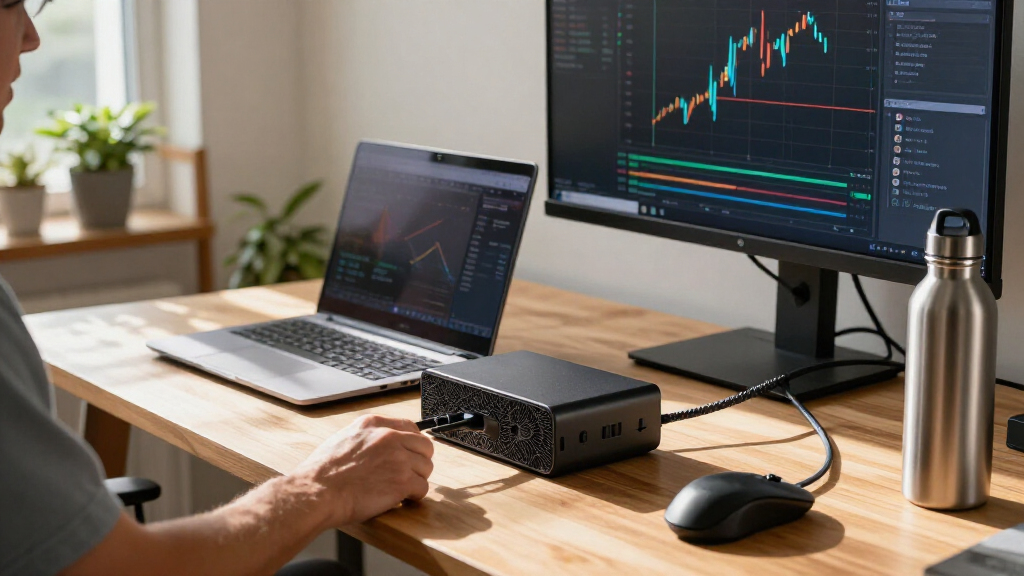
🔍 Read the full analysis: 10 Best External GPUs For AI And High-Performance Tasks In 2027 on ThorstenMeyerAI.com

Get the latest gadgets delivered free with Prime
- Fast, free delivery on millions of items
- Prime Video, Amazon Music and more included
- Member-only deals all year
TL;DR
This is a buyer’s guide, not a report of a newly announced product lineup: it compares 10 external GPU options for AI and demanding workloads. Its central tradeoff is broad Thunderbolt compatibility versus the higher potential bandwidth of OCuLink, with price, setup effort and upgradeability also shaping the choices.
A 2027 external GPU buyer’s guide compares 10 enclosures, docks and integrated graphics boxes for AI and other demanding tasks, emphasizing that the best choice depends on a computer’s ports as much as on the GPU. The guide favors the Razer Core X V2 for general compatibility, while pointing to OCuLink options such as the MINISFORUM DEG1 for users with compatible hardware who prioritize bandwidth.
The guide’s shortlist spans three broad categories: Thunderbolt enclosures that need a separately purchased graphics card, OCuLink docks that connect through a direct PCIe link, and integrated units sold with a GPU. It names the Razer Core X V2 as its overall pick, the ASUS ROG XG Mobile as a compact proprietary option, and the MINISFORUM DEG1 as a value-focused dock for technically confident users.
Other listed choices are the NIMO RX 7600M XT, described as an integrated mid-range option, plus the OwlTree and RGEEK DIY docks. The source material does not provide detailed model names or specifications for all 10 entries, so the remaining picks cannot be independently identified from the supplied information. The guide’s stated selection criteria are bandwidth, compatibility and total cost, including the cost and effort of sourcing a separate GPU and power supply.
According to the guide, Thunderbolt 4 has a 40Gbps link rate and an effective data rate of 32Gbps, while OCuLink over PCIe 4.0 x4 can offer up to 63Gbps. These figures describe connection capacity, not guaranteed application performance. The source also estimates that Thunderbolt enclosures can limit high-end cards by 15% to 20% in some CPU-bound scenarios; it does not provide a test methodology or benchmark data to verify that estimate.
The 10 picks
- 1
 GIGABYTE AORUS RTX 5090 AI Box External GPUView on Amazon →
- 2
 ASUS ROG XG Mobile (2025) External Graphics Card with NVIDIA GeForce RTX 5090View on Amazon →
- 3
 NIMO External Graphics Card Enclosure with AMD Radeon RX 7600M XTView on Amazon →
- 4
 NIMO External GPU Docking Station with AMD Radeon RX 7600M XT 8GB GDDR6View on Amazon →
- 5
 Razer Core X V2 External Graphics Enclosure (eGPU)View on Amazon →
- 6
 MINISFORUM DEG1 OCuLink eGPU DockView on Amazon →
- 7
 RGEEK PCIe 5.0 OCuLink eGPU Dock for External Graphics CardsView on Amazon →
- 8
 OCuLink PCIe 4.0 x4 eGPU Dock with 19.7-Inch CableView on Amazon →
- 9
 OwlTree PCIe 4.0 x4 eGPU Dock with OCuLink CableView on Amazon →
- 10
 OwlTree PCIe 3.0 x16 eGPU Dock with Thunderbolt 4 CableView on Amazon →
Matching GPU Bandwidth to Workloads
For people running AI workloads, rendering or games, an external GPU can add graphics capacity to a laptop or mini PC, but the connection may constrain how much of that capacity is usable. A faster card does not automatically produce a proportional gain when data must pass through a limited link. This makes port compatibility and workload type central purchasing questions, not minor technical details.
The guide also highlights a practical budget distinction: an enclosure price is not the full system price. A user may need to add a GPU, power supply and appropriate cables, while an integrated unit costs more upfront but is simpler to set up. Buyers should compare complete configurations and verify support for their exact computer before treating any pick as a value choice.
Products Worth Considering

Jackery HomePower 2000 Plus v2 Portable Power Station, 2048Wh

Logitech MX Master 4 Ergonomic Wireless Mouse with Haptic Feedback, Graphite

Sony WH-1000XM6 Wireless Noise-Canceling Headphones, Black
As an affiliate, we earn on qualifying purchases.
Thunderbolt and OCuLink Tradeoffs
Thunderbolt 4 is the more widely supported connection among the options described, making it a simpler fit for compatible laptops and computers. Its bandwidth is shared across the connection, however, and the source says the resulting performance gap is most relevant with high-end GPUs and workloads that communicate frequently with the host CPU.
OCuLink offers a direct PCIe connection with higher stated bandwidth, but it is not a universal laptop port. The guide says it is mainly found on some mini PCs and enthusiast devices. OCuLink docks generally require separate power and do not charge the host computer, whereas some Thunderbolt enclosures can provide laptop power delivery. These are design tradeoffs, not proof that one interface wins in every application.
Benchmarks and Model Details
The supplied guide does not include independent benchmark results, prices, test systems or a complete specification sheet for all 10 products. Its bandwidth figures and estimated performance losses should be treated as claims in the source guide, not universal outcomes. Results can vary by host device, GPU, drivers, workload and whether an external display is connected.
It is also unclear from the supplied material which exact 10 products make up the full ranking, and whether every model will be available or unchanged in 2027. The guide calls the ASUS ROG XG Mobile the only integrated solution in its list while also describing the NIMO as a complete system; that wording leaves the category distinction unclear. Readers should confirm current ports, GPU configuration, power delivery, pricing and warranty terms with manufacturers or retailers.
Verify Before You Buy
Before purchasing, check the computer maker’s specifications for Thunderbolt, USB4 or OCuLink support, then confirm that the dock or enclosure supports the intended GPU and power requirements. For a DIY setup, include the graphics card, power supply and cables when comparing cost; for an integrated box, check whether its GPU can be upgraded.
Further product details or controlled testing would be needed to establish how the listed systems compare in specific AI tasks and other workloads. Until then, the guide is best read as a selection framework rather than a verified performance ranking.
Key Questions
Which external GPU does the guide recommend for most users?
The guide names the Razer Core X V2 as its general pick, citing Thunderbolt 4 compatibility and a robust enclosure. It requires a separate graphics card, and buyers should check whether their computer supports the connection and charging features they need.
Is OCuLink faster than Thunderbolt 4?
The guide lists up to 63Gbps for OCuLink and a 40Gbps link rate for Thunderbolt 4. Those are connection specifications, not guarantees of real-world speed; OCuLink also requires a compatible port, which is less common.
Does an external GPU enclosure include a graphics card?
Not necessarily. The Razer Core X V2 is described as an enclosure that requires a separate card, while the guide presents the NIMO RX 7600M XT as an integrated option. Confirm the package contents before comparing prices.
Can an external GPU improve AI performance?
It may add GPU resources to a compatible computer, but the source provides no AI benchmark results establishing the gains for particular models or workloads. Performance depends on the GPU, connection, host system, software and task.
Source: ThorstenMeyerAI.com