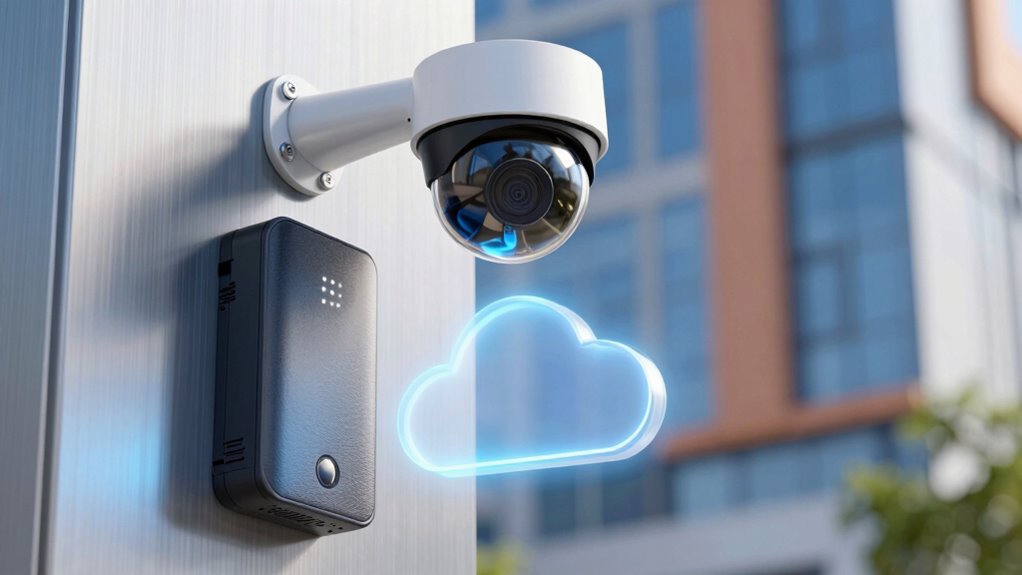

Choosing between local and cloud storage for your security cameras depends on your priorities. Local storage gives you direct control, no ongoing fees, and keeps footage on-site, but it requires hardware maintenance and offers limited space. Cloud storage is more convenient, accessible from anywhere, and provides automatic backups, but it involves ongoing costs and potential security risks. To make the best choice based on your needs, consider the factors discussed further.

Get the latest gadgets delivered free — and shop member deals
- Fast, free delivery on millions of items
- Access to Prime Big Deal Days deals on October 6–7
- Prime Video, Amazon Music and more included
Key Takeaways
- Local storage offers direct control and security but requires hardware management and physical security measures.
- Cloud storage provides remote access and automatic backups, enhancing convenience and data redundancy.
- Encryption during transfer and storage is crucial for both options to protect sensitive footage.
- Local storage involves higher upfront costs, while cloud storage typically entails ongoing subscription fees.
- Consider privacy needs, security features, and maintenance capacity when choosing between local and cloud solutions.
security camera NVR storage device
As an affiliate, we earn on qualifying purchases.
As an affiliate, we earn on qualifying purchases.
What Are Your Storage Options for Security Camera Footage?

When it comes to storing security camera footage, you generally have two main options: local storage and cloud storage. With local storage, you save footage directly on devices like DVRs or NVRs, giving you control over your data. Cloud storage, on the other hand, uploads footage to remote servers accessible via the internet. This setup allows for remote access anytime, anywhere, making it convenient if you need to view footage on the go. Security is key, so look for options that offer data encryption, protecting your footage from unauthorized access. Additionally, consider the ease of access and whether the service encrypts data both during transfer and storage. Your choice depends on balancing convenience, security, and control over your security footage. Incorporating automated testing practices in evaluating storage solutions can help ensure that your security measures are consistently effective. Also, evaluating the reliability of your storage method is crucial to prevent data loss during outages or technical failures. Choosing a solution with redundant backups can further safeguard your footage against unexpected hardware or software issues. Moreover, understanding the storage capacity needed ensures that your setup can handle long-term footage storage without frequent maintenance or upgrades. To make an informed decision, assess the cost involved and compare the long-term expenses of each option.
cloud storage subscription for security cameras
As an affiliate, we earn on qualifying purchases.
As an affiliate, we earn on qualifying purchases.
Pros and Cons of Local Storage for Security Cameras

Local storage offers several advantages for security cameras, primarily because it gives you direct control over your footage without relying on third-party servers. You can access recordings instantly and avoid ongoing subscription fees. Additionally, some systems may offer better video quality compared to cloud options. However, hardware costs can be a downside, as you’ll need to purchase and maintain storage devices like DVRs or NVRs. Additionally, managing storage capacity and keeping firmware updated are important for system reliability. Limited storage capacity may require frequent management or additional hardware. Security is another benefit since your footage stays within your premises, reducing risks of hacking. The table below summarizes these pros and cons:
| Pros | Cons | Additional Considerations |
|---|---|---|
| Direct control over footage | Upfront hardware costs | Maintenance responsibilities |
| No reliance on internet | Limited storage capacity | Risk of physical damage |
| Enhanced security | Hardware upgrades needed | Local control increases security |
Additionally, ensuring your storage setup is resilient against power outages or physical damage is an important aspect of data protection, which can be enhanced by using uninterruptible power supplies or protective enclosures.
security camera data encryption hardware
As an affiliate, we earn on qualifying purchases.
As an affiliate, we earn on qualifying purchases.
How Cloud Storage Makes Your Footage More Accessible

Cloud storage expands your security camera’s reach by allowing you to access footage from anywhere with an internet connection. This means you’re not tied to a physical device or location, making it easier to monitor your property remotely. Your footage is stored securely with video encryption, ensuring that only authorized users can view it. Additionally, data redundancy protects your recordings by saving multiple copies across different servers, so you won’t lose footage if one server fails. This setup provides seamless access to your videos through apps or web portals, giving you peace of mind and quick retrieval if needed. With cloud storage, you gain flexibility and security, making your surveillance system more reliable and accessible at all times. Proper navigation and mapping ensure your footage is organized and easy to retrieve when necessary. Furthermore, employing access controls strengthens your security by restricting who can view or modify your stored footage. Cloud storage also offers automatic backups, reducing the risk of accidental data loss and ensuring your footage remains intact even in unforeseen circumstances.
As an affiliate, we earn on qualifying purchases.
Security and Privacy: Risks and Protections for Your Footage

Security and privacy are critical concerns when storing footage from your security cameras, as both methods come with inherent risks. If you choose local storage, physical theft or damage can expose your data, while cloud storage faces the threat of hacking. To protect your footage, guarantee encryption protocols are in place, both during transmission and storage. For local storage, secure your device with strong passwords and regular updates, reducing the risk of unauthorized access. Cloud providers often implement data breach prevention measures, but you should verify their security standards. Keep backups of important footage and monitor your systems for suspicious activity. Staying vigilant helps safeguard your privacy, whether your footage is stored locally or in the cloud. Additionally, understanding the security features offered by different storage options can help you make more informed decisions.
How to Decide Between Local and Cloud Storage for Your Security Cameras
Choosing between local and cloud storage depends on your specific needs and priorities. If you want more control over your footage and lower ongoing costs, local storage might be best. It often involves one-time storage costs for devices like DVRs or NVRs, and data encryption can be managed directly on your equipment for added security. On the other hand, cloud storage offers automatic backups and easy access from anywhere, but it usually involves recurring subscription fees that can add up over time. Consider your budget for storage costs and how important data encryption is to you. If privacy and security are top concerns, local storage allows you to keep sensitive footage in-house. Conversely, if convenience and remote access matter most, cloud storage could be the better choice. Additionally, understanding your dogs’ names can help you tailor security measures for your home and pets. It’s also helpful to evaluate the horsepower of electric dirt bikes or other features that align with your security device needs to ensure optimal performance. Moreover, assessing the security features offered by different solutions can further guide your decision, especially when considering data protection and backup options.
Frequently Asked Questions
Can I Combine Local and Cloud Storage for Security Cameras?
Yes, you can combine local and cloud storage for your security cameras through hybrid storage setups. This approach employs redundancy strategies, ensuring your footage is backed up both locally and in the cloud. It gives you added security, quick access to recent clips locally, and reliable long-term storage in the cloud. This way, you maximize data safety and access flexibility, adapting to various security and storage needs seamlessly.
How Does Internet Speed Impact Cloud Storage Performance?
Your internet speed is the backbone of smooth cloud storage performance. When bandwidth limitations hit, videos may buffer or upload slowly, making it feel like you’re chasing your tail. Latency issues can cause delays in accessing live footage or recordings. To stay ahead, guarantee a strong, stable connection. Otherwise, you might find yourself caught in a web of delays, hindering your ability to monitor your cameras effectively.
What Are the Legal Considerations for Storing Footage Locally or in the Cloud?
You need to understand privacy laws and data ownership when storing footage locally or in the cloud. Make certain you comply with regulations that protect individuals’ privacy rights, which may restrict how and where you store footage. Clarify who owns the data—whether it’s you or the service provider—and read your storage agreement carefully. Staying compliant helps avoid legal issues and safeguards the rights of everyone involved.
How Do Storage Costs Compare Over Time for Both Options?
Think of storage costs like a growing garden—local storage costs stay steady, like tending to a small plot, while cloud storage expenses can snowball as you expand. Over time, a detailed cost analysis reveals local storage often saves money long-term, with predictable expenses. Cloud storage, though flexible, can become costly with increased footage volume. Your choice hinges on balancing initial savings against ongoing expenses for peace of mind.
What Are the Best Practices for Securing Stored Security Footage?
To safeguard your stored security footage, you should use strong encryption methods like AES to protect data both at rest and during transfer. Implement strict access controls, such as multi-factor authentication and unique user permissions, to limit who can view or modify footage. Regularly update your software and change passwords to stay ahead of vulnerabilities. These practices ensure your footage remains private and safe from unauthorized access.
Conclusion
Choosing between local and cloud storage depends on your needs. While some worry about costs or privacy, remember that both options have safeguards. Local storage might seem safer, but it can be vulnerable if your equipment is stolen or damaged. Cloud storage offers easy access and backups, giving you peace of mind. Ultimately, a mix of both could be best—so you get the security of local storage and the convenience of the cloud.
Fall Picks
fall essentials
As an affiliate, we earn on qualifying purchases.