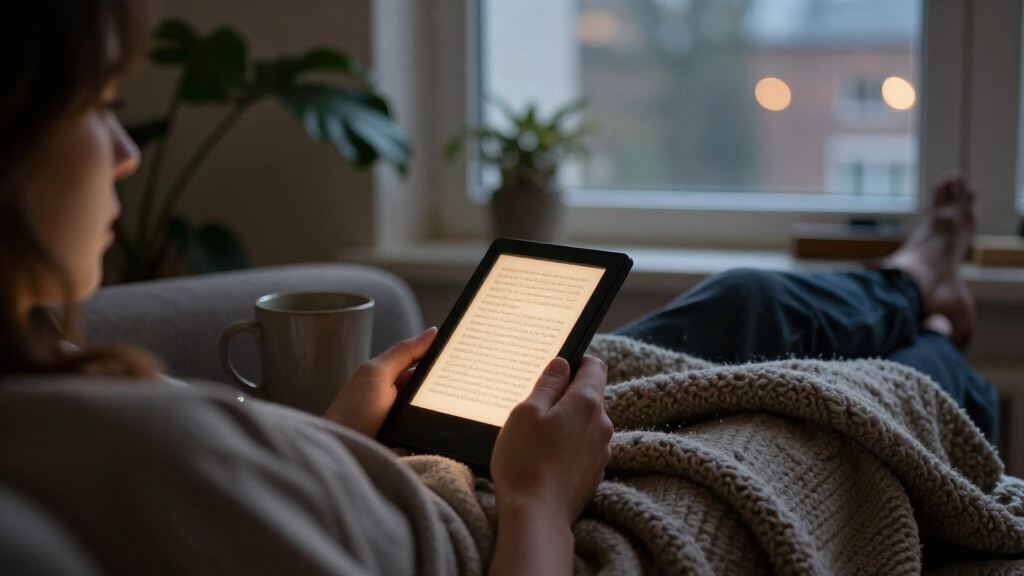

Among these e-readers with adjustable lighting, the Kindle Paperwhite (12th Generation) is my best overall pick for readers who want a roomy screen and adjustable warm light. The PocketBook Verse stands out for a compact reading setup, while the Kobo Clara Colour adds color and waterproofing. The main tradeoffs are screen size, lighting controls, color capability, and how much storage or portability you need. Small pocket models are easier to carry but offer less room for reading, and color screens serve different needs than black-and-white pages. Continue reading for the full breakdown and help matching a reader to your habits.

Get the latest gadgets delivered free with Prime
- Fast, free delivery on millions of items
- Prime Video, Amazon Music and more included
- Member-only deals all year
Complete the kit



Key Takeaways
- The Kindle Paperwhite (12th Generation) is the strongest all-around choice here because its 7-inch screen and adjustable warm light suit long reading sessions better than the smaller options.
- The amazon.com/dp/B0CFPJYX7P?tag=peppereyes-20&ascsubtag=dc-1116091″ target=”_blank” rel=”nofollow sponsored noopener”>amazon.com/dp/B0CFPHV9ZN?tag=peppereyes-20&ascsubtag=dc-1116091″ target=”_blank” rel=”nofollow sponsored noopener”>amazon.com/dp/B0CGVWV9Z2?tag=peppereyes-20&ascsubtag=dc-1116091″ target=”_blank” rel=”nofollow sponsored noopener”>PocketBook Verse models give portability priority, with 6-inch screens and SMARTlight; choose between their listed finishes and confirm the exact model details before buying.
- The Kobo Clara Colour is the lineup’s color and waterproof option, though color is most useful for covers, illustrations, and other content that benefits from it.
- The Kindle Paperwhite Signature Edition offers 32 GB, but readers with mostly text-based libraries may not gain much from that extra storage over the standard 16 GB Paperwhite.
- The M3 and OBOOK5 pocket readers are the smallest listed devices, but their 3.7-inch and 4.26-inch screens make them specialized portability picks rather than comfortable substitutes for a 6- or 7-inch reader.
| PocketBook Verse 6-Inch E-Reader with Adjustable SMARTlight, 8 GB Storage, and Wi-Fi |  | Best for Format Flexibility | Display: 6-inch E-Ink Carta touchscreen | Resolution: 1024 x 758 | Lighting: Adjustable SMARTlight brightness and color temperature | VIEW LATEST PRICE | See Our Full Breakdown |
| Amazon Kindle Paperwhite (12th Generation, 2024), 16 GB, 7-inch Display, Jade |  | Best Overall | Display: 7-inch Paperwhite, 300 ppi, 16-level grayscale | Lighting: Adjustable white-to-amber lighting | Storage: 16 GB | VIEW LATEST PRICE | See Our Full Breakdown |
| PocketBook Verse E-Reader, 6-Inch E Ink Touchscreen, Adjustable SMARTlight, 8GB, Bright Blue |  | Best Compact Button-Control Pick | Display: 6-inch E Ink Carta touchscreen | Lighting: Adjustable SMARTlight brightness and color temperature | Storage: 8 GB internal; microSD up to 128 GB | VIEW LATEST PRICE | See Our Full Breakdown |
| Kobo Clara Colour 6-Inch Colour E Ink eReader, 16GB, Waterproof, Black |  | Best for Color Reading | Display: 6-inch E Ink Kaleido 3 color display | Storage: 16 GB | Lighting: ComfortLight PRO with blue-light reduction | VIEW LATEST PRICE | See Our Full Breakdown |
| Amazon Kindle Paperwhite, 16GB, 7-inch Display, Black |  | Best for a Large Reading Screen | Display: 7-inch glare-free display | Lighting: Adjustable white-to-amber display lighting | Storage: 16 GB | VIEW LATEST PRICE | See Our Full Breakdown |
| M3 Portable E-Book Reader, 3.7-Inch Touchscreen |  | Best for Ultra-Compact Reading | Display: Electronic ink touchscreen | Screen size: 3.7 inches | Resolution: 1024 × 768 | VIEW LATEST PRICE | See Our Full Breakdown |
| OBOOK5 4.26-Inch Pocket eBook Reader |  | Best Pocket Reader for Audio | Display: Electronic ink, anti-glare | Screen size: 4.26 inches | Resolution: 800 × 480 | VIEW LATEST PRICE | See Our Full Breakdown |
| Kobo Clara Colour 6-Inch Colour E Ink eReader, 16GB, Waterproof, White |  | Best for Colour Reading | Display: Electronic Ink Kaleido 3 | Screen size: 6 inches | Resolution: 1072 × 1448 | VIEW LATEST PRICE | See Our Full Breakdown |
| Amazon Kindle Paperwhite Signature Edition (12th Generation, 2024), 32 GB, Metallic Black |  | Best Premium Adjustable Lighting | Display: 7-inch Paperwhite, 300 ppi, 16-level grayscale | Front light: Auto-adjusting | Storage: 32 GB | VIEW LATEST PRICE | See Our Full Breakdown |
| e-readers with adjustable lighting | Display | Storage | Battery life | Connectivity |
|---|---|---|---|---|
| PocketBook Verse 6-Inch E-Read | 6-inch E-Ink Carta touchscreen | 8 GB internal; memory card up to 128 GB | Up to 1 month | Wi-Fi |
| Amazon Kindle Paperwhite | 7-inch Paperwhite, 300 ppi, 16-level grayscale | 16 GB | Up to 12 weeks under specified reading conditions | 2.4 GHz and 5.0 GHz Wi-Fi; Bluetooth audio |
| PocketBook Verse E-Reader | 6-inch E Ink Carta touchscreen | 8 GB internal; microSD up to 128 GB | Up to 1 month | Wi-Fi |
| Kobo Clara Colour 6-Inch Colou | 6-inch E Ink Kaleido 3 color display | 16 GB | — | — |
| Amazon Kindle Paperwhite | 7-inch glare-free display | 16 GB | Up to 12 weeks per charge | — |
| M3 Portable E-Book Reader | Electronic ink touchscreen | 32 GB | Stated 10 hours | USB |
| OBOOK5 4.26-Inch Pocket eBook | Electronic ink, anti-glare | 32 GB | Up to 2 weeks | Wi-Fi, Bluetooth, USB |
| Kobo Clara Colour 6-Inch Colou | Electronic Ink Kaleido 3 | 16 GB | Up to 2 weeks | Wi-Fi |
| Amazon Kindle Paperwhite Signa | 7-inch Paperwhite, 300 ppi, 16-level grayscale | 32 GB | Up to 12 weeks under specified conditions | 2.4 GHz and 5.0 GHz Wi-Fi |
More Details on Our Top Picks
PocketBook Verse 6-Inch E-Reader with Adjustable SMARTlight, 8 GB Storage, and Wi-Fi
The PocketBook Verse is a strong fit for readers whose libraries come from more than one bookstore or include documents and comics. Its adjustable SMARTlight changes both brightness and color temperature, so you can tune the screen for a dim room or brighter daytime reading. Support for 25 formats, Adobe DRM, and memory-card expansion gives it more file flexibility than the Kindle Paperwhite (12th Generation, 2024), which is better suited to readers centered on Kindle books. The tradeoff is its 6-inch, 1024 x 758 display: it is compact for novels, but cramped for PDFs and page-heavy documents compared with the Paperwhite’s 7-inch screen. Its stated month-long battery life is appealing, though there is no water-resistance rating in the supplied specifications.
Pros:- SMARTlight adjusts brightness and color temperature
- Supports 25 formats, including EPUB, PDF, and comic formats
- Memory-card expansion up to 128 GB
- Mechanical buttons complement the touchscreen
Cons:- The 6-inch, 1024 x 758 screen gives PDFs and documents limited room
- No water-resistance rating is listed
Best for: Readers with EPUB, document, or comic libraries who want adjustable warm and cool lighting and expandable storage
Not ideal for: PDF readers who need a larger page area, or readers who want a waterproof device for baths or poolside use
- Display:6-inch E-Ink Carta touchscreen
- Resolution:1024 x 758
- Lighting:Adjustable SMARTlight brightness and color temperature
- Storage:8 GB internal; memory card up to 128 GB
- Supported formats:25 formats, including EPUB, FB2, DOC, DJVU, PDF, JPEG, CBR, and CBZ
- Connectivity:Wi-Fi
- Battery life:Up to 1 month
- Weight:182 g
Our verdict“Choose the PocketBook Verse if broad file support and expandable storage matter more to you than a larger screen or listed waterproofing.”
Amazon Kindle Paperwhite (12th Generation, 2024), 16 GB, 7-inch Display, Jade
The 12th-generation Kindle Paperwhite makes the most balanced choice here if you want adjustable lighting in a reader that also handles varied settings. Its 7-inch, 300 ppi display gives novels and larger text more breathing room than the 6-inch PocketBook Verse, while adjustable white-to-amber lighting lets you shift the screen’s tone for evening reading. IPX8 waterproofing adds confidence around water, a feature not listed for the PocketBook. The compromise is ecosystem flexibility: the Verse supports a wider range of file formats and memory-card expansion, while this Kindle’s 16 GB is fixed and the device is centered on Kindle content. Battery life is stated at up to 12 weeks under specified conditions, but Audible streaming reduces it; VoiceView is also limited to English.
Pros:- 7-inch, 300 ppi glare-free display
- Adjustable white-to-amber lighting
- IPX8 waterproofing
- 16 GB storage and stated battery life up to 12 weeks under specified conditions
Cons:- Storage is fixed at 16 GB, unlike the expandable PocketBook Verse
- VoiceView screen reader is available in English only
- Audible streaming reduces battery life
Best for: Kindle readers who want a larger sharp screen, adjustable warm lighting, and waterproofing for everyday use
Not ideal for: Readers who rely on a wide range of non-Kindle file formats, expandable storage, or VoiceView in a language other than English
- Display:7-inch Paperwhite, 300 ppi, 16-level grayscale
- Lighting:Adjustable white-to-amber lighting
- Storage:16 GB
- Waterproofing:IPX8; tested for immersion in 2 m of fresh water for 60 minutes
- Battery life:Up to 12 weeks under specified reading conditions
- Charging:USB-C; fully charges in less than 2.5 hours with a 9 W adapter
- Connectivity:2.4 GHz and 5.0 GHz Wi-Fi; Bluetooth audio
- Weight:7.4 oz (211 g)
Our verdict“Pick the Kindle Paperwhite if you want a sharp, larger-screen reader with adjustable warm lighting and waterproofing within the Kindle ecosystem.”
PocketBook Verse E-Reader, 6-Inch E Ink Touchscreen, Adjustable SMARTlight, 8GB, Bright Blue
This bright blue PocketBook Verse pairs a compact 6-inch screen with adjustable SMARTlight and both touchscreen and mechanical-button controls. That makes it a practical choice for readers who want to change brightness or color temperature and turn pages without relying only on touch. It shares the format support, Wi-Fi syncing, and microSD expansion of the Mist Grey PocketBook Verse, so the main distinction between the two entries is the listed color rather than a different reading feature set. Compared with the 7-inch Kindle Paperwhite, this Verse is easier to keep compact but offers less room for large text and PDFs. Its 8 GB base storage may call for a memory card if you keep a large library, and no water-resistance rating is provided.
Pros:- SMARTlight adjusts brightness and color temperature
- Touchscreen and mechanical-button controls
- Supports 25 formats and Adobe DRM
- MicroSD expansion up to 128 GB
Cons:- The 6-inch screen is less suited to PDFs than the 7-inch Kindle Paperwhite
- 8 GB internal storage may be limiting without a memory card
- No water-resistance rating is listed
Best for: Readers who prefer a compact e-reader with physical page controls, adjustable frontlighting, and broad file support
Not ideal for: Readers who want a larger screen for PDFs, built-in waterproofing, or ample internal storage without adding a memory card
- Display:6-inch E Ink Carta touchscreen
- Lighting:Adjustable SMARTlight brightness and color temperature
- Storage:8 GB internal; microSD up to 128 GB
- Supported formats:25 formats, including EPUB, FB2, DOC, DJVU, PDF, JPEG, CBR, and CBZ
- Connectivity:Wi-Fi
- Battery life:Up to 1 month
- Weight:182 g
- Color:Bright Blue
Our verdict“Choose this PocketBook Verse if compact handling and physical page controls matter more than a larger screen or built-in waterproofing.”
Kobo Clara Colour 6-Inch Colour E Ink eReader, 16GB, Waterproof, Black
The Kobo Clara Colour is the pick for readers whose adjustable-lighting needs come alongside a real interest in color. Its 6-inch E Ink Kaleido 3 screen supports color highlighting and makes comics and graphic novels more expressive than they appear on the grayscale Kindle Paperwhite. ComfortLight PRO includes blue-light reduction, while customizable fonts, line spacing, and Dark Mode let readers tune the page to their habits. At 16 GB, it also has more listed internal storage than either PocketBook Verse. The tradeoff is that its screen remains compact, so detailed panels and full-page layouts have limited space; readers focused on ordinary novels may get more room from the 7-inch Kindle. The supplied product details do not state a specific battery-life figure or provide finer lighting controls.
Pros:- Color E Ink display for comics and graphic novels
- Color highlighting can be changed or erased
- ComfortLight PRO includes blue-light reduction
- IPX8 waterproof design
Cons:- The 6-inch screen limits space for detailed pages and panels
- The supplied specifications do not give a battery-life figure
- The supplied lighting description does not specify adjustable brightness or color-temperature range
Best for: Readers of comics, graphic novels, and illustrated ebooks who want color highlighting and a waterproof compact reader
Not ideal for: Readers who mainly read text and would rather have a larger monochrome screen or explicitly specified lighting controls and battery life
- Display:6-inch E Ink Kaleido 3 color display
- Storage:16 GB
- Lighting:ComfortLight PRO with blue-light reduction
- Reading features:Dark Mode, adjustable font size and line spacing, color highlighting
- Waterproofing:IPX8; up to 60 minutes in up to 2 m of water
- Color:Black
- Materials:Recycled and ocean-bound plastic
Our verdict“Choose the Kobo Clara Colour if color pages and highlighting matter more to you than the larger monochrome screen of the Kindle Paperwhite.”
Amazon Kindle Paperwhite, 16GB, 7-inch Display, Black
This 7-inch Kindle Paperwhite suits readers who want generous page space and adjustable lighting in a straightforward Kindle device. Its white-to-amber lighting lets you shift the display tone, and the waterproof design makes it more at home near water than either PocketBook Verse listed here. The larger screen also gives text more room than the 6-inch Kobo Clara Colour, though that Kobo adds color for comics and highlighting. This Paperwhite is a better fit for readers who mainly use Kindle books and want a distraction-free reading device. The supplied details do not specify pixel density or a waterproofing rating, and its 16 GB cannot be expanded like the PocketBook’s storage. Kindle Unlimited access requires a subscription, and the device does not provide social media or other apps.
Pros:- 7-inch glare-free display
- Adjustable white-to-amber lighting
- Waterproof design
- USB-C charging and stated battery life up to 12 weeks
Cons:- 16 GB storage is not expandable, unlike the PocketBook Verse
- Kindle Unlimited access requires a subscription
- The supplied specifications do not state resolution or a waterproofing rating
Best for: Readers in the Kindle ecosystem who want a 7-inch screen, adjustable warm lighting, and a waterproof device for novels
Not ideal for: Readers who need expandable storage, broad file-format support, color pages, or a device for social media and other apps
- Display:7-inch glare-free display
- Lighting:Adjustable white-to-amber display lighting
- Storage:16 GB
- Battery life:Up to 12 weeks per charge
- Charging:USB-C
- Waterproofing:Waterproof; rating not specified in the supplied details
Our verdict“Pick this Kindle Paperwhite if you want a large, waterproof reader with adjustable lighting and primarily read within Kindle’s library.”
M3 Portable E-Book Reader, 3.7-Inch Touchscreen
The M3 makes the most sense for readers who put pocketable size ahead of a roomy page. Its 10-level adjustable front light helps adapt the screen to different surroundings, while the electronic ink display keeps the focus on text. Compared with the OBOOK5, the M3 is smaller and offers more storage, but its 3.7-inch screen leaves less room for comfortable page layouts. It also supports several audio formats, though listening requires wired headphones, unlike the OBOOK5’s built-in speaker and Bluetooth. The stated 10-hour battery life is another tradeoff beside the OBOOK5’s up-to-two-week claim. I’d choose this for brief reading sessions on commutes or trips, not as my main device for long chapters.
Pros:- 10-level adjustable front light for varied lighting conditions
- Compact 3.7-inch design for carrying in a pocket or small bag
- 32 GB of storage
- Supports EPUB, TXT, and several audio formats
Cons:- Small screen gives less space for text than the OBOOK5 or 6-inch readers
- Audio requires wired headphones
- Stated 10-hour battery life is shorter than the OBOOK5’s up-to-two-week claim
Best for: Travelers who want a very small e-reader with adjustable lighting for short reading sessions
Not ideal for: Readers who spend hours with books, PDFs, or small text and need a larger screen or longer stated battery life
- Display:Electronic ink touchscreen
- Screen size:3.7 inches
- Resolution:1024 × 768
- Storage:32 GB
- Front light:10-level adjustable
- Battery life:Stated 10 hours
- Connectivity:USB
- Supported formats:AAC, EPUB, FLAC, MP3, TXT, WAV
Our verdict“Choose the M3 if portability and an adjustable front light matter more than screen space and extended battery life.”
OBOOK5 4.26-Inch Pocket eBook Reader
The OBOOK5 pairs a pocket-sized screen with more flexible listening than the M3. Its adjustable front light and anti-glare E Ink display suit reading in varied conditions, while a built-in speaker and Bluetooth offer audiobook options without requiring wired headphones. It also claims up to two weeks of battery life, a notable advantage over the M3’s stated 10 hours. That compact format brings a clear compromise: the 4.26-inch, 800 × 480 screen is still cramped for long sessions, and the 219 ppi display has less resolution than the 6-inch Kobo Clara Colour. I’d pick it for readers who want one small device for text and audio. Choose the Kobo for colour pages and a larger reading area.
Pros:- Adjustable front light and anti-glare E Ink display
- Built-in speaker, headphone jack, and Bluetooth
- Up to two weeks of stated battery life
- 32 GB storage and a broad listed range of text formats
Cons:- 4.26-inch screen can feel cramped for extended reading
- 800 × 480 resolution offers less detail than the Kobo Clara Colour’s 1072 × 1448 display
Best for: Commuters who want a small adjustable-light reader with built-in and Bluetooth audiobook listening
Not ideal for: Readers who prioritize generous page space, high resolution, or colour content
- Display:Electronic ink, anti-glare
- Screen size:4.26 inches
- Resolution:800 × 480
- Pixel density:219 ppi
- Storage:32 GB
- Front light:Adjustable
- Battery life:Up to 2 weeks
- Connectivity:Wi-Fi, Bluetooth, USB
- Charging port:USB-C
Our verdict“Pick the OBOOK5 for pocket reading and more convenient audio, provided its small, low-resolution screen suits your sessions.”
Kobo Clara Colour 6-Inch Colour E Ink eReader, 16GB, Waterproof, White
The Kobo Clara Colour is the pick here for readers whose lighting needs sit alongside a specific interest in colour ebooks, comics, or graphic novels. Its 6-inch Kaleido 3 display, adjustable lighting, Dark Mode, and colour highlighting add options the grayscale Kindle Paperwhite Signature Edition does not provide. Waterproof construction also makes it better suited to reading near water. The tradeoff is that colour capability doesn’t make the screen larger: at six inches, PDFs and detailed graphic pages may still feel tight. Its 16 GB storage is half the Kindle’s 32 GB, and its stated battery life is up to two weeks rather than the Kindle’s up to 12 weeks under specified conditions. I’d choose the Kobo for colour content and annotations, not for maximum capacity or endurance.
Pros:- Colour E Ink display for colour ebooks and illustrated content
- Adjustable lighting, Dark Mode, and colour highlighting
- Waterproof design
- Supports Wi-Fi and audiobook use according to the product description
Cons:- Six-inch screen may feel small for graphic novels and PDFs
- 16 GB storage is less than the Kindle Paperwhite Signature Edition’s 32 GB
- Up-to-two-week battery claim is shorter than the Kindle’s up-to-12-week claim under specified conditions
Best for: Readers of colour ebooks, comics, and graphic novels who want adjustable lighting and waterproofing
Not ideal for: Readers who mainly want the longest stated battery life, more storage, or a larger screen for PDFs
- Display:Electronic Ink Kaleido 3
- Screen size:6 inches
- Resolution:1072 × 1448
- Storage:16 GB
- Lighting:Adjustable lighting and Dark Mode
- Connectivity:Wi-Fi
- Battery life:Up to 2 weeks
- File formats:EPUB, GIF, JPEG, MOBI, PDF, PNG
- Colour:White
Our verdict“Choose the Kobo Clara Colour if colour pages and highlighting matter more to you than extra storage or longer stated battery life.”
Amazon Kindle Paperwhite Signature Edition (12th Generation, 2024), 32 GB, Metallic Black
The Kindle Paperwhite Signature Edition is the strongest fit for readers who want hands-off lighting adjustment on a larger, high-resolution screen. Its 7-inch, 300 ppi glare-free display and auto-adjusting front light make it more comfortable to read across changing environments than the M3, whose light is manually set and whose screen is just 3.7 inches. It also doubles the Kobo Clara Colour’s storage and claims up to 12 weeks of battery life under specified conditions. The tradeoffs are practical: it displays grayscale rather than colour, and wireless charging requires a separately sold dock. Battery life varies with settings and use, so the maximum is not a guarantee for every reader. I’d rank it above the compact models for everyday book reading, while the Kobo is the better match for colour pages.
Pros:- 7-inch glare-free display with 300 ppi resolution
- Auto-adjusting front light adapts to changing surroundings
- 32 GB storage
- Waterproof design and wireless charging support
Cons:- Wireless charging dock is sold separately
- Grayscale display lacks the colour support of the Kobo Clara Colour
- Battery life varies by usage and settings
Best for: Frequent readers who want a roomy grayscale screen, automatic front-light adjustment, and substantial storage
Not ideal for: Readers who want colour ebooks or wireless charging without buying a separate dock
- Display:7-inch Paperwhite, 300 ppi, 16-level grayscale
- Front light:Auto-adjusting
- Storage:32 GB
- Battery life:Up to 12 weeks under specified conditions
- Charging:USB-C; wireless charging supported, dock sold separately
- Connectivity:2.4 GHz and 5.0 GHz Wi-Fi
- Weight:7.5 oz (214 g)
- Dimensions:5 × 7 × 0.3 inches (127.6 × 176.7 × 7.8 mm)
- Generation:12th Generation, 2024 release
Our verdict“Choose the Signature Edition for automatic lighting, a high-resolution reading area, and long claimed battery life if grayscale suits your books.”
How We Picked
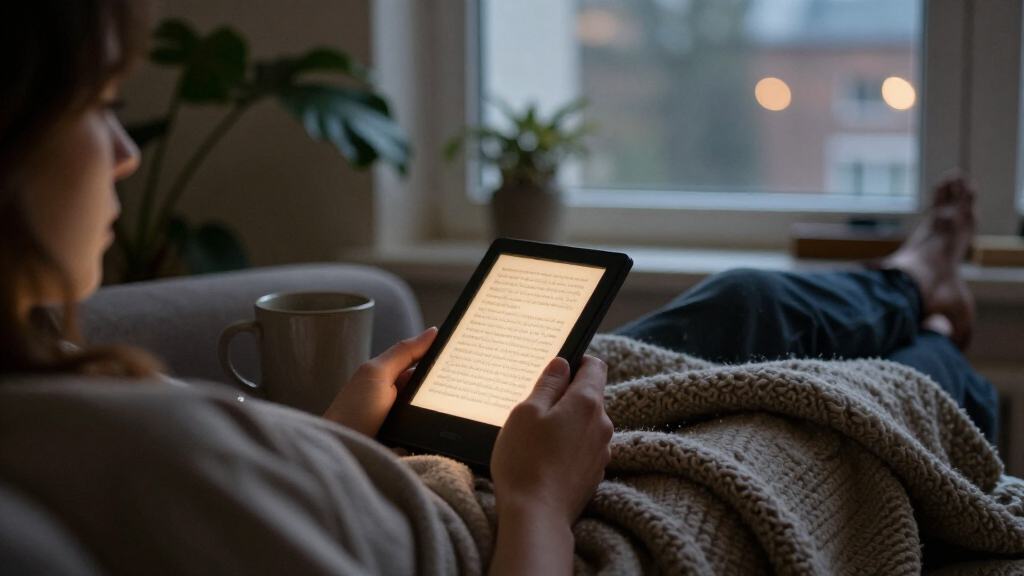
I ranked these readers around the promise of adjustable lighting: how well each option pairs its lighting features with a screen that suits everyday reading. I also weighed screen size, portability, color, waterproofing, storage, and whether the listed details give buyers a clear picture of what they are choosing. A lighting feature matters most when it improves comfort without making the reader awkward for a buyer’s usual setting.
The Kindle Paperwhite (12th Generation) leads for its balance of a larger 7-inch display and adjustable warm light. PocketBook’s 6-inch Verse models rank well for compact reading and SMARTlight; Kobo’s color and waterproof features make the Clara Colour a better fit for readers who need those extras. The Signature Edition ranks as a premium storage choice, while the M3 and OBOOK5 sit lower because their very small screens make them more niche. Where product listings do not specify a lighting feature, I do not assume one is present; buyers should verify the exact configuration before choosing.
| e-readers with adjustable lighting | Lighting | Battery life |
|---|---|---|
| PocketBook Verse 6-Inch E-Read | Adjustable SMARTlight brightness and color temperature | Up to 1 month |
| Amazon Kindle Paperwhite | Adjustable white-to-amber lighting | Up to 12 weeks under specified reading conditions |
| PocketBook Verse E-Reader | Adjustable SMARTlight brightness and color temperature | Up to 1 month |
| Kobo Clara Colour 6-Inch Colou | ComfortLight PRO with blue-light reduction | — |
| Amazon Kindle Paperwhite | Adjustable white-to-amber display lighting | Up to 12 weeks per charge |
| M3 Portable E-Book Reader | — | Stated 10 hours |
| OBOOK5 4.26-Inch Pocket eBook | — | Up to 2 weeks |
| Kobo Clara Colour 6-Inch Colou | Adjustable lighting and Dark Mode | Up to 2 weeks |
| Amazon Kindle Paperwhite Signa | — | Up to 12 weeks under specified conditions |
Factors to Consider When Choosing E-readers With Adjustable Lighting
Adjustable lighting can make an e-reader more comfortable across different rooms and times of day, but it is only one part of the decision. I would start with how and where you read, then check that the model’s screen, lighting controls, and content support match that routine.
Match the Screen Size to Your Reading Sessions
A 6- or 7-inch display gives text more room than the tiny screens on pocket readers, which can mean fewer page turns and less cramped lines. That difference matters more during long sessions than during a quick check of a few pages. A smaller device may still be the right call if it must fit in a small bag or pocket. Before buying, consider whether you tend to enlarge text, read comics, or keep several lines visible at once. Avoid choosing by body size alone: a reader that is easy to carry may be less pleasant to read on for an hour. If you regularly read at home, a larger screen can be worth the extra space in your bag.
Check What Adjustable Lighting Actually Means
Listings use different terms for lighting, and the presence of a front light does not always tell you whether its color temperature can shift warmer. If evening reading is a priority, confirm that the exact model offers both brightness adjustment and warm light rather than relying on a broad feature label. A warm setting can change the look of the page, but it does not make every reader equally comfortable; screen size, text settings, and room lighting still matter. Try to find clear controls or documentation for scheduling and manual adjustment. A common mistake is to compare only maximum brightness, even though low-light control may matter more at night. When a listing leaves the lighting details vague, verify the model number before purchasing.
Decide Whether Color Earns Its Place
Color E Ink can be useful for illustrated books, charts, comics, and colored covers, while standard monochrome screens keep the focus on text. Think about how often color would change your reading experience rather than simply look appealing in a product photo. Color readers may also display black-and-white text differently from monochrome-focused devices, so seek an in-person comparison if crisp text is your main concern. For novels, the extra capability may not justify making it a deciding factor. For textbooks or graphic content, color can help distinguish information that otherwise looks similar. Pick based on the material you read most, not the occasional exception.
Treat Waterproofing as a Use-Case Feature
Water resistance matters most for readers who regularly read near a bath, pool, or other splash-prone setting. It adds flexibility, but it does not make a device indestructible or remove the need to follow its care instructions. If most reading happens in bed or on a commute, waterproofing may matter less than screen size, lighting, or a comfortable grip. Check the specific product’s water-resistance rating and limits instead of assuming that every model in a product family has the same protection. A protective case can help with drops, but it is a separate concern from water exposure. Paying for waterproofing makes sense when it fits a routine you actually have.
Buy Storage for the Content You Keep
Text-heavy libraries usually take less space than collections filled with comics, illustrated books, or audiobooks. That means a higher storage figure is not automatically a better match for every reader. Consider whether you keep your entire library on the device or remove books after finishing them. Also check how the reader handles your existing files and library services, since storage cannot compensate for a difficult content workflow. Extra capacity can be useful if you want a large collection available offline, but it may go unused if you read one book at a time. Compare storage alongside the type of material you read.
Check Ecosystem and File Compatibility Before Switching
A reader can have the right screen and lighting but still frustrate you if it does not fit your library habits. Before choosing a brand, check whether your purchased books, library loans, and personal documents can be read on that device. Some buyers can move files easily, while others may depend on a particular bookstore or library app. Confirm support for the formats you already use rather than assuming all e-readers work the same way. This step can matter more than a small hardware difference, especially if you own a large digital collection. A switch is simplest when you know how new books and existing files will reach the device.
Frequently Asked Questions
Which reader here is the best fit for reading at night?
The Kindle Paperwhite (12th Generation) is the clearest fit in this lineup for readers who want a 7-inch screen and adjustable warm light for evening sessions. PocketBook’s Verse models also list adjustable SMARTlight, making them a more compact alternative. Check the exact listing for the lighting controls on any model you are considering, since product names alone can hide configuration differences. Warm light may feel more comfortable to some readers, but brightness, font size, and room lighting also affect the experience. If night reading is your main reason for buying, verify those controls before choosing a smaller or less clearly specified device.
Should I choose the Kindle Paperwhite or Kobo Clara Colour?
Choose the Kindle Paperwhite if your priority is a larger 7-inch screen and adjustable warm light for text-focused reading. The Kobo Clara Colour makes more sense if color content and waterproofing match how you read. These are different strengths, so the better choice depends on whether color meaningfully improves your books or whether a larger monochrome display matters more. Also check your bookstore and library habits before changing ecosystems. A feature advantage is less useful if it makes your existing collection harder to access.
Is the Signature Edition worth choosing over the standard Paperwhite?
The Signature Edition’s clearest listed difference here is its 32 GB of storage, compared with 16 GB for the standard Paperwhite. That extra room is most relevant if you keep a large offline library or store space-intensive content. For a collection made mainly of novels, 16 GB may already fit your needs, so storage alone may not settle the decision. Compare the full specifications for the exact versions available, because this roundup’s product details do not establish every difference between them. If you cannot name what you would store, the standard model may be the more sensible fit.
Are the 3.7-inch M3 and 4.26-inch OBOOK5 comfortable for full-length books?
They can display text, but their screens are much smaller than the 6-inch Verse and Clara Colour or the 7-inch Paperwhite. That compact size may suit brief reading breaks or readers who value pocketability above all else. For long sessions, smaller screens can mean more page turns and less text visible at once. The listed details also do not specify adjustable lighting for these two models, so check the exact configuration if that feature is essential. I would treat them as specialized compact options, not default choices for a main reading device.
Do both PocketBook Verse listings describe the same reader?
They share a 6-inch screen, adjustable SMARTlight, 8 GB storage, and Wi-Fi in the supplied product descriptions, but the listings identify different finishes and may reflect separate configurations. The blue Verse listing is described as an E Ink touchscreen, while the other names a Verse 6-Inch model. Compare the model number, included features, and seller specification sheet before ordering. Do not rely on color or a shortened product title to confirm that the hardware is identical. If the details remain unclear, choose the listing that spells out the lighting and connectivity features you need.
Conclusion
For most readers who want adjustable lighting and a screen suited to longer sessions, I recommend the Kindle Paperwhite (12th Generation) as best overall. The PocketBook Verse is my best value direction for readers who want a smaller 6-inch format with listed SMARTlight, while the Paperwhite Signature Edition is the premium pick for buyers who have a real use for 32 GB. Beginners who want a familiar, straightforward starting point can choose the standard Paperwhite; readers who want color and waterproofing should look at the Kobo Clara Colour. For specific pocketability needs, the M3 and OBOOK5 are the smallest options, though their listed lighting details call for extra checking. Match the screen and lighting to your routine, then confirm the exact model specifications before buying.
Halloween Picks
halloween
As an affiliate, we earn on qualifying purchases.