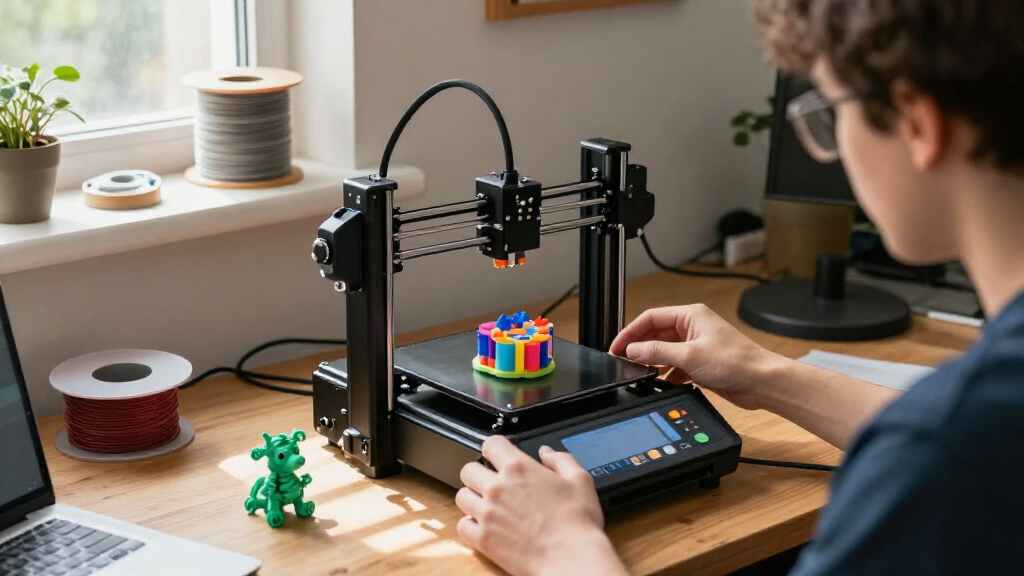
Miniature desktop 3D printers range from compact, beginner-friendly FDM machines to resin printers built for fine detail. My best overall pick is the Bambu Lab A1 mini for its capable compact format, while the ANYCUBIC Photon Mono 4 10K and HEPHI3D TINA2C stand out for miniature detail and approachable entry-level printing, respectively. The main tradeoff is between clean, simple filament printing and the finer detail of resin, which calls for more handling and cleanup. Multicolor and high-speed models add convenience or flexibility, but may ask more of your workspace and budget. Read on for the full breakdown and guidance on matching a printer to your projects.

Get the latest gadgets delivered free with Prime
- Fast, free delivery on millions of items
- Prime Video, Amazon Music and more included
- Member-only deals all year
Complete the kit


Key Takeaways
- Compact FDM models are the broadest fit. The Bambu Lab A1 mini, FlashForge Adventurer 5M models, and TINA2 series serve different needs, from feature-rich printing to straightforward starter setups.
- Resin is the detail-first choice. The ANYCUBIC Photon Mono 4 10K and ELEGOO Mars 5 suit highly detailed miniatures, but resin printing brings extra handling, washing, and curing steps.
- Multicolor capability is a distinct use case. The Creality SPARKX i7 and ELEGOO Centauri 2 Combo are for buyers who value color variation, not simply the smallest footprint or simplest workflow.
- Several listings represent closely related choices. The Adventurer 5M appears in multiple configurations, as do the Photon Mono 4 and TINA2C; buyers should compare the exact bundle and included equipment rather than assume every listing is identical.
- Small size alone does not make a printer beginner-friendly. Setup, workflow, material handling, and ongoing maintenance matter as much as the machine’s footprint.
| FLASHFORGE Adventurer 5M Pro 3D Printer |  | Best Enclosed High-Speed FDM Pick | Print speed: Up to 600 mm/s | Acceleration: 20,000 mm/s² | Build volume: 220 × 220 × 220 mm | VIEW LATEST PRICE | See Our Full Breakdown |
| ANYCUBIC Photon Mono 4 10K Resin 3D Printer |  | Best for Fine Resin Detail | Display: 7-inch 10K monochrome LCD | Resolution: 9024 × 5120 | XY pixel size: 17 × 17 μm | VIEW LATEST PRICE | See Our Full Breakdown |
| ELEGOO Mars 5 Resin 3D Printer |  | Best Resin Pick for Assisted Setup | Technology: Resin 3D printing | LCD: 4K monochrome | Light source: COB | VIEW LATEST PRICE | See Our Full Breakdown |
| Creality SPARKX i7 Multicolor 3D Printer |  | Best for Multicolor Desktop Printing | Build volume: 260 × 260 × 255 mm | Product dimensions: 16.6 × 17.9 × 18.5 inches | Item weight: 20.1 pounds | VIEW LATEST PRICE | See Our Full Breakdown |
| HEPHI3D TINA2C Mini 3D Printer |  | Best Compact Beginner Pick | Product type: Mini 3D printer | Dimensions: 8.27 × 6.7 × 9.84 inches | Weight: 5.46 pounds | VIEW LATEST PRICE | See Our Full Breakdown |
| FlashForge Adventurer 5M 3D Printer with Auto Leveling and High-Speed Printing |  | Best Compact High-Speed FDM Pick | Build volume: 220 x 220 x 220 mm | Maximum speed: 600 mm/s | Maximum extruder temperature: 280°C | VIEW LATEST PRICE | See Our Full Breakdown |
| TINA2S Fully Assembled Mini 3D Printer Starter Kit | 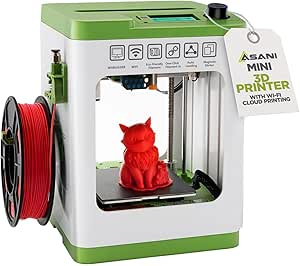 | Best for Beginner-Friendly Small Desks | Dimensions: 8.3 x 8.3 x 11.4 in | Weight: 6.4 lb | Filament compatibility: 1.75 mm PLA, PLA Pro, and TPU | VIEW LATEST PRICE | See Our Full Breakdown |
| ANYCUBIC Photon Mono 4 Resin 3D Printer with 7” 10K Mono LCD Screen |  | Best for Fine Resin Detail | Screen: 7-inch 10K mono LCD | Resolution: 9024 x 5120 | Build volume: 153.4 x 87 x 165 mm | VIEW LATEST PRICE | See Our Full Breakdown |
| Flashforge Adventurer 5M 3D Printer |  | Best for Flexible Nozzle Choices | Build volume: 8.7 x 8.7 x 8.7 in | Maximum print speed: 600 mm/s | Acceleration: 20,000 mm/s² | VIEW LATEST PRICE | See Our Full Breakdown |
| ELEGOO Centauri 2 Combo Multicolor 3D Printer |  | Best for Multicolor Desktop Printing | Printing: Four-color | Maximum print speed: 500 mm/s | Acceleration: 20,000 mm/s² | VIEW LATEST PRICE | See Our Full Breakdown |
| TRONXY CRUX 1S Compact High-Speed 3D Printer |  | Best Compact Pick for Faster FDM Printing | Printer type: FDM 3D printer | Build volume: 180 × 180 × 180 mm | Maximum print speed: 300 mm/s | VIEW LATEST PRICE | See Our Full Breakdown |
| Bambu Lab A1 mini 3D Printer with LED Lamp Kit |  | Best for Beginners and Decorative Projects | Model number: PF002-M-EU | Product dimensions: 15.21 × 16.77 × 17.94 in | Weight: 12.1 lb | VIEW LATEST PRICE | See Our Full Breakdown |
| Entina Tina2C Beginner Mini 3D Printer |  | Best for STEM Learning and Guided Setup | Technology: FDM 3D printing | Print volume: 3.9 × 3.9 × 3.9 in | Dimensions: 8 × 6.5 × 10 in | VIEW LATEST PRICE | See Our Full Breakdown |
| Portable Compact FDM 3D Printer for Beginners |  | Best Ultra-Compact Starter Kit | Printing technology: FDM | Build volume: 100 × 100 × 100 mm | Filament compatibility: 1.75 mm PLA and TPU | VIEW LATEST PRICE | See Our Full Breakdown |
| miniature desktop 3D printer | Build volume | Dimensions | Weight |
|---|---|---|---|
| FLASHFORGE Adventurer 5M Pro 3 | 220 × 220 × 220 mm | 16 × 14 × 18 inches | 22 pounds |
| ANYCUBIC Photon Mono 4 10K Res | 153.4 × 87 × 165 mm | 20 × 10 × 15 inches | 11 pounds |
| ELEGOO Mars 5 Resin 3D Printer | 5.65 × 3.53 × 5.91 inches | 15.75 × 18.5 × 9.06 inches | — |
| Creality SPARKX i7 Multicolor | 260 × 260 × 255 mm | — | — |
| HEPHI3D TINA2C Mini 3D Printer | — | 8.27 × 6.7 × 9.84 inches | 5.46 pounds |
| FlashForge Adventurer 5M 3D Pr | 220 x 220 x 220 mm | 15.83 x 14.29 x 17.64 in | 22 lb |
| TINA2S Fully Assembled Mini 3D | — | 8.3 x 8.3 x 11.4 in | 6.4 lb |
| ANYCUBIC Photon Mono 4 Resin 3 | 153.4 x 87 x 165 mm | 10 x 10 x 15 in | 7.7 lb |
| Flashforge Adventurer 5M 3D Pr | 8.7 x 8.7 x 8.7 in | — | — |
| ELEGOO Centauri 2 Combo Multic | — | 19.69 x 18.9 x 23.23 in | 33 lb |
| TRONXY CRUX 1S Compact High-Sp | 180 × 180 × 180 mm | — | — |
| Bambu Lab A1 mini 3D Printer w | — | — | 12.1 lb |
| Entina Tina2C Beginner Mini 3D | — | 8 × 6.5 × 10 in | 5.28 lb |
| Portable Compact FDM 3D Printe | 100 × 100 × 100 mm | — | — |
More Details on Our Top Picks
FLASHFORGE Adventurer 5M Pro 3D Printer
The Adventurer 5M Pro is the strongest fit here for buyers who want fast filament printing in an enclosure, rather than the fine surface detail of a resin machine. Its CoreXY system reaches up to 600 mm/s, while automatic bed leveling and quick-swap nozzles reduce setup interruptions. Compared with the smaller HEPHI3D TINA2C, it offers a much larger stated build volume and supports a wider range of materials, including ABS and ASA. The enclosure, dual filtration, camera, and recovery features also make it better equipped for longer or more involved jobs. The tradeoff is its 16 × 14 × 18-inch footprint, which is substantial for a miniature desktop printer, and high-temperature materials may take careful setup. Choose it for capability over minimum desk space.
Pros:- CoreXY system supports speeds up to 600 mm/s with vibration compensation
- Automatic bed leveling and tool-free nozzle changes simplify routine setup
- Enclosure and dual filtration support work with materials such as ABS and ASA
- Built-in camera, filament detection, and power-loss recovery add monitoring and job safeguards
Cons:- Larger footprint and 22-pound weight make it less convenient for a small desktop than the HEPHI3D TINA2C
- High-temperature materials may need careful setup
Best for: Desktop makers who want fast, enclosed filament printing for functional parts and varied materials, and have room for a 16 × 14 × 18-inch machine.
Not ideal for: Buyers with very limited desk space, or those prioritizing resin-level fine detail or a truly tiny printer.
- Print speed:Up to 600 mm/s
- Acceleration:20,000 mm/s²
- Build volume:220 × 220 × 220 mm
- Nozzle temperature:Up to 280°C
- Heated bed temperature:Up to 110°C
- Nozzle sizes:0.25, 0.4, 0.6, and 0.8 mm
- Dimensions:16 × 14 × 18 inches
- Weight:22 pounds
Our verdict“Choose the Adventurer 5M Pro if you want an enclosed, fast FDM machine and can give up some desktop space.”
ANYCUBIC Photon Mono 4 10K Resin 3D Printer
If tiny surface features matter more than everyday convenience, the Photon Mono 4 earns its place with a 7-inch 10K monochrome LCD and 17 × 17 μm XY pixels. That resolution suits miniatures and other detail-heavy models better than the filament-focused FLASHFORGE Adventurer 5M Pro, which is the more practical choice for larger functional parts and less involved material handling. The Photon’s stated build volume is generous for its resin-printer class, and print recovery can help preserve a job after a power outage. Its main compromise is the resin workflow: the printer requires first-time leveling, and resin printing calls for careful handling and cleanup. It is also not as small on a desk as its 11-pound weight might suggest; listed dimensions are 20 × 10 × 15 inches.
Pros:- 10K monochrome LCD and 17 × 17 μm XY pixels support fine detail
- Build volume is relatively generous for a resin printer in this class
- Print recovery can resume a job after power is restored
- Lifetime technical support is included
Cons:- Resin requires careful handling and a more involved workflow than the Adventurer 5M Pro’s filament printing
- First-time leveling is required before printing
- Listed 20 × 10 × 15-inch dimensions take more desk space than its 11-pound weight suggests
Best for: Miniature painters, tabletop hobbyists, and model makers who value fine surface detail and are prepared to handle resin and cleanup.
Not ideal for: Users who want simple, low-mess printing for large functional parts or a compact machine with a small desk footprint.
- Display:7-inch 10K monochrome LCD
- Resolution:9024 × 5120
- XY pixel size:17 × 17 μm
- Build volume:153.4 × 87 × 165 mm
- Layer exposure time:1.5 seconds
- Dimensions:20 × 10 × 15 inches
- Weight:11 pounds
- Warranty:1 year; LCD screen warranty 6 months
Our verdict“Pick the Photon Mono 4 for detailed resin miniatures if you accept the extra handling and cleanup.”
ELEGOO Mars 5 Resin 3D Printer
The Mars 5 puts setup safeguards ahead of maximum resolution. Its one-click automatic leveling, pre-print self-checks, and residue detection help catch common problems before a resin job gets underway. That makes it a more guided option than the ANYCUBIC Photon Mono 4, which offers a 10K LCD and larger stated build volume but requires first-time leveling. The Mars 5 uses a 4K monochrome LCD with a COB light source, so it remains suited to detailed small prints, though the Photon’s 10K panel is the clearer choice for buyers chasing the finest stated pixel resolution. The Mars 5’s compact 5.65 × 3.53 × 5.91-inch build volume limits larger models, and resin still requires careful handling. Overheat protection adds another safeguard by pausing printing if the LED exceeds 80°C.
Pros:- One-click automatic leveling reduces manual setup
- Pre-print self-checks and residue detection can flag issues before a job starts
- COB light source and 4K monochrome LCD support detailed small prints
- Overheat protection pauses printing and sounds an alarm if the LED exceeds 80°C
Cons:- Build volume is limited to 5.65 × 3.53 × 5.91 inches
- Its 4K LCD has lower stated resolution than the Photon Mono 4’s 10K screen
- Resin printing requires careful handling and cleanup
Best for: Resin-printing beginners who want automatic leveling, pre-print checks, and alerts while making small detailed models.
Not ideal for: Buyers needing larger resin models or the highest listed screen resolution; the Photon Mono 4 has a 10K panel and a larger stated build volume.
- Technology:Resin 3D printing
- LCD:4K monochrome
- Light source:COB
- Build volume:5.65 × 3.53 × 5.91 inches
- Automatic leveling:One-click
- Dimensions:15.75 × 18.5 × 9.06 inches
- Item weight:14.52 pounds
- Overheat protection:Pauses printing if the LED exceeds 80°C
Our verdict“Choose the Mars 5 for a guided resin setup and safety checks, but choose the Photon Mono 4 if screen resolution and build volume take priority.”
Creality SPARKX i7 Multicolor 3D Printer
The SPARKX i7 is the pick for buyers who want multicolor FDM printing and a larger work area than the compact options in this roundup. Its 260 × 260 × 255 mm build volume exceeds the Adventurer 5M Pro’s 220 mm cubed volume, leaving more room for larger models or multiple parts. Automatic pre-print calibration and AI camera monitoring can reduce hands-on checking, while input shaping and pressure advance target more controlled printing. The key caveat is that multicolor printing requires the CFS, so the stated multicolor capability depends on an additional system. At 16.6 × 17.9 × 18.5 inches, it is not especially small for a desktop printer, and the product notes that operation can be noisy enough to make night mode useful for overnight jobs. This is a capacity-and-color choice, not a space-saving one.
Pros:- 260 × 260 × 255 mm build volume is larger than the Adventurer 5M Pro’s
- Automatic pre-print calibration reduces setup steps
- AI camera monitoring can detect common print issues
- Supports multicolor printing with reported 50% reduction in purging waste
Cons:- Multicolor printing requires the CFS
- The 16.6 × 17.9 × 18.5-inch body is large for a miniature desktop printer
- Noisy operation may make night mode necessary for overnight printing
Best for: Makers who want multicolor filament projects, a larger build area, and camera monitoring, with space for the printer and CFS.
Not ideal for: Small-desk users or buyers seeking multicolor printing without the additional CFS system.
- Build volume:260 × 260 × 255 mm
- Product dimensions:16.6 × 17.9 × 18.5 inches
- Item weight:20.1 pounds
- Multicolor printing:Requires CFS
- Purging waste reduction:50%
- Printing efficiency improvement:15%
- Calibration and monitoring:Automatic bed leveling, nozzle Z-offset, AI camera monitoring
- Additional features:Input shaping, pressure advance, RGB lighting, night mode
Our verdict“Choose the SPARKX i7 if multicolor work and extra build area outweigh its larger footprint and CFS requirement.”
HEPHI3D TINA2C Mini 3D Printer
The TINA2C is the most desk-friendly choice here by listed dimensions, measuring 8.27 × 6.7 × 9.84 inches and weighing 5.46 pounds. It arrives fully assembled, adds auto leveling, and supports app-controlled one-tap printing, giving beginners a gentler start than the more involved resin workflows of the Photon Mono 4 and Mars 5. Wi-Fi, USB-C, and TF card options also give owners several ways to send jobs, while the included PLA filament and tools make the starter bundle useful from the outset. Its tradeoff is capability: the product data does not state a maximum build size or print speed, so buyers cannot readily judge project limits against the 220 mm cubed Adventurer 5M Pro. Its compact footprint is the point, but it also means this is a better fit for small projects than ambitious builds.
Pros:- Fully assembled design and auto leveling reduce initial setup work
- Small 8.27 × 6.7 × 9.84-inch dimensions suit crowded desks
- Wi-Fi, USB-C, and TF card support offer multiple job-transfer options
- Includes PLA filament, tools, and a TF card
Cons:- Maximum print size and print speed are not specified in the supplied product data
- Compact format may restrict project scale compared with the Adventurer 5M Pro
- The listed model library and app-based workflow may be less suited to buyers seeking a larger, more configurable machine
Best for: First-time makers, families, or students who want a lightweight, assembled FDM printer for small projects and app-guided printing.
Not ideal for: Makers planning large parts or needing a clearly stated build volume and print speed before choosing; the Adventurer 5M Pro lists both.
- Product type:Mini 3D printer
- Dimensions:8.27 × 6.7 × 9.84 inches
- Weight:5.46 pounds
- Setup:Fully assembled; auto leveling
- Connectivity:Wi-Fi, USB-C, TF card
- Model library:Over 3,500 models
- Included:PLA filament, tools, TF card
- Other features:App-controlled one-tap printing, quiet printing, resume function, quick-release hotend
Our verdict“Pick the TINA2C for a small, ready-to-start beginner printer, but look to the Adventurer 5M Pro for specified capacity and faster, larger jobs.”
FlashForge Adventurer 5M 3D Printer with Auto Leveling and High-Speed Printing
The Adventurer 5M pairs a fast CoreXY motion system with a 220 mm cube build area, making it a strong fit for desktop users who want quicker prints without stepping up to a much larger machine. Its 600 mm/s maximum speed is a headline figure, but the practical appeal is the combination of automatic leveling, fast warm-up, and quick-change nozzle that can reduce setup interruptions. Compared with the TINA2S, it gives you substantially more room for functional parts and a higher-speed platform, though it takes up more desk space and weighs 22 pounds. The direct extruder reaches 280°C, but the listed data does not specify an enclosure, so buyers focused on temperature-sensitive materials may prefer a different setup. Remote app monitoring adds convenience; the 220 mm build limit remains the main constraint for larger projects.
Pros:- Automatic bed leveling reduces manual setup and helps keep first layers consistent.
- CoreXY system rated for speeds up to 600 mm/s can shorten print runs.
- Quick-change 3S nozzle and fast warm-up make routine print changes less disruptive.
- Remote monitoring provides a convenient way to check jobs.
Cons:- The 220 x 220 x 220 mm build volume rules out larger single-piece prints.
- At 22 pounds and nearly 18 inches tall, it is not especially portable or unobtrusive.
- The provided specifications do not describe an enclosure for printing materials that benefit from one.
Best for: Desktop makers who want a fast, automatically leveled FDM printer for medium-sized parts and frequent everyday prints.
Not ideal for: Buyers making oversized models or prioritizing a small, lightweight printer; its 220 mm build area and 22-pound weight limit portability and project size.
- Build volume:220 x 220 x 220 mm
- Maximum speed:600 mm/s
- Maximum extruder temperature:280°C
- Nozzle:3S detachable nozzle
- Frame:All-metal CoreXY
- Weight:22 lb
- Dimensions:15.83 x 14.29 x 17.64 in
Our verdict“Choose this Adventurer 5M if you want a speedy, well-equipped desktop FDM printer and can work within its 220 mm build volume.”
TINA2S Fully Assembled Mini 3D Printer Starter Kit
The TINA2S is the most approachable small FDM option in this group: it arrives assembled, weighs just 6.4 pounds, and includes a little PLA filament and a preloaded microSD card to get a first project moving. Auto leveling, one-touch filament loading, and a flexible magnetic plate keep common beginner tasks straightforward. Compared with the FlashForge Adventurer 5M models, its major advantage is a much smaller footprint, not speed or capacity; the listed data provides no build volume or maximum speed, so it is harder to judge its limits for larger work. Wi-Fi and support for Mac, Windows, and Linux make it flexible for a home or classroom setup. Its filament options are narrower, and the proximity sensor depends on a magnetic metal build plate, so this is less forgiving if the plate is changed or misplaced.
Pros:- Fully assembled design avoids the setup work common with printer kits.
- Auto leveling and one-touch filament loading simplify basic operation.
- Includes 10 m of PLA and a preloaded microSD card for starting out.
- Compact 6.4-pound body and Wi-Fi suit small home or classroom workspaces.
Cons:- Compatibility is limited to 1.75 mm PLA, PLA Pro, and TPU.
- The proximity sensor requires a magnetic metal build plate to work properly.
- The supplied product data does not state the build volume or printing speed.
Best for: First-time makers, students, and families who want an assembled, lightweight FDM printer for small projects on a crowded desk.
Not ideal for: Users planning large prints, fast production runs, or frequent material experimentation; its size and stated filament compatibility are limiting, and build-volume data is not provided.
- Dimensions:8.3 x 8.3 x 11.4 in
- Weight:6.4 lb
- Filament compatibility:1.75 mm PLA, PLA Pro, and TPU
- Included filament:10 m PLA
- Display:2.4-inch LCD
- Connectivity:Wi-Fi
- Operating systems:Mac, Windows, and Linux
- Build plate:Flexible magnetic plate
Our verdict“Pick the TINA2S for a lightweight, ready-to-use first printer, but choose a FlashForge Adventurer 5M if you need more documented capacity and speed.”
ANYCUBIC Photon Mono 4 Resin 3D Printer with 7” 10K Mono LCD Screen
The Photon Mono 4 takes a different route from the FDM machines here: its 10K mono LCD is aimed at small, intricate resin models rather than general-purpose filament parts. With a 9024 x 5120 resolution and a build height of 165 mm, it can suit miniatures and detailed display pieces that would be a different challenge for the FlashForge Adventurer 5M. Its 153.4 x 87 mm footprint keeps the build area compact, while the 7.7-pound printer is manageable to position on a dedicated surface. A four-point leveling system and uniform LighTurbo matrix light source support a more consistent setup and exposure. The tradeoff is the resin workflow: this is not the pick for buyers who want the simpler filament handling of the TINA2S, and app service is not supported. Resin handling and cleanup also call for a workspace prepared for that process.
Pros:- 10K mono LCD resolution is suited to fine features on small models.
- Build height of 165 mm allows room for taller resin pieces.
- Four-point leveling system gives users a guided way to set the build platform.
- LighTurbo matrix light source is designed for stable, uniform exposure.
Cons:- Resin printing involves a different handling and cleanup routine than FDM filament printing.
- App service is not supported for this model.
- The 153.4 x 87 mm build footprint limits the size of models printed in one piece.
Best for: Miniature painters, tabletop gamers, and model makers who value fine surface detail over the simpler workflow of filament printing.
Not ideal for: Families or beginners seeking a low-mess, general-purpose desktop printer; resin handling and the lack of app service may not suit that workflow.
- Screen:7-inch 10K mono LCD
- Resolution:9024 x 5120
- Build volume:153.4 x 87 x 165 mm
- Light source:LighTurbo matrix light source
- Dimensions:10 x 10 x 15 in
- Weight:7.7 lb
- Model:Mono 4
Our verdict“Choose the Photon Mono 4 if detailed resin miniatures matter more to you than the easier filament workflow offered by the TINA2S.”
Flashforge Adventurer 5M 3D Printer
This Adventurer 5M is a strong choice for desktop FDM users who want a fast machine but also expect to tune how each job prints. Its 0.25–0.8 mm nozzle range lets buyers trade finer detail for broader, faster extrusion, while the removable PEI plate makes part removal and surface changes more convenient. Like the other FlashForge Adventurer 5M listing, it pairs CoreXY motion with automatic leveling and app-based monitoring; this version specifies 25-point detection, dual linear rails, and a 20,000 mm/s² acceleration figure. Against the TINA2S, it is clearly the more capable production-oriented desktop pick, but it is also far heavier and larger. Its 8.7-inch cube build volume suits many household parts, though the optional enclosure requires extra hardware and printed panels rather than coming as standard.
Pros:- CoreXY system rated for up to 600 mm/s and 20,000 mm/s² acceleration.
- Automatic bed leveling uses 25-point detection.
- Nozzle options from 0.25 to 0.8 mm support different detail and throughput priorities.
- Removable PEI plate and app-based remote monitoring add practical workflow features.
Cons:- The enclosure is optional and requires additional hardware and printed panels.
- At 23.3 pounds, it is substantially less portable than the TINA2S.
- Its roughly 8.7-inch cube build volume still limits larger single-piece prints.
Best for: Experienced hobbyists and small workshop users who want high-speed FDM printing with nozzle options for different part types.
Not ideal for: Beginners seeking the smallest and simplest starter printer, or users who need an enclosed machine without a separate upgrade.
- Build volume:8.7 x 8.7 x 8.7 in
- Maximum print speed:600 mm/s
- Acceleration:20,000 mm/s²
- Nozzle temperature:Up to 280°C
- Nozzle sizes:0.25–0.8 mm
- Build plate:Removable PEI
- Frame:CoreXY, dual linear rails, aluminum frame
- Dimensions and weight:15.75 x 14.29 x 17.64 in; 23.3 lb
Our verdict“Choose this Adventurer 5M if nozzle flexibility and fast FDM output matter more than a compact footprint or included enclosure.”
ELEGOO Centauri 2 Combo Multicolor 3D Printer
The Centauri 2 Combo is the standout here for buyers who want multicolor FDM output without changing filament by hand for every color. Its four-color system, RFID filament recognition, and auto-refill support a more automated workflow, while 22 sensors, calibration, and pre-print checks are intended to catch issues before or during a job. Compared with the FlashForge Adventurer 5M, it offers color capability and a hotter 350°C nozzle, but it is much larger at nearly 20 x 19 x 23 inches and weighs 33 pounds. That makes “desktop” a more demanding fit: measure the workspace before choosing it. The listed speed reaches 500 mm/s, but the product data omits build volume, so buyers cannot judge project capacity from these specifications alone. This is a feature-rich pick, not the most compact one.
Pros:- Four-color printing supports multicolor models without manual color changes for each section.
- RFID filament recognition and auto refill help streamline material handling.
- Automatic calibration, 22 sensors, and pre-print checks add workflow monitoring.
- CoreXY system reaches up to 500 mm/s with vibration compensation.
Cons:- Its 19.69 x 18.9 x 23.23-inch dimensions and 33-pound weight demand substantial, stable workspace.
- The supplied specifications do not state the build volume, making capacity hard to compare.
- The 500 mm/s maximum is lower than the 600 mm/s rating listed for the FlashForge Adventurer 5M models.
Best for: Makers who want automated four-color FDM prints and have a permanent, spacious desktop or workshop location.
Not ideal for: Apartment users with limited desk space or buyers who need a clearly stated build volume before selecting a printer.
- Printing:Four-color
- Maximum print speed:500 mm/s
- Acceleration:20,000 mm/s²
- Nozzle temperature:350°C
- Sensors:22
- Display:5-inch touchscreen
- Dimensions:19.69 x 18.9 x 23.23 in
- Weight:33 lb
Our verdict“Choose the Centauri 2 Combo if automated four-color printing is your priority and you can accommodate its large footprint.”
TRONXY CRUX 1S Compact High-Speed 3D Printer
The TRONXY CRUX 1S is a strong fit when a small desktop footprint matters but you still want more room than the tiniest printers provide. Its 180 mm cubed build volume is larger than the Portable Compact FDM printer’s 100 mm cubed space, giving you more flexibility for modest functional parts. The stated top speed of 300 mm/s also suits buyers who want to reduce print time, though speed alone does not guarantee a clean result on every model. With 95% of assembly already done, setup should be less involved than on a printer that requires more construction. The touchscreen and metal guide rails add convenience and structure, but this is still a compact FDM machine, not a choice for large prints. I’d pick it over the Entina Tina2C when extra build space and speed matter more than guided app-based learning.
Pros:- 180 × 180 × 180 mm build volume is roomier than the smallest printers in this group
- Stated maximum print speed of 300 mm/s
- 95% preassembled design reduces initial setup work
- Color touchscreen and dual-axis metal guide rails
Cons:- Build volume still rules out larger models
- The listed speed is a maximum, not a guarantee that every print can run at that pace
Best for: Desktop makers who want a relatively compact FDM printer with more build space and a high stated speed for small-to-medium projects.
Not ideal for: Buyers planning large prints or those who want a clearly documented guided app workflow like the Entina Tina2C offers.
- Printer type:FDM 3D printer
- Build volume:180 × 180 × 180 mm
- Maximum print speed:300 mm/s
- Maximum acceleration:10,000 mm/s²
- Nozzle diameter:0.4 mm
- Display:2.8-inch full-color touchscreen
- Assembly:95% preassembled
- Dimensions and weight:16 × 9 × 7 in; 5.8 kg
Our verdict“Choose the CRUX 1S if you want a compact FDM printer with more build room and a high stated speed than the smallest beginner models.”
Bambu Lab A1 mini 3D Printer with LED Lamp Kit
The Bambu Lab A1 mini stands out for pairing beginner-oriented setup with a ready-made creative project direction: its included LED Lamp Kit can turn compatible printed models into decorative lights. Automatic calibration and app access help make starting a print less hands-on than with the Portable Compact FDM printer, which requires assembly and bed leveling. The listed noise level of ≤48 dB is also useful for a shared home workspace, although it does not make the printer silent. MakerWorld and the Bambu Handy app offer a route to models and print management, but the lamp models still need to be printed separately. Compared with the Entina Tina2C, this pick is more appealing for app-connected projects and the lamp accessory; the Entina’s explicit STEM activities may suit classroom-style learning better.
Pros:- Automatic calibration and simple setup suit first-time users
- Includes an LED Lamp Kit for compatible decorative prints
- Quiet operation is listed at ≤48 dB
- MakerWorld and Bambu Handy app support model discovery and print management
Cons:- Compact size limits project dimensions
- Lamp models must be printed separately
- The provided product data does not state the build volume or print speed
Best for: New desktop-printing hobbyists who want automatic calibration, app-based model access, and a guided route into decorative lamp projects.
Not ideal for: Buyers who need a larger work area, want lamp models included as finished prints, or prefer a printer with an explicitly stated build volume.
- Model number:PF002-M-EU
- Product dimensions:15.21 × 16.77 × 17.94 in
- Weight:12.1 lb
- Noise level:≤48 dB
- Included accessory:LED Lamp Kit
- Setup features:Automatic calibration and simple setup
- Software and model access:MakerWorld and Bambu Handy app
Our verdict“Pick the A1 mini if you are new to 3D printing and want app-supported setup plus a clear path to decorative LED projects.”
Entina Tina2C Beginner Mini 3D Printer
The Entina Tina2C is the most education-oriented choice here, combining a fully assembled body with guided app setup, a model library, and STEM activities. Its 3.9-inch-cubed print area is smaller than the TRONXY CRUX 1S’s 180 mm-cubed volume, so this is better for learning projects and small objects than for stretching into bigger desktop prints. Automatic bed leveling and power-loss recovery lower the number of manual steps a beginner has to manage, while the flexible magnetic plate makes finished models easier to remove. Wi-Fi and TF card printing provide both connected and offline routes. Unlike the Bambu Lab A1 mini, the Tina2C’s supplied information specifically calls out STEM tools and Chromebook compatibility. The tradeoff is limited room for growth, and supported filament types are not specified.
Pros:- Fully assembled design with guided app setup
- Automatic bed leveling and power-loss recovery reduce hands-on steps
- Wi-Fi and TF card support allow connected or offline printing
- Flexible magnetic build plate and STEM-oriented app tools
Cons:- 3.9 × 3.9 × 3.9 in print volume limits project size
- Supported filament types are not specified in the supplied product data
- App-based workflow may be less appealing to buyers who prefer a simple standalone process
Best for: Families, students, and first-time makers seeking a fully assembled printer with guided app tools and small STEM projects.
Not ideal for: Makers who want to print larger parts or need the supported filament types clearly documented before choosing materials.
- Technology:FDM 3D printing
- Print volume:3.9 × 3.9 × 3.9 in
- Dimensions:8 × 6.5 × 10 in
- Weight:5.28 lb
- Connectivity:2.4 GHz Wi-Fi and TF card
- Build plate:Flexible magnetic
- Supported systems and software:Windows, macOS, Linux, Chromebook, Cura, Simplify3D
- Additional features:Auto leveling, power-loss recovery, LED lighting
Our verdict“Choose the Tina2C for a small, ready-to-use learning printer with guided software rather than for larger or material-specific projects.”
Portable Compact FDM 3D Printer for Beginners
At 2.2 pounds and 6.8 × 6.1 × 8.3 inches, this portable printer is the easiest option in the group to place on a crowded desk or move between workspaces. Its 100 mm cubed build volume is notably smaller than the Entina Tina2C’s 3.9-inch-cubed area and far below the TRONXY CRUX 1S, so projects need to stay small. The starter bundle includes PLA, a TF card and reader, tools, and a Type-C power adapter, giving a new owner basic supplies in the box. Support for both PLA and TPU adds flexibility that the Tina2C’s supplied specifications do not confirm. The tradeoff is a more hands-on start: assembly and bed leveling are required, unlike the fully assembled Tina2C or the mostly assembled CRUX 1S.
Pros:- Very light 2.2-pound design and small footprint
- Supports 1.75 mm PLA and TPU filament
- Removable build plate helps with model removal
- Includes PLA filament, TF card and reader, tools, and power adapter
Cons:- 100 × 100 × 100 mm build volume sharply limits print size
- Requires assembly and bed leveling
- The supplied data does not specify automatic calibration or app-based setup
Best for: Beginners with very limited desk space who want a lightweight starter bundle for small PLA or TPU prints.
Not ideal for: Buyers who want a ready-to-print setup, larger models, or fewer manual calibration steps.
- Printing technology:FDM
- Build volume:100 × 100 × 100 mm
- Filament compatibility:1.75 mm PLA and TPU
- Nozzle diameter:0.4 mm
- Layer thickness:0.05–0.3 mm
- Build plate:Removable
- Dimensions and weight:6.8 × 6.1 × 8.3 in; 2.2 lb
- Included accessories:10 m PLA filament, 8 GB TF card and reader, tools, manual, 12 V Type-C power adapter
Our verdict“Choose this printer if portability and an included starter bundle matter more than print size or a hands-off setup.”
How We Picked
I ranked these 14 miniature desktop 3D printers by how well their size and workflow fit practical home, hobby, and small-workspace use. I weighed print approach and intended output, ease of setup, automation, stated speed or detail features, build and maintenance demands, and versatility. For miniature figures and fine surface detail, resin capability matters; for general household parts and easier day-to-day handling, FDM has a different advantage.
The order reflects the strength of each printer as a complete fit for its likely buyer, not a claim that one technology beats the other at every task. Compact all-rounders rank ahead of more specialized choices when they offer a useful balance of usability and flexibility. Specialist resin and multicolor models remain compelling for buyers whose priorities match their strengths, while duplicated product families and less clearly specified listings rank lower because buyers need to verify the exact configuration before choosing.
Factors to Consider When Choosing Miniature Desktop 3D Printers
Before choosing among miniature desktop 3D printers, decide what “miniature” means for your work: a small machine, tiny finished objects, or both. The right choice depends on the models you plan to print and the space and time you can give the full printing process, not just the printer itself.
Choose FDM or Resin by the Objects You Want to Make
FDM and resin solve different problems. FDM printers melt filament and are a practical match for organizers, prototypes, props, and sturdier general-purpose parts. Resin printers can capture finer miniature details, but the workflow includes uncured resin handling and post-processing. A common mistake is choosing resin for detail without planning a safe, ventilated work area and a place for washing and curing prints. If you expect to print both figures and functional parts, decide which output matters most before paying for a machine that specializes in one side of the tradeoff.
Measure the Whole Setup, Not Just the Printer
Printer footprint is only part of the space requirement. Allow room to load material, remove prints, open covers or doors, and reach maintenance points. Resin setups need additional space for supplies and post-processing, while filament printers need storage for spools and a clear path to the build area. Check the machine’s dimensions alongside its usable build volume; a compact chassis can still make objects smaller than your projects require. Measure your desk and the route for cables before ordering, especially if the printer will sit in a shared room.
Match Build Volume to Your Typical Print
Buy for your usual projects, not an imagined maximum. A smaller build area can be a sensible compromise for tabletop figures, small replacement parts, and desk accessories. It becomes limiting when a design must be split into pieces or printed in repeated batches. Before choosing a compact machine, check the dimensions of a few models you genuinely expect to make and compare them with the stated build volume. Also think about how much room supports or orientation choices may take, since the finished object is not always the only space the print needs.
Decide Whether Automation, Speed, or Simplicity Matters Most
Convenience features are useful when they remove a real barrier. Auto-leveling and guided setup can reduce routine calibration work, while high-speed claims matter most to buyers who print often and can keep up with the workflow. For a first printer, a clear setup process and manageable maintenance can be more valuable than the fastest advertised movement. Do not treat a feature list as a guarantee of effortless results: material choice, print settings, and model preparation still affect output. Prioritize the task you want the printer to make easier rather than collecting features you may not use.
Factor in Materials, Cleanup, and Ongoing Care
The printer’s workflow continues after a print finishes. Filament printing commonly involves removing a part and sometimes trimming supports; resin adds liquid-material handling and separate cleanup and curing steps. Consider where consumables will be stored and how you will manage failed prints and routine maintenance. A low-friction setup can be a better fit than a more specialized machine if you want occasional, spontaneous projects. For frequent detailed miniature work, the additional resin workflow may be worthwhile, but only if you can accommodate it safely.
Check the Exact Bundle and Listing Details
Compare configurations, not just family names. This roundup includes repeated product families, including Adventurer 5M, Photon Mono 4, and TINA2C listings, and some entries mention a kit or accessory. Similar names do not prove that the included equipment, software, or setup is identical. Read the listing carefully for the precise model, bundle contents, and any accessories you expect to use. This simple check helps avoid paying for an assumed feature or discovering that a needed component is sold separately.
Frequently Asked Questions
Should I choose a resin printer or an FDM printer for tabletop miniatures?
Choose resin when fine surface detail is your main goal and you can manage its handling and post-processing requirements. FDM is a better fit when you value a simpler filament workflow, sturdier utility prints, or a wider mix of hobby and household objects. Resin output can suit intricate figures, while FDM can be more convenient for terrain, organizers, and larger parts. Think about the complete process, including cleanup and workspace, rather than comparing detail alone. If you want one machine for many kinds of prints, a compact FDM model may be the more flexible starting point.
Are the repeated Adventurer 5M, Photon Mono 4, and TINA2C listings different printers?
They are presented as overlapping model families, but the listing titles indicate different configurations or descriptions. The Adventurer 5M entries include a Pro version and multiple listings for the standard model; the Photon Mono 4 appears with differing screen descriptions; and the TINA2C appears as a mini printer and beginner-focused option. Do not assume that bundles, included accessories, or specifications match across listings. Compare the exact model name and product details before deciding. If two entries appear identical, use the seller’s stated configuration to distinguish them.
Is a multicolor printer worth choosing for a small desktop setup?
Multicolor makes sense when color is part of the finished object, such as display pieces or models that benefit from separate color regions. If most of your prints will be single-color prototypes, parts, or utility objects, the added capability may not change your results enough to justify making it a priority. Also check how the specific printer handles color changes and whether the workflow fits your available time and space. A multicolor machine is not automatically the best compact choice simply because it offers more options. Pick it when the color output is central to the projects you plan to print.
Can I keep a miniature desktop 3D printer in a bedroom or shared living space?
That depends on the printer type, materials, and room setup. Resin printing requires more attention to handling, ventilation, spills, and post-processing than a typical filament workflow. FDM avoids liquid resin, but the machine still needs a stable surface, access for operation, and a place for materials and finished prints. Review the manufacturer’s guidance for the exact printer and materials rather than assuming that a small footprint makes it suitable for every room. If the only available space is shared, favor a workflow you can manage safely without disrupting others.
What should I prioritize if this will be my first 3D printer?
Prioritize a clear setup and a workflow you can maintain before chasing advanced features. Consider whether you want to learn filament printing or are ready for resin’s extra handling steps, then check what is included in the exact listing. Auto-leveling or a beginner-focused kit may reduce setup friction, but neither replaces learning basic material and model preparation. A compact all-rounder is usually a more forgiving choice than a specialist machine if you are unsure what you will print. Choose based on the projects you expect to make regularly, not on the most impressive specification in the listing.
Conclusion
For the best overall balance, I recommend the Bambu Lab A1 mini; it is the strongest match for buyers seeking a compact, versatile FDM option. For best value, compare the standard FlashForge Adventurer 5M listings and the TINA2 models against the exact bundle and features included. Buyers seeking a more feature-focused or premium-style setup should look at the FLASHFORGE Adventurer 5M Pro or a multicolor option such as the ELEGOO Centauri 2 Combo, depending on their priorities. For beginners, the HEPHI3D TINA2C or TINA2S Starter Kit offers a more approachable direction. For highly detailed miniatures, choose the ANYCUBIC Photon Mono 4 10K or ELEGOO Mars 5 only if resin handling and post-processing fit your workspace; that specific need matters more than a general-purpose ranking.
Halloween Picks
halloween
As an affiliate, we earn on qualifying purchases.