TL;DR

Get the latest gadgets delivered free with Prime
- Fast, free delivery on millions of items
- Prime Video, Amazon Music and more included
- Member-only deals all year
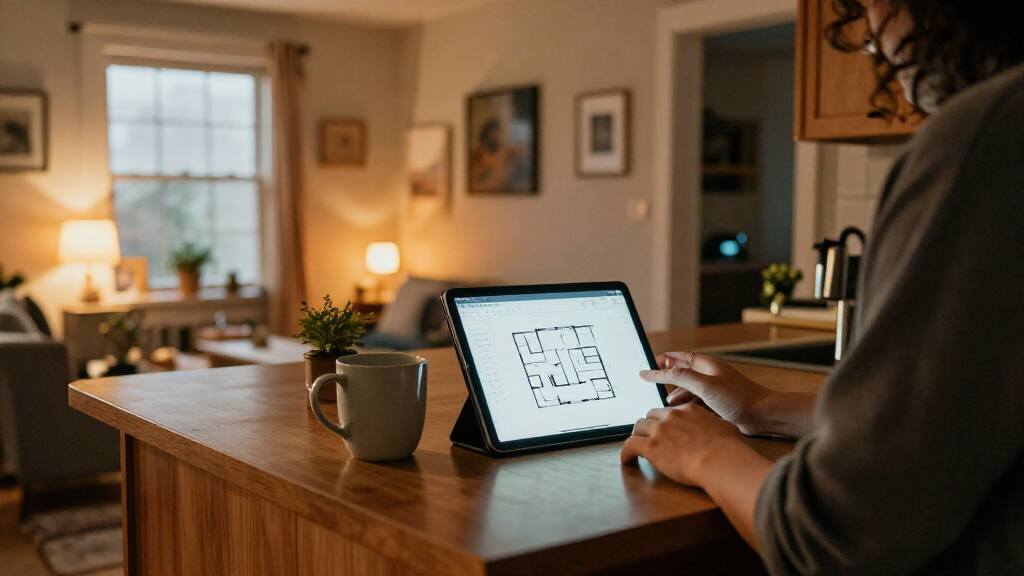
Anton Frolov commissioned an illustrator to draw his home, then built the images into an interactive Home Assistant dashboard. The illustration shows devices such as air conditioners and garden lights in different states, with controls and sensor information layered over the artwork. Frolov says the design has made the dashboard more appealing to his family, though he does not provide usage data.
Anton Frolov has turned a custom illustration of his home into an interactive dashboard for Home Assistant, using animated images to show the status of devices such as air conditioners and garden lights. In his report, Frolov says the illustrated interface is one his family enjoys using, addressing a practical problem with his earlier dashboard: other household members did not want to use it.
Frolov said he had spent about a year automating his home with the open-source platform. Some routines run automatically, including turning off air conditioners when everyone leaves and adjusting sprinkler time according to weather. Other tasks still need manual control. The garden lights, for example, were controlled through an app, and a timer automatically switched them off after a period of time. Frolov configured the lights to blink before the timer expired, giving someone a chance to extend the run time in the app.
He considered installing a physical switch but said it would not solve the timer issue, and some devices are more convenient to operate through an app. He wanted a dashboard that household members would be more willing to use. After looking at floor-plan interfaces, including 3D and pixel-art approaches, he commissioned an environment artist whose existing work suited the rooms he wanted to depict.
For the brief, Frolov supplied an architectural plan, room photos, style references, examples of other dashboards and a technical specification. He asked for day and night versions of each floor and separate, transparent image files for devices, with still images for off states and short animations for on states. He said exporting every asset on the same-sized canvas, in its correct position, avoided later work aligning the images. The garden required three views: daytime, nighttime and nighttime with the lights on.
A More Usable Smart-Home Interface
The project shows one way to address a familiar smart-home problem: an interface may work for its creator without being convenient for everyone in the home. In Frolov’s account, the illustrated floor plan gives household members a view of the actual rooms and device states, rather than asking them to navigate a conventional dashboard. He says the result is one his family enjoys using, although he does not report measured changes in how often they use it or whether it has improved device control.
The approach also separates visual design from device logic. The custom artwork supplies the appearance, while Home Assistant’s card places changing images, controls and status information over it. That can make a distinctive interface possible without building a custom application, but it still depends on careful artwork preparation and configuration.
Products Worth Considering

Amazon Kindle Paperwhite (12th Generation, 2024), 16 GB, 7-inch Display, Jade

Logitech MX Brio Ultra HD 4K Webcam, Graphite

DJI Osmo Mobile 7P Phone Gimbal with Mic Mini Transmitter, Infinity Black
As an affiliate, we earn on qualifying purchases.
From Floor Plan to Live Artwork
Home Assistant is an open-source platform for connecting and controlling smart-home devices. Frolov had already built automations for lighting, climate control and watering, but says some actions still needed a person to use an app. His earlier dashboard did not appeal to the rest of the household, so he explored an interactive floor plan as an alternative.
Frolov describes implementing the design with Home Assistant’s built-in picture-elements card. The illustration is set as the background, while image, icon and state-label elements can be positioned over it. He also describes using conditional elements to show or hide items according to a device’s state. For animated device states, the account says the card can display different images based on state; Frolov initially requested PNG sprite sheets and later converted animation frames to WebP.
The artwork, rather than extensive custom coding, was the main project cost in time and planning, according to Frolov. He says finding an artist, agreeing on the design and preparing the documentation accounted for much of the work. He also cautions that commissioning artwork takes coordination: artists have different specialisms and schedules, and the brief needs to explain both the visual goal and the technical file requirements.
What the Report Leaves Open
Frolov’s report describes his own setup, but the supplied material does not state when the report was published, what the commission cost, or how long the completed artwork took to produce. It also does not identify the illustrator by name or provide independent evaluation of the interface.
The claim that the dashboard is more enjoyable for the family is Frolov’s account. No figures are provided on household use, reliability, setup time saved or changes in how often devices are controlled manually. The supplied report text also ends while describing the image-state technique, so it does not establish every configuration detail or show whether the dashboard has since been expanded.
The Next Steps for a Replica
Frolov’s report does not announce a product launch, planned update or wider release; it presents a dashboard built for his own home. For readers seeking to make a similar setup, the next practical steps described in the account are to plan the floor-plan artwork, agree on device states and file formats with an illustrator, and configure the images and controls in Home Assistant’s picture-elements card.
Whether Frolov will publish a reusable configuration, share the artwork or report further results is not stated in the supplied material. The project’s broader value will depend on whether other users can adapt the approach to their own layouts, devices and accessibility needs.
Key Questions
What is the dashboard?
It is a Home Assistant interface built around an illustration of Frolov’s house. Device images and status information are positioned over the artwork.
How does the illustration show device status?
Frolov says the setup uses image elements that can display different pictures according to a device’s state. A still image can represent an off device, while an animated image can represent an active one.
Did Frolov build a custom Home Assistant card?
No custom card is described. He says the dashboard uses Home Assistant’s picture-elements card, with the illustration as a background and interactive elements layered over it.
Why commission an illustrator?
Frolov wanted a floor-plan interface that would be more appealing to his household than the dashboard he had been using. He chose an artist whose portfolio included illustrated environments.
Did the new dashboard measurably increase usage?
The report does not provide usage data. Frolov says his family enjoys using the dashboard, but that remains his account rather than a measured result.
Source: hn