To capture faces instead of foreheads with your doorbell camera, position it around 4-5 feet high with a slight downward tilt, ensuring it’s aimed directly at visitors’ faces. Avoid mounting too high or low and watch for obstructions or glare. Use adjustable mounts and proper lighting to improve clarity. Small angle tweaks can markedly enhance face visibility, so explore these tips to get the best shot and improve recognition. If you keep going, you’ll discover more ways to optimize your camera setup.
Key Takeaways
- Mount the doorbell at 4-5 feet with a slight downward tilt to frame faces clearly.
- Position the camera directly facing visitors, avoiding angles that only capture the forehead or top of the head.
- Ensure the camera is at eye level or slightly below, especially on porches or steps, for optimal facial capture.
- Use adjustable mounts to fine-tune angle and height, preventing side or high-angle shots that obscure facial features.
- Improve lighting from the front or side and avoid glare or shadows to enhance facial visibility in the footage.
Why Camera Angles Are Crucial for Clear Face Capture
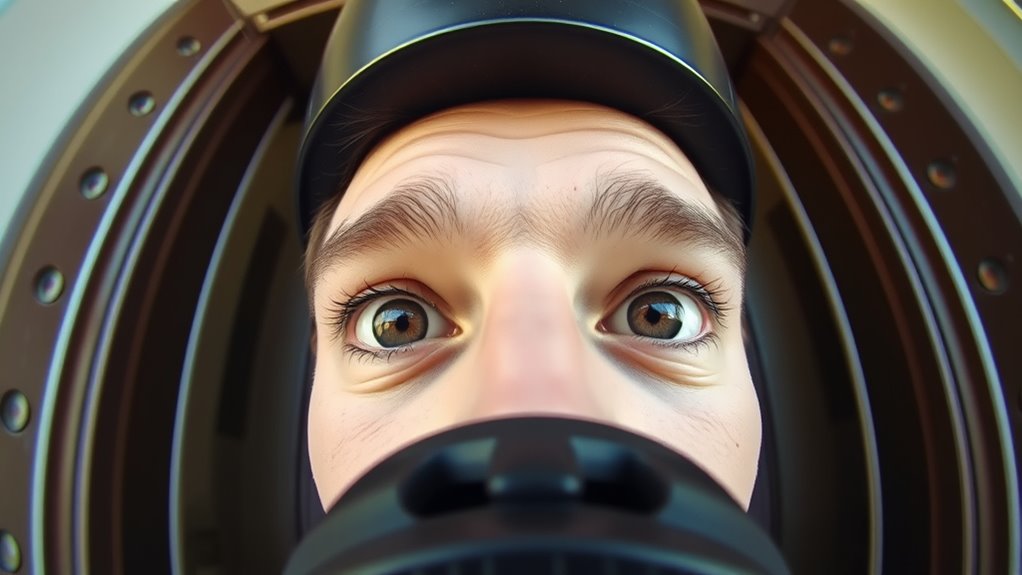
The angle at which your doorbell camera is positioned can make all the difference in capturing clear facial images. Proper lighting considerations are crucial because shadows or poor illumination can obscure faces, making identification difficult. Aim for a position that minimizes glare and ensures faces are well-lit from the front or side. Regular camera maintenance also plays a essential role; clean the lens frequently to prevent smudges or dirt that can blur images. Adjust the camera angle if you notice blurry or obscured faces, ensuring it’s facing the area where visitors appear most often. Additionally, understanding the importance of camera placement can help optimize the field of view for better face capture. Proper camera positioning can significantly enhance facial recognition capabilities in various lighting conditions. By paying attention to both lighting and maintenance, you improve the camera’s ability to capture sharp, recognizable faces, increasing your security and peace of mind. Incorporating proper positioning techniques can further optimize face visibility and image clarity, especially when combined with consistent maintenance practices.
Common Doorbell Camera Angles That Miss Faces

Many common doorbell camera angles can cause you to miss important facial details if not set correctly. Poor doorbell positioning often results in the camera mounting too high or too low, capturing only the top of visitors’ heads or just their silhouettes. When the camera is mounted at an awkward angle, it tends to focus on the forehead instead of the face, making identification difficult. For example, mounting the camera too far to the side or at a downward tilt can obscure key facial features. These misalignments happen when you neglect to contemplate the angle and height during installation. Additionally, understanding the importance of proper camera positioning can significantly improve facial recognition and security. Ensuring the camera is at the correct height and angle helps maximize clarity and detail of visitors’ faces.
How to Position Your Doorbell Camera for Better Face Visibility

To get clear face visibility, start by adjusting your camera height so it’s level with your visitors’ faces. Make sure the lighting is bright but not harsh, so faces are well-lit and easy to recognize. Proper positioning of both height and lighting can make a big difference in capturing clear, identifiable images. Additionally, consider wall decor that can help reflect natural light toward the camera for improved visibility.
Adjust Camera Height
Adjusting the height of your doorbell camera is essential for capturing clear face images. Proper height allows the camera to focus on faces rather than foreheads. Use height adjustment to position the camera at or slightly above eye level, ensuring faces are centered and well-framed. Tilt control helps refine angles, especially if the camera is mounted higher. Here’s a quick guide:
| Mounting Tip | Recommended Height | Tilt Control Adjustment |
|---|---|---|
| Front door | 4-5 feet | Slight downward tilt |
| Porch or steps | Eye level or lower | Adjust tilt downward |
| High eaves or overhangs | 6-7 feet | Minimal tilt |
| Security focus area | 5-6 feet | Fine-tune tilt |
Proper height and tilt adjustments enhance face visibility, making your camera more effective. Ensuring the camera is positioned correctly can also help you adhere to privacy considerations and avoid capturing unintended areas. Additionally, understanding Free Floating concepts can assist in optimizing camera placement for better coverage. Considering camera placement techniques can further improve the overall effectiveness of your security setup, especially when accounting for camera angle adjustments that enhance face detection.
Choose Optimal Lighting
Good lighting is vital for capturing clear face images with your doorbell camera. To improve visibility, use effective lighting techniques like positioning the camera where natural light falls evenly on visitors’ faces. Avoid direct sunlight that causes harsh shadows and washouts, and instead opt for soft, diffused light. Shadow management is key; if shadows fall across faces, it becomes difficult to identify features. Adjust your camera placement to minimize shadows and ensure faces are well-lit from the front or side, not behind. Consider adding supplemental lighting, like porch lights or motion-activated lamps, to enhance face visibility during low-light conditions. Using proper lighting positioning can significantly improve overall image clarity and facial recognition accuracy. Consistent, balanced lighting helps your camera capture faces clearly, making identification easier and reducing the chance of missing important details. Additionally, understanding lighting techniques can help you optimize your setup for the best results.
Best Placement Tips for Front-Facing Camera Shots
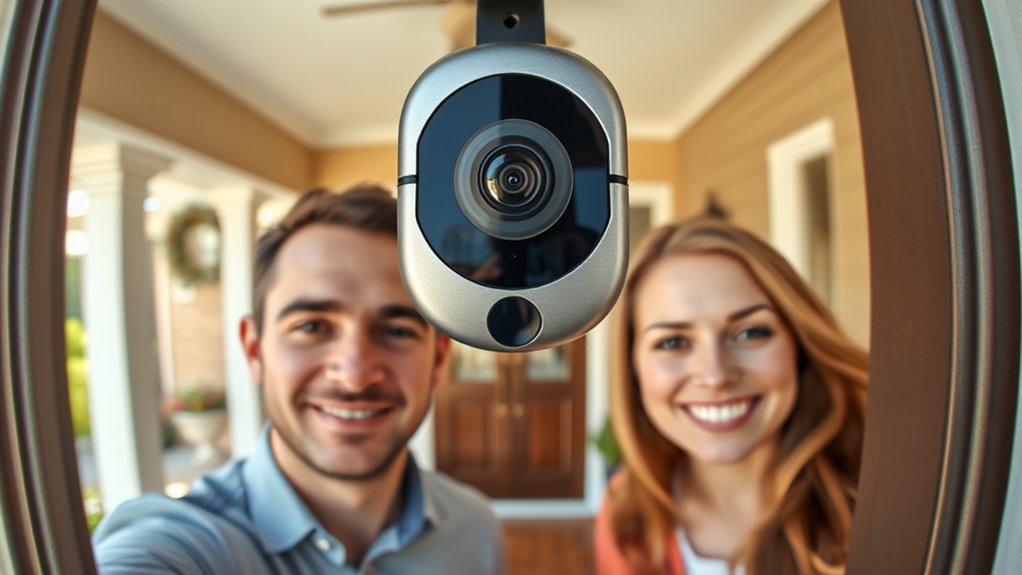
To get the best front-facing shots, position your camera at eye level for clear, natural images. Make certain to avoid obstructions like plants or fixtures that can block the view. Proper placement ensures you capture sharp, unobstructed footage of visitors. Additionally, considering support breakfast options can help maximize your footage quality and coverage. Ensuring your camera is integrated into a smart home ecosystem can also enhance automation and monitoring capabilities. For compact living spaces, choosing a compact camera design can help maintain a clutter-free entrance while providing optimal coverage.
Eye-Level Placement Techniques
Positioning your doorbell camera at eye level guarantees you capture clear, natural-looking footage of visitors. This placement ensures faces are front and center, making recognition easier. To maximize image quality, consider adding security lighting nearby, which improves visibility during low-light conditions. Proper lighting helps your camera resolution shine, reducing grainy or blurry images. Keep the camera aligned with the visitor’s eye line, avoiding angles that cause distortion or cut off faces. Adjust the height so the camera isn’t too high or low, which can obscure important details. A well-placed, eye-level camera combined with good lighting ensures you get sharp, face-focused footage that’s easy to identify, improving your overall security and visitor experience. Additionally, camera positioning plays a crucial role in capturing optimal footage, especially in dynamic outdoor environments.
Avoid Obstructive Angles
Since obstructions can block your view and compromise footage quality, it’s essential to choose a camera placement that minimizes obstacles. Look for spots that are clear of bushes, hanging cords, or overhanging branches. Pay attention to lighting conditions; avoid areas where shadows or glare can obscure faces. Proper lighting helps your camera resolution capture clear images, especially in low-light situations. Position the camera at a height where objects like door mats or furniture won’t get in the way. Also, guarantee the camera angle is direct and unobstructed, so faces are clearly visible and not hidden behind objects. Regularly check for new obstructions or changes in the environment to maintain ideal footage quality and facial recognition capabilities. Additionally, consulting a reliable whole-home backup power guide can help ensure your camera setup is resilient during power outages, keeping your security system operational at all times. To further improve facial capture, consider adjusting the camera angle periodically to adapt to seasonal changes or new environmental factors. Incorporating an environmental assessment can help identify potential issues before they impact your camera’s effectiveness. Being aware of smart‑home integrations can also enhance your overall security setup by enabling remote monitoring and alerts.
Using Mounts and Fairings to Improve Camera Angles

Using mounts and fairings can considerably enhance your doorbell camera’s angles, giving you a clearer view of visitors and the surroundings. Proper mounting techniques guarantee your camera is positioned at eye level, avoiding obstructions and capturing faces instead of foreheads. Camera fairings protect the lens from glare, rain, and debris, improving image clarity. By adjusting the angle with sturdy mounts, you can optimize facial visibility during different times of day. Consider the following options:
| Mount Type | Best Use | Advantage |
|---|---|---|
| Adjustable Mount | Versatile positioning | Flexible angle control |
| Fixed Mount | Stable, permanent setup | Reliable, no movement |
| Surface Mount | Easy installation on walls | Quick to install |
Choosing the right mounting techniques and fairings makes a noticeable difference in capturing faces clearly. Proper use of camera positioning ensures you get the best possible image quality and facial recognition. Additionally, understanding mount stability can help prevent movement that could blur images or misalign the camera over time.
Adjusting Camera Settings for Clearer Faces
To guarantee your doorbell camera captures clear faces, you need to optimize its settings rather than relying solely on physical placement. Adjusting lighting and calibrating the lens are key steps. Proper lighting adjustments ensure faces are well-lit without glare or shadows, improving clarity. Lens calibration fine-tunes focus, reducing blurriness and sharpening facial features. Here are steps to follow:
Optimizing lighting and calibrating the lens enhances your doorbell camera’s facial clarity.
- Adjust lighting settings to enhance visibility during different times of day.
- Calibrate the lens for sharp focus on faces, especially in low-light conditions.
- Regularly review and update camera settings to adapt to changing lighting and environment.
Troubleshooting Camera Angle Problems and Mistakes
Even the best camera settings won’t help if your doorbell camera is aimed incorrectly. First, check your camera lens choice; a wide-angle lens can cause distortion, making faces hard to identify. Adjust the angle so that visitors are centered and face the camera directly. Avoid pointing the camera too high or low, which can result in capturing foreheads or feet instead of faces. Also, confirm your camera is properly weatherproofed; exposure to rain or snow can cause fogging or damage that affects image clarity. If you notice blurry or unclear footage, inspect the camera’s position and weatherproofing solutions. Correcting these issues ensures your camera captures facial features clearly, avoiding mistakes caused by improper angles or environmental factors.
Extra Tips to Improve Face Recognition on Your Doorbell Camera
One of the most effective ways to enhance face recognition on your doorbell camera is to guarantee proper lighting. Good lighting ensures clearer images and reduces shadows that can obscure faces. To improve your camera’s effectiveness, consider these tips:
Proper lighting enhances face recognition by delivering clearer images and minimizing shadows.
- Use additional lighting or motion-activated lights to brighten faces without compromising privacy.
- Upgrade to a higher camera resolution to capture more details, making facial features more recognizable.
- Position the camera at a height and angle that frames faces directly, avoiding obstructions and ensuring clear views while respecting privacy concerns.
Balancing camera resolution and lighting helps prevent blurry images and maintains privacy. Implementing these tips will boost face recognition without compromising your home’s security or privacy.
Frequently Asked Questions
How Do Different Lighting Conditions Affect Face Visibility in Doorbell Camera Angles?
Different lighting conditions considerably impact face visibility in doorbell camera angles. Bright lighting enhances face clarity, reducing shadow play that can obscure features. Conversely, low light or uneven lighting creates shadows that hide facial details, making it harder to recognize faces. To optimize face visibility, aim for consistent, well-balanced lighting, and position your camera to minimize shadow play, ensuring clear captures regardless of the time of day.
Can Camera Angle Adjustments Help Recognize Faces at Night or in Low Light?
Yes, adjusting your camera angle can markedly improve face recognition at night. When you tilt your doorbell camera to optimize infrared illumination, it enhances infrared illumination and reduces shadows. Pair this with smart motion detection, so your camera captures clear images only when needed. This strategic adjustment helps you see faces more clearly, even in low light, making nighttime security more reliable and less invasive.
What Are the Best Camera Angles for Capturing Faces During Different Weather Conditions?
You should position your camera at eye level and optimize sensor placement to capture clear faces in different weather conditions. In rain or fog, angle slightly downward to avoid glare and moisture buildup, while in bright sunlight, tilt slightly upward to reduce lens flare. Adjust the camera height to guarantee faces are centered, and consider weather-resistant mounts that keep the camera stable and clear during storms or snow.
How Does Camera Lens Quality Influence Face Capture Clarity From Various Angles?
Think of your camera lens as the eye of a hawk, sharp and focused. Higher-quality lenses boost face capture clarity by offering superior lens sharpness and minimal distortion. They help you see faces clearly from various angles, even in challenging lighting or weather. Good lens quality guarantees faces aren’t blurred or distorted, making every detail stand out. Investing in quality lenses is like giving your camera a pair of eagle’s eyes.
Are There Specific Doorbell Camera Brands Better for Face-Focused Angles?
Yes, some brands are better for face-focused angles because they offer greater compatibility with angle customization. Brands like Ring and Arlo provide adjustable mounts and wide-angle lenses, helping you position the camera to capture clear facial images instead of foreheads. Look for models that support easy angle adjustments and check their compatibility with your existing doorbell system to guarantee ideal face capture during motion events.
Conclusion
By paying attention to your doorbell camera’s angle, you hold the key to clear, welcoming faces instead of blurry foreheads. When you position it just right, you’re not just capturing images—you’re creating a sense of safety and connection. Don’t let poor angles be the obstacle between you and peace of mind. Remember, a well-placed camera is your silent guardian, turning every visitor into a face you recognize—because in clarity, we find trust.