Using weak or predictable passwords can become a serious personal safety issue because hackers easily guess or crack them, gaining access to your accounts and personal info. Relying on simple passwords like “123456” puts you at risk of identity theft, financial loss, or even physical threats if your personal details are compromised. To stay safe, it’s essential to create complex, unique passwords and combine them with other security measures. Keep going to discover how you can protect yourself better.

Get the latest gadgets delivered free with Prime
- Fast, free delivery on millions of items
- Prime Video, Amazon Music and more included
- Member-only deals all year
Key Takeaways
- Using weak or easily guessable passwords increases the risk of unauthorized account access and personal safety threats.
- Reusing the same password across multiple accounts amplifies vulnerability if one account is compromised.
- Neglecting to enable two-factor authentication removes an extra layer of protection against hacking.
- Relying solely on biometric security without strong passwords can leave accounts exposed if biometrics are stolen.
- Failing to regularly update passwords or security practices leaves personal information susceptible to breaches.
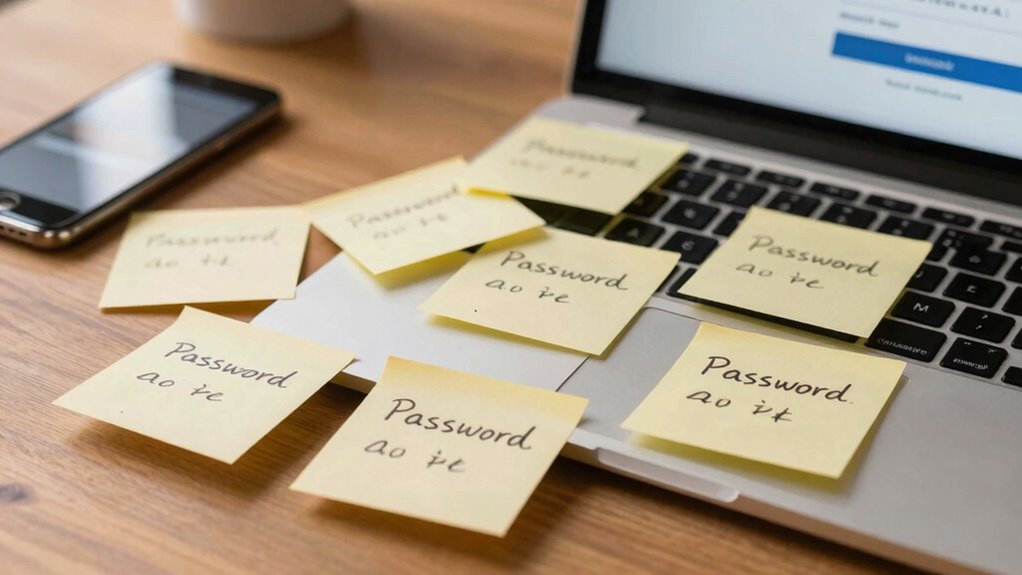
In today’s digital world, a weak or poorly managed password can leave your personal information vulnerable to hackers and identity theft. Many people underestimate how crucial password complexity is in protecting their accounts. Simple passwords like “123456” or “password” are easy for cybercriminals to guess or crack using brute-force attacks. To safeguard your personal data, you need to create passwords that are complex enough to withstand hacking attempts. A strong password combines uppercase and lowercase letters, numbers, and special characters. Avoid using easily obtainable information like your birthdate or pet’s name. Instead, opt for a unique combination that doesn’t relate to your personal life. This way, you reduce the risk of someone easily guessing your password through social engineering or pattern recognition.
While password complexity is fundamental, biometric security is becoming an increasingly popular alternative or supplement. Biometric methods—such as fingerprint scans, facial recognition, or iris scans—offer a more secure way to verify your identity without relying solely on traditional passwords. These technologies are harder for hackers to replicate or steal, providing an extra layer of protection. However, relying solely on biometric security isn’t foolproof. If your biometric data is compromised, unlike a password, it can’t be changed. That’s why combining biometric security with strong, complex passwords is the best approach. For example, you might use biometric authentication to unlock your device, but ensure your accounts also have strong passwords as a backup. This layered security makes it significantly more difficult for malicious actors to access your information. Additionally, understanding password vulnerabilities can help you better recognize potential threats and improve your overall security strategy. Recognizing the importance of encryption can further enhance your defenses by safeguarding data during transmission and storage. Staying informed about cybersecurity best practices is essential for maintaining a resilient security posture in an ever-evolving threat landscape. Being aware of common attack methods can also help you identify and prevent attempted breaches early. Regularly updating your security knowledge and practices is essential to stay ahead of emerging threats.
Neglecting password complexity and relying solely on simple passwords or outdated security measures can quickly turn into a personal safety issue. Hackers often target accounts with weak passwords to gain access to sensitive information, financial accounts, or even your email and social media profiles. Once they’re in, they can impersonate you, steal money, or spread malware. Using biometric security features can reduce some risks, but it’s essential to maintain strong passwords for your online accounts. Enable two-factor authentication where possible to add an extra hurdle for hackers. Remember, your digital safety depends on proactive steps—creating complex passwords, using biometric security wisely, and staying vigilant about potential vulnerabilities. Protecting your personal safety online requires constant awareness and a layered approach so that you’re not just relying on one line of defense that could be breached. Consistently practicing good cybersecurity habits can help prevent unauthorized access and reduce long-term risks.
As an affiliate, we earn on qualifying purchases.
Frequently Asked Questions
How Often Should I Change My Passwords for Safety?
You should change your passwords every three to six months to guarantee ongoing security. Regular password expiration reduces the risk of unauthorized access, especially if a breach occurs. Focus on creating complex passwords with a mix of letters, numbers, and symbols for better protection. Avoid reusing passwords across multiple accounts. Staying consistent with these practices helps protect your personal safety and keeps your accounts secure against threats.
Are Password Managers Truly Secure for Storing Passwords?
Think of a password manager as a vault that uses password encryption, guarding your secrets like a fortress. While no system is infallible, reputable managers considerably reduce risks from data breaches by securely storing your passwords. As long as you choose a trusted provider and use strong master passwords, your sensitive information stays protected. Just remember, even the strongest vault needs a vigilant guard—keep your master password safe.
What Signs Indicate My Password Has Been Compromised?
If you notice unexpected account activity, password theft might be happening. Signs include emails about password resets you didn’t request, unfamiliar logins, or notifications from your security provider. Phishing scams can also trick you into revealing passwords, so be cautious of suspicious links or messages asking for personal info. Regularly changing passwords and enabling two-factor authentication help protect you. Stay vigilant for these signs to keep your accounts safe.
Can Using the Same Password Across Multiple Accounts Be Safe?
Using the same password across multiple accounts isn’t safe because it increases the risk of widespread account compromise through password reuse. If one account gets hacked, attackers can access your other accounts easily. To keep your account security strong, avoid reusing passwords and opt for unique, complex passwords for each account. Implementing a password manager can help you generate and store these securely, reducing your vulnerability.
How Can I Create a Stronger, More Memorable Password?
To create a stronger, more memorable password, focus on increasing password complexity by mixing uppercase, lowercase, numbers, and symbols. Use mnemonic techniques, like creating a phrase or pattern from your favorite song or quote, then tweak it with symbols or numbers for added security. This way, you remember the core idea easily while making your password harder for others to guess, boosting your personal safety online.
two-factor authentication security key
As an affiliate, we earn on qualifying purchases.
As an affiliate, we earn on qualifying purchases.
Conclusion
Remember, one common mistake—using the same password across multiple accounts—can leave you vulnerable to hackers. In fact, over 80% of data breaches involve weak or reused passwords. By taking simple steps to create unique, strong passwords, you not only protect your personal information but also enhance your safety online. Don’t wait until it’s too late—your digital security depends on the choices you make today. Stay vigilant and safeguard your personal safety now.
As an affiliate, we earn on qualifying purchases.
As an affiliate, we earn on qualifying purchases.
Halloween Picks
halloween
As an affiliate, we earn on qualifying purchases.