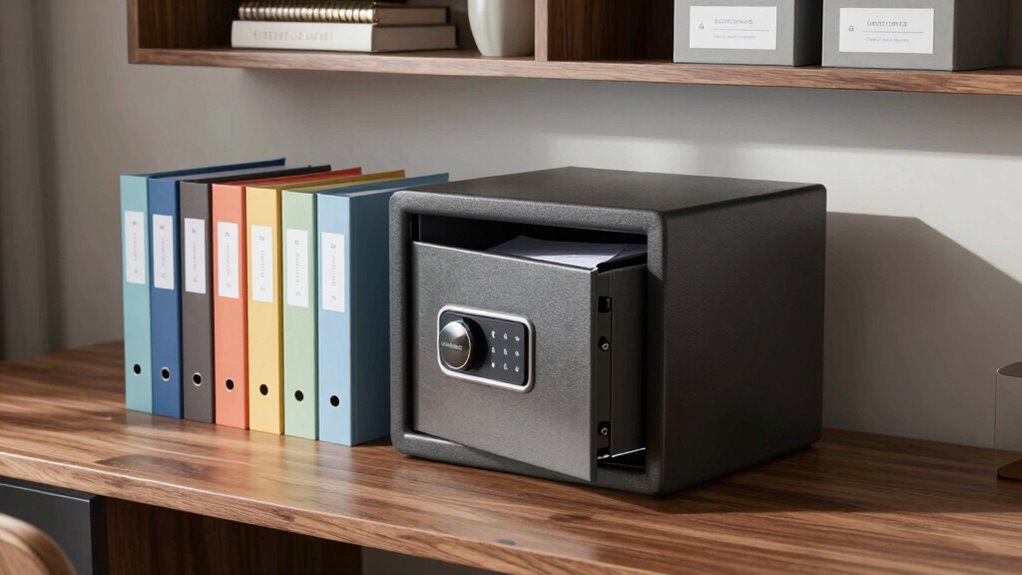

To organize sensitive records so they’re safer and easier to access, start by categorizing files clearly with labels and store them in secure, logically organized folders. Use fireproof safes or secure filing cabinets for physical documents, and encrypt digital files with strong passwords. Regularly back up your data, update security software, and apply two-factor authentication. Keeping an inventory list helps track everything. Interested in more tips? Keep going to discover how to enhance your system further.

Get the latest gadgets delivered free with Prime
- Fast, free delivery on millions of items
- Prime Video, Amazon Music and more included
- Member-only deals all year
Key Takeaways
- Use clearly labeled, organized digital folders with secure access controls and encryption for sensitive files.
- Store physical documents in fireproof, waterproof safes with a detailed inventory list.
- Implement a consistent categorization system by date or topic for quick retrieval.
- Regularly back up digital records to multiple secure locations and update security software.
- Keep frequently accessed physical files in a designated, secure, yet accessible area.
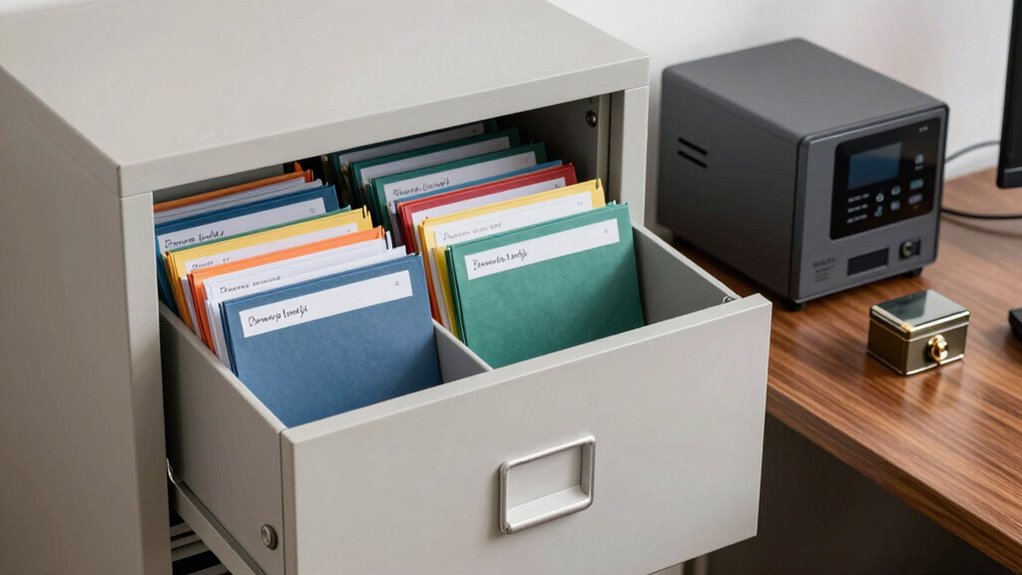
Have you ever wondered how to keep your sensitive records secure and easily accessible? The key lies in a strategic approach that combines digital security with proper physical storage. When you manage your records thoughtfully, you protect your privacy and guarantee you can retrieve important documents quickly when needed. It’s about creating a system that balances safety with convenience, so you’re not left scrambling through piles of paper or risking digital breaches.
Starting with digital security, you want to guarantee your electronic records are protected from unauthorized access. Use strong, unique passwords for your file storage services and enable two-factor authentication whenever possible. Regularly update your software, antivirus, and firewall settings to ward off cyber threats. Encrypt sensitive files before storing them in the cloud or on external drives. This extra layer of security makes sure that even if someone gains access to your storage, they won’t be able to read your information. Organize your digital files into clearly labeled folders categorized by document type or date, so you can find what you need quickly without sifting through a jumble of files. Back up your data regularly, ideally in multiple locations, to prevent loss from hardware failure or cyberattacks. Additionally, understanding data protection measures can help you implement more comprehensive safeguards for your records. Incorporating secure storage practices further enhances your overall data safety by ensuring your physical and digital records are protected from potential threats. Employing a comprehensive record-keeping system is essential to maintain order and quick access. Proper record organization not only saves time but also minimizes the risk of losing important documents. When it comes to physical storage, your goal is to keep important documents safe from damage, theft, or misplacement. Invest in a fireproof, waterproof safe for your most sensitive papers—think birth certificates, legal documents, or financial statements. Label folders clearly and keep them in a dedicated filing cabinet, ideally in a secure, accessible location. Use color-coded labels or tabs to differentiate categories, such as medical records, tax documents, or insurance policies. Make sure to regularly review and purge outdated or unnecessary documents to avoid clutter. For added security, keep an inventory list of your physical records, so you know exactly what you have and where it’s stored. When you need quick access, organize your physical files logically, perhaps by date or topic, and keep frequently used documents in a separate, easily accessible spot.
Products Worth Considering

Amazon Kindle Paperwhite (12th Generation, 2024), 16 GB, 7-inch Display, Jade

Apple iPad Air (2025) 13‑inch Wi‑Fi 256 GB – Space Gray (M3 chip)

Apple AirPods Pro 3 Wireless Earbuds with Active Noise Cancellation
As an affiliate, we earn on qualifying purchases.
Frequently Asked Questions
What Are the Best Digital Tools for Managing Sensitive Records?
You should consider using digital tools that prioritize encrypted storage and access controls, like LastPass, 1Password, or Tresorit. These tools securely encrypt your sensitive records, making unauthorized access nearly impossible. They also let you set access controls, so only trusted individuals view or modify your files. By choosing these tools, you guarantee your records stay safe while remaining easily accessible to you and your authorized team.
How Often Should I Review My Organized Records for Updates?
Think of your records as a garden that needs tending. You should review your organized records at least once a year, or more often if your access frequency increases or if record renewal deadlines approach. Regular check-ins keep your records fresh and accurate, preventing weeds of outdated information from taking root. Setting calendar reminders guarantees you stay on top of updates, making your record-keeping both secure and seamlessly accessible when needed.
What Are Common Mistakes to Avoid When Securing Sensitive Information?
You should avoid common mistakes like neglecting strong encryption protocols and weak access controls. Don’t rely on passwords alone; implement multi-factor authentication and regularly update your security measures. Make certain only authorized personnel have access, and monitor logs for suspicious activity. Failing to encrypt sensitive data or mismanaging access controls exposes your records to breaches. Stay vigilant, review your security strategies periodically, and always prioritize robust encryption and strict access controls to keep your information safe.
How Can I Ensure Compliance With Privacy Laws?
To guarantee compliance with privacy laws, you should implement data encryption to protect sensitive information both at rest and in transit. Additionally, establish strict access controls, granting permissions only to authorized personnel. Regularly review and update your security policies, conduct staff training, and keep documentation of compliance measures. These steps help you meet legal requirements and safeguard your sensitive records effectively.
What Should I Do if I Suspect a Data Breach?
Imagine alarm bells ringing loudly—if you suspect a data breach, act swiftly like a firefighter rushing to the scene. First, activate your emergency preparedness plan, isolating affected records. Then, follow breach notification protocols, informing stakeholders and relevant authorities promptly. Document everything meticulously, like a detective gathering clues. Quick, decisive action minimizes damage, restores trust, and guarantees you’re prepared should any further threats arise.
Conclusion
By following these simple steps, you’ll turn your chaotic collection of sensitive records into a fortress of security and accessibility. Imagine your organized files as an impenetrable vault, where every document is just a quick, effortless reach away. With a little effort, you’ll transform your record-keeping into a breeze, making sure your sensitive information is safer than Fort Knox and always easy to find when you need it most.