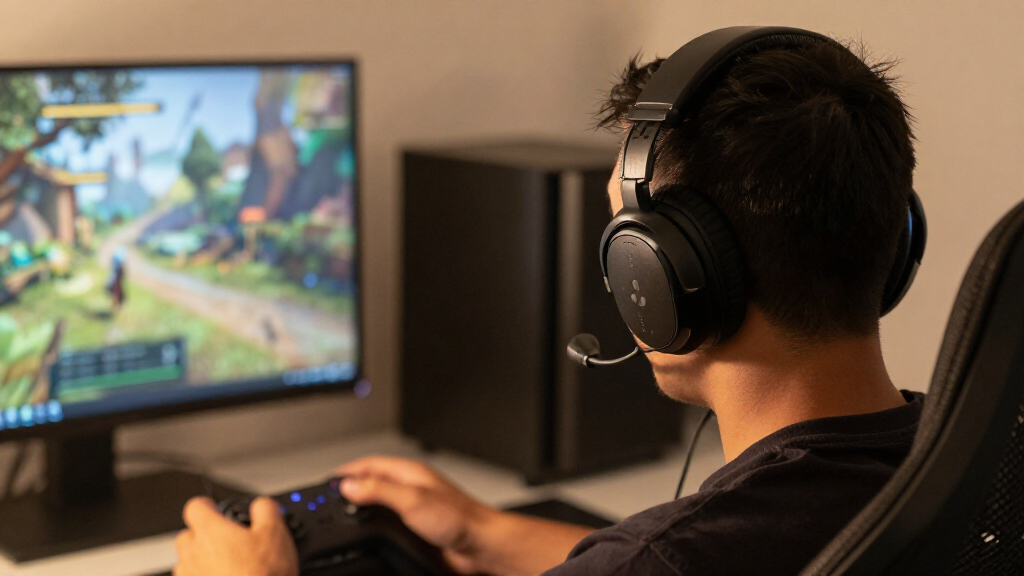

The Logitech G Pro X 2 LIGHTSPEED and HyperX Cloud III Wireless are both wireless gaming headsets built for long sessions, but they make different tradeoffs. The Logitech costs more and gives you more ways to connect, including LIGHTSPEED wireless, Bluetooth, and a 3.5 mm cable. The HyperX is a simpler USB wireless headset whose headline advantage is a rated battery life of up to 120 hours. That difference matters if you want one headset for a mix of gaming, mobile listening, and wired use; it matters less if you mainly want a comfortable wireless headset for PC or console play.

Get the latest gadgets delivered free with Prime
- Fast, free delivery on millions of items
- Prime Video, Amazon Music and more included
- Member-only deals all year

SteelSeries Arctis Nova 7P Wireless Gen 2 Gaming Headset, Black
- ✔ Connectivity: 2.4GHz wireless and Bluetooth
- ✔ Battery life: Up to 50 hours
- ✔ Charging: USB-C Fast Charge

Acer Tri-Mode Wireless Gaming Headset with Bluetooth 5.4, 50mm Drivers, and Detachable ENC Mic
- ✔ Connection modes: 2.4GHz wireless, Bluetooth 5.4, and 3.5 mm wired
- ✔ Battery life: Up to 45 hours with logo light off; up to 20 hours with it on
- ✔ Drivers: 50 mm dynamic

Logitech G733 LIGHTSPEED Wireless Gaming Headset, Black
- ✔ Wireless technology: 2.4 GHz LIGHTSPEED
- ✔ Wireless range: Up to 20 meters
- ✔ Battery life: Up to 29 hours
Across the shared decision points, the G Pro X 2 is the more flexible pick, while the Cloud III Wireless makes a stronger case on battery life and price. Neither wins every category. Choose Logitech if connection flexibility and adjustable sound justify the extra cost for your setup. Choose HyperX if long battery life, uncomplicated wireless use, and a lower purchase price matter more. The deciding question is whether you will use the Logitech’s added options often enough to make its premium worthwhile.
At a Glance
| Criteria | Logitech G Pro X 2 LIGHTSPEED | HyperX Cloud III Wireless | Winner |
|---|---|---|---|
| Wireless and wired connectivity | 2.4 GHz LIGHTSPEED, Bluetooth, and 3.5 mm wired connection | 2.4 GHz wireless through included USB dongle; no Bluetooth or analog audio connection | A |
| Battery life | Rated up to 50 hours; actual runtime varies with settings and use | Rated up to 120 hours; actual runtime varies with settings and use | B |
| Comfort and fit | Lightweight design with memory foam and leatherette or velour ear pads | Memory foam ear cushions and adjustable headband; fit is personal | Depends |
| Sound and tuning | 50 mm graphene drivers; app-based audio features and adjustable EQ | 53 mm drivers with a fixed stereo presentation and supported DTS Headphone:X spatial audio | Depends |
| Microphone | Detachable boom microphone with Blue VO!CE software features on supported PC setups | Detachable microphone with noise-canceling features | Depends |
| Platform flexibility | Works across multiple platforms; wired and Bluetooth options add flexibility | USB wireless support for compatible PC and console setups; fewer connection choices | A |
| Value | Higher price; added modes and software make most sense for multi-device users | Usually the less expensive option; strong value if USB wireless meets your needs | B |
SteelSeries Arctis Nova 7P Wireless Gen 2 Gaming Headset, Black
The Arctis Nova 7P Wireless Gen 2 is the most balanced choice in this group for players who move between a console, computer, handheld, and phone. Its key distinction is the ability to run 2.4GHz game audio and Bluetooth audio at the same time, so a call or mobile audio can accompany a game without swapping connections. Acer also offers Bluetooth and 2.4GHz, but its supplied feature list does not specify simultaneous playback.SteelSeries pairs that flexibility with a stated up to 50-hour battery life, the longest estimate here, plus USB-C fast charging. A retractable noise-rejecting microphone keeps the boom out of the way when it is not needed, and the steel frame, elastic headband, and AirWeave memory foam cushions are designed for extended wear. The 360° Spatial Audio support and broad library of game-specific EQ presets may help players tailor sound, though the supplied details do not establish that every preset or enhanced microphone feature works on every platform.There are practical limits. The headset connects wirelessly through a USB-C dongle, so some setups will need the included USB-A adapter. Some enhanced microphone noise reduction features require a PC, making the mic feature set less uniform across consoles. Compared with Logitech’s more PC-centered G733, the Nova 7P lists compatibility across more kinds of devices; compared with Acer, it offers simultaneous phone and game audio but not a listed 3.5 mm wired mode. It makes the most sense for multi-device players who want fewer compromises, while those needing wired Xbox support should look at Acer.
Pros:
- Simultaneous 2.4GHz and Bluetooth audio supports gaming while listening to mobile audio.
- Up to 50 hours of stated battery life with USB-C fast charging.
- Retractable ClearCast Gen 2 microphone includes noise rejection.
- Broad listed compatibility includes PlayStation, PC, Switch, handhelds, and mobile devices.
Cons:
- Wireless play relies on a USB-C dongle, with an adapter needed for USB-A ports.
- Some enhanced microphone noise reduction features require a PC.
Best for: Players who use several supported platforms and want to hear Bluetooth mobile audio alongside wireless game audio.
Not ideal for: Players who need a 3.5 mm wired connection or expect every enhanced microphone feature to work without a PC.
Bottom line: Choose the Arctis Nova 7P for the broadest all-round wireless setup here, especially if simultaneous phone and game audio matters to you.
“Choose the Arctis Nova 7P for the broadest all-round wireless setup here, especially if simultaneous phone and game audio matters to you.”
Acer Tri-Mode Wireless Gaming Headset with Bluetooth 5.4, 50mm Drivers, and Detachable ENC Mic
Acer’s Tri-Mode Wireless Gaming Headset is the flexible pick for a setup that changes between devices or sometimes needs a cable. Along with 2.4GHz wireless and Bluetooth 5.4, it has a 3.5 mm wired connection. That makes it different from the other two: SteelSeries focuses on dongle wireless plus Bluetooth, and Logitech lists LIGHTSPEED wireless, while Acer can still connect by cable when wireless is inconvenient or a compatible device calls for it.That cable also matters for Xbox owners. The supplied compatibility information specifies Xbox Series X|S and Xbox controllers via 3.5 mm wired connection, not wireless Xbox support. For PlayStation, PC, Mac, Switch, and mobile, the product lists wireless connection options. Its detachable ENC microphone, physical controls, suspension headband, and breathable sports mesh cushions make it a practical-looking fit for extended sessions, though those materials and features alone cannot establish how a particular wearer will find its fit.The battery estimate depends on the logo lighting: Acer lists up to 45 hours with the light off, falling to up to 20 hours with it on. That is still a longer estimate than Logitech’s 29 hours when used with the light off, but below SteelSeries’ 50-hour figure. The headset can be used while charging over USB-C, which may be useful when a session runs long. Its 50 mm dynamic drivers are larger by diameter than the 40 mm drivers listed for Logitech, but driver size alone does not tell us which headset will sound better. Choose Acer for the wired fallback and three connection modes; skip it if you expect wireless Xbox play or want SteelSeries’ stated simultaneous game and phone audio.
Pros:
- Three connection modes: 2.4GHz wireless, Bluetooth 5.4, and 3.5 mm wired.
- Xbox Series X|S and Xbox controller use is listed through the wired connection.
- Can be used while charging via USB-C.
- Detachable ENC microphone, suspension headband, and breathable mesh cushions.
Cons:
- Xbox compatibility is limited to a 3.5 mm wired connection.
- Stated battery life drops from up to 45 hours to up to 20 hours with logo lighting on.
Best for: Players who want wireless and wired connection options, especially those who may connect to Xbox through a 3.5 mm cable.
Not ideal for: Players who require Xbox wireless support, or who plan to keep the logo lighting on and prioritize longer battery life.
Bottom line: Pick Acer when connection options matter most and you are comfortable using a cable for Xbox or as a backup.
“Pick Acer when connection options matter most and you are comfortable using a cable for Xbox or as a backup.”
Logitech G733 LIGHTSPEED Wireless Gaming Headset, Black
The Logitech G733 LIGHTSPEED takes a more focused approach than the SteelSeries and Acer picks. It is a wireless over-ear headset for PC, PlayStation, and Nintendo Switch, with a listed 20-meter LIGHTSPEED range, a reversible suspension headband, and dual-layer memory foam earcups. At 278 g, it is close in stated weight to Acer’s 275 g; the useful distinction is its combination of suspension fit and PC-oriented voice customization, rather than a dramatic weight advantage.For PC players who want to adjust how their voice sounds, the Blue VO!CE microphone filters are the G733’s clearest differentiator. It also has dual-zone LIGHTSYNC RGB lighting, a feature that may suit a coordinated desktop setup but does not add connection flexibility. Unlike Acer, the supplied specifications do not list Bluetooth or a wired 3.5 mm option. Unlike SteelSeries, they do not list simultaneous game and mobile audio. This is therefore a more specialized choice for a desk setup than an all-purpose headset for switching among devices.Its stated battery life is up to 29 hours, shorter than the estimates for SteelSeries and Acer with its logo light off; actual duration may vary with use and lighting settings. Logitech lists compatibility with PC, PS5, PS4, and Switch, and specifies stereo play for PS4. Those details make it worth checking the exact platform and audio needs before buying. The G733 is a sensible fit for players who value its lightweight design, LIGHTSPEED range, and voice filters, but multi-platform users who want Bluetooth or a cable connection should compare it carefully with the other two.
Pros:
- LIGHTSPEED wireless range is listed at up to 20 meters.
- Blue VO!CE microphone filters offer voice customization.
- Reversible suspension headband and memory foam earcups are designed for comfort.
- Dual-zone LIGHTSYNC RGB lighting can be customized.
Cons:
- Up to 29 hours of stated battery life is shorter than the other two estimates.
- The supplied specifications do not list Bluetooth or 3.5 mm wired connectivity.
- Stereo play is specified for PS4.
Best for: PC-focused players who want a lightweight wireless headset with customizable microphone filters and RGB lighting.
Not ideal for: Players who need Bluetooth, a listed 3.5 mm wired fallback, simultaneous phone and game audio, or longer stated battery life.
Bottom line: Choose the G733 for a PC-centered wireless setup where microphone filters and lighting matter more than connection variety or battery life.
“Choose the G733 for a PC-centered wireless setup where microphone filters and lighting matter more than connection variety or battery life.”
As an Amazon Associate we earn from qualifying purchases.
Key Differences
The biggest practical difference is connectivity. Logitech gives you three ways to listen: its low-latency LIGHTSPEED wireless connection, Bluetooth, and a 3.5 mm wired connection. That lets the same headset serve a gaming PC, a phone, or a wired source, subject to device compatibility and how you want to use the microphone. HyperX keeps things simpler with USB wireless. If your gaming devices have a suitable USB port and you do not need Bluetooth or analog audio, that can be all you need. If you regularly switch between a console, PC, phone, and other audio sources, the Logitech has the clearer advantage.
Battery life pulls the other way. HyperX rates the Cloud III Wireless for up to 120 hours, compared with up to 50 hours for the G Pro X 2. Those are manufacturer figures, and real runtime depends on usage and settings, but the gap is large enough to matter: HyperX should need charging less often for many users. Logitech answers with more flexibility and app features rather than matching that runtime. Its higher price makes sense for a buyer who will use those extras; for someone who only needs USB wireless gaming, HyperX is the more persuasive purchase.
Sound and microphone quality are more personal and setup-dependent than the headline specifications suggest. Logitech offers more opportunities to adjust its sound on PC, while HyperX delivers a more straightforward experience with its own supported spatial audio feature. Neither set of driver measurements alone settles which sounds better to a particular listener. Mic processing can also depend on platform and software access. The safe buying distinction is control versus simplicity: pick Logitech if you value tuning and multiple connection modes; pick HyperX if you want a long-lasting wireless headset without paying for options you are unlikely to use.
Detailed Comparison
Wireless and wired connectivity (Logitech G Pro X 2 LIGHTSPEED wins — major)
Winner: Logitech G Pro X 2, major difference. It supports LIGHTSPEED wireless, Bluetooth, and a 3.5 mm wired connection. HyperX uses a USB wireless dongle and does not offer Bluetooth or analog audio input. Logitech is better suited to a buyer who wants one headset for different devices or a wired fallback. HyperX is easier to justify when the headset will stay connected to one compatible gaming device.
Battery life (HyperX Cloud III Wireless wins — major)
Winner: HyperX Cloud III Wireless, major difference on the published ratings. HyperX rates its headset for up to 120 hours, while Logitech rates the G Pro X 2 for up to 50 hours. These are maximum manufacturer claims rather than guarantees for every setup, but the gap is substantial. If you dislike frequent charging or take long gaming sessions, HyperX has the stronger case. If charging every so often is acceptable, Logitech’s shorter rating may not affect your routine.
Comfort and fit (moderate difference)
Winner: Depends, moderate difference by fit. Both headsets use padded, adjustable designs intended for extended wear, and both include different ear-pad materials or cushioning suited to personal preference. Head shape, glasses, clamping pressure, and heat matter more than a feature list here. Logitech’s included leatherette and velour pad choices offer a way to change the feel. HyperX also uses memory foam cushioning. Try the fit or check the return policy if comfort is your main concern; specifications cannot identify a universal winner.
Sound and tuning (moderate difference)
Winner: Depends, moderate difference. Logitech’s 50 mm graphene drivers and PC software provide a more adjustable path to a preferred sound. HyperX lists 53 mm drivers and supports DTS Headphone:X spatial audio on compatible setups. Driver size alone does not establish sound quality, and spatial effects are a preference rather than a guaranteed competitive advantage. Choose Logitech if you expect to tune EQ and use its PC features. Choose HyperX if its default presentation suits you and you would rather keep setup simple.
Microphone (minor difference)
Winner: Depends, minor-to-moderate difference. Both have detachable boom microphones and software or noise-control features, but the useful feature set depends on your platform. Logitech advertises Blue VO!CE processing through its supported PC software. HyperX includes noise-canceling microphone features. For PC voice chat, Logitech’s software controls may appeal to someone who wants to adjust their mic. For console use or basic team chat, either may be sufficient. Check platform-specific feature support before paying extra for processing you may not be able to access.
Platform flexibility (Logitech G Pro X 2 LIGHTSPEED wins — moderate)
Winner: Logitech G Pro X 2, moderate difference. Its Bluetooth and analog options broaden the devices it can serve, alongside LIGHTSPEED wireless. HyperX can cover compatible PC and console setups over USB, but it is less adaptable when a device lacks a suitable USB connection or when you want phone audio. Platform compatibility can vary by connection and device, so check the specific console or source before buying either headset.
Value (HyperX Cloud III Wireless wins — major)
Winner: HyperX Cloud III Wireless for most single-device gaming setups, major difference if prices are far apart. It combines USB wireless with a much longer rated battery life at a generally lower price. Logitech’s premium buys more connection choices and greater PC tuning control. Those features are worth paying for only if they solve a real problem in your setup. If you will use only the USB wireless connection, the extra spend is hard to defend.
Logitech G Pro X 2 LIGHTSPEED: Pros and Cons
Pros:
- LIGHTSPEED, Bluetooth, and 3.5 mm connection options
- Adjustable PC audio features, including Blue VO!CE microphone processing on supported setups
- Includes leatherette and velour ear-pad choices
Cons:
- Shorter rated battery life than the HyperX
- Higher price
- Some software features depend on a compatible PC and application
HyperX Cloud III Wireless: Pros and Cons
Pros:
- Much longer rated battery life
- Generally lower purchase price
- Straightforward USB wireless setup and detachable microphone
Cons:
- No Bluetooth connection
- No 3.5 mm analog audio connection
- Fewer ways to tailor sound and use the headset across devices
Who Should Choose What
Choose Logitech G Pro X 2 LIGHTSPEED if:
- You switch between gaming devices and a phone or other Bluetooth source.
- You want Bluetooth and a wired fallback in the same headset.
- You play on PC and will use its EQ or microphone software features.
- The extra connection options justify the higher price for your setup.
Choose HyperX Cloud III Wireless if:
- You mainly game on a compatible PC or console with USB wireless.
- You want to charge less often and value the longer published battery rating.
- You would rather spend less than pay for Bluetooth, analog audio, or additional tuning.
- You prefer a simple wireless headset for gaming and voice chat.
Skip both if: Skip both if you need Bluetooth and exceptionally long battery life together, want a headset with a different connection or microphone setup, or cannot confirm compatibility with your devices. Compare models that meet those requirements directly before choosing.
Value for Money
The Cloud III Wireless is the better value for the typical buyer who wants reliable USB wireless gaming and does not need extra connection modes. Its much higher rated battery life is useful day to day, and the lower price means you are not paying for Logitech features that may sit unused. If the price gap is small during a sale, the value calculation changes, but the HyperX still holds the battery advantage.
Pay more for the G Pro X 2 if Bluetooth, wired listening, and PC audio controls solve real needs. For example, one headset that moves between a gaming PC and a phone can be worth more than a cheaper model that only handles the gaming device. If you will use only USB wireless, the Logitech premium buys little practical benefit. Compare current prices and confirm which features work on your platform before deciding.
Final Verdict
For most people choosing a wireless gaming headset for one compatible gaming device, buy the HyperX Cloud III Wireless. Its long rated battery life and generally lower price make it the stronger value, and its simpler USB wireless setup covers the core need. Buy the Logitech G Pro X 2 LIGHTSPEED if you will use Bluetooth, a 3.5 mm connection, or its PC tuning options. Those are meaningful advantages for a multi-device setup, but they do not justify the added cost for every player.
The biggest deciding factor is whether you need more than USB wireless. If you do, Logitech earns its premium through flexibility. If you do not, HyperX is the more sensible purchase. Comfort and sound preferences can still change the choice, so prioritize a return option if you have not worn either headset before.
Frequently Asked Questions
Which headset has longer battery life?
HyperX rates the Cloud III Wireless for up to 120 hours, compared with up to 50 hours for the Logitech G Pro X 2. Actual runtime varies with settings and use, but HyperX has the clear advantage on the published maximum ratings.
Can I connect the Cloud III Wireless to a phone over Bluetooth?
No. The Cloud III Wireless uses a USB wireless dongle and does not offer Bluetooth. The G Pro X 2 includes Bluetooth, which makes it the more flexible choice for phone listening.
Is the Logitech G Pro X 2 worth paying more for?
It can be worth the higher price if you will use its Bluetooth, 3.5 mm wired connection, or PC audio controls. If you only need USB wireless gaming, the HyperX generally offers better value.
Which one should I choose for console gaming?
Check your console model and the connection you plan to use. Both offer wireless options for compatible setups, while Logitech adds Bluetooth and wired connections that may help with other devices. The HyperX is a strong fit when its USB wireless connection is supported and long battery life is a priority.