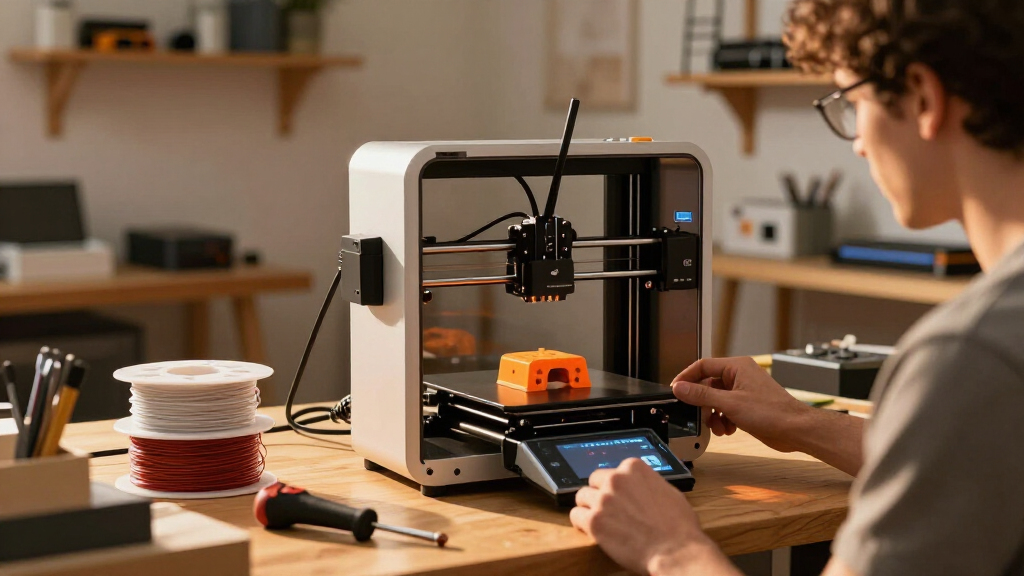

Miniature desktop 3D printers range from resin machines built for fine details to compact FDM printers that are easier to handle and better suited to everyday projects. My best overall pick is the Bambu Lab A1 mini for its approachable feature set and broad usefulness, while the ELEGOO Mars 5 stands out for detailed resin prints and the HEPHI3D TINA2C for a small, beginner-friendly setup. The main tradeoff is choosing between resin detail and resin cleanup, or FDM convenience and visible layer lines. Build volume, setup effort, enclosure needs, and material handling also matter when desk space is limited. Read on for the full comparison and guidance on matching a printer to your projects.

Get the latest gadgets delivered free with Prime
- Fast, free delivery on millions of items
- Prime Video, Amazon Music and more included
- Member-only deals all year
Complete the kit


Key Takeaways
- FDM and resin serve different miniature-printing needs: resin models such as the ELEGOO Mars 5 and ANYCUBIC Photon Mono 4 options target fine surface detail, while FDM picks favor simpler handling and more varied practical prints.
- The Bambu Lab A1 mini is the strongest all-around fit in this group: it offers a more versatile desktop experience than the specialist resin printers, though it does not replace them for the finest miniature detail.
- Several products share nearly identical names or families: the Adventurer 5M listings and Tina2C/TINA2S models make it worth checking the exact configuration, included accessories, and enclosure before choosing.
- Beginner convenience is not the same as long-term flexibility: starter-oriented TINA2 models and the portable compact FDM listing prioritize accessibility, while larger or faster machines may suit users who expect to print more varied projects.
- Small footprint does not guarantee a low-effort setup: resin printers require washing, curing, ventilation, and careful handling, while FDM models still need space for the printer, filament, and routine maintenance.
| ELEGOO Mars 5 Resin 3D Printer |  | Best Compact Resin Pick | Technology: Resin 3D printing | LCD: 4K monochrome | Light source: COB | VIEW LATEST PRICE | See Our Full Breakdown |
| TRONXY CRUX 1S Compact High-Speed 3D Printer |  | Best Compact FDM for Speed | Printer type: FDM 3D printer | Build volume: 180 × 180 × 180 mm (7.09 × 7.09 × 7.09 in) | Maximum print speed: 300 mm/s | VIEW LATEST PRICE | See Our Full Breakdown |
| HEPHI3D TINA2C Mini 3D Printer |  | Best for First-Time Desktop Printing | Brand: HEPHI3D | Model: TINA2C | Product type: Mini 3D printer | VIEW LATEST PRICE | See Our Full Breakdown |
| ANYCUBIC Photon Mono 4 10K Resin 3D Printer |  | Best for Fine Resin Detail | Display: 7-inch 10K monochrome LCD | Resolution: 9024 × 5120 | XY pixel size: 17 × 17 μm | VIEW LATEST PRICE | See Our Full Breakdown |
| Creality SPARKX i7 Multicolor 3D Printer |  | Best for Larger Multicolor Projects | Build volume: 260 × 260 × 255 mm | Product dimensions: 16.6 × 17.9 × 18.5 inches | Item weight: 20.1 pounds | VIEW LATEST PRICE | See Our Full Breakdown |
| TINA2S Fully Assembled Mini 3D Printer Starter Kit | 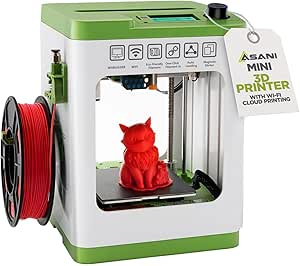 | Best Ready-to-Print Starter Kit | Dimensions: 8.3 × 8.3 × 11.4 inches | Weight: 6.4 pounds | Model: TINA2S | VIEW LATEST PRICE | See Our Full Breakdown |
| Bambu Lab A1 mini 3D Printer with LED Lamp Kit |  | Best for Guided Beginner Projects | Product dimensions: 15.21 × 16.77 × 17.94 inches | Weight: 12.1 pounds | Model number: PF002-M-EU | VIEW LATEST PRICE | See Our Full Breakdown |
| Flashforge Adventurer 5M 3D Printer |  | Best Open-Frame Speed Pick | Print speed: Up to 600 mm/s | Acceleration: 20,000 mm/s² | Build volume: 8.7 × 8.7 × 8.7 inches | VIEW LATEST PRICE | See Our Full Breakdown |
| Creality Ender 3 V3 SE 3D Printer |  | Best for Flexible Filament Variety | Maximum print speed: 250 mm/s | Acceleration: 2,500 mm/s² | Build volume: 8.66 × 8.66 × 9.84 inches | VIEW LATEST PRICE | See Our Full Breakdown |
| FLASHFORGE Adventurer 5M Pro 3D Printer |  | Best Enclosed Desktop Workhorse | Print speed: Up to 600 mm/s | Acceleration: 20,000 mm/s² | Build volume: 220 × 220 × 220 mm | VIEW LATEST PRICE | See Our Full Breakdown |
| FlashForge Adventurer 5M 3D Printer with Auto Leveling and High-Speed Printing |  | Best for Fast Desktop Prototyping | Print size: 220 × 220 × 220 mm | Maximum speed: 600 mm/s | Maximum extruder temperature: 280°C | VIEW LATEST PRICE | See Our Full Breakdown |
| Portable Compact FDM 3D Printer for Beginners |  | Best for a Minimal Starter Setup | Printing technology: FDM | Build volume: 100 × 100 × 100 mm | Filament compatibility: 1.75 mm PLA and TPU | VIEW LATEST PRICE | See Our Full Breakdown |
| Entina Tina2C Beginner Mini 3D Printer |  | Best for Guided Beginner Printing | Technology: FDM 3D printing | Print volume: 3.9 × 3.9 × 3.9 inches | Dimensions: 8 × 6.5 × 10 inches | VIEW LATEST PRICE | See Our Full Breakdown |
| ANYCUBIC Photon Mono 4 Resin 3D Printer with 7” 10K Mono LCD Screen |  | Best for Fine Resin Detail | Display: 7-inch 10K mono LCD | Resolution: 9024 × 5120 | Build volume: 153.4 × 87 × 165 mm (6.04 × 3.42 × 6.49 inches) | VIEW LATEST PRICE | See Our Full Breakdown |
| miniature desktop 3D printer | Weight | Dimensions | Build volume |
|---|---|---|---|
| ELEGOO Mars 5 Resin 3D Printer | — | 15.75 × 18.5 × 9.06 inches | 5.65 × 3.53 × 5.91 inches |
| TRONXY CRUX 1S Compact High-Sp | — | — | 180 × 180 × 180 mm (7.09 × 7.09 × 7.09 in) |
| HEPHI3D TINA2C Mini 3D Printer | 5.46 pounds | 8.27 × 6.7 × 9.84 inches | — |
| ANYCUBIC Photon Mono 4 10K Res | 11 pounds | 20 × 10 × 15 inches | 153.4 × 87 × 165 mm (6.04 × 3.42 × 6.49 in) |
| Creality SPARKX i7 Multicolor | — | — | 260 × 260 × 255 mm |
| TINA2S Fully Assembled Mini 3D | 6.4 pounds | 8.3 × 8.3 × 11.4 inches | — |
| Bambu Lab A1 mini 3D Printer w | 12.1 pounds | — | — |
| Flashforge Adventurer 5M 3D Pr | 23.3 pounds | 15.75 × 14.29 × 17.64 inches | 8.7 × 8.7 × 8.7 inches |
| Creality Ender 3 V3 SE 3D Prin | 15.66 pounds | — | 8.66 × 8.66 × 9.84 inches |
| FLASHFORGE Adventurer 5M Pro 3 | 22 pounds | 16 × 14 × 18 inches | 220 × 220 × 220 mm |
| FlashForge Adventurer 5M 3D Pr | 22 pounds | 15.83 × 14.29 × 17.64 inches | — |
| Portable Compact FDM 3D Printe | 2.2 pounds | 6.8 × 6.1 × 8.3 inches | 100 × 100 × 100 mm |
| Entina Tina2C Beginner Mini 3D | 5.28 pounds | 8 × 6.5 × 10 inches | — |
| ANYCUBIC Photon Mono 4 Resin 3 | 7.7 pounds | 10 × 10 × 15 inches | 153.4 × 87 × 165 mm (6.04 × 3.42 × 6.49 inches) |
More Details on Our Top Picks
ELEGOO Mars 5 Resin 3D Printer
The Mars 5 suits desktop makers who want fine resin detail in a relatively small print area. Its 4K monochrome LCD and COB light source are aimed at detailed models, while one-click automatic leveling and pre-print checks reduce setup work. Compared with the filament-based TRONXY CRUX 1S, this resin printer is a better fit for small, intricate pieces than general-purpose objects, but resin calls for careful handling and a more involved cleanup routine. The 5.65 × 3.53 × 5.91-inch build volume also limits the size of each print; the Creality SPARKX i7 can accommodate substantially larger projects. Residue detection, resin alerts, and overheat protection add useful safeguards, though they do not remove the care resin printing requires.
Pros:- 4K monochrome LCD and COB light source support detailed resin prints
- One-click automatic leveling reduces manual setup
- Pre-print self-checks and residue detection flag potential issues
- Overheat protection pauses printing and sounds an alarm
Cons:- Resin requires careful handling and additional cleanup
- Build volume limits the size of models
- Resin workflow is less suited to routine functional parts than FDM printing
Best for: Desktop hobbyists making small, detail-focused models who are comfortable handling resin and cleaning prints
Not ideal for: Makers who want large functional parts, simple filament handling, or a printer suited to unattended use without resin precautions
- Technology:Resin 3D printing
- LCD:4K monochrome
- Light source:COB
- Build volume:5.65 × 3.53 × 5.91 inches
- Automatic leveling:One-click
- Dimensions:15.75 × 18.5 × 9.06 inches
- Item weight:14.52 pounds
- Model number:EL-3D-M5
Our verdict“Choose the Mars 5 for compact, detailed resin models if its small build area and careful handling requirements fit your workspace.”
TRONXY CRUX 1S Compact High-Speed 3D Printer
The CRUX 1S brings high-speed FDM printing to a compact desktop footprint, with a stated maximum speed of 300 mm/s and a 180 mm cubed build area. Its 95% preassembled arrival and 2.8-inch color touchscreen make it a more direct setup than a kit that needs substantial assembly. Compared with the resin-based ELEGOO Mars 5, it handles filament rather than liquid resin, a better match for practical prototypes and everyday objects. The tradeoff is that its 7.09-inch build dimensions still cap larger projects, while the Creality SPARKX i7 offers a much bigger workspace and multicolor capability. The CRUX 1S’s acceleration and speed figures may appeal to buyers trying to shorten print times, but they do not change the limits of its compact build volume.
Pros:- Maximum stated print speed of 300 mm/s
- Arrives 95% preassembled for a shorter setup
- Compact footprint with a full-color touchscreen
- Dual-axis metal guide rails are designed for smooth operation
Cons:- 180 mm cubed build volume restricts larger prints
- No multicolor capability is specified
- Maximum speed may require balancing against print quality and material
Best for: Desktop makers who want a mostly assembled FDM printer for smaller prototypes and everyday prints
Not ideal for: Buyers planning large models or multicolor projects who need more room than a 180 mm cube allows
- Printer type:FDM 3D printer
- Build volume:180 × 180 × 180 mm (7.09 × 7.09 × 7.09 in)
- Maximum print speed:300 mm/s
- Maximum acceleration:10,000 mm/s²
- Nozzle diameter:0.4 mm
- Display:2.8-inch full-color touchscreen
- Assembly:95% preassembled
- Machine weight:5.8 kg
Our verdict“Pick the CRUX 1S for compact, fast FDM printing of modest-sized projects, and look to a larger model for oversized work.”
HEPHI3D TINA2C Mini 3D Printer
The TINA2C is the clearest beginner-oriented choice in this group: it arrives fully assembled, includes auto leveling, and pairs app-guided one-tap printing with a library of more than 3,500 models. That packaged path from setup to a first print is simpler than the more specification-focused TRONXY CRUX 1S, which highlights speed and guide rails. Wi-Fi, USB-C, and TF card support give owners several ways to send files, while included PLA and tools help start small projects. The key limitation is missing print-volume and speed data, so I cannot tell whether it will fit a planned object or how quickly it will produce one. Its compact 8.27 × 6.7 × 9.84-inch body also signals a small desktop role, unlike the roomier Creality SPARKX i7.
Pros:- Fully assembled setup with auto leveling
- App-controlled one-tap printing and a library of over 3,500 models
- Wi-Fi, USB-C, and TF card connectivity
- Includes PLA filament, tools, and a TF card
Cons:- Maximum print size is not specified
- Print speed is not specified
- Compact design may not suit larger projects
Best for: New users, families, and educators who want an assembled printer with guided app access and starter supplies
Not ideal for: Buyers with size-sensitive projects or speed requirements who need a confirmed build volume and print-rate specification
- Brand:HEPHI3D
- Model:TINA2C
- Product type:Mini 3D printer
- Dimensions:8.27 × 6.7 × 9.84 inches
- Weight:5.46 pounds
- Setup:Fully assembled; auto leveling
- Connectivity:Wi-Fi, USB-C, TF card
- Included:PLA filament, tools, TF card
Our verdict“Choose the TINA2C for an approachable first printer with starter materials, provided its unspecified print area suits your projects.”
ANYCUBIC Photon Mono 4 10K Resin 3D Printer
The Photon Mono 4 is the detail-focused resin option here, built around a 7-inch 10K monochrome LCD with 17 μm XY pixels. Those display specifications make it a strong fit for small models where surface detail matters. Against the ELEGOO Mars 5, it specifies a higher-resolution screen and a taller 6.49-inch build dimension, but it requires first-time leveling rather than offering one-click automatic leveling. Resin handling and cleanup remain part of the workflow, unlike the filament-based TRONXY CRUX 1S. Its 153.4 × 87 × 165 mm build volume is generous for a compact resin machine, yet it still limits larger objects. Print recovery after a power outage can preserve progress, though the warranty excludes films and the tool kit.
Pros:- 10K monochrome display with 17 × 17 μm XY pixel size
- Build volume provides up to 165 mm of height
- Print recovery can resume work after power restoration
- Includes a one-year warranty and lifetime technical support
Cons:- Requires first-time leveling before printing
- Resin requires careful handling and cleanup
- Films and tool kit are excluded from the warranty
Best for: Miniature and model makers prioritizing fine resin detail and a relatively tall print area
Not ideal for: Beginners who want automatic leveling or makers seeking low-maintenance filament printing and larger functional parts
- Display:7-inch 10K monochrome LCD
- Resolution:9024 × 5120
- XY pixel size:17 × 17 μm
- Build volume:153.4 × 87 × 165 mm (6.04 × 3.42 × 6.49 in)
- Layer exposure time:1.5 seconds
- Dimensions:20 × 10 × 15 inches
- Weight:11 pounds
- Warranty:1 year; LCD screen warranty 6 months
Our verdict“Choose the Photon Mono 4 for fine, compact resin models if you are comfortable leveling the printer and managing resin cleanup.”
Creality SPARKX i7 Multicolor 3D Printer
The SPARKX i7 stands apart from the miniature desktop premise by offering a 260 × 260 × 255 mm build volume—far more room than the compact TRONXY CRUX 1S or the resin printers in this batch. That makes it the pick for desktop users whose projects are already outgrowing small-format machines. Automatic pre-print calibration, nozzle Z-offset, and AI camera monitoring aim to reduce setup friction and flag common print issues. Multicolor output requires the separate CFS, so the feature depends on an additional system rather than working on its own. Compared with the beginner-oriented HEPHI3D TINA2C, the SPARKX i7 emphasizes larger, more capable projects over a simple starter package. Its 16.6 × 17.9 × 18.5-inch body also takes more desk space, and quiet night mode may be useful for overnight runs.
Pros:- Large 260 × 260 × 255 mm build volume
- Automatic pre-print calibration and nozzle Z-offset
- AI camera monitoring can detect common print issues
- Input shaping, pressure advance, and quiet night mode are included
Cons:- Multicolor printing requires the CFS
- Larger dimensions take more desktop space than compact models
- The description notes noisy operation, making night mode relevant for overnight use
Best for: Desktop makers who need a larger build area, want monitored prints, and plan to use the CFS for multicolor work
Not ideal for: Buyers with limited desk space or those seeking a small, simple printer without an additional CFS for multicolor printing
- Build volume:260 × 260 × 255 mm
- Product dimensions:16.6 × 17.9 × 18.5 inches
- Item weight:20.1 pounds
- Multicolor printing:Requires CFS
- Purging waste reduction:50%
- Printing efficiency improvement:15%
- Calibration:Automatic bed leveling and nozzle Z-offset
- Monitoring and print features:AI camera monitoring, input shaping, pressure advance, RGB lighting, night mode
Our verdict“Pick the SPARKX i7 when a larger build area and CFS-enabled multicolor work matter more than a compact desktop footprint.”
TINA2S Fully Assembled Mini 3D Printer Starter Kit
The TINA2S is the easiest fit here for someone who wants a small desktop printer with the basics ready in the box. It arrives assembled and includes 10 meters of PLA and a preloaded microSD card, so setup involves less hardware work than the partially assembled Creality Ender 3 V3 SE. Auto leveling and one-touch filament loading also reduce the first hurdles for a new user. At 6.4 pounds and 8.3 inches wide, it is easier to place on a crowded desk than the larger Flashforge Adventurer 5M Pro. The tradeoff is a smaller, more constrained setup: it uses compatible 1.75 mm PLA, PLA Pro, or TPU, and its proximity sensor depends on a magnetic metal build plate. Choose it for uncomplicated small prints; skip it if you want broad material choices or room to grow.
Pros:- Fully assembled, reducing setup work compared with the Creality Ender 3 V3 SE.
- Auto leveling and one-touch filament loading simplify early prints.
- Includes 10 meters of PLA and a preloaded microSD card.
- Lightweight body fits more easily on a crowded desktop than the Flashforge Adventurer 5M Pro.
Cons:- The proximity sensor requires a magnetic metal build plate to work properly.
- Filament compatibility is limited to specified 1.75 mm PLA, PLA Pro, and TPU.
Best for: First-time makers who want an assembled, lightweight printer and starter supplies for small PLA or TPU projects.
Not ideal for: Makers who need a broad range of filament materials or want a larger printer for bigger functional parts.
- Dimensions:8.3 × 8.3 × 11.4 inches
- Weight:6.4 pounds
- Model:TINA2S
- Filament compatibility:1.75 mm PLA, PLA Pro, and TPU
- Included filament:10 m PLA
- Display:2.4-inch LCD
- Connectivity:Wi-Fi
- Compatible operating systems:Mac, Windows, and Linux
- Build plate:Flexible magnetic plate
Our verdict“Choose the TINA2S if you want a compact, assembled starter printer with supplies included and can work within its filament limits.”
Bambu Lab A1 mini 3D Printer with LED Lamp Kit
The Bambu Lab A1 mini with LED Lamp Kit suits beginners who want help finding a project as much as help setting up the printer. Automatic calibration and simple setup keep the first steps approachable, while MakerWorld and the Bambu Handy app connect model discovery with print management. The included lamp kit gives the compact machine a clear project angle: print compatible models and assemble them into decorative lights. Compared with the TINA2S, this pick emphasizes app-guided projects and the lamp accessory rather than included filament and a preloaded card. Its 12.1-pound frame is also heavier and its listed dimensions are roomier than the TINA2S, while the small printer size still limits project scale. The lamp models print separately, so the kit does not turn a print into an instant finished light. Choose it for supported small projects; skip it if you need larger parts.
Pros:- Automatic calibration and simple setup suit new users.
- LED Lamp Kit gives the printer a distinct decorative project use.
- MakerWorld and the Bambu Handy app support model discovery and print management.
- Specified noise level of 48 dB or less supports use in shared home spaces.
Cons:- The lamp models must be printed separately before assembly.
- Compact printer size limits the scale of projects.
- At 12.1 pounds, it is less easy to move than the TINA2S.
Best for: Beginners who want app-supported model discovery and are interested in making small decorative lamp projects.
Not ideal for: Makers who plan to print large objects or want the LED lamp accessory to arrive as a ready-made light.
- Product dimensions:15.21 × 16.77 × 17.94 inches
- Weight:12.1 pounds
- Model number:PF002-M-EU
- Included accessory:LED Lamp Kit
- Noise level:≤48 dB
- Calibration:Automatic
- Model library:MakerWorld
- Print management:Bambu Handy app
Our verdict“Pick the A1 mini if app-supported beginner projects and printed lamp designs matter more to you than a larger build area.”
Flashforge Adventurer 5M 3D Printer
For buyers who want fast prints and a defined build volume, the Flashforge Adventurer 5M brings more workshop capacity than the miniature TINA2S. Its 8.7-inch cubed build volume gives room for larger single pieces, while CoreXY motion, listed speeds up to 600 mm/s, and automatic bed leveling target quicker production with less manual setup. The removable PEI plate makes print removal more straightforward, and a filament sensor and app-based monitoring add useful oversight for home, school, or workshop use. Compared with the enclosed Adventurer 5M Pro, this model leaves the enclosure as an optional upgrade requiring extra hardware and printed panels. That keeps the base machine open, but buyers seeking a contained setup or the Pro’s stated dual filtration should look at the Pro instead. Its 23.3-pound weight also makes it less of a desk-portable mini printer.
Pros:- 8.7-inch cubed build volume accommodates larger parts than the TINA2S.
- CoreXY system lists print speeds up to 600 mm/s.
- Automatic bed leveling reduces manual calibration.
- Removable PEI plate and app-based monitoring support easier print handling and oversight.
Cons:- The enclosure is an optional upgrade requiring additional hardware and printed panels.
- At 23.3 pounds and over 17 inches tall, it takes more space and effort to move than compact starter printers.
Best for: Home workshops, classrooms, and makers who prioritize a larger build area and fast FDM printing over a tiny footprint.
Not ideal for: Desk users who need a lightweight printer or buyers who want an enclosed chamber and filtration in the base setup.
- Print speed:Up to 600 mm/s
- Acceleration:20,000 mm/s²
- Build volume:8.7 × 8.7 × 8.7 inches
- Nozzle temperature:Up to 280°C
- Nozzle sizes:0.25–0.8 mm
- Build plate:Removable PEI
- Frame:CoreXY with dual linear rails and aluminum frame
- Dimensions:15.75 × 14.29 × 17.64 inches
- Weight:23.3 pounds
Our verdict“Choose the Adventurer 5M if build volume and speed matter more than a miniature footprint or an enclosure included from the start.”
Creality Ender 3 V3 SE 3D Printer
The Creality Ender 3 V3 SE makes more sense for a hands-on maker who values material flexibility over the smallest possible desktop footprint. Its Sprite full-metal dual-gear direct extruder supports PLA, TPU, and PETG, giving it a wider stated filament range than the TINA2S, which is limited to PLA, PLA Pro, and TPU. CR Touch leveling and strain-sensor Z-offset reduce bed setup, while automatic filament loading and unloading help with routine changes. Compared with the Flashforge Adventurer 5M, the Ender is slower on paper at up to 250 mm/s, but its support for flexible TPU and PETG makes material choice a clearer strength. It arrives partially assembled, so expect some setup; its 13.9 × 13.9 × 18.9-inch dimensions also make it less miniature than the TINA2S.
Pros:- Direct extruder supports PLA, TPU, and PETG.
- CR Touch auto leveling and automatic Z-offset reduce manual bed adjustment.
- Automatic filament loading and unloading simplify material changes.
- Dual Z-axis lead screws and steel Y-axis shafts support the printer’s motion system.
Cons:- Partial assembly adds setup work compared with the fully assembled TINA2S.
- Maximum listed speed of 250 mm/s is below the Flashforge Adventurer 5M’s 600 mm/s.
- Its 18.9-inch height and 15.66-pound weight make it less compact and portable than the TINA2S.
Best for: Makers who want one open-frame printer for PLA, flexible TPU, and PETG, and are comfortable with brief assembly.
Not ideal for: Buyers who need an assembled, lightweight printer for a tight desk or prioritize very high listed print speeds.
- Maximum print speed:250 mm/s
- Acceleration:2,500 mm/s²
- Build volume:8.66 × 8.66 × 9.84 inches
- Product dimensions:13.9 × 13.9 × 18.9 inches
- Weight:15.66 pounds
- Extruder:Sprite full-metal dual-gear direct extruder
- Supported filaments:PLA, TPU, and PETG
- Leveling:CR Touch auto leveling and strain-sensor auto Z-offset
- Assembly time:About 20 minutes
Our verdict“Pick the Ender 3 V3 SE if support for TPU and PETG matters more than quick setup, top-end speed, or a truly small footprint.”
FLASHFORGE Adventurer 5M Pro 3D Printer
The Adventurer 5M Pro is the most capable fit here for a buyer who wants an enclosed desktop setup and plans to print beyond basic PLA. Its CoreXY system lists speeds up to 600 mm/s, while automatic leveling and quick-swap nozzles streamline routine setup changes. The enclosed chamber and dual filtration distinguish it from the open-frame Adventurer 5M, and stated material support includes ABS and ASA alongside PLA and PETG. A built-in camera, filament detection, and power-loss recovery add useful monitoring and recovery features. The tradeoff is size: at 16 × 14 × 18 inches and 22 pounds, it occupies more desk space than the 6.4-pound TINA2S. High-temperature materials also call for careful setup. Choose the Pro for a more contained, versatile workshop machine; skip it if your priority is the smallest possible printer for simple, occasional PLA jobs.
Pros:- Enclosed chamber and dual filtration distinguish it from the open Adventurer 5M.
- Listed support for PLA, PETG, ABS, and ASA broadens material options.
- Automatic bed leveling and tool-free nozzle changes reduce routine setup work.
- Built-in camera, filament detection, and power-loss recovery support monitoring and print continuity.
Cons:- Its 16 × 14 × 18-inch enclosure and 22-pound weight take up more space than the TINA2S.
- High-temperature materials such as ABS and ASA require careful setup.
Best for: Makers who need an enclosed desktop printer for PLA, PETG, ABS, or ASA, with monitoring and recovery features.
Not ideal for: Desk users with little space or beginners who only need a light, simple printer for occasional small PLA prints.
- Print speed:Up to 600 mm/s
- Acceleration:20,000 mm/s²
- Build volume:220 × 220 × 220 mm
- Nozzle temperature:Up to 280°C
- Heated bed temperature:Up to 110°C
- Nozzle sizes:0.25, 0.4, 0.6, and 0.8 mm
- Noise level:Under 50 dB
- Dimensions:16 × 14 × 18 inches
- Weight:22 pounds
Our verdict“Choose the Adventurer 5M Pro if you want an enclosed, monitored printer with broader material support and have room for its larger frame.”
FlashForge Adventurer 5M 3D Printer with Auto Leveling and High-Speed Printing
The FlashForge Adventurer 5M pairs a CoreXY all-metal frame with a stated maximum speed of 600 mm/s, making it the speed-focused FDM choice here. Its 220 mm cubed build volume gives it more room for functional prototypes than the 100 mm cubed Portable Compact FDM printer, while automatic bed leveling cuts down on setup work. A 280°C direct extruder and quick-change nozzle add flexibility when switching print tasks. The tradeoff is its larger 15.83 × 14.29 × 17.64-inch footprint, which makes it less suited to a crowded desk than the Entina Tina2C. Remote app monitoring is convenient, but the product data does not specify supported filament types, so buyers should check material compatibility before planning specialized prints.
Pros:- 220 × 220 × 220 mm build volume accommodates larger parts than the 100 mm cubed portable beginner printer
- Automatic bed leveling reduces manual setup before printing
- CoreXY frame and stated 600 mm/s maximum speed suit time-sensitive prototyping
- Quick-change nozzle and remote monitoring support smoother printer operation
Cons:- Its nearly 18-inch height and 22-pound weight take up more space than the miniature beginner models
- The listed build volume still limits oversized projects
- Supported filament types are not specified in the supplied product data
Best for: Makers with desk space who want to produce medium-sized FDM prototypes quickly and with less manual bed setup
Not ideal for: People with very limited desk space or buyers who need a confirmed list of supported specialty filaments
- Print size:220 × 220 × 220 mm
- Maximum speed:600 mm/s
- Maximum extruder temperature:280°C
- Nozzle:3S detachable nozzle
- Structure:CoreXY all-metal
- Dimensions:15.83 × 14.29 × 17.64 inches
- Weight:22 pounds
Our verdict“Choose the Adventurer 5M if you want a faster, roomier FDM desktop machine and can give it more space than a mini printer needs.”
Portable Compact FDM 3D Printer for Beginners
This 2.2-pound FDM printer is the most portable pick in this batch, and its 6.8 × 6.1 × 8.3-inch body can fit where the larger FlashForge Adventurer 5M cannot. The 100 mm cubed build volume sets a clear boundary: it suits small desk ornaments, learning exercises, and compact parts, but not larger prototypes. Its included PLA, TF card, reader, and tools give a first-time owner several basics in one package, while support for PLA and TPU opens the door to flexible prints. That material range is a useful distinction from the Entina Tina2C, whose supplied data does not list compatible filaments. Buyers should expect some hands-on setup, since this model requires assembly and bed leveling.
Pros:- Compact, lightweight body is easier to move and store than the FlashForge Adventurer 5M
- Supports both 1.75 mm PLA and TPU filament
- Includes 10 m of PLA, an 8 GB TF card and reader, tools, and a power adapter
- Removable build plate helps with taking finished prints off
Cons:- 100 × 100 × 100 mm build volume rules out many medium-sized prints
- Requires assembly and manual bed leveling
- Included 10 m of PLA is a limited amount for ongoing printing
Best for: First-time makers who need a lightweight printer for small PLA or TPU projects and value a bundle of starter accessories
Not ideal for: Buyers who want a ready-to-print machine with automatic leveling or need to make objects larger than 100 mm
- Printing technology:FDM
- Build volume:100 × 100 × 100 mm
- Filament compatibility:1.75 mm PLA and TPU
- Nozzle diameter:0.4 mm
- Layer thickness:0.05–0.3 mm
- Build plate:Removable
- Dimensions:6.8 × 6.1 × 8.3 inches
- Weight:2.2 pounds
- Included accessories:10 m PLA filament, 8 GB TF card and reader, tools, manual, 12 V Type-C power adapter
Our verdict“Pick this model for a portable, accessory-rich introduction to small FDM prints if you are comfortable assembling and leveling it yourself.”
Entina Tina2C Beginner Mini 3D Printer
The Entina Tina2C puts beginner guidance ahead of raw speed: it arrives fully assembled and combines automatic bed leveling with app-based setup, a model library, and STEM activities. That makes it a more approachable desk companion than the Portable Compact FDM printer, which requires assembly and manual leveling. Its 3.9-inch cubed build volume is similarly aimed at small projects, so the larger FlashForge Adventurer 5M is a better fit for substantial prototypes. Wi-Fi gives the Tina2C a connected workflow, while TF card printing offers an offline alternative. Power-loss recovery and a flexible magnetic plate reduce some common interruptions, though the supplied details do not identify supported filament types. I would check compatibility before buying filament for a specific project.
Pros:- Fully assembled design and automatic leveling reduce initial setup work
- App provides guided setup, a model library, and STEM activities
- Wi-Fi and TF card printing offer connected and offline workflows
- Power-loss recovery and flexible magnetic build plate support easier day-to-day use
Cons:- 3.9-inch cubed print volume limits project size
- Supported filament types are not specified in the supplied product data
- Its beginner-focused features do not match the Adventurer 5M’s larger build area or stated high-speed capability
Best for: Parents, educators, and new makers who want a compact, assembled printer with guided app activities and simple setup
Not ideal for: Makers who need a larger build area, want confirmed filament compatibility, or prefer a high-speed prototyping machine
- Technology:FDM 3D printing
- Print volume:3.9 × 3.9 × 3.9 inches
- Dimensions:8 × 6.5 × 10 inches
- Weight:5.28 pounds
- Connectivity:2.4 GHz Wi-Fi and TF card
- Bed leveling:Automatic
- Build plate:Flexible magnetic
- Additional features:Power-loss recovery and LED lighting
- Compatibility:Windows, macOS, Linux, Chromebook, Cura, Simplify3D
Our verdict“Choose the Tina2C for guided, low-setup learning and small prints, provided its unspecified filament compatibility suits your plans.”
ANYCUBIC Photon Mono 4 Resin 3D Printer with 7” 10K Mono LCD Screen
The ANYCUBIC Photon Mono 4 is the detail specialist in this group: its 10K mono LCD and 9024 × 5120 resolution are aimed at finely rendered small models. That gives it a different purpose from the FDM FlashForge Adventurer 5M, whose larger 220 mm cubed space favors functional parts and broader prototypes. The Photon’s 153.4 × 87 × 165 mm build area is generous for a resin desktop printer, especially for miniatures, but its resin process calls for a different workflow than the beginner FDM machines. The listed four-point leveling system supports setup, and the matrix light source is designed for uniform exposure. There is no app service for this model, so buyers who want phone-based control should favor a connected option such as the Entina Tina2C.
Pros:- 10K mono LCD and 9024 × 5120 resolution target fine model detail
- Build volume accommodates a range of resin miniatures and small models
- Four-point leveling system is designed to simplify setup
- Matrix light source is specified for stable, uniform exposure
Cons:- Resin printing uses a different workflow from the FDM machines in this roundup
- App service is not supported
- Warranty details are not specified beyond a reference to the product page
Best for: Miniature painters and tabletop hobbyists who prioritize fine surface detail and can work with a resin printing workflow
Not ideal for: Buyers seeking a simple, app-connected FDM printer for general household parts or those who need phone-based control
- Display:7-inch 10K mono LCD
- Resolution:9024 × 5120
- Build volume:153.4 × 87 × 165 mm (6.04 × 3.42 × 6.49 inches)
- Light source:LighTurbo matrix light source
- Leveling:Four-point leveling system
- Dimensions:10 × 10 × 15 inches
- Weight:7.7 pounds
- App support:Not supported
Our verdict“Choose the Photon Mono 4 for detailed resin miniatures if print finish matters more to you than FDM convenience or app control.”
How We Picked
I ranked these miniature desktop 3D printers by how well they balance a compact footprint with practical print quality, usability, and ongoing effort. I compared the technologies rather than treating every machine as interchangeable: resin detail and post-processing were weighed against FDM convenience, material flexibility, and easier day-to-day handling. I also considered setup demands, leveling and workflow features, build-volume usefulness, and how clearly each product fits a particular buyer.
The ranking favors machines with a distinct role and a persuasive balance of benefits and tradeoffs, not simply the most prominent specification. That puts the Bambu Lab A1 mini ahead as a versatile general-purpose choice, while resin models rank higher for fine detail and compact starter printers for low-barrier entry. Closely related listings, including the Adventurer 5M variants and the two Photon Mono 4 entries, are differentiated by their stated configurations; buyers should verify the exact package before ordering.
Factors to Consider When Choosing Miniature Desktop 3D Printers
Choosing a miniature desktop printer is less about finding the smallest machine and more about deciding what you will print, where the printer will sit, and how much work you want after a job finishes. I would settle those questions before comparing speed claims or accessory bundles.
Choose Resin for Fine Detail or FDM for Everyday Flexibility
Resin printers are often the better match for tiny figures, intricate textures, and crisp facial features, but printed parts need washing and curing after the build. That workflow adds equipment, handling precautions, and cleanup space beyond the printer itself. FDM machines use filament and usually suit functional objects, toys, organizers, and larger pieces with less post-processing. Their layer lines can be more visible on small curved details, so the finished look may differ from a resin miniature. A common mistake is buying resin for detail without planning where to wash and cure prints. If one machine must serve many household or hobby tasks, I would favor FDM; if miniature surface detail is the priority, resin may justify the extra routine.
Measure the Whole Setup, Not Just the Printer
Desktop footprint figures rarely describe the space a printer needs during use. Allow room for the build plate or cover to move, cables and ventilation, and access for maintenance. Resin setups also need a safe place for washing and curing, while filament printers need room for spools and finished parts. An enclosed model can help keep a workspace more contained, but it may occupy more desk area than an open-frame machine. Measure the available surface and nearby clearance before purchase, then account for supplies beside the printer. A compact unit that leaves no room for its workflow can be less practical than a slightly larger machine with a workable station.
Treat Beginner Features as Workflow Support, Not a Guarantee
Auto-leveling, preassembly, guided software, and starter kits can reduce setup friction, but they do not remove every source of failed prints. A new user still benefits from learning bed adhesion, basic material settings, and how to spot a clogged nozzle or worn component. Check whether the included software and instructions match your computer and operating system, and whether replacement parts are easy to identify. Starter bundles can help someone make a first print sooner, but accessories are only useful if they fit the chosen technology and intended projects. Do not assume a model labeled for beginners will also offer the broadest upgrade path. For a first machine, I would value clear setup support and a repeatable workflow over headline speed.
Match Build Volume to Typical Projects
A miniature printer can produce detailed small pieces yet still be frustrating if routine designs do not fit its build area. Think about the largest object you expect to print, including whether it can be split into sections and assembled afterward. A smaller build plate can reduce wasted material for tiny parts, but it also limits batch size and forces more reprints when a project grows. Conversely, buying a larger machine for occasional oversized jobs may consume desk space without improving the prints you make most often. Check usable build dimensions rather than relying on words such as compact or mini. I would choose around the projects you expect to repeat, not a rare one-off.
Compare Print Speed With the Quality You Need
High-speed FDM claims can be appealing, but actual results depend on the model, material, settings, and desired surface finish. Small detailed parts may need slower settings even on a fast machine, so speed does not automatically improve miniature output. Resin workflows have a different rhythm: exposure and layer settings affect detail, while washing and curing add time after printing. Consider whether you value quick prototypes, multiple small parts in a batch, or clean fine features most. When comparing machines, look for a workflow that supports the result you want rather than choosing by the largest speed number. For desk use, predictable output and manageable noise can matter more than peak performance.
Count the Ongoing Supplies and Maintenance
The printer is only one part of the ownership setup. FDM users need compatible filament storage and may eventually replace wear parts, while resin users need resin, gloves, cleaning supplies, and curing capacity. Both types need periodic cleaning and troubleshooting, though the tasks differ. Before choosing a technology, check how easy it is to find compatible materials and replacement components for the specific model. Bundled tools can make the first session easier, but they do not settle the long-term supply question. A useful rule is to choose the workflow you can maintain regularly, not just the machine that looks easiest to fit on a desk.
Frequently Asked Questions
Should I choose a resin or FDM printer for tabletop miniatures?
For highly detailed figures and small sculpted features, a resin printer is usually the stronger match because it can capture fine surface detail. It also brings washing, curing, and careful resin handling into the routine, so plan for a separate work area and supplies. FDM is a more flexible choice if you also want organizers, props, or practical household parts, though fine details may show more visible layers. Think about the finished object as well as the printing process. If you mainly print figures and accept the cleanup, resin is a sensible direction; for mixed projects, FDM is often easier to live with.
Can a miniature desktop printer fit on a bedroom or shared-workspace desk?
Possibly, but the printer’s listed dimensions do not account for everything around it. Leave clearance for moving parts, maintenance access, cables, and materials, then consider noise and ventilation in the room. Resin models call for more care because fumes, spills, and post-processing supplies affect where they should be used. An enclosed FDM model can contain the machine more neatly, though it still needs ventilation appropriate to the materials and setting. Measure the usable desk area and map out the full workflow before committing to a location.
Is auto-leveling enough to make a first 3D printer easy to use?
Auto-leveling can reduce one common source of setup frustration, but it does not handle every print problem. Material settings, bed adhesion, model orientation, and maintenance still affect results. A preassembled machine or guided software may make the first session more approachable than a printer that requires more manual setup. I would compare the whole beginner workflow rather than treating one feature as a promise of trouble-free printing. Clear instructions and accessible support can matter just as much as automation.
Are the similarly named Adventurer 5M and Photon Mono 4 listings interchangeable?
No: products with related names can still differ in included accessories, stated configuration, or sales bundle. The Adventurer 5M listings are FDM options, while the Photon Mono 4 listings are resin machines, so they also involve different materials and post-print routines. Check the exact model name, included components, and manufacturer specifications on the listing you plan to buy. Do not assume a bundle or a similar title means the same setup. This check is especially useful when comparing products that share a printer family name.
When should I pay more for a larger or faster desktop printer?
Paying for more capacity or speed makes sense when your regular projects can use it, such as printing larger parts or producing repeated batches. It is less useful if most jobs are small, detailed pieces that require slower settings or careful finishing. A larger machine can also take more desk space and may add workflow demands that do not help occasional users. Compare the projects you expect to print most often with the printer’s usable build area and real workflow. If the added capability would sit idle, a compact, easier-to-manage option may be the better fit.
Conclusion
For the broadest mix of desktop usability and project flexibility, I would choose the Bambu Lab A1 mini as the best overall. The best value direction is a compact FDM starter model such as the HEPHI3D TINA2C or TINA2S, provided its build area and included setup suit your plans. For beginners, I would start with a preassembled, approachable FDM option rather than taking on resin cleanup at the same time as learning the basics. The best premium fit depends on the job: look to a capable Adventurer 5M variant for a more speed-focused FDM workflow, or the ELEGOO Mars 5 for detailed resin work. For miniature figures and fine detail, choose the Mars 5 or an ANYCUBIC Photon Mono 4; for mixed household and hobby prints, stay with FDM. Match the machine to the workflow you can support and the projects you will actually make.
Halloween Picks
halloween
As an affiliate, we earn on qualifying purchases.