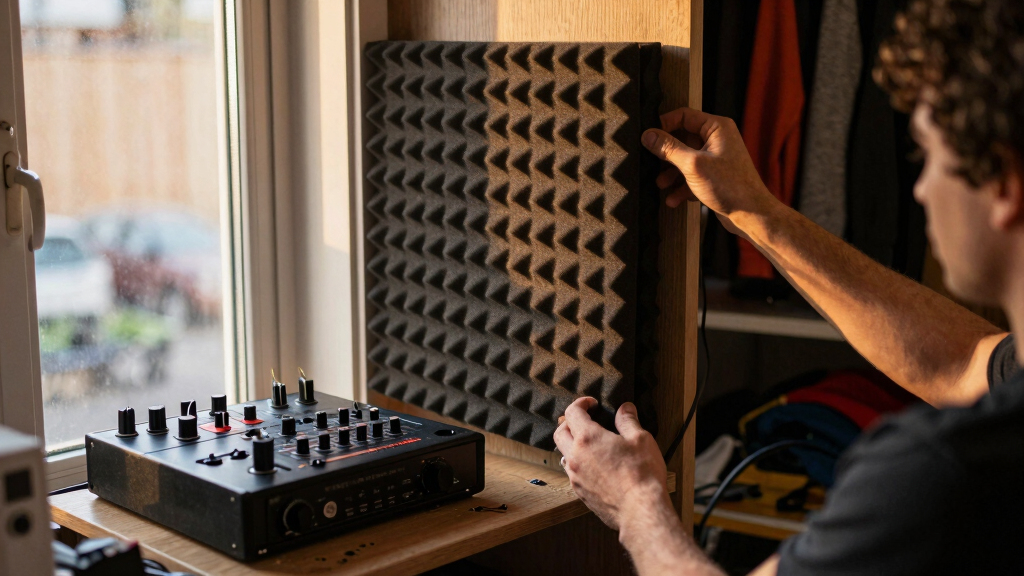

📊 Full opportunity report: Acoustic Dampening, Placement, and the “Rig in the Closet” Setup on ThorstenMeyerAI.com — validation score, market gap, and execution plan.

Get the latest gadgets delivered free with Prime
- Fast, free delivery on millions of items
- Prime Video, Amazon Music and more included
- Member-only deals all year
TL;DR
Placing AI workstations in separate rooms or closets significantly reduces noise. Proper ventilation is essential for sealed setups to prevent overheating. Acoustic foam alone is ineffective for noise mitigation.
Placing AI workstations in separate rooms or closets, combined with proper ventilation, is the most effective way to reduce noise and heat, according to experts.
Research and industry practices show that the most impactful noise reduction method is distance and isolation—moving the rig away from the user into another room or closet. This approach leverages network-based access, making the physical noise irrelevant to the workspace.
The ‘rig in the closet’ setup is popular for noise mitigation but requires careful ventilation. Sealing a space without airflow causes heat buildup, risking hardware damage. Proper ventilation, including exhaust fans, is necessary to prevent overheating.
Acoustic foam and barriers are less effective alone because they only absorb airborne noise and do not address structure-borne sound or heat. Mechanical decoupling, like rubber feet or anti-vibration pads, is a simple but often overlooked method to reduce hum and vibration.
Acoustic dampening
& the rig in the closet.
The most powerful noise fix isn’t a material — it’s a floor plan. A rig you can’t hear because it’s in another room beats any amount of foam. Tap the approaches in Part 1 to see what actually works.
(another room)
(levers 1–4)
(door / barrier)
(acoustic foam)
Contain the noise, not the heat
Why Placement and Ventilation Are Critical for Quiet, Safe AI Workstations
Effective noise mitigation enhances workspace comfort and productivity, especially in shared environments. Proper placement reduces the need for costly acoustic treatments and prevents hardware overheating, extending equipment lifespan. Understanding these strategies allows users to optimize their setups with minimal expense and effort.
AI workstation noise dampening enclosure
As an affiliate, we earn on qualifying purchases.
As an affiliate, we earn on qualifying purchases.
The Evolution of Noise Management in High-Power AI Rigs
Traditionally, users attempted to dampen noise with acoustic foam and soundproofing materials. However, industry insights reveal that these are the last line of defense. The primary strategy has shifted toward relocating the hardware and ensuring adequate airflow, especially as AI workloads generate significant heat and noise. The concept of a 'rig in the closet' has gained popularity as a practical solution, provided ventilation is carefully managed.
"The most effective way to silence a noisy AI rig isn't to treat it—it's to move it out of your workspace entirely. A rig in another room can be completely silent at your desk."
— Thorsten Meyer, AI workstation expert
ventilated closet for computer rig
As an affiliate, we earn on qualifying purchases.
As an affiliate, we earn on qualifying purchases.
Remaining Challenges in Quiet AI Workstation Deployment
While the benefits of placement and ventilation are clear, specific optimal configurations vary depending on room size, hardware power, and noise levels. The effectiveness of different ventilation solutions and soundproofing methods in various environments remains an area for further testing and standardization. Additionally, the cost and complexity of engineered soundproof cabinets may limit widespread adoption.
anti-vibration pads for server racks
As an affiliate, we earn on qualifying purchases.
As an affiliate, we earn on qualifying purchases.
Next Steps for Implementing Quiet AI Workstations
Users should assess their workspace and consider relocating their rigs to separate rooms or closets, ensuring ventilation is adequate. Manufacturers may develop more integrated solutions combining noise reduction and cooling, such as pre-ventilated soundproof cabinets. Ongoing research will refine best practices for balancing noise, heat, and accessibility.
acoustic foam panels for noise reduction
As an affiliate, we earn on qualifying purchases.
As an affiliate, we earn on qualifying purchases.
Key Questions
Is acoustic foam effective for reducing noise from AI workstations?
Acoustic foam absorbs airborne sound reflections within a room but does not block sound transmission through walls or structures. It is most effective when combined with barriers or placement strategies.
Can I put my AI rig in a sealed closet without overheating?
Only if the closet has proper ventilation, such as passive vents or exhaust fans. Sealing a high-power rig without airflow will cause heat buildup and potential hardware damage.
What hardware modifications help reduce noise?
Using anti-vibration pads, rubber feet, or grommets can decouple the rig from surfaces, reducing structure-borne noise and hum, often more effectively than acoustic treatments alone.
Does moving the rig away from my workspace impact performance?
Performance remains unaffected as long as the rig is connected via a reliable network. This setup allows for quieter work environments without sacrificing computational power.
Source: ThorstenMeyerAI.com
Halloween Picks
halloween
As an affiliate, we earn on qualifying purchases.