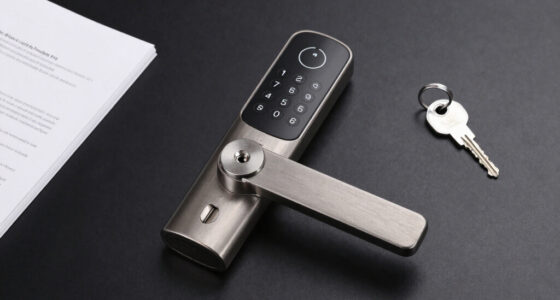
A smart lockbox for keys with app access lets you manage entry codes or Bluetooth access without relying on a single shared combination. My best overall pick is the igloohome Waterproof Smart Lockbox, which stands out for offline PIN access alongside Bluetooth app control. The Master Lock 5440EC is a familiar portable option, while the Populife K4 adds fingerprint entry for people who want less code handling. The main tradeoffs are app-based convenience versus dependable offline entry, and extra access methods versus simpler operation. Read on for the full breakdown and guidance on matching a lockbox to your property and handoff routine.

Get the latest gadgets delivered free with Prime
- Fast, free delivery on millions of items
- Prime Video, Amazon Music and more included
- Member-only deals all year
Complete the kit



Key Takeaways
- The igloohome stands out because offline PIN access can keep a guest handoff working when a phone connection is unavailable; app-only convenience is not the same as dependable entry.
- The lineup splits between Bluetooth-focused boxes and models advertising remote sharing. Buyers should check whether remote actions need a gateway or other equipment rather than assume Bluetooth works over distance.
- Fingerprint models such as the Populife K4 and Gaurqiah offer a different route for repeat users, but biometric access adds setup and upkeep beyond a basic PIN workflow.
- Weather protection and mounting matter as much as app features for outdoor use: the igloohome specifies waterproofing, while one zinc-alloy wall-mount model advertises IP65 protection.
- The Master Lock 5440EC and the Thlevel model with a removable shackle serve different placement needs; portability and flexible attachment can matter more than a larger feature list.
| Gaurqiah Smart Key Lock Box with Fingerprint, Passcode, Bluetooth, and App Access |  | Best for Flexible Access | Access methods: Fingerprint, passcode, access card, Bluetooth app, 2 mechanical keys | App: TTLock | Mounting: Wall mount or removable shackle | VIEW ON AMAZON | See Our Full Breakdown |
| igloohome Waterproof Smart Lockbox with Offline PIN and Bluetooth App Access |  | Best for Weather Exposure | Access methods: Offline PIN keypad and Bluetooth app control | Weather and impact resistance: IP66; IK07 | Interior dimensions: 2.8 × 4.3 × 1.1 inches | VIEW ON AMAZON | See Our Full Breakdown |
| NexusLab Smart Key Lock Box with App Control |  | Best for Straightforward Wall-Mounted Sharing | Access methods: Bluetooth app, numeric keypad, temporary codes | Material: Aluminum alloy | Mounting: Wall mount | VIEW ON AMAZON | See Our Full Breakdown |
| JUYANO Smart Key Lock Box with TTLock App, Bluetooth, and PIN |  | Best for Larger Key and Fob Storage | Model: G22 | Unlock methods: PIN, TTLock app, shared eKeys or passcodes | Capacity: Up to 7 house keys, 5 cards, or 3 car key fobs | VIEW ON AMAZON | See Our Full Breakdown |
| Populife K4 Smart Fingerprint Lock Box |  | Best for Portable Biometric Access | Model: K4 | Unlock methods: PIN, Bluetooth app, fingerprint, NFC card, mechanical key | Emergency access: USB-C power or mechanical key | VIEW ON AMAZON | See Our Full Breakdown |
| Smart Key Lock Box with Bluetooth App, Remote Code Sharing & PIN, IP65 Heavy Duty Zinc Alloy Wall Mount for Airbnb & Realtors, Holds 5 Keys+Cards |  | Best for High-Capacity Storage | Material: Zinc alloy with weatherproof ABS cover | Capacity: 5 keys, 5 access cards, and 2–3 car key fobs | Unlock methods: Bluetooth app and keypad PIN | VIEW ON AMAZON | See Our Full Breakdown |
| SFW Smart Fingerprint Key Lock Box with App Control |  | Best for Fingerprint Sharing | Model: BX80 | Unlock methods: Fingerprint, passcode, Bluetooth, and app-generated temporary passwords | Fingerprint capacity: Up to 60 fingerprints | VIEW ON AMAZON | See Our Full Breakdown |
| Smart Key Lock Box with App Control and Multiple Access Methods |  | Best for Multiple Entry Methods | Unlock methods: Fingerprint, passcode, access card, Bluetooth app, and manual key | Material: Aluminum alloy | User capacity: 200 users, including 100 fingerprint users | VIEW ON AMAZON | See Our Full Breakdown |
| MAILADA Bluetooth Smart Key Lock Box with PIN Code |  | Best for Simple App-Sharing | Model: MG22-APP | Control: Bluetooth and Tuya app | Code length: 6–9 digits | VIEW ON AMAZON | See Our Full Breakdown |
| Smart Key Lock Box for Airbnb & Realtor, Tuya App Bluetooth Safe |  | Best for Tuya-Based Rental Access | Material: Zinc alloy and ABS | Connectivity: Bluetooth | App: Tuya | VIEW ON AMAZON | See Our Full Breakdown |
| Master Lock 5440EC Bluetooth Portable Key Lock Box |  | Best for Managed Property Access | Access methods: Bluetooth or keypad code | Recommended uses: Key storage, property management, real estate showings, vacation rental guest access | Weather resistance: Rated to -40° | VIEW ON AMAZON | See Our Full Breakdown |
| Elecbee Smart Key Lock Box with App and PIN Access |  | Best for Simple App-and-PIN Sharing | Model: elecbee-e100 | Material: Zinc alloy; weather-resistant metal | Access methods: App control and PIN code | VIEW ON AMAZON | See Our Full Breakdown |
| Thlevel Bluetooth Smart Key Lock Box with TTLock App, PIN Codes, and Removable Shackle |  | Best for Storing a Car Key Fob | Model: G22 | App: TTLock | Connectivity: Bluetooth; no Wi-Fi support | VIEW ON AMAZON | See Our Full Breakdown |
| Smart Key Lock Box with Fingerprint, App, Code, and Key Access |  | Best for Multiple Unlocking Options | Brand: Mrandou | Unlock methods: Fingerprint, app, keypad passcode, physical key, optional Wi-Fi remote access | Connectivity: Wi-Fi; remote unlocking requires an optional gateway | VIEW ON AMAZON | See Our Full Breakdown |
| smart lockbox for keys with app access | Power | Mounting | Material | Emergency power |
|---|---|---|---|---|
| Gaurqiah Smart Key Lock Box wi | 4 AAA alkaline batteries, not included; USB-C emergency power | Wall mount or removable shackle | — | — |
| igloohome Waterproof Smart Loc | — | Wall mount or surface mount | — | 5V USB-C jumpstart |
| NexusLab Smart Key Lock Box wi | 4 AAA batteries | Wall mount | Aluminum alloy | USB-C |
| JUYANO Smart Key Lock Box with | 3 AAA batteries | Wall mount | — | USB-C |
| Populife K4 Smart Fingerprint | — | — | Alloy steel | — |
| Smart Key Lock Box with Blueto | 3 AAA batteries (not included) | Wall mount or portable use with detachable shackle | Zinc alloy with weatherproof ABS cover | USB-C port |
| SFW Smart Fingerprint Key Lock | 3 AAA batteries | — | ABS | — |
| Smart Key Lock Box with App Co | 4 AAA batteries (not included) or USB | — | Aluminum alloy | — |
| MAILADA Bluetooth Smart Key Lo | 3 AAA batteries | Wall-mounted; steel lock shackle included | Zinc alloy | USB-C |
| Smart Key Lock Box for Airbnb | 3 AAA batteries (not included) | Wall mount | Zinc alloy and ABS | USB-C port for power bank |
| Master Lock 5440EC Bluetooth P | — | — | — | — |
| Elecbee Smart Key Lock Box wit | 3 AAA batteries, not included | — | Zinc alloy; weather-resistant metal | USB-C temporary power supply |
| Thlevel Bluetooth Smart Key Lo | — | Removable shackle | — | — |
| Smart Key Lock Box with Finger | — | — | — | — |
More Details on Our Top Picks
Gaurqiah Smart Key Lock Box with Fingerprint, Passcode, Bluetooth, and App Access
I’d choose the Gaurqiah when different people need different ways to get in: it combines fingerprint, passcode, access card, Bluetooth app, and mechanical keys, a broader mix than the keypad-and-app NexusLab. In the TTLock app, scheduled codes, one-time codes, recurring access, eKey sharing, and unlock history suit changing guest or contractor schedules. Its wall-mount or removable-shackle setup also gives more placement options than JUYANO’s wall-only design. The tradeoff is upkeep: four AAA batteries are not included, and the listed remote tap-to-unlock feature requires a separately sold compatible G2 gateway. USB-C emergency power and low-battery alerts offer backup, but they do not remove the need to keep batteries on hand. This is my pick when access flexibility matters more than a simple keypad setup.
Pros:- Five entry methods give users options if they cannot or do not want to use the app.
- TTLock supports scheduled, recurring, and one-time codes plus eKey sharing.
- Can be wall mounted or carried on its removable shackle.
- USB-C emergency power and low-battery alerts provide useful backup.
Cons:- Four AAA batteries are not included.
- Remote tap-to-unlock requires a separately sold compatible G2 gateway.
Best for: Hosts or property managers who want to offer fingerprint, card, code, app, or keyed entry to different visitors.
Not ideal for: Buyers seeking remote unlocking without extra hardware or a lockbox that arrives with batteries included.
- Access methods:Fingerprint, passcode, access card, Bluetooth app, 2 mechanical keys
- App:TTLock
- Mounting:Wall mount or removable shackle
- Weather resistance:IP65
- Power:4 AAA alkaline batteries, not included; USB-C emergency power
- Materials:Aluminum and zinc
- Dimensions:5.3 x 3 x 1.77 inches
- Weight:2 pounds
Our verdict“Choose the Gaurqiah if you want the lineup’s widest mix of entry methods and can accept battery and gateway requirements.”
igloohome Waterproof Smart Lockbox with Offline PIN and Bluetooth App Access
The igloohome SK4 is the strongest fit here for exposed locations where weather and physical knocks are part of the job. Its IP66 dust and water protection and IK07 impact rating go beyond the IP65 claims listed for the Gaurqiah, NexusLab, and JUYANO. Offline PINs and Bluetooth access also let guests enter without the lockbox relying on home Wi-Fi, while the app’s activity logs help a host track access. Compared with the shackle-equipped Gaurqiah and Populife K4, the SK4 is a wall- or surface-mounted choice, not a portable one. Its interior is specified at 2.8 × 4.3 × 1.1 inches, so check that your key bundle fits despite the listed 7-liter capacity. Remote unlocking needs a separate Wi-Fi Bridge; the four included AAA batteries and USB-C jumpstart are welcome practical touches.
Pros:- IP66 dust and water protection plus IK07 impact resistance.
- Offline PIN codes and Bluetooth access do not require Wi-Fi at the lockbox.
- App supports activity logs and user access management.
- Includes four AAA batteries and USB-C jumpstart cable.
Cons:- Remote unlocking requires a separately sold Wi-Fi Bridge.
- Wall or surface mounting limits placement compared with shackle-equipped options.
- The stated interior dimensions should be checked against bulky key bundles.
Best for: Rental hosts and service coordinators placing a mounted key safe in a rain- and dust-exposed location who need offline PIN access.
Not ideal for: People who need a shackle-mounted portable box, or remote unlocking without buying a separate Wi-Fi Bridge.
- Access methods:Offline PIN keypad and Bluetooth app control
- Weather and impact resistance:IP66; IK07
- Interior dimensions:2.8 × 4.3 × 1.1 inches
- Exterior dimensions:2.2 × 3.2 × 5.3 inches (D × W × H)
- Battery:4 AAA alkaline batteries included
- Battery life:12–16 months
- Emergency power:5V USB-C jumpstart
- Mounting:Wall mount or surface mount
- Operating temperature:-20°C to 50°C (-4°F to 122°F)
Our verdict“Pick the igloohome SK4 for a mounted, weather-exposed handoff point where offline PINs matter more than remote unlocking out of the box.”
NexusLab Smart Key Lock Box with App Control
NexusLab keeps the feature set focused: Bluetooth app access, a numeric keypad, and temporary codes cover the core needs of a home or rental key handoff without adding fingerprint or card systems. That makes it a simpler alternative to the Gaurqiah and Populife K4, both of which offer more entry methods but also more options to manage. Its aluminum-alloy body, IP65 rating, and USB-C emergency power provide a practical baseline for outdoor use. The included drill template and mounting hardware can make installation more straightforward, but this is strictly a wall-mount design; unlike those two shackle-equipped models, it cannot be moved between sites without reinstalling it. Four AAA batteries are required, and the listed six-month replacement policy is shorter reassurance than JUYANO’s two-year warranty.
Pros:- Bluetooth app, numeric keypad, and temporary codes cover common guest-access needs.
- Aluminum-alloy construction and IP65 weather resistance suit outdoor mounting.
- USB-C emergency power offers a backup route if the batteries run down.
- Includes mounting hardware and a drill template.
Cons:- Wall mounting requires drilling and does not offer a shackle option.
- Requires four AAA batteries.
- The stated replacement policy is six months.
Best for: Homeowners or small rental hosts who want app sharing and temporary keypad codes in a fixed, wall-mounted box.
Not ideal for: People who need shackle portability, fingerprint entry, or a longer stated warranty.
- Access methods:Bluetooth app, numeric keypad, temporary codes
- Material:Aluminum alloy
- Mounting:Wall mount
- Water resistance:IP65
- Interior dimensions:112 × 80 × 28 mm
- Capacity:18 cubic inches
- Power:4 AAA batteries
- Emergency power:USB-C
- Warranty:6-month replacement policy
Our verdict“Choose NexusLab for a fixed wall installation with app and temporary-code access, not for portability or a wide range of entry methods.”
JUYANO Smart Key Lock Box with TTLock App, Bluetooth, and PIN
JUYANO stands out when the box needs to hold more than a spare house key: its stated capacity is up to 7 house keys, 5 cards, or 3 car key fobs. That gives it a clearer storage advantage over the NexusLab, whose capacity is listed in cubic inches rather than as a fob count. TTLock supports shared eKeys and scheduled or one-time passcodes, while backlit keypad buttons make code entry easier in dim conditions. Unlike the Gaurqiah and Populife K4, JUYANO is wall-mount only, so it is better for a permanent handoff point than a flexible location. It also uses three AAA batteries and offers USB-C emergency power, but you need to have a cable available for that backup. The two-year manufacturer warranty is a stronger stated coverage period than NexusLab’s six-month replacement policy.
Pros:- Stated capacity accommodates up to 7 house keys, 5 cards, or 3 car key fobs.
- TTLock supports shared eKeys, scheduled codes, and one-time codes.
- Backlit keypad helps with entry in low-light conditions.
- Includes USB-C emergency power and a two-year manufacturer warranty.
Cons:- Wall-mount-only design is less flexible than the Gaurqiah or Populife K4.
- Three AAA batteries are required.
- USB-C emergency access depends on having a cable available.
Best for: Hosts or households storing several keys, access cards, or car fobs at a fixed location and sharing access through TTLock.
Not ideal for: Buyers who need a shackle-mounted box or who want to avoid keeping an emergency USB-C cable nearby.
- Model:G22
- Unlock methods:PIN, TTLock app, shared eKeys or passcodes
- Capacity:Up to 7 house keys, 5 cards, or 3 car key fobs
- Power:3 AAA batteries
- Emergency power:USB-C
- Water resistance:IP65
- Mounting:Wall mount
- Dimensions:4.53 x 3.35 x 2.44 inches
- Warranty:2 years
Our verdict“Choose JUYANO when storage for multiple keys or fobs and a longer stated warranty matter more than shackle portability.”
Populife K4 Smart Fingerprint Lock Box
The Populife K4 is the most appealing option here if you want a fingerprint reader plus placement flexibility. It also accepts PIN, Bluetooth app, NFC card, and mechanical key entry, so it comes closer to Gaurqiah’s broad access mix than JUYANO’s PIN-and-app approach. The K4 can be wall mounted or hung from its shackle, making it useful when a fixed installation is not practical. Its app supports permissions, access logs, temporary PINs, and Bluetooth keys, though PIN editing needs Bluetooth or a gateway connection; that is a limitation for managers who expect to adjust codes remotely at any time. Batteries are not included, and the supplied data gives no IP rating to compare with the IP65 Gaurqiah or IP66 igloohome. Treat its weather resistance as a general claim rather than a stated protection level.
Pros:- Five entry methods include fingerprint, NFC card, mechanical key, PIN, and Bluetooth app.
- Can be wall mounted or hung by its shackle.
- App supports permissions, access logs, temporary PINs, and Bluetooth keys.
- USB-C emergency power and mechanical key backup offer two alternatives if normal access fails.
Cons:- Batteries are not included.
- PIN editing requires Bluetooth or a gateway connection.
- Weather resistance is stated without a specific IP rating.
Best for: People who want fingerprint entry and the option to hang a key box temporarily or mount it permanently.
Not ideal for: Buyers who need a specified IP weather rating, included batteries, or to edit PINs without nearby Bluetooth or a gateway.
- Model:K4
- Unlock methods:PIN, Bluetooth app, fingerprint, NFC card, mechanical key
- Emergency access:USB-C power or mechanical key
- Installation:Wall mount or shackle
- Material:Alloy steel
- Weather resistance:Weather resistant; no IP rating stated
- Dimensions:2.8 x 1.73 x 5.43 inches
- Batteries:Not included
Our verdict“Choose the Populife K4 for fingerprint access and flexible mounting, provided its battery and PIN-editing requirements fit your setup.”
Smart Key Lock Box with Bluetooth App, Remote Code Sharing & PIN, IP65 Heavy Duty Zinc Alloy Wall Mount for Airbnb & Realtors, Holds 5 Keys+Cards
I’d pick this model when the box needs to hold more than a front-door key. Its capacity for five keys, five cards, and two to three car fobs gives it an advantage over the MAILADA MG22-APP, which lists space for fewer cards and one car fob. Bluetooth app access and a keypad PIN also give hosts a practical fallback when a guest does not want to install an app. The zinc alloy body, weatherproof ABS cover, and IP65 rating suit exposed mounting, while the USB-C emergency port can help if the batteries run flat. The tradeoff is that Bluetooth does not provide remote unlocking over Wi-Fi, and the app is needed for full functionality. I’d skip it if a smaller, simpler key-only box would do.
Pros:- Room for five keys, five access cards, and two to three car fobs
- Keypad PIN offers access without requiring each visitor to use the app
- IP65 weather protection and zinc alloy construction
- USB-C emergency power port
Cons:- Bluetooth access does not provide remote Wi-Fi unlocking
- Three AAA batteries are not included
- Full functionality depends on using the smartphone app
Best for: Airbnb hosts, realtors, and households sharing several keys, cards, or car fobs at one property.
Not ideal for: Buyers who need remote unlocking from off-site or want a compact box for just one or two keys.
- Material:Zinc alloy with weatherproof ABS cover
- Capacity:5 keys, 5 access cards, and 2–3 car key fobs
- Unlock methods:Bluetooth app and keypad PIN
- Power:3 AAA batteries (not included)
- Emergency power:USB-C port
- Temperature range:-4°F to 140°F
- Mounting:Wall mount or portable use with detachable shackle
Our verdict“Choose this for a weather-exposed rental or shared property where generous storage matters more than remote access.”
SFW Smart Fingerprint Key Lock Box with App Control
The SFW BX80 makes sense when recurring visitors should get in without handling a PIN or opening an app. It stores up to 60 fingerprints and also offers passcode and Bluetooth access, a wider mix of entry methods than the MAILADA MG22-APP, which focuses on app-managed codes and keypad access. Its app can create temporary passwords and show unlocking history, useful for a host who wants a record of access, but it cannot unlock the box remotely; the temporary-code feature should not be confused with remote control. Installation is unusually flexible, with adhesive, screws, or a door-handle hook. That flexibility comes with a tradeoff: the ABS body and IP54 rating offer less weather protection than the IP65 boxes in this group. I’d favor it for covered locations and shared users, not harsh exposure.
Pros:- Stores up to 60 fingerprints for repeat visitors
- Fingerprint, passcode, and Bluetooth access options
- App supports temporary passwords and unlocking history
- Can be installed with adhesive, screws, or a door-handle hook
Cons:- IP54 protection is below the IP65 rating of several alternatives
- App does not support remote unlocking
- ABS construction may be less suited to exposed outdoor mounting than metal-body options
Best for: Hosts or property managers who need to register multiple regular visitors and want fingerprint entry plus app access records.
Not ideal for: Owners mounting a box in a fully exposed spot or anyone who needs to unlock it remotely from elsewhere.
- Model:BX80
- Unlock methods:Fingerprint, passcode, Bluetooth, and app-generated temporary passwords
- Fingerprint capacity:Up to 60 fingerprints
- Material:ABS
- Operating temperature:-20°C to 60°C
- Power:3 AAA batteries
- Backup power:Type-C port
- Installation:3M adhesive, screws, or door-handle hook
Our verdict“Pick the SFW BX80 for a sheltered entry used by many repeat visitors who benefit from fingerprint access and access history.”
Smart Key Lock Box with App Control and Multiple Access Methods
This is the most flexible entry-method pick in this batch: guests can use fingerprint, passcode, access card, Bluetooth app, or a manual key. That spread gives it more fallback options than the MAILADA MG22-APP, which centers on Bluetooth and PIN codes. The aluminum alloy body carries an IP65 rating, a useful fit for outdoor mounting, and the TTLock app supports temporary or permanent codes. Its stated capacity of 200 users, including 100 fingerprint users, suits properties with a large roster of authorized people. The main limitation is connectivity: app control is Bluetooth-based, and remote access requires a separate Wi-Fi gateway. Its listed internal space is also modest, so I would check the dimensions against any bulky fobs before choosing it over the larger-capacity B0GS3332G9.
Pros:- Five entry methods, including fingerprint, card, app, and manual key
- IP65-rated aluminum alloy construction
- TTLock supports temporary and permanent access codes
- Supports up to 200 users, including 100 fingerprint users
Cons:- Remote access requires a separate Wi-Fi gateway
- Four AAA batteries are not included
- Compact listed interior may not suit several large keys or fobs
Best for: Property managers who want several ways for different visitors to access a box and can manage users through TTLock.
Not ideal for: Buyers who require remote access without buying a gateway or need ample room for multiple bulky fobs.
- Unlock methods:Fingerprint, passcode, access card, Bluetooth app, and manual key
- Material:Aluminum alloy
- User capacity:200 users, including 100 fingerprint users
- Power:4 AAA batteries (not included) or USB
- Operating temperature:-25°C to +55°C
- Internal dimensions:2.9 × 4.5 × 0.9 in
- External dimensions:3.0 × 5.3 × 1.8 in
- Weight:1.5 lb
Our verdict“Choose this when access flexibility and a large user roster matter more than built-in remote connectivity or generous storage.”
MAILADA Bluetooth Smart Key Lock Box with PIN Code
The MAILADA MG22-APP is the straightforward choice for owners who mainly need to share time-limited entry codes, rather than manage fingerprints or several access technologies. Through the Tuya app, it creates 6–9 digit virtual codes and works over Bluetooth without requiring Wi-Fi. That makes setup less dependent on extra networking hardware than the B0FT7YGHD1, which needs a separate gateway for remote access. Its IP65 zinc alloy body and USB-C emergency power are useful for a wall-mounted box outdoors. Capacity is more restrained than the B0GS3332G9: it holds five keys, three cards, and one car fob, rather than five cards and multiple fobs. This is a focused code-sharing option, not a remote-unlocking system; visitors and hosts need to be within Bluetooth range for app control.
Pros:- Tuya app creates 6–9 digit time-limited codes
- Bluetooth app operation does not require Wi-Fi
- IP65-rated zinc alloy body
- USB-C emergency power option
Cons:- Bluetooth control is local, not remote
- Capacity is limited to five keys, three cards, and one car fob
- Requires three AAA batteries
Best for: Hosts who want to create and share time-limited PIN access through Tuya without setting up Wi-Fi hardware.
Not ideal for: Buyers who need remote unlocking, fingerprint entry, or space for several car fobs and access cards.
- Model:MG22-APP
- Control:Bluetooth and Tuya app
- Code length:6–9 digits
- Material:Zinc alloy
- Capacity:5 keys, 3 access cards, and 1 car key fob
- Power:3 AAA batteries
- Emergency power:USB-C
- Mounting:Wall-mounted; steel lock shackle included
Our verdict“Pick the MAILADA for uncomplicated app-managed PIN sharing at a property where local Bluetooth access is sufficient.”
Smart Key Lock Box for Airbnb & Realtor, Tuya App Bluetooth Safe
This Tuya-based box is a sensible match for a rental owner who wants app-managed eKeys and PINs without a large feature set to learn. It shares the same general capacity as the MAILADA MG22-APP—five keys, three access cards, and one car fob—but adds customizable PIN codes with an anti-peep feature, which can help obscure entry codes from nearby onlookers. The zinc alloy and ABS construction, wall-mount design, and USB-C backup align with outdoor key-sharing needs. Compared with the fingerprint-and-card B0FT7YGHD1, this model is more focused on code and app access, with fewer ways to enter. Its main compromise is connectivity: Bluetooth requires the user to be on site, and there is no Wi-Fi remote access. Battery life may also warrant attention because it runs on three AAA cells.
Pros:- Tuya app supports customizable PIN codes and eKeys
- Anti-peep PIN feature
- Interior fits five keys, three access cards, and one car fob
- USB-C emergency power backup
Cons:- Bluetooth access requires the user to be on site
- No fingerprint, access-card, or manual-key entry method is listed
- Three AAA batteries are not included and may need replacement
Best for: Airbnb hosts and realtors who already use Tuya and want local app control, eKeys, and PIN sharing in a wall-mounted box.
Not ideal for: Owners who need to unlock the box remotely, want fingerprint entry, or expect to use it far from a phone with Bluetooth.
- Material:Zinc alloy and ABS
- Connectivity:Bluetooth
- App:Tuya
- PIN codes:Up to 9 digits; anti-peep
- Interior capacity:Up to 5 keys, 3 access cards, and 1 car key fob
- Power:3 AAA batteries (not included)
- Emergency power:USB-C port for power bank
- Mounting:Wall mount
- Warranty:1 year
Our verdict“Choose this for a Tuya-managed rental where local Bluetooth code sharing is enough and fingerprint access is unnecessary.”
Master Lock 5440EC Bluetooth Portable Key Lock Box
The Master Lock 5440EC is a strong fit for property managers who need scheduled access and a record of activity, not just a box that opens with a shared code. Its app supports Bluetooth management, temporary codes, activity monitoring, and tamper and low-battery alerts, while keypad access gives guests another way in. Compared with the Thlevel G22, it has a replaceable battery included and an app limit of up to 10 locks for personal use, but Thlevel clearly specifies space for a car key fob; Master Lock says its cavity is not designed to fit one securely. The removable shackle and stated weather rating suit varied mounting locations. The tradeoff is a relatively shallow interior, so check the measurements if you need to store bulky items or several oversized keys.
Pros:- Bluetooth and keypad access offer alternatives for users without app access.
- App supports scheduled codes, activity monitoring, and tamper and low-battery alerts.
- Large cavity is specified for multiple keys or access cards.
- Removable shackle and weather resistance support a range of indoor and outdoor placements.
Cons:- The cavity is not designed to hold key fobs securely.
- Personal app use is limited to managing up to 10 locks.
Best for: Property managers and real estate professionals who want scheduled keypad access, activity monitoring, and alerts across a small set of properties.
Not ideal for: Drivers who need to store a car key fob securely, or managers who need to administer more than 10 locks through one personal app account.
- Access methods:Bluetooth or keypad code
- Recommended uses:Key storage, property management, real estate showings, vacation rental guest access
- Weather resistance:Rated to -40°
- Lock body width:3-1/4 in.
- Internal dimensions:3-39/64 in. H × 2-1/2 in. W × 1-7/64 in. D
- Battery:Replaceable CR123A, included
- Warranty:Limited one year
Our verdict“Choose the Master Lock 5440EC for managed guest access and monitoring, but pick the Thlevel G22 if fitting a car key fob matters more.”
Elecbee Smart Key Lock Box with App and PIN Access
The Elecbee Smart Key Lock Box keeps its access approach straightforward: manage the box through the app or use a PIN, with temporary codes that can be shared and revoked remotely. That makes it a practical match for hosts who need to give guests or contractors a limited window of access without relying on Bluetooth proximity alone. Compared with the Master Lock 5440EC, Elecbee adds USB-C emergency power, but its product details do not specify activity monitoring, alerts, or a temperature rating. Its zinc alloy body and weather-resistant cover suit outdoor placement, though the description gives less detail about environmental limits than Master Lock’s stated rating. Plan for the setup cost in effort: three AAA batteries are not included, and USB-C supplies temporary power only rather than recharging the lock.
Pros:- App control and PIN access serve users with different access habits.
- Temporary codes can be shared and revoked remotely.
- Zinc alloy construction and a weather-resistant cover suit outdoor use.
- USB-C temporary power offers a way to address a depleted battery.
Cons:- Three AAA batteries must be purchased separately.
- USB-C provides emergency power only and does not recharge the batteries.
- Product details do not specify activity monitoring or a temperature rating.
Best for: Vacation-rental hosts and small property operators who want app-managed, revocable PIN access and a USB-C backup option.
Not ideal for: Buyers who want included batteries, documented activity alerts, or precise published weather and temperature limits.
- Model:elecbee-e100
- Material:Zinc alloy; weather-resistant metal
- Access methods:App control and PIN code
- Power:3 AAA batteries, not included
- Emergency power:USB-C temporary power supply
- Recommended uses:Houses, garages, apartments, holiday accommodations, offices
- Included components:Lock box, app installation guide, mounting hardware, user manual
Our verdict“Pick Elecbee for simple remote PIN sharing and emergency power, but choose the Master Lock 5440EC if activity monitoring and alerts are priorities.”
Thlevel Bluetooth Smart Key Lock Box with TTLock App, PIN Codes, and Removable Shackle
If the lockbox needs to hold more than house keys, the Thlevel G22 has the clearest capacity advantage here: its stated storage fits five keys, three access cards, and one car key fob. That makes it a more suitable choice for vehicle handoffs than the Master Lock 5440EC, whose interior is not designed to secure a fob. The TTLock app supports shared eKeys and time-limited PIN access, so hosts can set a defined access window. Its IP65 rating and removable shackle add useful flexibility for outdoor mounting. The main limitation is connectivity: Bluetooth only, with no Wi-Fi, means app control is not remote over the internet. It also needs three AAA batteries that are not included, though USB-C power bank backup can help if the batteries run down.
Pros:- Specified capacity includes a car key fob, five keys, and three access cards.
- TTLock supports time-limited PIN codes and shared eKeys.
- IP65-rated zinc alloy body is designed to resist water and dust.
- Removable shackle and USB-C power bank backup add mounting and power flexibility.
Cons:- Bluetooth connectivity does not provide Wi-Fi remote access.
- Three AAA batteries are not included.
Best for: Car-sharing hosts, rental operators, and households that need one lockbox to hold keys, access cards, and a car key fob.
Not ideal for: People who need to unlock or manage the box remotely over Wi-Fi, or buyers who want batteries included.
- Model:G22
- App:TTLock
- Connectivity:Bluetooth; no Wi-Fi support
- Access methods:PIN codes and shared eKeys
- Body and weather resistance:Zinc alloy; IP65
- Operating temperature:-20°C to 55°C
- Power and backup:3 AAA batteries, not included; USB-C power bank backup
- Storage capacity:5 keys, 3 access cards, and 1 car key fob
- Mounting:Removable shackle
Our verdict“Choose the Thlevel G22 when car-fob capacity is the priority, but favor the Master Lock 5440EC if app activity alerts matter more.”
Smart Key Lock Box with Fingerprint, App, Code, and Key Access
The Mrandou lockbox is the lineup’s choice for buyers who want fingerprint, app, keypad, and physical-key access in one unit. That range can suit shared homes or rentals where guests, cleaners, and owners may prefer different ways to open the box. Compared with the Thlevel G22, it adds biometric and physical-key options, while Thlevel gives clearer storage capacity and an IP65 rating. Mrandou offers Wi-Fi connectivity, but remote unlocking requires an optional Wi-Fi gateway, so Wi-Fi on the product description does not mean the gateway-free remote access some buyers may expect. A protective cover shields the controls from outdoor exposure, though the provided specifications do not state an ingress rating or battery details. Pairing also requires specific wake-up and restart steps, which may frustrate buyers seeking quick setup.
Pros:- Fingerprint, app, keypad passcode, and physical-key access offer distinct ways to enter.
- Protective cover helps shield the keypad and fingerprint sensor from dust, rain, and sunlight.
- Designed for rental properties, offices, and shared spaces with varied users.
- Optional Wi-Fi gateway enables remote unlocking.
Cons:- Remote unlocking depends on an optional Wi-Fi gateway.
- First-time pairing requires specific wake-up and restart steps.
- Product details do not specify storage capacity, battery type, or a formal weather-resistance rating.
Best for: Rental-property hosts and shared-space operators who want several local entry methods for guests, cleaners, tenants, and owners.
Not ideal for: Buyers who need remote unlocking without extra hardware, or who want clearly stated storage capacity, weather rating, and power specifications before purchase.
- Brand:Mrandou
- Unlock methods:Fingerprint, app, keypad passcode, physical key, optional Wi-Fi remote access
- Connectivity:Wi-Fi; remote unlocking requires an optional gateway
- Control methods:App, push button, touch
- Lock type:Biometric, keypad
- Color and finish:Black, matte
- Recommended uses:Airbnb hosting, vacation rentals, property management
Our verdict“Choose Mrandou for varied fingerprint, code, app, and key access, but select the Thlevel G22 if stated storage capacity and an IP65 rating are more important.”
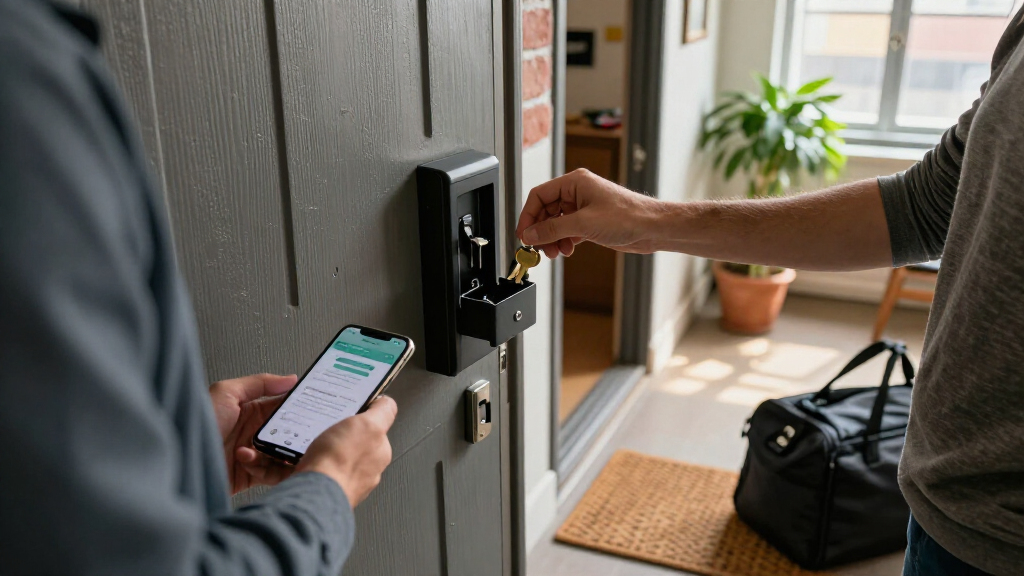
How We Picked
I compared the 14 listed lockboxes by how well their stated features serve the core job: storing keys securely while granting controlled access through an app. I gave weight to the available entry methods, including Bluetooth, PIN, fingerprint, and physical-key access; clarity around code sharing; weather and construction claims; mounting or shackle flexibility; and the likely ease of managing access for guests, contractors, or household members. I also treated offline access as a practical advantage, since app control is less useful if a visitor cannot get in when connectivity or phone access is limited.
The ranking favors products with a clear use-case advantage rather than the longest feature list. The igloohome leads for pairing app access with offline PIN entry, while the Master Lock earns a distinct place for portable use and the Populife K4 for fingerprint access. Products with less specific information about protection, remote operation, or capacity rank behind options whose stated features make their tradeoffs easier to judge. Product names alone do not establish durability or security, so buyers should verify fit, compatibility, and operating requirements before choosing.
| smart lockbox for keys with app access | Mounting |
|---|---|
| Gaurqiah Smart Key Lock Box wi | Wall mount or removable shackle |
| igloohome Waterproof Smart Loc | Wall mount or surface mount |
| NexusLab Smart Key Lock Box wi | Wall mount |
| JUYANO Smart Key Lock Box with | Wall mount |
| Populife K4 Smart Fingerprint | — |
| Smart Key Lock Box with Blueto | Wall mount or portable use with detachable shackle |
| SFW Smart Fingerprint Key Lock | — |
| Smart Key Lock Box with App Co | — |
| MAILADA Bluetooth Smart Key Lo | Wall-mounted; steel lock shackle included |
| Smart Key Lock Box for Airbnb | Wall mount |
| Master Lock 5440EC Bluetooth P | — |
| Elecbee Smart Key Lock Box wit | — |
| Thlevel Bluetooth Smart Key Lo | Removable shackle |
| Smart Key Lock Box with Finger | — |
Factors to Consider When Choosing Smart Lockbox For Keys With App Access
App access is only one part of a good key handoff. I would match the lockbox to the way people will enter, where the box will sit, and how often access needs to change. These broader checks can prevent a convenient-looking model from becoming a source of failed arrivals or extra setup.
Choose an access method that still works when plans change
Bluetooth app access is useful when the person managing entry is nearby, but it does not automatically mean you can control the box from anywhere. PIN access can make arrivals simpler because a guest may not need the owner’s phone or an app account. Fingerprint entry suits a small, repeat group better than a rotating set of visitors, since users may need enrollment and occasional troubleshooting. A physical key can serve as a fallback, though it creates another key to store and manage. Before buying, map out who opens the box and what they can do if a phone is dead, an app is unavailable, or a code was not received. Favor a model whose backup method matches a real failure scenario rather than one that merely lists more methods.
Check what “remote sharing” actually requires
Product descriptions may use “remote” for code sharing even when the lockbox itself communicates only over Bluetooth. That difference affects whether you can make changes while away from the property or only when your phone is within range. Look for explicit details about gateways, internet connectivity, subscriptions, supported phones, and whether recipients need an app. A time-limited code can reduce follow-up work for cleaners or short-stay guests, while a reusable code may be simpler for a trusted family member. Do not assume a code can be revoked instantly unless the product explains how updates reach the device. When comparing models, prioritize a clear access workflow over a broad but vague claim of app control.
Match protection and placement to the actual exposure
An outdoor box faces more than rain: direct sun, freezing temperatures, dust, and repeated handling can affect its usability. Treat waterproof or IP ratings as useful clues, not as a guarantee that every seam or mounting point will stay protected indefinitely. A sheltered porch may not need the same level of protection as a gate exposed to wind-driven rain. Wall-mounted models can be harder to remove casually, while a shackle can attach to rails or handles where drilling is not practical. Check the available mounting surface, clearance for opening the lid, and whether the box will be visible to passersby. A strong lockbox in the wrong location can still be inconvenient or exposed.
Size the interior for the handoff, not just a single key
Capacity claims can refer to keys, cards, or both, and the shape of a key may matter more than the stated count. A bulky fob, tag, or access card can crowd a compact interior and prevent the door from closing cleanly. If the box serves several people, think about whether their keys need to stay separated or whether one shared set is enough. A larger box can make access easier but may be more conspicuous and harder to fit in a discreet spot. Check interior dimensions or product images where available, and leave room for the keys to move without blocking the locking mechanism. Avoid choosing by capacity wording alone when the contents include car fobs or oversized tags.
Plan for batteries, app upkeep, and access changes
App-connected devices add maintenance that a mechanical combination box does not: batteries, phone compatibility, software support, and sometimes user-account management. Find out how the box signals low battery and whether a depleted battery leaves a usable backup entry method. For rentals or recurring service visits, consider how quickly you can remove old users and issue new codes after a handoff. A feature-rich model may be a poor fit if only one person can manage its app or if guests must complete a confusing setup. Keep a written emergency procedure somewhere secure, but do not store access details beside the box. The best choice is often the one your household can maintain reliably, not the one with the most controls.
Pay for features that solve a recurring access problem
Extra access methods make sense when they remove a regular source of friction: fingerprint entry for frequent users, offline PINs for unreliable connectivity, or a removable shackle for varied attachment points. If you mainly need to leave one spare key for occasional use, a simpler app-and-PIN setup may be easier to manage. Compare the cost of added complexity in time and upkeep, not just the feature list. Also verify whether the intended users can operate the chosen method comfortably, especially if they are unfamiliar with smart devices. A more advanced lockbox is most useful when its added capability changes how reliably or easily access is handled. Skip features that have no clear role in your handoff routine.
Frequently Asked Questions
Can I give someone access to a Bluetooth lockbox when I am away from the property?
Not always. Bluetooth commonly connects a phone to the lockbox at close range, while remote code creation or updates may depend on a gateway, internet service, or a different access method. Check the product’s instructions for whether you can generate a code remotely and whether the device receives updates without your phone nearby. If visitors need access on arrival, a PIN that is already active may be more dependable than a plan that requires a live app connection. Confirm what recipients need—a code, an app account, or both—before relying on remote sharing.
What should I choose if guests may arrive without a compatible phone?
Prioritize a lockbox with a usable PIN or another entry method that does not require a guest to install an app. A code is usually easier to pass along to a short-term visitor than a fingerprint enrollment process or account invitation. Check whether the owner can set codes in advance and whether codes can be limited by time or removed after use. Also ask how the box behaves when its battery is low, since a phone-independent method still needs functioning hardware. The igloohome’s offline PIN feature is a notable fit for this concern in this lineup.
Is a fingerprint lockbox a good choice for a short-term rental?
It can work for a small group of recurring users, but fingerprint access is less convenient for a stream of changing guests. Each person may need enrollment, and biometric entry can create extra coordination if a guest is unfamiliar with the device or has trouble registering a print. For rotating visitors, a PIN workflow is often easier to explain and change between stays. A fingerprint model makes more sense when the same owners or staff use the box repeatedly and a separate guest-access method is available. Compare the enrollment process and fallback options before treating fingerprint access as a substitute for codes.
Should I choose a wall-mounted lockbox or one with a shackle?
Choose based on the mounting points available and how permanent the installation should be. A wall mount can be a better fit for a fixed entry area, but it depends on a suitable surface and secure installation. A shackle can attach to a rail or handle without drilling, and a removable shackle such as the one listed for the Thlevel offers more placement flexibility. That flexibility may also make the box easier to relocate, so placement and visibility still matter. Check the attachment dimensions and opening clearance before ordering; a box that cannot fit around the intended fixture will not solve the handoff problem.
What should I verify before using an app lockbox outdoors?
Check the stated weather protection, temperature guidance, mounting method, and how the battery compartment is protected. An IP rating or waterproof claim is helpful, but it does not answer every question about long-term exposure, installation, or wear. Compare the product’s claims with the actual location: a covered porch is different from an exposed gate in heavy rain. Confirm that the box can be opened comfortably in the space and that users can read or operate its controls in low light. The igloohome’s waterproof positioning and the zinc-alloy wall-mount option advertising IP65 are relevant starting points, but each still needs a suitable installation.
Conclusion
For most buyers, I would start with the igloohome Waterproof Smart Lockbox: its combination of app access and offline PIN entry gives it the clearest all-around advantage in this group. For a portable option from a familiar lock brand, the Master Lock 5440EC has a distinct role, while the Populife K4 is the better match for buyers who specifically want fingerprint access. I would treat the zinc-alloy wall-mount model advertising IP65 as a candidate for exposed fixed installations, and the Thlevel as a better fit when a removable shackle helps solve placement constraints. Buyers seeking value should compare the simpler Bluetooth-and-PIN options, including MAILADA and Elecbee, against the access methods they will actually use rather than paying for unused features. For beginners, I would favor a straightforward PIN workflow with a clear backup plan; for premium needs, choose the model whose added access control or weather protection addresses a specific recurring problem. Before deciding, confirm app requirements, connectivity limits, mounting fit, and battery fallback for the exact model.