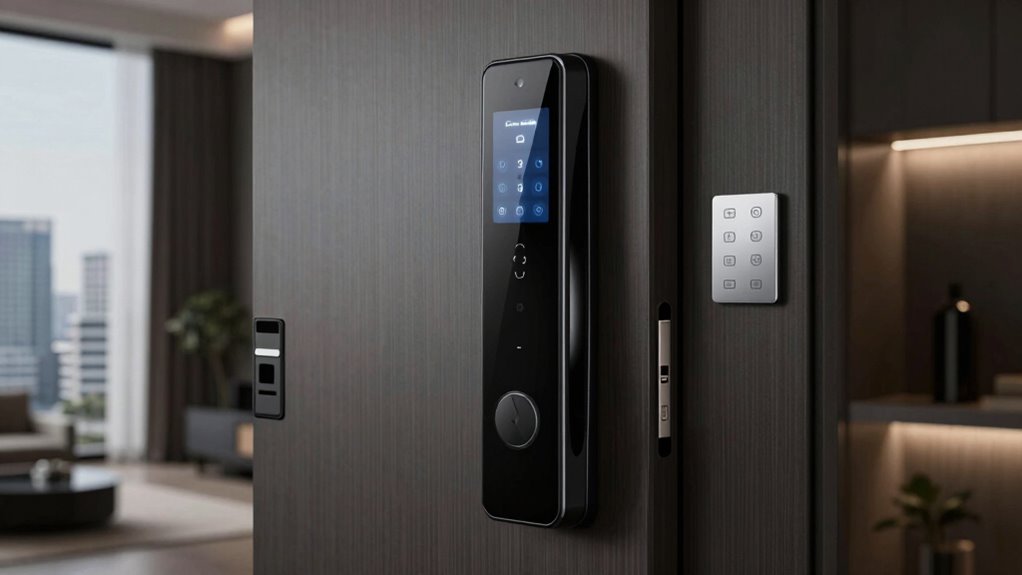

The best smart lock for apartment renters is the SwitchBot Lock Pro, a retrofit pick that can add smart access while leaving the existing deadbolt in place. For a more connected setup, the Aqara U200 adds Apple Home Key and fingerprint entry, while the Tapo DL100 suits renters who want a Wi-Fi deadbolt. The main tradeoff is between a removable retrofit that may be easier to reverse and a full lock replacement that can offer more built-in entry options but may conflict with a lease. Door compatibility, landlord approval, and whether you need a hub or subscription matter as much as fingerprints or app control. Read on for how all 15 options differ and which fits your apartment.

Get the latest gadgets delivered free with Prime
- Fast, free delivery on millions of items
- Prime Video, Amazon Music and more included
- Member-only deals all year
Complete the kit



Key Takeaways
- Reversible installation changes the shortlist: SwitchBot Lock Pro and Lock Ultra retrofit over an existing deadbolt, while most handle and deadbolt sets replace exterior hardware and may need landlord approval.
- Smart-home support is not interchangeable: Aqara U200 is distinguished by Apple Home Key, while ULTRALOQ Bolt SE calls out Matter over Thread; check device and hub compatibility before choosing either.
- Entry methods vary more than the product names suggest: Fingerprint, keypad, fob, app, and physical-key options appear in different combinations, so match access methods to roommates, guests, and lockout plans.
- Wi-Fi convenience can bring setup tradeoffs: Models such as Veise VE027-K and Teeho TE012W offer Wi-Fi-oriented access, while Bluetooth-first or retrofit options may need a hub for remote control.
- Handle and knob models are not automatic renter-friendly choices: Philips 4200, GHome, and Sifely S combine lock and handle or knob hardware, which can be less reversible than a retrofit deadbolt.
| Philips 4200 Series Wi-Fi Keypad Deadbolt with Handle |  | Best for Renters Who Want Built-In Remote Access | Connectivity: 2.4 GHz Wi-Fi; no hub required | Access methods: Keypad PIN, fingerprint, app, Alexa, Google Assistant | Fingerprint unlock time: 0.3 seconds | VIEW ON AMAZON | See Our Full Breakdown |
| Bluetooth Fingerprint Smart Lock with Handle & Keypad – Fits Most US Doors, DIY Install, Keyless Entry: Code, FOB, Auto-Lock |  | Best for Multiple Entry Methods | Unlock methods: Fingerprint, keypad, FOB, code, app, physical key | Door compatibility: Standard US doors, 1-3/8 to 2-1/4 inches thick | Installation: DIY; no drilling required | VIEW ON AMAZON | See Our Full Breakdown |
| GHome Smart Fingerprint Door Knob with Keypad |  | Best for Local, Bluetooth-Only Access | Unlock methods: Fingerprint, password, Bluetooth app, mechanical key | Fingerprint capacity: 20 fingerprints | Password capacity: 20 passwords | VIEW ON AMAZON | See Our Full Breakdown |
| SwitchBot Lock Pro Smart Deadbolt Retrofit Lock |  | Best for Preserving Existing Keys | Model: W3500000 | Compatibility: Most North American single-cylinder deadbolts | Installation: Interior retrofit; no drilling required | VIEW ON AMAZON | See Our Full Breakdown |
| Fingerprint Smart Door Lock with Handle & Keypad – Bluetooth Keyless Entry for Front Door, Home, Kids, Guests, Airbnb & Rental, App + Code Access, Compatible with Alexa & Google, Easy DIY Install |  | Best for Short-Term Rental Guest Access | Brand: Sifely | Model: Sifely S | Connectivity: Bluetooth; no Wi-Fi support | VIEW ON AMAZON | See Our Full Breakdown |
| SwitchBot Lock Ultra Smart Lock with Keypad and Fingerprint Access |  | Best for Flexible Access | Power: Battery powered | Advertised battery life: 12 months | Unlock methods: Fingerprint, app, touch, voice | VIEW ON AMAZON | See Our Full Breakdown |
| Aqara Smart Retrofit Lock U200 with Apple Home Key & Fingerprint |  | Best for Apple Home Key | Apple compatibility: Apple Home Key, iPhone, Apple Watch | Unlock methods: Apple Home Key, fingerprint, passcode, Bluetooth, NFC, physical key | Fingerprint capacity: 25 fingerprints | VIEW ON AMAZON | See Our Full Breakdown |
| Veise VE017 Fingerprint Smart Door Lock with App Control, Matte Black |  | Best for Local Access Management | Model: VE017 | Unlock methods: Fingerprint, app, authorized access, fob card, code, code sharing, mechanical key; voice with G1 Gateway | Fingerprint recognition: Under 0.2 seconds | VIEW ON AMAZON | See Our Full Breakdown |
| Veise VE027-K WiFi Smart Deadbolt Lock Set, Matte Black |  | Best for Built-In Wi-Fi Access | Connectivity: Wi-Fi 2.4GHz | Unlock methods: Fingerprint, PIN, card, key, voice control | Fingerprint recognition: 0.2 seconds | VIEW ON AMAZON | See Our Full Breakdown |
| eufy Security Smart Lock C220 with Fingerprint Keyless Entry |  | Best for Remote Control Without a Bridge | Lock type: Deadbolt | Unlock methods: Fingerprint, app, keypad, physical key, Apple Watch, Alexa or Google voice assistant | Connectivity: Built-in Wi-Fi | VIEW ON AMAZON | See Our Full Breakdown |
| Yamiry YR01 Smart Fingerprint Door Lock with Keypad |  | Best for Flexible Guest Access | Brand and model: Yamiry YR01 | Unlock methods: Fingerprint, Bluetooth app, passcode, key fob, mechanical key, Alexa voice control | Remote control: Requires separately sold Wi-Fi gateway | VIEW ON AMAZON | See Our Full Breakdown |
| Teeho TE012W WiFi Fingerprint Smart Door Lock – Matte Black |  | Best for Weather-Exposed Entrances | Connectivity: 2.4GHz Wi-Fi | Fingerprint capacity: Up to 20 users | Passcode capacity: Up to 100 | VIEW ON AMAZON | See Our Full Breakdown |
| Tapo DL100 Smart Wi-Fi Deadbolt Door Lock |  | Best for Shared Households | Lock type: Smart Wi-Fi deadbolt | Unlock methods: Keypad, Bluetooth, Wi-Fi through Tapo app, voice control with PIN verification, 2 backup keys | Maximum access codes: 200 | VIEW ON AMAZON | See Our Full Breakdown |
| ULTRALOQ Bolt SE Wi-Fi Smart Lock with Matter over Thread |  | Best for Connected Smart Homes | Access methods: Fingerprint, passcode, smartphone app, web portal, shared eKey or code, voice control, 2 mechanical keys | Fingerprint capacity: Up to 50 | Passcode capacity: Up to 50 | VIEW ON AMAZON | See Our Full Breakdown |
| Sifely S Fingerprint Smart Door Lock with Handle and Keypad |  | Best for Handle-Set Replacement | Brand and model: Sifely S | Lock type: Deadbolt with handle | Unlock methods: Fingerprint, keypad, app, key fob, physical key | VIEW ON AMAZON | See Our Full Breakdown |
| smart lock for apartment renter | Unlock methods | Connectivity |
|---|---|---|
| Philips 4200 Series Wi-Fi Keyp | — | 2.4 GHz Wi-Fi; no hub required |
| Bluetooth Fingerprint Smart Lo | Fingerprint, keypad, FOB, code, app, physical key | Bluetooth; Wi-Fi with gateway for voice control |
| GHome Smart Fingerprint Door K | Fingerprint, password, Bluetooth app, mechanical key | — |
| SwitchBot Lock Pro Smart Deadb | — | — |
| Fingerprint Smart Door Lock wi | — | Bluetooth; no Wi-Fi support |
| SwitchBot Lock Ultra Smart Loc | Fingerprint, app, touch, voice | — |
| Aqara Smart Retrofit Lock U200 | Apple Home Key, fingerprint, passcode, Bluetooth, NFC, physical key | Bluetooth; NFC |
| Veise VE017 Fingerprint Smart | Fingerprint, app, authorized access, fob card, code, code sharing, mechanical key; voice with G1 Gateway | — |
| Veise VE027-K WiFi Smart Deadb | Fingerprint, PIN, card, key, voice control | Wi-Fi 2.4GHz |
| eufy Security Smart Lock C220 | Fingerprint, app, keypad, physical key, Apple Watch, Alexa or Google voice assistant | Built-in Wi-Fi |
| Yamiry YR01 Smart Fingerprint | Fingerprint, Bluetooth app, passcode, key fob, mechanical key, Alexa voice control | — |
| Teeho TE012W WiFi Fingerprint | — | 2.4GHz Wi-Fi |
| Tapo DL100 Smart Wi-Fi Deadbol | Keypad, Bluetooth, Wi-Fi through Tapo app, voice control with PIN verification, 2 backup keys | — |
| ULTRALOQ Bolt SE Wi-Fi Smart L | — | 2.4GHz Wi-Fi and Matter over Thread |
| Sifely S Fingerprint Smart Doo | Fingerprint, keypad, app, key fob, physical key | Bluetooth; Wi-Fi with optional gateway |
More Details on Our Top Picks
Philips 4200 Series Wi-Fi Keypad Deadbolt with Handle
The Philips 4200 Series is the strongest fit here for renters who want remote app access without buying a hub. Its 2.4 GHz Wi-Fi connection supports app control and access history, while fingerprint entry and PIN codes give household members alternatives to carrying a key. Compared with the SwitchBot Lock Pro, which preserves your existing deadbolt but needs a separate hub for remote features, Philips puts Wi-Fi in the lock itself. The tradeoff is that this is a full deadbolt-and-handle set rather than an interior retrofit, so renters should check their lease and door hardware before replacing anything. It also needs alkaline batteries that are not included, and the router should be nearby. Auto-lock is available, but you must turn it on in the app.
Pros:- Built-in 2.4 GHz Wi-Fi enables remote app control without a hub
- Offers fingerprint entry, PIN codes, app control, and voice assistant support
- Includes a matching handle set and access history
- Supports adjustable auto-lock and low-battery alerts
Cons:- Replaces the deadbolt and handle rather than fitting over existing hardware
- Batteries are not included, and auto-lock must be enabled in the app
- Works on 2.4 GHz Wi-Fi and performs best near the router
Best for: Renters with permission to replace their lock who want remote access, access history, and both fingerprint and PIN entry without a separate hub.
Not ideal for: Renters who must preserve the existing hardware, have a door outside the listed thickness range, or cannot place the lock within reliable 2.4 GHz Wi-Fi range.
- Connectivity:2.4 GHz Wi-Fi; no hub required
- Access methods:Keypad PIN, fingerprint, app, Alexa, Google Assistant
- Fingerprint unlock time:0.3 seconds
- Auto-lock timer:0–180 seconds
- Battery life:Up to 6 months
- Battery type:Standard 1.5 V alkaline batteries; not included
- Compatible door thickness:1-3/8 to 1-3/4 inches (38–50 mm)
- Door handing:Default right-opening; can be reset for left-opening
Our verdict“Choose the Philips 4200 if you have permission to change your door hardware and want hub-free remote access with several keyless entry options.”
Bluetooth Fingerprint Smart Lock with Handle & Keypad – Fits Most US Doors, DIY Install, Keyless Entry: Code, FOB, Auto-Lock
This lock makes the most sense for renters who want more ways to get inside than a typical keypad deadbolt offers: fingerprint, code, FOB, app, and a physical key are all listed. Its no-drill DIY installation may also suit renters whose lease permits a hardware swap but rules out new holes. Compared with the Philips 4200 Series, it covers a wider stated door-thickness range and adds FOB access, but its smart-home voice features require a gateway. The product information also does not specify battery life, making upkeep harder to plan. It is a full handle-and-lock installation, not a reversible retrofit like the SwitchBot Lock Pro, and the broad “fits most” claim still calls for checking your door dimensions and existing setup before buying.
Pros:- Combines fingerprint, keypad, FOB, app, code, and physical-key access
- DIY installation is described as requiring no drilling
- Supports auto-lock
- Lists compatibility with standard US doors 1-3/8 to 2-1/4 inches thick
Cons:- A gateway is required for Alexa and Google Assistant voice control
- Battery life is not specified in the product data
- Door compatibility may be uncertain outside standard configurations
Best for: Renters with permission for a no-drill hardware replacement who want FOBs and physical keys alongside fingerprint, code, and app entry.
Not ideal for: Renters who need hub-free voice control, want to retain their current deadbolt, or have a non-standard door and cannot confirm compatibility.
- Unlock methods:Fingerprint, keypad, FOB, code, app, physical key
- Door compatibility:Standard US doors, 1-3/8 to 2-1/4 inches thick
- Installation:DIY; no drilling required
- Connectivity:Bluetooth; Wi-Fi with gateway for voice control
- Auto-lock:Supported
- Voice assistant compatibility:Alexa and Google Assistant; gateway required
Our verdict“Pick this model if entry-method flexibility matters more than built-in Wi-Fi or a clearly documented battery schedule.”
GHome Smart Fingerprint Door Knob with Keypad
The GHome knob is a fit for renters who prefer local fingerprint storage and Bluetooth control over remote access through Wi-Fi. It supports up to 20 fingerprints and 20 passwords, and its five-second auto-lock can reduce the chance of leaving the door unsecured. The rechargeable battery is rated for up to 10,000 unlocks, giving it a different maintenance profile from the Philips 4200, which uses replaceable alkaline batteries. The tradeoff is reach: app control is limited to Bluetooth range, so this is less suited to managing entry while away from home. It is also a knob rather than a deadbolt retrofit, so renters should check whether that form of hardware works with their door and lease. Compared with the SwitchBot Lock Pro, it changes the door hardware instead of preserving the existing lock.
Pros:- Stores fingerprint data locally rather than in cloud storage
- Supports up to 20 fingerprints and 20 passwords
- Offers fingerprint, password, Bluetooth app, and mechanical-key entry
- Rechargeable battery is rated for up to 10,000 unlocks
Cons:- App control is limited to Bluetooth range
- Battery life depends on usage frequency
- Replaces a door knob rather than retrofitting an existing deadbolt
Best for: Renters who want locally stored fingerprint data, several household access codes, and app control while near the door.
Not ideal for: Renters who need to grant access remotely, manage a lock while away, or preserve their existing deadbolt and knob hardware.
- Unlock methods:Fingerprint, password, Bluetooth app, mechanical key
- Fingerprint capacity:20 fingerprints
- Password capacity:20 passwords
- Fingerprint recognition time:0.2 seconds
- Auto-lock delay:5 seconds
- Battery:400 mAh rechargeable; up to 10,000 unlocks or 300+ days depending on usage
- Door thickness compatibility:1⅜–2¼ inches
- Material and dimensions:Aluminum; 3.93 × 9.05 inches
Our verdict“Choose the GHome if local biometric storage and nearby Bluetooth control matter more than remote access.”
SwitchBot Lock Pro Smart Deadbolt Retrofit Lock
For renters who need to keep the landlord’s cylinder and keys, the SwitchBot Lock Pro has the clearest advantage in this group: it mounts on the interior side of a compatible deadbolt, with no drilling and no cylinder replacement. That makes it a more renter-conscious starting point than the Philips 4200, which replaces the deadbolt and handle. It adds app control, Auto-Lock, and a one-touch Quick Key, while a compatible SwitchBot Hub can extend it to remote access and smart-home platforms. The catch is twofold: fit depends on the shape of the existing deadbolt and thumb turn, and the hub is sold separately. Without that hub, it does not match the Philips for built-in remote access. Renters should also confirm that the property permits attaching a device to the inside of the lock.
Pros:- Preserves the existing lock cylinder and physical keys
- Installs on the interior without drilling
- Includes app control, Auto-Lock, and one-touch Quick Key
- Supports major smart-home platforms when paired with a compatible SwitchBot Hub
Cons:- Compatibility depends on the deadbolt and thumb-turn shape
- Hub is sold separately for remote access and smart-home features
- Only listed as compatible with most North American single-cylinder deadbolts
Best for: Renters who need to retain the existing key cylinder and want a no-drill interior retrofit for a compatible single-cylinder deadbolt.
Not ideal for: Renters whose thumb turn is incompatible, who need remote access without another device, or who cannot attach anything to the existing lock.
- Model:W3500000
- Compatibility:Most North American single-cylinder deadbolts
- Installation:Interior retrofit; no drilling required
- Included components:Lock Pro and user manual
- Remote access:Requires a compatible SwitchBot Hub
- Smart-home support:Matter, Apple Home, Siri, Alexa, and Google Assistant with a compatible SwitchBot Hub
Our verdict“Choose the SwitchBot Lock Pro when keeping the landlord’s existing keys is more important than getting hub-free remote access.”
Fingerprint Smart Door Lock with Handle & Keypad – Bluetooth Keyless Entry for Front Door, Home, Kids, Guests, Airbnb & Rental, App + Code Access, Compatible with Alexa & Google, Easy DIY Install
The Sifely S targets hosts and renters who need several ways to share access: fingerprint, keypad, app, FOB, and mechanical key are listed, making it easier to accommodate household members and guests with different preferences. Its stated 0.3-second biometric recognition is aimed at quick entry, and the product is positioned for short-term rental management. Compared with the GHome Smart Fingerprint Door Knob, Sifely lists FOB access and Alexa and Google compatibility, while GHome provides clearer details about local fingerprint storage, code capacity, and rechargeable-battery life. Sifely’s main limitation for apartment renters is connectivity: it uses Bluetooth and has no Wi-Fi support, so remote control should not be assumed. The product data also flags possible connection problems and frequent battery replacement, which make it a less predictable choice for unattended guest turnover.
Pros:- Offers fingerprint, keypad, app, FOB, and mechanical-key entry
- Lists biometric recognition at 0.3 seconds
- Designed for short-term rental and guest access use
- Easy DIY installation is listed
Cons:- Bluetooth-only connectivity; Wi-Fi is not supported
- Battery life is not specified and may require frequent replacement
- Product information notes that some users experience connectivity issues
Best for: Short-term rental hosts or renters with permission to change the lock who want fingerprint, code, FOB, app, and key access options.
Not ideal for: Renters who need Wi-Fi-based remote access, dependable connectivity for off-site guest management, or a clearly stated battery-life estimate.
- Brand:Sifely
- Model:Sifely S
- Connectivity:Bluetooth; no Wi-Fi support
- Access methods:Fingerprint, keypad, app, FOB, mechanical key
- Fingerprint recognition:0.3 seconds
- Voice assistant compatibility:Alexa and Google Assistant
- Recommended uses:Short-term rental management, home security, convenient access control
- Number of pieces:3
Our verdict“Consider the Sifely S for local guest access if its many entry methods suit your setup, but skip it when off-site Wi-Fi control is a requirement.”
SwitchBot Lock Ultra Smart Lock with Keypad and Fingerprint Access
The SwitchBot Lock Ultra suits renters who want several ways to enter without replacing the existing lock. Its keypad and fingerprint reader come with the lock, and the advertised 12-month battery life means fewer battery changes than the eufy Security Smart Lock C220, which is rated for up to eight months. Quiet nighttime operation is a useful touch for apartment hallways, while voice control broadens access beyond the keypad and app. The tradeoff is that compatibility depends on the existing lock: some lock types need an extra accessory, and Apple Home control relies on the included Hub mini. I’d favor this over the Aqara U200 for households wanting capacity for up to 100 fingerprints, but renters should check their lock’s shape and landlord rules before choosing a retrofit device.
Pros:- Includes both a keypad and Hub mini for a broader set of access and smart-home options.
- Supports up to 100 fingerprints, more than the Aqara U200’s listed capacity of 25.
- Advertises up to 12 months of battery life and quiet nighttime operation.
- Offers fingerprint, app, touch, and voice access.
Cons:- Some lock types require a separately sold accessory kit, so fit must be confirmed before purchase.
- Apple Home control requires the Hub mini, and some Apple Home features may depend on additional setup.
- Not directly compatible with European locksets or cylinders without the correct version or mount.
Best for: Renters with a compatible standard US lock who want fingerprint entry for a larger household and a keypad included in the package.
Not ideal for: Renters with unusual or European lock hardware, or anyone who wants Apple Home features without relying on a hub or checking accessory requirements.
- Power:Battery powered
- Advertised battery life:12 months
- Unlock methods:Fingerprint, app, touch, voice
- Fingerprint capacity:Up to 100 fingerprints
- Fingerprint recognition speed:0.3 seconds
- Smart-home compatibility:Apple Home, Alexa, Google Assistant, Siri, Matter
- Dimensions:2.4 × 2.5 × 4.8 inches
- Installation:Self-adhesive retrofit
Our verdict“Choose the SwitchBot Lock Ultra if your apartment lock is compatible and you want a keypad, fingerprint access, and room for many users.”
Aqara Smart Retrofit Lock U200 with Apple Home Key & Fingerprint
The Aqara U200 is the clearest choice here for renters who want to unlock with an iPhone or Apple Watch using Apple Home Key, alongside fingerprint, passcode, Bluetooth, and physical-key access. Its retrofit design avoids rekeying, a practical fit for renters who need to keep the existing cylinder. Compared with the SwitchBot Lock Ultra, Aqara lists a smaller fingerprint capacity—25 users versus 100—but its Apple-focused access options are the stronger reason to choose it. The dual power setup, with a rechargeable battery plus four AAA batteries, offers another power source, though each is listed for about six months and that still means planned upkeep. Full Home Key functionality requires a Thread-enabled Apple hub; the NFC card is sold separately, so this is less self-contained than its access list may suggest.
Pros:- Supports Apple Home Key on iPhone and Apple Watch.
- Retrofit design requires no rekeying.
- Provides fingerprint, passcode, Bluetooth, NFC, and physical-key access options.
- Uses a rechargeable battery plus four AAA batteries as separate power sources.
Cons:- Full Apple Home Key features require a Thread-enabled Apple hub.
- NFC card is sold separately.
- Each power source is listed for approximately six months of use, requiring regular battery attention.
Best for: iPhone and Apple Watch users renting a compatible door who want Home Key access and a retrofit installation that does not require rekeying.
Not ideal for: Renters without an Apple setup or Thread-enabled hub, and households that need more than 25 stored fingerprints or want an NFC card included.
- Apple compatibility:Apple Home Key, iPhone, Apple Watch
- Unlock methods:Apple Home Key, fingerprint, passcode, Bluetooth, NFC, physical key
- Fingerprint capacity:25 fingerprints
- Fingerprint sensor resolution:160 × 160 pixels
- Power:Rechargeable lithium battery and 4 AAA batteries
- Listed battery life:Approximately 6 months per power source
- Connectivity:Bluetooth; NFC
- Installation:Retrofit design; no rekeying required
Our verdict“Pick the Aqara U200 if Apple Home Key is your priority and you have the required Apple hub for its full feature set.”
Veise VE017 Fingerprint Smart Door Lock with App Control, Matte Black
The Veise VE017 makes sense for renters who want to manage codes and review entry activity without making cloud access the centerpiece. Its product data says fingerprint information and access records are encrypted and stored locally, while the app provides logs, alerts, and configurable access codes. That local-first approach contrasts with the Veise VE027-K, which includes Wi-Fi for remote app access; the VE017 instead needs an optional G1 Gateway for remote control and Alexa or Google voice features. It also offers a USB-C emergency power port, useful if its four AA batteries run out, though those batteries are not included. Before buying, renters should confirm the lock fits their door and that the app’s local and gateway-dependent functions match how they plan to manage guests.
Pros:- Stores access records and fingerprint data locally with AES-128 encryption, according to the product information.
- Offers fingerprint, app, code, fob card, and mechanical-key entry.
- Includes activity logs, event alerts, and configurable access codes.
- USB-C emergency power port provides a backup option when batteries are depleted.
Cons:- Four AA batteries are required and not included.
- Remote access and Alexa or Google voice control require the separately sold G1 Gateway.
- The listed 12-month battery life varies with use.
Best for: Renters who want keypad, fingerprint, fob, and key access plus locally stored access records and app-based user management.
Not ideal for: People who need remote control or voice assistant access out of the box, since those features require a separately sold G1 Gateway.
- Model:VE017
- Unlock methods:Fingerprint, app, authorized access, fob card, code, code sharing, mechanical key; voice with G1 Gateway
- Fingerprint recognition:Under 0.2 seconds
- Data security:AES-128 encryption; data stored locally on the lock
- Batteries:4 AA/LR6 alkaline batteries, not included
- Listed battery life:About 12 months; varies with use
- Emergency power:USB-C emergency port
- Water resistance:IP55
Our verdict“Choose the VE017 if local data storage and flexible household access matter more than built-in remote control.”
Veise VE027-K WiFi Smart Deadbolt Lock Set, Matte Black
The Veise VE027-K is the better Veise pick for renters who want Wi-Fi-based remote management without adding the G1 Gateway required by the VE017 for remote control. It offers fingerprint, PIN, card, key, and voice-control entry, with a stated 2.4GHz Wi-Fi connection for app features. That convenience comes with a renter-specific drawback: this is a deadbolt lock set rather than a retrofit add-on, so replacing the existing hardware may need landlord approval and may leave a hole or finish mismatch when you move. Its eight AA batteries are rated for up to 240 days, shorter than the VE017’s stated year, and the lock is listed as BHMA/ANSI Grade 3. I’d choose it over the eufy C220 when built-in Wi-Fi is the priority, but not if you need to preserve the original deadbolt.
Pros:- Built-in 2.4GHz Wi-Fi supports remote management without a separate gateway.
- Provides fingerprint, PIN, card, key, and voice-control access options.
- Designed for DIY installation on doors from 1-3/8 to 2 inches thick.
- Lists BHMA/ANSI Grade 3 and a two-year warranty including the stated extension.
Cons:- Replacing the deadbolt may require landlord permission and is less reversible than a retrofit lock.
- Up to 240 days of battery life is shorter than the VE017’s stated 12 months.
- Remote features rely on a stable Wi-Fi connection, and the lock is listed at Grade 3.
Best for: Renters with landlord permission to replace the deadbolt who want app-based remote access through built-in Wi-Fi.
Not ideal for: Renters who must keep the existing deadbolt intact, have unreliable 2.4GHz Wi-Fi, or want longer intervals between battery changes.
- Connectivity:Wi-Fi 2.4GHz
- Unlock methods:Fingerprint, PIN, card, key, voice control
- Fingerprint recognition:0.2 seconds
- Batteries:8 AA batteries
- Listed battery life:Up to 240 days
- Security standard:BHMA/ANSI Grade 3
- Door thickness:1-3/8 to 2 inches
- Installation time:10–15 minutes
Our verdict“Choose the VE027-K if you have permission to replace your deadbolt and want remote app access without a separate gateway.”
eufy Security Smart Lock C220 with Fingerprint Keyless Entry
The eufy Security Smart Lock C220 stands out for renters who want remote app control without buying a separate bridge: Wi-Fi is built in, and access also works through fingerprint, keypad, physical key, Apple Watch, or voice assistant. That makes it more immediately connected than the SwitchBot Lock Ultra, which uses a Hub mini for Apple Home control, and more renter-friendly than the Veise VE027-K when replacing hardware is a concern because the C220 installs on most standard deadbolts without drilling. Still, “most” leaves room for fit problems, so the existing deadbolt needs checking before purchase. Its eight AA batteries are rated for up to eight months, less than the SwitchBot’s stated year, and the lock carries BHMA Grade 3 certification. This is a useful balance of remote access and reversible installation, not a guarantee of compatibility with every apartment door.
Pros:- Built-in Wi-Fi enables remote app control without a separate bridge.
- Offers fingerprint, app, keypad, physical key, Apple Watch, and voice-assistant access.
- Installs without drilling on most standard deadbolts.
- Includes eight AA batteries and two physical keys.
Cons:- Battery life is listed at up to eight months and may vary with use.
- Compatibility depends on the existing deadbolt and door setup.
- BHMA Grade 3 certification may not suit buyers seeking a higher listed grade.
Best for: Renters with a compatible standard deadbolt who want remote control over built-in Wi-Fi and multiple backup ways to enter.
Not ideal for: Renters whose deadbolts fall outside the supported fit or who prefer a retrofit attachment that leaves the existing deadbolt assembly in place.
- Lock type:Deadbolt
- Unlock methods:Fingerprint, app, keypad, physical key, Apple Watch, Alexa or Google voice assistant
- Connectivity:Built-in Wi-Fi
- Power:8 AA batteries
- Listed battery life:Up to 8 months
- Security certification:BHMA Grade 3
- Water resistance:IP53
- Included components:2 keys, 8 AA batteries, exterior and interior assemblies, installation sets, mounting plate
Our verdict“Pick the eufy C220 if your deadbolt is compatible and you want built-in Wi-Fi with several entry backups and no drilling.”
Yamiry YR01 Smart Fingerprint Door Lock with Keypad
The Yamiry YR01 suits renters who want several ways to enter without making remote control a requirement. Fingerprints, passcodes, key fobs, an app, and mechanical keys cover different household habits, while the app’s temporary codes and unlock history help track visits or share access. Compared with the Sifely S, it offers a similar mix of handle-based entry and guest management, but the YR01 specifies remote one-time passcodes; both need a separate gateway for remote features and voice control. Its screwdriver-based installation and reversible handle are useful for renters who need a practical fit on a standard wooden door, though compatibility still depends on the existing door. Skip it if you expect Alexa or remote access to work out of the box: those functions require an added Wi-Fi gateway.
Pros:- Offers fingerprint, passcode, app, key fob, and mechanical-key entry.
- Temporary and one-time passcodes support controlled guest access.
- Unlock history gives users a record of access.
- Reversible handle and screwdriver installation suit a range of door orientations.
Cons:- Remote control and Alexa voice features require a separately sold Wi-Fi gateway.
- Compatibility is described for most standard American wooden doors, so unusual door setups may not fit.
- The gateway requirement adds another component for renters seeking remote management.
Best for: Renters with regular guests or household members who want fingerprint, fob, and temporary-code entry on a compatible wooden door.
Not ideal for: Renters who want remote locking or Alexa control immediately, or who cannot confirm their door matches the stated standard wooden-door fit.
- Brand and model:Yamiry YR01
- Unlock methods:Fingerprint, Bluetooth app, passcode, key fob, mechanical key, Alexa voice control
- Remote control:Requires separately sold Wi-Fi gateway
- Installation:DIY with screwdriver; no additional drilling
- Door compatibility:Most standard American wooden doors; left- or right-handed
- Included keys and fobs:2 key fobs and 2 mechanical keys
- Latch:Adjustable latch included
Our verdict“Choose the YR01 if you value flexible guest entry and access history more than built-in remote connectivity.”
Teeho TE012W WiFi Fingerprint Smart Door Lock – Matte Black
The Teeho TE012W is a stronger fit for renters whose entry lock faces rain or outdoor exposure than for those focused on the simplest apartment install. Its IP55 weather resistance, fingerprint access, and adjustable auto-lock make it suited to a door that needs to latch itself after entry. The listed capacity of 20 fingerprints and 100 passcodes can also serve shared households. Compared with the Tapo DL100, Teeho lists greater weather resistance, while Tapo supports more access codes and gives a stated battery-life estimate for Wi-Fi use. Teeho’s 2.4GHz-only Wi-Fi excludes 5GHz-only networks, and its installation may be harder for some users. Its BHMA Grade 3 certification is a modest security rating, so renters seeking a higher-rated lock should look elsewhere.
Pros:- IP55 weather resistance is suited to exposed residential entrances.
- Supports up to 20 fingerprint users and 100 passcodes.
- Adjustable auto-lock can secure the door after a chosen delay.
- Low-battery alerts provide notice before batteries need replacement.
Cons:- Wi-Fi works on 2.4GHz only, not 5GHz.
- Installation may be challenging for some users.
- BHMA Grade 3 may not satisfy buyers seeking a higher security grade.
Best for: Renters with a compatible exterior door exposed to weather who want fingerprint entry, multiple codes, and adjustable auto-lock.
Not ideal for: Renters using a 5GHz-only Wi-Fi network, those seeking a higher BHMA grade, or anyone uncomfortable matching door dimensions during installation.
- Connectivity:2.4GHz Wi-Fi
- Fingerprint capacity:Up to 20 users
- Passcode capacity:Up to 100
- Batteries:8 AA batteries
- Weather resistance:IP55
- Security certification:BHMA Grade 3
- Auto-lock:Adjustable from 10 to 180 seconds
- Supported door thickness:1-3/8 to 2 inches
- Backset:2-3/8 or 2-3/4 inches
Our verdict“Pick the Teeho if weather resistance matters more than easy installation or broader Wi-Fi compatibility.”
Tapo DL100 Smart Wi-Fi Deadbolt Door Lock
The Tapo DL100 makes the most sense when several people need their own entry codes and the renter wants a deadbolt rather than a handle set. Its 200-code capacity is the largest stated code limit among these five picks, and activity alerts and auto-lock add useful oversight without relying on fingerprints. Compared with the Yamiry YR01 and Sifely S, it is a deadbolt with keypad, Bluetooth, and app-based Wi-Fi access rather than a handle-based lock with fingerprint and fob options. It also includes backup keys and a USB-C emergency-power port. The tradeoff is fit: renters need compatible lock-hole sizes, and its stated battery life reaches up to 200 days in Wi-Fi mode, less than its Bluetooth estimate. Check the existing deadbolt setup before choosing it.
Pros:- Supports up to 200 access codes for a large number of household members or guests.
- Activity alerts and auto-lock help monitor and secure entry.
- Includes two backup keys and a USB-C emergency-power port.
- Works with Alexa, Google Home, and Samsung SmartThings.
Cons:- Requires compatible standard lock-hole sizes.
- Battery life is listed as up to 200 days in Wi-Fi mode, shorter than Bluetooth mode.
- Does not list fingerprint or key-fob unlocking.
Best for: Renters sharing a home with roommates, family, or frequent guests who need many individual codes and a compatible deadbolt.
Not ideal for: Renters who want fingerprint or key-fob entry, need a handle replacement, or have nonstandard lock-hole dimensions.
- Lock type:Smart Wi-Fi deadbolt
- Unlock methods:Keypad, Bluetooth, Wi-Fi through Tapo app, voice control with PIN verification, 2 backup keys
- Maximum access codes:200
- Battery:4 AA/LR6 batteries included
- Battery life:Up to 200 days in Wi-Fi mode; up to 300 days in Bluetooth mode
- Emergency power:USB-C port
- Smart home compatibility:Alexa, Google Home, Samsung SmartThings
- Compatible lock-hole sizes:2-1/8 inches (54 mm) and 1-1/2 inches (38 mm)
- Weather resistance:IP54
Our verdict“Choose the Tapo DL100 if code capacity and deadbolt access matter more than fingerprint entry or a handle replacement.”
ULTRALOQ Bolt SE Wi-Fi Smart Lock with Matter over Thread
The ULTRALOQ Bolt SE is the most connectivity-focused pick here: built-in 2.4GHz Wi-Fi enables remote access without a hub, while Matter over Thread adds a route for renters who already own a compatible hub. It also combines fingerprint, passcode, app, web portal, shared eKey, voice control, and mechanical-key entry. Compared with the Tapo DL100, ULTRALOQ adds fingerprint access and Matter support, but Tapo specifies room for more codes and includes USB-C emergency power. The Bolt SE’s IP65 rating and stated battery life of up to 18 months are attractive for an exterior deadbolt, though actual fit still depends on the door. Renters should note that Thread needs a separate compatible hub, Wi-Fi is 2.4GHz only, and no door sensor is included.
Pros:- Built-in Wi-Fi enables remote control without a separate gateway.
- Supports fingerprint, passcode, web portal, shared eKey, voice, and mechanical-key access.
- IP65 weather resistance and stated battery life of up to 18 months.
- Matter over Thread support offers another smart-home connection path.
Cons:- Matter over Thread requires a compatible hub.
- Wi-Fi supports 2.4GHz only.
- A door sensor is not included.
Best for: Renters with a compatible deadbolt who want fingerprint access, built-in Wi-Fi remote control, and the option to connect through a Matter-over-Thread hub.
Not ideal for: Renters without a compatible hub who specifically want Thread features, or those who need a door sensor or 5GHz Wi-Fi support.
- Access methods:Fingerprint, passcode, smartphone app, web portal, shared eKey or code, voice control, 2 mechanical keys
- Fingerprint capacity:Up to 50
- Passcode capacity:Up to 50
- Connectivity:2.4GHz Wi-Fi and Matter over Thread
- Matter hub:Compatible Matter over Thread hub required
- Battery life:Up to 18 months
- Weather resistance:IP65
- Material:Zinc alloy
- Installation:DIY; approximately 10 minutes
Our verdict“Choose the Bolt SE if you want built-in remote access and broad smart-home options, and can work around its hub and Wi-Fi limits.”
Sifely S Fingerprint Smart Door Lock with Handle and Keypad
The Sifely S is a practical choice for renters replacing a compatible handle set who want fingerprint, keypad, app, key-fob, and physical-key entry in one unit. Guest access codes and logs make it more useful for managing visitors than a basic keypad lock, while its reversible handle supports left- or right-handed doors. Compared with the Yamiry YR01, it offers a similar renter-friendly mix of entry methods and a reversible handle, but remote access and Alexa or Google Assistant control depend on an optional Sifely Wi-Fi Gateway. That makes the Sifely less ready for remote management than the ULTRALOQ Bolt SE, which has built-in Wi-Fi. Its DIY fit is described for most standard doors, not every apartment door, so check compatibility before replacing existing hardware.
Pros:- Provides fingerprint, keypad, app, key-fob, and physical-key entry.
- Guest codes and access logs support visitor management.
- Reversible handle accommodates left- and right-handed doors.
- Includes two keys and two key cards.
Cons:- Remote access and Alexa or Google Assistant control require an optional Wi-Fi Gateway.
- Compatibility is described for most standard doors, so unusual door hardware may not fit.
- The one-year warranty is limited to the stated coverage period.
Best for: Renters with a compatible standard door who want a handle-set replacement and several ways to provide household or guest access.
Not ideal for: Renters who need remote access or voice control without buying a separate gateway, or those whose door is not compatible with the standard fit.
- Brand and model:Sifely S
- Lock type:Deadbolt with handle
- Unlock methods:Fingerprint, keypad, app, key fob, physical key
- Connectivity:Bluetooth; Wi-Fi with optional gateway
- Voice assistants:Alexa and Google Assistant with optional Wi-Fi Gateway
- Material and finish:Zinc; Satin Nickel
- Dimensions:7 x 3 x 1.12 inches
- Included keys and cards:2 keys and 2 key cards
- Warranty:One year
Our verdict“Pick the Sifely S if you need a flexible handle-set lock and can manage locally or add its optional gateway for remote features.”

How We Picked
I ranked these locks for the realities of renting: preserving existing hardware, fitting common doors, managing shared access, and avoiding a purchase that violates a lease. I gave the strongest position to options with a clear path to reversible installation, then weighed entry methods, app and smart-home support, remote-access requirements, and the effort involved in setup and upkeep. A fingerprint reader or Wi-Fi label alone did not earn a higher place; each feature matters only if it fits the renter’s door and daily routine.
The order also reflects tradeoffs between convenience and commitment. Retrofit products such as the SwitchBot models rank well for renters who want to retain a keyed deadbolt, while full replacement locks can suit renters with permission and a compatible door. I treated compatibility uncertainty, hub needs, dependence on batteries or apps, and limited entry methods as meaningful drawbacks. Since apartment rules and door hardware vary, the ranking favors flexibility without assuming every renter can change the lock.
Factors to Consider When Choosing Smart Lock For Apartment Renters
Before choosing a model, separate the features you want from the changes your apartment allows. A lock that looks easy to install may still replace exterior hardware, rely on a specific deadbolt shape, or need a hub for remote access. These checks can save a renter from buying a feature-rich lock that cannot be fitted or returned to its original state.
Check Lease Rules and What Must Stay on the Door
Start with the lease and ask the property manager whether you can replace the deadbolt, change the handle, or add a device to the inside of the door. A retrofit lock generally works from the interior side of an existing deadbolt, so it can leave the exterior key cylinder in place; that may make removal simpler, but it does not automatically mean the landlord permits it. Full deadbolt, knob, and handle sets change more of the hardware and may require approval or a professional to restore the original setup. Take clear photos before installation and keep every removed part, screw, and key together. Do not assume that an emergency key override satisfies building rules about landlord access. When permission is unclear, ask for written approval and describe exactly which parts of the lock will change.
Measure the Door Before Comparing Features
Smart locks are not universal, even when a listing says they fit most doors. Measure door thickness, backset, cross-bore, and the space around the deadbolt, then compare those figures with the manufacturer’s fit requirements. Check whether the door has a single-cylinder deadbolt, a thumbturn shape the retrofit adapter can grip, or a handle arrangement that conflicts with the new lock. Apartment doors can also have narrow frames, security plates, or shared building hardware that limit clearance. A wrong fit can lead to unreliable locking or damage, not just a difficult installation. If measurements or lock type are uncertain, send photos and dimensions to the manufacturer before ordering.
Decide Which Entry Methods Matter in a Shared Home
Fingerprint access is convenient for people who arrive with full hands, but it is less useful if every household member’s prints are not recognized consistently or if guests need temporary access. Keypads can make guest entry easier without sharing an app account, while fobs may suit children or relatives who do not use smartphones. Keep at least one practical backup method, such as a physical key or a second enrolled credential, in case batteries run down or a phone is unavailable. For roommates, decide who controls the owner account and how codes are removed when someone moves out. A lock with many entry methods can add setup work and more credentials to manage, so choose around actual household routines rather than feature count.
Separate Local Control From Remote Access
Bluetooth access often works when you are near the door but may not let you lock or grant entry from elsewhere without a hub or gateway. Built-in Wi-Fi can make remote control more direct, though it may increase network dependence and add setup steps. Matter over Thread and platform features such as Apple Home Key have their own device, phone, and hub requirements; verify the whole chain rather than relying on a compatibility badge. Ask whether app control, guest codes, and activity alerts continue to work if internet service drops. Renters who mainly need hands-free entry at the door may not benefit from paying the setup cost of remote access. Choose connectivity based on the actions you will actually perform away from home.
Plan for Batteries, Lockouts, and Moving Day
Every electronic lock needs a fallback plan, even when it offers several convenient ways to enter. Check how the model signals low battery, what happens when power runs out, and whether emergency access requires a key, an external power source, or another credential. Make sure the people who share the apartment know the backup procedure before a problem occurs. Battery replacement frequency and app maintenance can become a nuisance if the lock is used heavily or if many temporary codes are created. Before moving, confirm how to remove the device, clear access data, and restore the original hardware without leaving damage. A lock that is easy to manage during a tenancy should also be easy to hand back at its end.
Spend More for a Specific Convenience, Not a Longer Feature List
Paying for fingerprint access, integrated Wi-Fi, or a smart-home platform makes sense only when that feature solves a recurring problem. Apple Home Key can be compelling for a household already organized around compatible Apple devices, while a retrofit design may be more valuable to someone who cannot replace the exterior lock. If a renter only needs scheduled or shared entry at the door, a keypad may do the job with less setup than a connected ecosystem. Check whether remote features depend on a separate hub and whether that hub can be placed within range in the apartment. Avoid choosing a model based on a single headline feature before checking door fit, lease terms, and backup entry. The better purchase is the one whose added convenience remains usable through the full tenancy.
Frequently Asked Questions
Can I install a smart lock in a rental without changing the outside lock?
Often, a retrofit smart lock can attach to the interior side of a compatible deadbolt while leaving the outside key cylinder in place. The SwitchBot Lock Pro and Lock Ultra fit this general approach, but door and thumbturn compatibility still needs checking. Ask the landlord before installing anything, since lease rules may restrict even interior hardware changes. Keep the original parts and confirm that the lock can be removed cleanly when you move. A retrofit design reduces the amount of hardware changed; it does not guarantee approval.
Should I choose a retrofit lock or replace the deadbolt?
A retrofit model is usually the first option to examine if preserving the existing keyed lock is your priority or you have limited permission to alter the door. A replacement deadbolt can offer a more integrated setup, but it changes exterior hardware and calls for landlord approval, accurate measurements, and a plan to restore the original lock. Compare what you gain from replacement—such as built-in keypad or Wi-Fi features—with the extra installation and move-out work. If your door is unusual or part of a building-wide keyed system, do not remove the current cylinder without approval. Your lease and hardware fit should decide this before app features do.
Do I need Wi-Fi for a smart lock to work?
No. Many smart locks support local entry methods such as a keypad, fingerprint reader, fob, or nearby phone connection without continuous Wi-Fi. Wi-Fi or a compatible hub is generally relevant when you want remote locking, guest access management while away, or notifications outside Bluetooth range. Product names can be misleading, so check which features work locally and which depend on internet service or extra equipment. If remote access is not part of your routine, a simpler connection setup may be easier to maintain. Also check what happens to scheduled codes and app access during a network outage.
Which entry method is most practical for roommates and guests?
A keypad is often straightforward for rotating guests because you can share a code without handing over a physical key or requiring everyone to install an app. Fingerprints can work well for regular household members, but they are not a substitute for a temporary guest credential. Fobs may help children or visitors who do not want to use a phone, while app-based sharing can be useful when access needs to be managed remotely. Before choosing, check how many users or codes the lock supports and how quickly credentials can be removed. Set a clear plan for changing access when a roommate or guest no longer needs entry.
What should I do if the lock battery dies or my phone is unavailable?
Before installation, find the exact backup procedure for the model rather than assuming every smart lock has a physical key. Depending on the design, backup access may use a key, a keypad, a fob, or an external power connection, and these methods are not interchangeable. Keep the backup key or required power source somewhere accessible without depending on the locked apartment. Show other household members how to use the fallback, and respond to low-battery alerts before they become urgent. If the lock relies heavily on a phone or network for a feature you need, choose another entry method as a reliable alternative.
Conclusion
For most renters who want to retain their existing deadbolt, I would start with the SwitchBot Lock Pro as the best overall balance of renter-oriented retrofit design and smart access; the Lock Ultra is another retrofit route if its keypad and fingerprint setup better matches the household. For a value-minded choice, compare the simpler Bluetooth fingerprint and keypad models, including the GHome and Yamiry YR01, against the cost of any hub or extra setup they may need. The best premium fit is the Aqara U200 for renters who specifically want Apple Home Key and fingerprint access, provided their door and smart-home setup are compatible. Beginners should favor the most straightforward installation that fits their existing deadbolt rather than starting with a full replacement set. For renters who need built-in Wi-Fi, examine the Tapo DL100, Veise VE027-K, and Teeho TE012W; for Matter over Thread, look at the ULTRALOQ Bolt SE. Whatever your shortlist, confirm landlord permission, door measurements, remote-access requirements, and a backup entry method before buying.
Halloween Picks
halloween
As an affiliate, we earn on qualifying purchases.