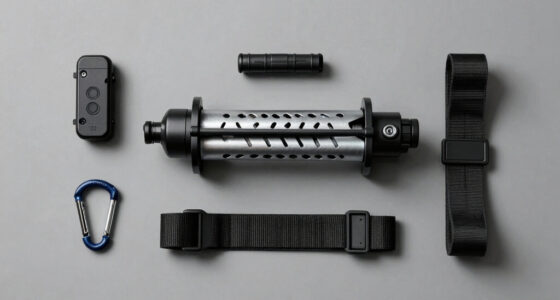
A personal safety device with GPS and an SOS button can connect a call for help with location sharing, but these nine options do not all work the same way. My best overall pick is the SecuLife SOS Wristband for buyers who want GPS tracking, two-way calling, and fall detection in a wearable format. The SecuLife Medical Alert Pendant is a strong alternative for pendant wear, while the invisaWear x Safely Sidekick offers a discreet, phone-connected approach. The main tradeoffs are independent cellular service versus reliance on a smartphone, wearable comfort versus discreet design, and GPS features versus simpler alarms or item trackers. Read on for the full breakdown and guidance on which type fits your needs.

Get the latest gadgets delivered free with Prime
- Fast, free delivery on millions of items
- Prime Video, Amazon Music and more included
- Member-only deals all year
Complete the kit



Key Takeaways
- SecuLife SOS Wristband is the strongest all-around match for GPS, SOS calling, fall detection, and wearable use in one device.
- SecuLife Medical Alert Pendant offers a similar connected-alert feature set in pendant form, making wear preference a meaningful deciding factor.
- Medical Alert System for Seniors also combines GPS, 4G LTE, and fall detection, but buyers should verify its service and calling setup before relying on it.
- invisaWear Sidekick models and the Silent Beacon are phone-linked safety buttons, not substitutes for a standalone cellular GPS medical alert.
- The two Find My tracker keychains help locate the attached item through compatible tracking networks; they are not equivalent to live GPS SOS devices.
| Medical Alert System for Seniors – Fall Detection, GPS 4G LTE Life Necklace |  | Best for Seniors Who Want Continuous Monitoring | Brand: 321 Alert | Model: Mini X2 | Connectivity: 4G LTE | VIEW ON AMAZON | See Our Full Breakdown |
| Silent Beacon Bluetooth Personal Safety Panic Button |  | Best for Phone-Connected Alerts and Two-Way Calls | Brand and model: Silent Beacon SB2.0 | Connectivity: Bluetooth | Battery life: 42 days | VIEW ON AMAZON | See Our Full Breakdown |
| SecuLife SOS Wristband for Seniors with Fall Detection, GPS Tracking, Geofencing and Two-Way Calling |  | Best for Caregiver Location Monitoring | Brand: SecuLife | Connectivity: Cellular | Emergency features: SOS, fall alerts, and two-way calling | VIEW ON AMAZON | See Our Full Breakdown |
| Personal Safety Alarm Find My Tracker Keychain for Apple & Google, White |  | Best Compact Pick for Siren and Phone-Based Finding | Compatible devices: iOS and Android | Location compatibility: Apple Find My and Google Find My | Audible alarm: 120 dB | VIEW ON AMAZON | See Our Full Breakdown |
| TECKNET Rechargeable Personal Safety Alarm for Women, 130dB Keychain Alarm with SOS Strobe Light |  | Best for Long-Standby Audible Alerts | Siren volume: 130 dB | Standby time: Up to 500 days | Alarm duration: 90 minutes | VIEW ON AMAZON | See Our Full Breakdown |
| SecuLife Medical Alert Pendant with Fall Detection, GPS Tracking, and Two-Way Calling |  | Best for Independent Seniors | Connectivity: 4G LTE cellular | Safety features: Fall alerts, GPS tracking, geofencing, SOS button, and two-way calling | Water resistance: IP67 | VIEW ON AMAZON | See Our Full Breakdown |
| Safely & invisaWear SOS Sidekick 6-in-1 Personal Safety Device |  | Best Multi-Tool for Personal Protection | Dimensions: 2.5 in W × 6 in H | Weight: 4 oz | Alarm volume: 130 dB | VIEW ON AMAZON | See Our Full Breakdown |
| invisaWear x Safely Sidekick 6-in-1 Personal Safety Device |  | Best for App-Based SOS Sharing | Weight: 4 ounces | Pepper spray capacity: 0.5 fl oz | Alarm volume: 130 dB | VIEW ON AMAZON | See Our Full Breakdown |
| Personal Safety Alarm with Find My Tracker Keychain for Apple & Google, Black |  | Best Compact Tracking Keychain | Sound level: 120 dB | Tracking systems: Apple Find My and Google Find My | Activation method: Pull pin | VIEW ON AMAZON | See Our Full Breakdown |
| personal safety device with gps and sos button | Connectivity | Warranty |
|---|---|---|
| Medical Alert System for Senio | 4G LTE | 1 year |
| Silent Beacon Bluetooth Person | Bluetooth | 1 year |
| SecuLife SOS Wristband for Sen | Cellular | 1 year |
| Personal Safety Alarm Find My | — | — |
| TECKNET Rechargeable Personal | — | — |
| SecuLife Medical Alert Pendant | 4G LTE cellular | — |
| Safely & invisaWear SOS Sideki | Bluetooth connection to phone required | 1 year |
| invisaWear x Safely Sidekick 6 | Bluetooth connection to a smartphone required | 1 year |
| Personal Safety Alarm with Fin | — | — |
More Details on Our Top Picks
Medical Alert System for Seniors – Fall Detection, GPS 4G LTE Life Necklace
The 321 Alert Mini X2 is the strongest fit here for someone who wants a wearable medical alert system, not just a siren or a phone-linked panic button. Its 24/7 SOS monitoring, GPS, and automatic fall detection are designed to connect an emergency response with location information, including when the wearer cannot press the button. Compared with the SecuLife SOS Wristband, it offers a longer stated battery window of 3–5 days rather than one day, which can mean fewer charging interruptions. The tradeoff is that it still needs cellular service and regular charging, and the listing does not specify the monitoring service cost. I would choose it over the Silent Beacon SB2.0 for senior-focused monitoring, but not for a buyer who only wants a simple, low-maintenance personal alarm.
Pros:- 24/7 emergency monitoring adds a response pathway beyond notifying personal contacts.
- Automatic fall detection can initiate an alert when the wearer cannot press SOS.
- GPS and location sharing help responders or caregivers identify where assistance is needed.
- Stated 3–5-day battery life is longer than the SecuLife SOS Wristband’s listed one-day life.
Cons:- Requires cellular service for operation.
- Battery life varies with use and requires charging every few days.
- The product information does not state the monitoring service cost.
Best for: Seniors and caregivers seeking GPS, automatic fall detection, and 24/7 emergency monitoring in a wearable necklace.
Not ideal for: People who want a one-time, standalone alarm without cellular service, monitoring requirements, or charging every few days.
- Brand:321 Alert
- Model:Mini X2
- Connectivity:4G LTE
- Location:GPS tracking
- Emergency features:24/7 SOS monitoring and fall detection
- Battery life:3–5 days
- Water resistance:Water-resistant
- Included accessories:Belt clip, charger dock, lanyard, USB-C car charger
- Warranty:1 year
Our verdict“Choose the Mini X2 if senior-focused monitoring and fall detection matter more than avoiding cellular service and frequent charging.”
Silent Beacon Bluetooth Personal Safety Panic Button
The Silent Beacon SB2.0 suits someone who carries a smartphone and wants a dedicated button for contacting a chosen number, including 911. Its two-way speaker and microphone let the user communicate after an alert, while GPS sharing can send location to selected contacts. That makes it more conversation-ready than the TECKNET Rechargeable Personal Safety Alarm, which relies on a loud siren and manual activation rather than a call. The 42-day stated battery life also reduces charging frequency, but this is a Bluetooth accessory, not an independent GPS tracker: its location and calling functions depend on a compatible phone and app. Some features may require a paid subscription, and IPX4 protection is for splashes rather than immersion. I would skip it if the goal is an always-connected senior monitoring device like the Mini X2.
Pros:- One-touch calling can reach a selected number, including 911.
- Two-way audio supports direct communication after an alert.
- GPS location can be shared with chosen contacts through the phone.
- Stated 42-day battery life means less frequent charging than the SecuLife SOS Wristband.
Cons:- Bluetooth-based functions depend on a compatible smartphone and app.
- Some features may require a paid subscription.
- IPX4 water resistance does not protect it against immersion.
Best for: Phone-carrying commuters or travelers who want a wearable button that can call a chosen number and share their location.
Not ideal for: People who need GPS and emergency communication to work independently of a smartphone or who want senior-oriented 24/7 monitoring.
- Brand and model:Silent Beacon SB2.0
- Connectivity:Bluetooth
- Battery life:42 days
- Battery capacity:180 mAh
- Dimensions:1.41 x 1.69 x 0.62 inches
- Weight:19.01 g
- Water resistance:IPX4
- Alert modes:Emergency Alert, Silent Mode, Check-In Alert, Low Battery Alert, Footstep Tracking Alert
- Warranty:1 year
Our verdict“Pick the Silent Beacon if you want a phone-linked wearable for calls and location sharing, not standalone GPS monitoring.”
SecuLife SOS Wristband for Seniors with Fall Detection, GPS Tracking, Geofencing and Two-Way Calling
The SecuLife SOS Wristband is geared toward caregivers who want more than an emergency button: its GPS, geofence alerts, and location history can help them follow a wearer’s routine and receive alerts when the wearer leaves a set area. Fall detection and two-way calling add emergency functions in a screen-free bracelet. Compared with the 321 Alert Mini X2, this model puts more emphasis on caregiver tracking tools, but its listed one-day battery life means charging becomes part of the daily routine. It also requires a monthly service subscription, so it is a poor fit for anyone seeking a simple device without ongoing service. IP67 water resistance is a useful advantage over the Silent Beacon’s IPX4 rating, though the shorter battery life makes it less suitable for someone who may forget to charge a wearable.
Pros:- Geofencing and location history give caregivers more context than a basic SOS alarm.
- Fall detection and one-button SOS support emergencies when the wearer needs assistance.
- Two-way calling enables direct communication through the wristband.
- IP67 water resistance offers more protection from water exposure than the Silent Beacon’s IPX4 rating.
Cons:- Listed battery life is only one day, requiring frequent charging.
- A monthly subscription is required for service.
- Cellular operation depends on service availability.
Best for: Families and caregivers who want geofence notifications, location history, fall alerts, and two-way calls for a senior.
Not ideal for: Seniors who may forget daily charging, or buyers who do not want a required monthly cellular service subscription.
- Brand:SecuLife
- Connectivity:Cellular
- Emergency features:SOS, fall alerts, and two-way calling
- Location features:GPS tracking, geofencing, and location history
- Battery life:1 day
- Battery capacity:680 mAh
- Water resistance:IP67
- Compatibility:Android and iOS smartphones
- Warranty:1 year
Our verdict“Choose this wristband when caregiver tracking and geofence alerts outweigh the burden of daily charging and a required subscription.”
Personal Safety Alarm Find My Tracker Keychain for Apple & Google, White
This Find My tracker keychain combines a pull-pin alarm with phone-based location tracking, making it a compact everyday carry option rather than a medical alert system. Its 120 dB siren and SOS strobe can draw attention nearby, while Apple and Google Find My support helps a user or contact locate the keychain through a compatible smartphone. Compared with the TECKNET Rechargeable Personal Safety Alarm, it adds a tracker function, but the TECKNET provides a louder stated 130 dB siren and publishes battery and light-duration details that this listing does not. The keychain’s main limitation for this roundup is that the location feature is tied to compatible phone ecosystems; the product data does not describe cellular GPS, two-way calling, or monitored emergency response. I would not treat it as a replacement for the Mini X2 or SecuLife wristband.
Pros:- Pull-pin activation provides a direct way to trigger the siren and strobe.
- Apple and Google Find My support adds phone-based location tracking.
- Keychain format is easy to carry with everyday belongings.
- Combines an audible alarm and SOS strobe in one device.
Cons:- The listed 120 dB siren is quieter than the TECKNET alarm’s stated 130 dB output.
- Battery life and charging details are not provided.
- Location tracking depends on a compatible smartphone ecosystem and is not described as cellular GPS.
Best for: People who want a portable pull-pin siren and a Find My-compatible keychain for everyday carry or travel.
Not ideal for: Seniors or solo travelers who need cellular GPS, two-way calls, fall detection, or a monitored emergency response.
- Compatible devices:iOS and Android
- Location compatibility:Apple Find My and Google Find My
- Audible alarm:120 dB
- Activation:Pull pin
- Additional alert:SOS strobe light
- Color:White
- Dimensions:4 x 0.6 x 4 inches
Our verdict“Choose this keychain for a portable siren plus phone-based finding, but not as a substitute for a monitored GPS safety device.”
TECKNET Rechargeable Personal Safety Alarm for Women, 130dB Keychain Alarm with SOS Strobe Light
The TECKNET Rechargeable Personal Safety Alarm prioritizes a loud, manually triggered warning over GPS or remote assistance. Its 130 dB siren, strobe, and flashlight give the user several ways to attract attention or see in low light, while the stated standby time of up to 500 days reduces charging concerns when it is carried for occasional emergencies. Compared with the white Find My Tracker Keychain, TECKNET publishes more battery and lighting details and has a louder stated siren, but it lacks the other keychain’s phone-based location tracking. Neither device provides the cellular GPS, fall detection, or two-way calling found in the SecuLife SOS Wristband. The alarm also requires the user to activate it, and the 90-minute alarm duration and variable battery performance are limits for extended emergencies.
Pros:- Stated 130 dB siren is louder than the white Find My keychain’s 120 dB alarm.
- Up to 500 days of standby can reduce charging frequency when the alarm is carried for occasional use.
- Strobe light and flashlight provide visual signaling and illumination.
- At 28 g, it is light enough for keychain carry.
Cons:- Requires manual activation and cannot automatically detect a fall or send an alert.
- Alarm duration is listed as 90 minutes, while actual battery life may vary with use.
- Does not provide GPS tracking or location sharing like the Find My keychain.
Best for: Women, students, night workers, and other people who want a rechargeable, manually activated alarm with a strobe and flashlight.
Not ideal for: Buyers who need location sharing, automatic fall alerts, two-way calls, or monitored emergency response.
- Siren volume:130 dB
- Standby time:Up to 500 days
- Alarm duration:90 minutes
- Flashing duration:5 hours
- Light duration:3 hours
- Weight:28 g
- Battery:Rechargeable, USB
Our verdict“Pick TECKNET if a loud, rechargeable alarm is your priority and you do not need GPS or automatic emergency alerts.”
SecuLife Medical Alert Pendant with Fall Detection, GPS Tracking, and Two-Way Calling
For someone who needs a wearable SOS device with GPS and a way to speak with contacts directly, the SecuLife pendant offers more support than a basic alarm keychain. Its fall detection, geofencing, and two-way calling can help contacts respond with more context than a siren alone, while IP67 water resistance suits regular wear, including in the shower. Compared with the Safely & invisaWear SOS Sidekick, this is better suited to ongoing monitoring than carrying several self-defense tools. The tradeoff is that it needs a monthly subscription and 4G LTE service. Battery-life information is inconsistent: the description says up to six days, while the specs also state an average of five, so buyers should plan for frequent charging rather than assume a full week.
Pros:- Fall alerts can notify preselected emergency contacts.
- GPS, geofencing, and location history support location checks beyond an SOS event.
- Two-way calling lets the wearer communicate hands-free after pressing SOS.
- IP67 water resistance supports wearing it during showers and everyday activities.
Cons:- A monthly subscription is required for the connected safety service.
- Battery estimates differ between up to six days and an average of five days.
- It is a monitoring-focused pendant rather than a multi-tool deterrent like the Safely & invisaWear SOS Sidekick.
Best for: Older adults living independently, or caregivers who want GPS, fall alerts, and two-way contact in a wearable pendant.
Not ideal for: People seeking a no-subscription alarm or a compact, self-contained device for immediate noise-based deterrence.
- Connectivity:4G LTE cellular
- Safety features:Fall alerts, GPS tracking, geofencing, SOS button, and two-way calling
- Water resistance:IP67
- Battery capacity:1000 mAh
- Battery life:Up to 6 days; product information also lists an average of 5 days
- Location history:Up to 1 year
- Subscription:Monthly subscription required
- Included items:Charging cable, SIM card, and user manual
Our verdict“Choose the SecuLife pendant if fall alerts, location monitoring, and two-way contact matter more than avoiding a subscription.”
Safely & invisaWear SOS Sidekick 6-in-1 Personal Safety Device
The Safely & invisaWear SOS Sidekick suits people who want active deterrents alongside an SOS button. Pepper spray, a 130 dB alarm, flashlight, removable safety spike, and strap grip give it more immediate-use tools than the SecuLife Medical Alert Pendant, which is built around fall alerts and calling. Double-clicking the button can send GPS location to up to five contacts, and the included 30 days of ADT-backed live support adds a response option. The key limitation is phone dependence: SOS location sharing and monitoring need a Bluetooth connection to a smartphone, so the device is not a standalone GPS tracker. Live support also becomes a paid service after the included period. At four ounces and six inches tall, it offers several functions but is less discreet than a small alarm keychain.
Pros:- Combines six safety tools, including pepper spray, a 130 dB alarm, and a flashlight.
- SOS alerts can share GPS location with up to five contacts through the app.
- Includes 30 days of ADT-backed live emergency support.
- Strap grip is designed to support a secure carry.
Cons:- SOS and monitoring features require a Bluetooth connection to a smartphone.
- Continued ADT-backed live support costs extra after the included 30 days.
- Its six-inch height and four-ounce weight make it bulkier than a simple pull-pin alarm.
Best for: People who carry a smartphone and want pepper spray, a loud alarm, and app-connected SOS in one handheld device.
Not ideal for: Anyone who needs GPS alerts to work without a nearby phone, or who wants to avoid ongoing monitoring fees.
- Dimensions:2.5 in W × 6 in H
- Weight:4 oz
- Alarm volume:130 dB
- SOS contacts:Up to 5
- Connectivity:Bluetooth connection to phone required
- Emergency support:30 days of ADT-backed live support included
- Included components:SOS Sidekick, pepper spray, and charger
- Warranty:1 year
Our verdict“Pick the SOS Sidekick if you want multiple hands-on deterrents and can keep your smartphone connected.”
invisaWear x Safely Sidekick 6-in-1 Personal Safety Device
This Sidekick combines a Bluetooth SOS button with six physical safety tools, making it a fit for people who want more than a siren but prefer alerts routed through a smartphone app. Pressing the button can share live GPS location with up to five contacts; that gives it a contact-sharing advantage over the Personal Safety Alarm with Find My Tracker Keychain, which focuses on tracking and a pull-pin siren rather than app-based SOS contacts. The Sidekick also includes 0.5 fl oz of pepper spray, a 130 dB alarm, flashlight, removable spike, and strap grip. Those additions mean more options in an emergency, but also more reliance on carrying a compatible phone. Emergency response services require a subscription, and the listed CR2032 battery means buyers should check power requirements rather than assume the unit is rechargeable.
Pros:- SOS alerts can share live GPS location with up to five contacts.
- Combines pepper spray, a 130 dB alarm, flashlight, removable spike, and strap grip.
- Compact four-ounce form combines several tools in one carryable device.
- The removable spike is described as an emergency glass breaker.
Cons:- SOS features require a Bluetooth connection to a smartphone.
- Emergency response services require a subscription.
- The listed CR2032 battery is not described as rechargeable, unlike the flashlight.
Best for: Smartphone-carrying users who want an app-connected SOS button, contact alerts, and several physical deterrents in one device.
Not ideal for: People who need phone-independent GPS or who prefer a rechargeable, subscription-free safety alarm.
- Weight:4 ounces
- Pepper spray capacity:0.5 fl oz
- Alarm volume:130 dB
- Safety features:SOS button, pepper spray, personal alarm, rechargeable flashlight, removable safety spike, and strap grip
- Connectivity:Bluetooth connection to a smartphone required
- Emergency contacts:Up to five
- Battery:1 CR2032 battery included
- Warranty:1 year
Our verdict“Choose this Sidekick if you want multiple deterrents and app-based contact alerts, and accept smartphone and subscription dependence.”
Personal Safety Alarm with Find My Tracker Keychain for Apple & Google, Black
This keychain is the simplest choice here for someone who wants location tracking and a fast, loud alarm without carrying a larger device. Its pull pin activates a 120 dB siren and SOS strobe, while Apple Find My and Google Find My support location tracking with compatible smartphones. Compared with the invisaWear x Safely Sidekick, it is lighter on features but avoids that model’s pepper spray, larger body, and app-based emergency-service subscription. That simplicity also means fewer response options: there is no fall detection, two-way calling, or stated contact-alert system, and the product data does not specify battery life. GPS tracking depends on a compatible phone ecosystem, so it is not a standalone cellular safety device. It makes more sense as a portable alarm and tracker than as a substitute for a medical alert pendant.
Pros:- 120 dB siren provides an audible alert through quick pull-pin activation.
- Supports Apple Find My and Google Find My tracking systems.
- SOS strobe adds a visual alert.
- Keychain format attaches to bags, purses, or pet carriers.
Cons:- GPS tracking requires a compatible smartphone and tracking ecosystem.
- It lacks fall detection, two-way calling, and other advanced response features.
- Battery life is not specified in the product information.
Best for: Apple or Google ecosystem users who want a lightweight keychain with a pull-pin alarm and everyday location tracking.
Not ideal for: People who need fall detection, two-way communication, cellular GPS, or a clearly specified battery schedule.
- Sound level:120 dB
- Tracking systems:Apple Find My and Google Find My
- Activation method:Pull pin
- Safety features:Siren, GPS tracking, and SOS strobe light
- Material:Plastic
- Color:Black
- Form:Keychain
- Smartphone compatibility:Compatible smartphone required for GPS tracking
Our verdict“Choose this keychain for portable tracking and a quick siren, but choose the SecuLife pendant for connected emergency communication or fall alerts.”
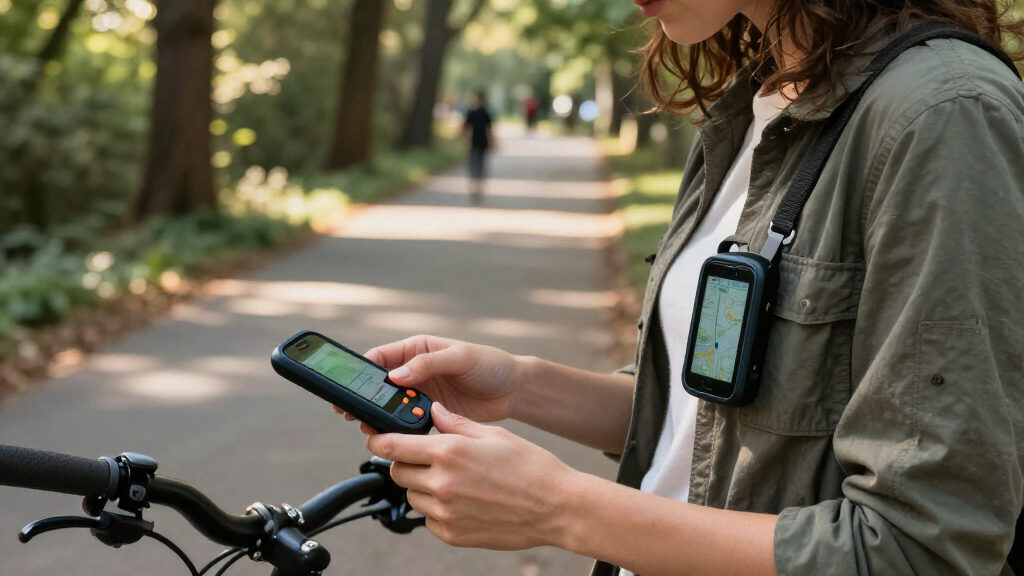
How We Picked
I ranked these products by how closely they meet the specific need behind this search: getting help through an SOS control and sharing a useful location. I gave the most weight to whether a device has its own cellular connection or depends on a phone, whether it supports two-way calling or emergency contacts, and whether GPS, fall detection, or location sharing are part of its stated feature set. Wearability, button access, charging needs, and suitability for seniors or everyday carry also shaped the order.
The SecuLife wristband and pendant rank ahead because their listed features combine GPS with SOS-oriented communication and fall detection. The other medical alert necklace is also a close fit, though buyers should confirm its service details. invisaWear and Silent Beacon serve people comfortable carrying a compatible phone, while the TECKNET alarm prioritizes a loud local alert rather than GPS. The Find My keychains rank as tracking accessories, not emergency-response devices; the white and black versions appear to differ by color, so I treat them as equivalent in capability.
Factors to Consider When Choosing Personal Safety Device With Gps And Sos Button
Before choosing, decide what should happen after you press SOS: a call through the device, an alert routed through your phone, a loud sound nearby, or a location update for someone else. That answer matters more than the number of features listed on the package. These products fall into distinct operating styles, and a mismatch between the device and the situation can leave a buyer without the kind of help they expected.
Does the device need a phone or cellular service?
Ask what connection carries an SOS alert before comparing buttons or designs. A device with its own cellular service may work when the paired phone is elsewhere, while Bluetooth buttons and wearable accessories may need a nearby phone with battery, signal, and the relevant app. GPS can determine or support location, but it does not by itself transmit an emergency message. Check whether service activation, a subscription, network coverage, or phone permissions are required. A common mistake is treating “GPS” as proof that a device can independently call for help. Choose based on where the wearer goes and whether they will reliably carry and maintain a compatible phone.
What should happen when SOS is pressed?
Map the alert path from button press to person receiving help: does it place a two-way call, contact selected people, trigger an app notification, or only sound an alarm? Two-way calling can let the wearer explain what is happening, while a loud siren may draw attention from people nearby without contacting a caregiver. Ask whether the device needs a deliberate press, can send an accidental-press cancellation, and how contacts are notified. Do not assume every SOS button connects to emergency services; confirm the response process in the product’s current service terms. For someone who may not be able to speak, fall detection or automatic alerts may matter more than a button alone. For a person who can call and explain, a simple, accessible button may be easier to use.
How much location accuracy and sharing do you need?
“Location tracking” can mean live GPS, an app’s last-known location, or a crowdsourced item-finding network, and those methods serve different jobs. For outdoor travel or wandering concerns, check how often location updates occur, who can view them, and what happens when cellular or satellite reception is weak. A Find My-style keychain may help recover a misplaced set of keys, but it is not the same as a dedicated personal locator sending a live SOS. Indoor location can also be less precise than outdoor GPS. Decide whether caregivers need ongoing location access or only a location attached to an alert. Avoid paying attention to a GPS label alone without confirming how and when location reaches another person.
Will the wearer keep it on and be able to use it?
A safety device only helps when it is charged, carried, and easy for its intended wearer to operate. Compare a wristband, pendant, keychain, and phone-linked accessory by comfort, clothing habits, dexterity, and whether the SOS control is easy to find. A discreet design may fit everyday routines, but small controls can be harder for some users to press quickly. A wearable medical alert may be more accessible yet less appealing to someone who dislikes necklaces or wristbands. Think about showering, sleeping, exercise, and whether the device needs to stay on during those activities. Whenever possible, let the wearer choose the form factor rather than selecting solely for its feature list.
What upkeep and service obligations come with it?
Look beyond the initial setup to charging frequency, battery condition, app maintenance, cellular coverage, and any service plan requirements. A phone-dependent device adds another battery and software connection to manage; a cellular alert may reduce phone dependence but still need charging and an active service arrangement. Confirm how the product signals low battery or lost connection, and who will handle setup for the wearer. If several caregivers need alerts, check whether the system supports multiple contacts and what permissions they need. A common buying error is choosing a device that works well in theory but is too much work for the household to maintain. Match the upkeep to the person who will actually be responsible for it.
When is a simpler alarm enough?
A personal alarm can be a sensible choice when the priority is attracting nearby attention, not sending GPS coordinates to a remote contact. It is usually a different category from a connected medical alert, so compare the outcome you need rather than treating all safety devices as interchangeable. Consider whether the user travels alone, has someone close enough to hear an alarm, or needs a caregiver notified from a distance. A tracker can complement an alarm by helping locate belongings, but it should not be counted as an SOS system unless its alert and response features are clearly specified. Buying a simpler device can reduce setup and connectivity demands, while choosing it for a situation that needs remote help can leave an important gap. Set the intended use before deciding which feature set is sufficient.
Frequently Asked Questions
Does a GPS personal safety device work without a smartphone?
Some medical alert devices use their own cellular connection, while Bluetooth buttons and app-connected accessories generally depend on a compatible phone nearby. GPS only provides location information; a separate connection is needed to send that information to a caregiver or response service. Check the exact model’s network, activation, and service requirements rather than relying on the word “GPS.” If the user may leave a phone behind, prioritize a device that clearly supports independent communication. Also confirm coverage in the places where it will be used.
Is a Find My keychain a replacement for an SOS device?
No. The Find My keychains in this roundup are designed to help locate an attached item through a compatible tracking network, not to provide the same emergency calling and GPS alert functions as a medical alert device. They may be useful for finding keys or a bag, but that is a different job from notifying a contact that someone needs help. Network availability and the way location updates are shared also differ from a dedicated cellular alert. If remote emergency contact is the goal, choose a device that explicitly describes its SOS response and communication method.
Should I choose a wristband, pendant, or discreet button?
Choose the form the wearer is most likely to keep on and can press quickly. A wristband or pendant can suit someone who wants a dedicated wearable, while a discreet button may fit a person who prefers an accessory that blends into daily clothing. Each format brings different comfort, visibility, and access tradeoffs; a button hidden under clothing may be less convenient in a hurry. If the device also needs to support fall detection or routine medical-alert use, check whether those features work in the selected form. Let the wearer handle and practice with the device before settling on one.
What should I verify about fall detection before buying?
Confirm whether fall detection is included for the exact model and whether it is automatic, optional, or tied to a service plan. Ask how an alert is routed, whether the wearer can cancel a false alarm, and what happens if the device has no connection. Fall detection is an added safeguard, not a guarantee that every fall will be detected or that help will arrive without delay. Fit and consistent wear can affect whether the feature is available when needed. For a person at risk of falls, compare the alert process and caregiver setup as closely as the detection feature itself.
Can a loud personal alarm send my location to family?
A loud alarm such as the TECKNET model is intended to attract attention nearby; the listed alarm and strobe features do not make it equivalent to a GPS device that sends location to family. A phone-linked safety button may send an app alert, but only when the phone and required connection are available. Check the product’s stated alert path and test the setup with the intended contacts before depending on it. If family members need remote location updates, choose a product that explicitly supports location sharing and confirm its connectivity requirements. A local siren can still serve as a separate layer of protection.
Conclusion
For the broadest combination of GPS, SOS communication, and fall detection, I recommend the SecuLife SOS Wristband as best overall; choose the SecuLife Medical Alert Pendant instead if pendant wear suits the user better. The TECKNET alarm is the best value-style pick for someone who mainly wants a loud nearby alert, while the Medical Alert System for Seniors is worth a closer look for buyers seeking a GPS and 4G LTE necklace, provided they verify its service details. For beginners who want a dedicated wearable alert, the SecuLife pendant offers a familiar form; those comfortable with a smartphone may prefer the invisaWear Sidekick or Silent Beacon. Choose a Find My keychain only for locating belongings, not as a substitute for an SOS device. The best fit comes down to whether the wearer needs independent communication, phone-linked alerts, or simply a local alarm.