
A 5G home internet gateway for backup can keep a household online when its wired connection fails, but the best choice depends on how much setup and network control you want. I’d put the Ubiquiti UniFi 5G Backup Gateway first for homes already using UniFi, while the T-Mobile G5AR-1 is a simpler all-in-one option and the Cudy P5 offers dual-SIM flexibility. The main tradeoffs are ease of setup versus network control, indoor convenience versus outdoor signal placement, and a dedicated backup link versus equipment that can serve other uses. Carrier compatibility, service availability, and failover behavior matter as much as the gateway’s advertised wireless features. Read on for how I’d match each option to a different backup setup.

Get the latest gadgets delivered free with Prime
- Fast, free delivery on millions of items
- Prime Video, Amazon Music and more included
- Member-only deals all year
Complete the kit



Key Takeaways
- The UniFi U5G is the clearest fit for a managed-network backup. Its role is most compelling for households already running UniFi equipment; buyers with a different router ecosystem may get less from its integration.
- The T-Mobile G5AR-1 prioritizes simplicity over flexibility. Its gateway-and-router design suits buyers who want a straightforward cellular option, while the Cudy P5 and GL-X3000 offer more control through dual-SIM setups.
- Dual-SIM hardware is not the same as uninterrupted failover. Buyers should check how a specific router handles SIM switching and whether the chosen carrier plans can support the desired backup behavior.
- Outdoor placement can matter more than extra indoor Wi-Fi features. The Yeacomm’s weatherproof, PoE-powered design is aimed at difficult signal locations, while the Winegard model is shaped around RV use rather than a typical home network.
- The GL-X750V2 is a 4G LTE alternative, not a 5G peer. It may suit buyers who value VPN features and an LTE backup path, but it does not meet a requirement for 5G cellular service.
| Winegard Gateway 5G Ceiling Router for RV |  | Best for RV and Satellite Backup | Cellular connectivity: 5G/4G LTE | Wi-Fi: Dual-band 2.4 GHz and 5 GHz, 802.11ac (Wi-Fi 5) | SIM slots: 2 Mini-SIM | VIEW ON AMAZON | See Our Full Breakdown |
| GL.iNet Spitz GL-X750V2 4G LTE VPN Router | 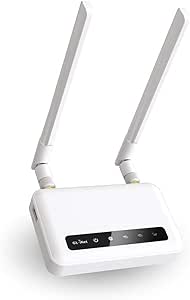 | Best for Budget-Conscious 4G Backup | Cellular module: Quectel EC25-AFFA CAT4 | Cellular compatibility: AT&T and T-Mobile; North America only, with regional restrictions | Average 4G speed: 15–20 Mbps | VIEW ON AMAZON | See Our Full Breakdown |
| Cudy P5 5G Wi-Fi 6 Router with Dual SIM |  | Best Overall for Flexible 5G Failover | Cellular connectivity: 5G SA/NSA; Qualcomm X62, up to 3.4 Gbps | SIM slots: 2 Nano SIM | Wi-Fi: Dual-band Wi-Fi 6 (802.11ax), AX3000 | VIEW ON AMAZON | See Our Full Breakdown |
| T-Mobile G5AR-1 5G Gateway and Wi-Fi 7 Router |  | Best for T-Mobile Simplicity | Connectivity: 5G, Ethernet, Wi-Fi | Wi-Fi description: Listed as Wi-Fi 7 and 802.11ax; specifications conflict | Frequency band: Dual-band | VIEW ON AMAZON | See Our Full Breakdown |
| Yeacomm Outdoor 5G Router with Dual SIM, IP67 Weatherproofing, PoE, and VPN |  | Best for Outdoor or Remote Installation | Network compatibility: 5G SA/NSA, 4G LTE, 3G | Maximum data transfer rate: 4.67 Gbps | SIM slots: 2 Nano SIM | VIEW ON AMAZON | See Our Full Breakdown |
| Ubiquiti UniFi 5G Backup Gateway (U5G) |  | Best for UniFi-Based Backup | Cellular connectivity: 5G SA RedCap and LTE | 5G SA speed: Up to 220 Mbps down / 120 Mbps up | LTE speed: Up to 195 Mbps down / 100 Mbps up | VIEW ON AMAZON | See Our Full Breakdown |
| GL.iNet GL-X3000 Spitz AX 5G Cellular Router with Wi-Fi 6 and Dual SIM |  | Best for Flexible Multi-WAN Backup | Cellular connectivity: 5G NR, LTE, and 3G | Wi-Fi: Dual-band Wi-Fi 6 | Wi-Fi speeds: Up to 574 Mbps on 2.4 GHz and 2402 Mbps on 5 GHz | VIEW ON AMAZON | See Our Full Breakdown |
| 5g home internet gateway for backup | Wi-Fi | Cellular connectivity | SIM slots |
|---|---|---|---|
| Winegard Gateway 5G Ceiling Ro | Dual-band 2.4 GHz and 5 GHz, 802.11ac (Wi-Fi 5) | 5G/4G LTE | 2 Mini-SIM |
| GL.iNet Spitz GL-X750V2 4G LTE | Dual-band 802.11ac; 300 Mbps (2.4 GHz) + 433 Mbps (5 GHz) | — | — |
| Cudy P5 5G Wi-Fi 6 Router with | Dual-band Wi-Fi 6 (802.11ax), AX3000 | 5G SA/NSA; Qualcomm X62, up to 3.4 Gbps | 2 Nano SIM |
| T-Mobile G5AR-1 5G Gateway and | — | — | — |
| Yeacomm Outdoor 5G Router with | 2.4 GHz, Wi-Fi 4; intended for configuration | — | 2 Nano SIM |
| Ubiquiti UniFi 5G Backup Gatew | — | 5G SA RedCap and LTE | — |
| GL.iNet GL-X3000 Spitz AX 5G C | Dual-band Wi-Fi 6 | 5G NR, LTE, and 3G | 2 |
More Details on Our Top Picks
Winegard Gateway 5G Ceiling Router for RV
For a recreational vehicle that needs a backup path beyond campground Wi-Fi, the Winegard Gateway 5G combines cellular service with an Ethernet WAN for a satellite connection such as Starlink. Its dual SIM slots let owners switch between data plans, a useful option when routes cross areas with different carrier coverage. Unlike the home-oriented T-Mobile G5AR-1, this router is designed around RV equipment and also supports Winegard Halo Smart Sensors. The tradeoff is that its 5G capability depends on a compatible Winegard Air 360+ 5G antenna, which is not included in the described setup. Its Wi-Fi 5 is also a less current option than the Wi-Fi 6 Cudy P5. I’d choose it for an RV connectivity system, not as a simple plug-in home backup.
Pros:- Dual SIM slots make it easier to switch between cellular data plans.
- Ethernet WAN supports a satellite connection such as Starlink.
- Built-in GPS and compatibility with Winegard RV Halo Smart Sensors suit RV installations.
- Dual-band Wi-Fi serves connected devices on both 2.4 GHz and 5 GHz bands.
Cons:- Requires a compatible Winegard Air 360+ 5G antenna for cellular operation.
- Wi-Fi 5 is older than the Wi-Fi 6 offered by the Cudy P5.
- Cellular coverage and performance depend on carrier availability and location.
Best for: RV owners who already use or plan to install a compatible Winegard Air 360+ 5G antenna and want cellular and satellite WAN options.
Not ideal for: Home users seeking a standalone 5G gateway, or buyers who do not want to add compatible Winegard antenna hardware.
- Cellular connectivity:5G/4G LTE
- Wi-Fi:Dual-band 2.4 GHz and 5 GHz, 802.11ac (Wi-Fi 5)
- SIM slots:2 Mini-SIM
- WAN:Ethernet; Starlink-compatible
- LAN port bandwidth:1000 Mbps
- Maximum data transfer rate:2000 Mbps
- Antenna compatibility:Winegard Air 360+ 5G
- GPS:Built-in
Our verdict“Choose this Winegard when your backup setup is built around an RV and compatible antenna, rather than a standalone home gateway.”
GL.iNet Spitz GL-X750V2 4G LTE VPN Router
The GL.iNet Spitz GL-X750V2 is the lineup’s 4G choice: it can keep basic household or small-office connections online without requiring a 5G network. Its stated 15–20 Mbps average 4G speed points to a practical role for email, browsing, and modest work-from-home needs, not a like-for-like replacement for the 5G Cudy P5 or Yeacomm. OpenWrt, OpenVPN, and WireGuard add useful control for buyers who want VPN features and room to configure their network. The compromise is clear in the 10/100 Mbps Ethernet ports and North America-only carrier compatibility with regional restrictions. Compared with the simpler T-Mobile G5AR-1, this router offers more software flexibility, but its LTE speeds and setup are better suited to hands-on users than households seeking a straightforward 5G backup.
Pros:- Supports AT&T and T-Mobile 4G LTE in North America.
- Includes OpenVPN and WireGuard, plus extensible OpenWrt software.
- Dual-band Wi-Fi can serve devices on 2.4 GHz and 5 GHz.
- MicroSD slot supports expandable storage up to 128 GB.
Cons:- The stated average 4G speed of 15–20 Mbps limits heavier backup use.
- Both Ethernet ports are limited to 10/100 Mbps.
- Cellular support is restricted by carrier and region.
Best for: North American buyers who want a configurable 4G fallback for essential browsing and work tasks, with built-in VPN options.
Not ideal for: Households needing 5G speeds, gigabit wired connections, or cellular service outside supported regions and carriers.
- Cellular module:Quectel EC25-AFFA CAT4
- Cellular compatibility:AT&T and T-Mobile; North America only, with regional restrictions
- Average 4G speed:15–20 Mbps
- Wi-Fi:Dual-band 802.11ac; 300 Mbps (2.4 GHz) + 433 Mbps (5 GHz)
- VPN protocols:OpenVPN and WireGuard
- Operating system:OpenWrt
- Ethernet ports:2 × 10/100 Mbps
- Expandable storage:Up to 128 GB microSD/TF card
Our verdict“Pick the Spitz GL-X750V2 if configurable 4G is enough for your backup needs and you value VPN control over 5G speed.”
Cudy P5 5G Wi-Fi 6 Router with Dual SIM
The Cudy P5 earns the broadest home-backup role here because it can fail over among a wired WAN and two cellular connections. Dual Nano SIM slots give buyers more flexibility than the single-network approach described for the T-Mobile G5AR-1, while four Gigabit Ethernet ports and Wi-Fi 6 make it a stronger fit for a busy home network than the 4G-only GL.iNet Spitz GL-X750V2. Detachable cellular antennas give the installation room to adapt to reception needs, and its VPN choices add useful control. Those capabilities come with setup complexity: buyers must arrange compatible SIM plans and manage signal conditions themselves. Also, one of the four Ethernet ports is configurable as WAN/LAN, leaving three dedicated LAN ports. I’d rank it first for backup flexibility, not for a hands-off carrier-bundled experience.
Pros:- Failover can use a wired WAN and two cellular connections.
- Dual Nano SIM slots offer more plan flexibility than a single-network gateway.
- Wi-Fi 6 and four Gigabit Ethernet ports suit homes with many wired and wireless devices.
- Detachable cellular antennas and multiple VPN protocols support adaptable installations.
Cons:- Requires compatible cellular plans and setup; service quality depends on local signal and carrier coverage.
- Only three of the four Ethernet ports are dedicated LAN ports.
- The range of failover, VPN, and cloud-management options may be more involved than a basic home gateway.
Best for: Households or small offices that want 5G backup, multiple cellular-plan options, and automatic failover alongside wired internet.
Not ideal for: Buyers who want a simple carrier-provided gateway, do not need multiple failover paths, or prefer not to configure SIMs and network settings.
- Cellular connectivity:5G SA/NSA; Qualcomm X62, up to 3.4 Gbps
- SIM slots:2 Nano SIM
- Wi-Fi:Dual-band Wi-Fi 6 (802.11ax), AX3000
- Wi-Fi data rates:2402 Mbps (5 GHz) + 574 Mbps (2.4 GHz)
- Ethernet ports:4 Gigabit ports: 1 configurable WAN/LAN and 3 LAN
- Failover:WAN, Cellular 1, Cellular 2
- Cellular antennas:4 detachable SMA antennas
- VPN protocols:WireGuard, OpenVPN, IPsec, Zerotier, PPTP, L2TP
Our verdict“Choose the Cudy P5 for a configurable home backup system where 5G, dual SIMs, and multiple failover paths matter most.”
T-Mobile G5AR-1 5G Gateway and Wi-Fi 7 Router
The T-Mobile G5AR-1 is the straightforward choice for a home or office already relying on T-Mobile coverage: it combines a 5G connection with Wi-Fi and Ethernet for common devices. That focus makes it less flexible than the Cudy P5, which supports dual SIMs and multiple failover paths, but it may suit buyers who want a single-network gateway rather than a configurable cellular router. The two-port design keeps connectivity simple, though it offers fewer wired connection options than the Cudy’s four ports. There is also a specification caveat: the listing calls the Wi-Fi Wi-Fi 7 while also naming 802.11ax, so I would not choose it based on the Wi-Fi generation claim alone. Treat it as a T-Mobile-specific backup option and confirm service compatibility before buying.
Pros:- Provides 5G, Wi-Fi, and Ethernet connectivity in one gateway.
- Supports common home and office devices, including PCs, TVs, and gaming consoles.
- Compact form is suited to a home or office setup.
- Includes a power adapter, setup information, and SIM ejector tool.
Cons:- Designed for use with T-Mobile’s network, limiting carrier flexibility.
- Only two ports are specified, fewer than the Cudy P5’s four Ethernet ports.
- The listing conflicts on Wi-Fi details, naming both Wi-Fi 7 and 802.11ax.
Best for: Home and small-office users with reliable T-Mobile 5G coverage who want a simple gateway for everyday Wi-Fi and Ethernet devices.
Not ideal for: Buyers who need carrier flexibility, dual-SIM failover, several wired LAN connections, or unambiguous Wi-Fi generation specifications.
- Connectivity:5G, Ethernet, Wi-Fi
- Wi-Fi description:Listed as Wi-Fi 7 and 802.11ax; specifications conflict
- Frequency band:Dual-band
- Maximum LAN data rate:1000 Mbps
- Number of ports:2
- Security protocols:WEP, WPA3
- Dimensions:9.25 × 7.36 × 2.59 in
- Weight:3.2 lb
Our verdict“Choose the G5AR-1 if T-Mobile coverage is your intended backup and you prefer a simple gateway over multi-carrier failover.”
Yeacomm Outdoor 5G Router with Dual SIM, IP67 Weatherproofing, PoE, and VPN
The Yeacomm Outdoor 5G Router stands apart by putting its cellular hardware in an IP67-rated enclosure designed for exposed locations, with PoE suited to installations where running a separate power connection is inconvenient. Dual Nano SIM slots and automatic network recovery can help maintain a backup link at a remote site. Compared with the indoor-oriented Cudy P5, this is the more installation-focused pick; the Cudy is a better fit for a home that needs strong local Wi-Fi and several wired LAN connections. Yeacomm’s built-in Wi-Fi is only 2.4 GHz Wi-Fi 4 and is described as being for configuration, so I would pair it with a separate Wi-Fi 6 router for household use. It also makes the most sense for buyers who already have a compatible active SIM and can plan the outdoor installation.
Pros:- IP67-rated enclosure is designed for outdoor exposure.
- Supports 5G SA/NSA and backward compatibility with 4G LTE and 3G.
- Dual Nano SIM slots and automatic network recovery support cellular backup.
- PoE and built-in VPN options suit remote installation and network management.
Cons:- Its 2.4 GHz Wi-Fi 4 is intended for configuration, not as the main home wireless network.
- Best suited to buyers who already have an active compatible SIM.
- Carrier coverage and signal conditions still determine actual backup performance.
Best for: Owners of remote properties, outbuildings, or exposed sites who need an outdoor 5G cellular link with PoE and dual-SIM support.
Not ideal for: Households seeking a complete indoor Wi-Fi solution, or buyers without an active compatible SIM and a plan for outdoor installation.
- Network compatibility:5G SA/NSA, 4G LTE, 3G
- Maximum data transfer rate:4.67 Gbps
- SIM slots:2 Nano SIM
- Ingress protection:IP67
- Operating temperature:-30 to +55 °C
- Antennas:6 internal high-gain cellular antennas
- Wi-Fi:2.4 GHz, Wi-Fi 4; intended for configuration
- Power and connectivity:Ethernet and PoE
- VPN protocols:PPTP, L2TP, IPsec, WireGuard
Our verdict“Pick Yeacomm for an outdoor or remote 5G backup link, and pair it with a separate Wi-Fi router for normal home coverage.”
Ubiquiti UniFi 5G Backup Gateway (U5G)
The U5G is the clearest fit for a household or small office that already runs UniFi Network and wants cellular to act as a backup connection rather than a separate Wi-Fi system. It provides 5G RedCap and LTE, with Nano-SIM and eSIM support, while its PoE input keeps power and networking on one cable to a compatible UniFi setup. At just 7.9 inches long, it is easier to place discreetly than the antenna-heavy GL.iNet GL-X3000 Spitz AX. Its built-in antennas and desktop, wall, or window mounting give placement flexibility, though they offer less room for antenna adjustment than the GL-X3000’s detachable set. The main limitation is ecosystem fit: it requires compatible UniFi Network software and a separate cellular plan, so it is a poor match for buyers seeking a standalone router with built-in Wi-Fi.
Pros:- Supports 5G RedCap and LTE for a cellular backup path.
- Nano-SIM and eSIM support allow two activation approaches.
- PoE input can combine power and networking over one cable.
- Compact body, built-in antennas, and desktop, wall, or window mounting options.
Cons:- Requires compatible UniFi Network software and equipment to manage the backup setup.
- Cellular service needs a compatible carrier and separate SIM or eSIM plan.
- Built-in antennas cannot be repositioned, unlike the detachable antennas on the GL.iNet GL-X3000.
Best for: Homes or small offices already using compatible UniFi Network equipment that want a compact, automatically managed cellular backup connection.
Not ideal for: Buyers without a UniFi Network setup, or anyone who needs an all-in-one gateway with built-in Wi-Fi and no separate network controller requirement.
- Cellular connectivity:5G SA RedCap and LTE
- 5G SA speed:Up to 220 Mbps down / 120 Mbps up
- LTE speed:Up to 195 Mbps down / 100 Mbps up
- SIM support:Nano-SIM (4FF) and eSIM
- Ethernet and power:1 GbE RJ45 port with PoE input
- Antennas:Built-in dual omnidirectional cellular antennas
- Dimensions and weight:7.9 x 1.5 x 0.8 in; 410 g
- Mounting:Desktop, wall, and window
- Software compatibility:UniFi Network version 10.4.57 or later
Our verdict“Choose the U5G if your network already runs UniFi and you want a compact, PoE-powered cellular failover device rather than a standalone Wi-Fi router.”
GL.iNet GL-X3000 Spitz AX 5G Cellular Router with Wi-Fi 6 and Dual SIM
For buyers who want the backup gateway itself to provide Wi-Fi and manage several internet paths, the GL-X3000 is the most adaptable choice here. Its dual SIM slots, cellular failover, and Ethernet, repeater, or tethering WAN options give it more ways to stay connected than the Ubiquiti UniFi 5G Backup Gateway, which is designed to join a UniFi-managed network. The GL-X3000 also adds Wi-Fi 6, OpenVPN, WireGuard, and OpenWrt-based customization, making it useful for home offices, RVs, or technically confident users who want control over routing and VPN settings. Six detachable antennas offer more positioning flexibility than the U5G’s built-in pair. That flexibility comes with extra setup and hardware complexity, and performance still depends on carrier conditions; a physical eSIM card is sold separately.
Pros:- Dual SIM slots support cellular backup flexibility and automatic network failover.
- Multi-WAN support includes Ethernet, repeater, cellular, and tethering connections.
- Wi-Fi 6 provides built-in dual-band wireless for connected devices.
- OpenVPN, WireGuard, OpenWrt-based firmware, and six detachable antennas offer substantial control.
Cons:- More configuration options may be unnecessary and harder to manage for buyers wanting simple failover.
- A physical eSIM card is sold separately.
- Cellular speeds vary with network conditions and carrier coverage.
Best for: Remote workers, RV owners, and technically confident households that want cellular failover, configurable multi-WAN routing, Wi-Fi 6, and VPN options in one router.
Not ideal for: Buyers seeking a small, simple backup device to add to a UniFi network, or those who prefer minimal configuration and do not need VPN or multi-WAN controls.
- Cellular connectivity:5G NR, LTE, and 3G
- Wi-Fi:Dual-band Wi-Fi 6
- Wi-Fi speeds:Up to 574 Mbps on 2.4 GHz and 2402 Mbps on 5 GHz
- SIM slots:2
- Antennas:6 detachable antennas
- VPN protocols and speeds:OpenVPN up to 150 Mbps; WireGuard up to 300 Mbps
- WAN connection types:Ethernet, repeater, cellular, and tethering
- LAN port bandwidth:1000 Mbps
- Operating system:OpenWrt v21.02-based firmware
Our verdict“Choose the GL-X3000 if you want a configurable, all-in-one Wi-Fi router with dual-SIM and multi-WAN backup rather than a compact UniFi-specific gateway.”

How We Picked
I ranked these gateways for their usefulness as a home internet backup, not by treating peak cellular or Wi-Fi claims as the whole story. I looked at how clearly each product fits a backup role, the practical value of features such as dual SIM, VPN support, PoE, weatherproofing, and integration with an existing network, and how much setup or specialized equipment a buyer may need. I also separated true 5G options from the GL-X750V2, which is a 4G LTE router, so readers can judge that tradeoff accurately.
The order favors a distinct and credible backup use case over a long feature list. The UniFi U5G leads for homes with compatible UniFi infrastructure; the T-Mobile G5AR-1 and Cudy P5 serve simpler or more flexible indoor setups. The Yeacomm is differentiated by outdoor installation, while the GL-X3000, Winegard, and GL-X750V2 are better matches for specific needs than universal home picks. Carrier coverage, plan terms, and compatibility vary, so I treat those as essential checks rather than assumptions.
Factors to Consider When Choosing 5g Home Internet Gateway For Backup
Choosing a backup gateway involves more than picking the newest cellular standard. I’d start with the failure you want it to cover, then check network fit, signal location, and the amount of hands-on management you’re comfortable with.
Decide What Counts as a Successful Backup
A gateway can provide cellular internet without automatically taking over when your main connection drops. If you need work calls or home systems to recover with minimal interruption, check whether failover is handled by the gateway, your primary router, or a separate controller. A manual switch may be acceptable for occasional outages, while unattended switching is more useful for remote work or monitoring. Ask how the system detects an outage, how it returns to the wired connection, and whether sessions may be interrupted during either change. Avoid assuming that “backup” in a product description means every device will reconnect without intervention.
Match the Gateway to Your Router Ecosystem
Some cellular gateways are designed to provide both the mobile connection and household Wi-Fi; others make more sense as a cellular WAN source for an existing network. The all-in-one approach can reduce setup steps, but it may leave you managing two Wi-Fi systems if you already have a capable router. An integrated gateway can also duplicate features you do not need. Before buying, check whether the device supports bridge, passthrough, or WAN integration in the way your router requires. A strong ecosystem match can matter more than extra wireless features, particularly for managed networks such as UniFi.
Check Coverage, Bands, and Plan Terms Before Hardware
5G availability at a street address does not guarantee reliable indoor reception at the gateway’s planned location. Check carrier coverage where the device will sit and verify that the gateway supports the carrier’s required bands and service provisioning. Also confirm whether the carrier allows the device on the intended plan; a SIM slot alone does not establish compatibility. Backup data allowances, throttling, and hotspot or gateway restrictions can shape the experience during a long outage. I’d verify these points with the carrier before choosing between a single-carrier unit and a more flexible unlocked router.
Choose Indoor Simplicity or Outdoor Signal Placement
An indoor gateway is easier to install and move, but its placement may be limited by power outlets, cabling, and weak reception inside the home. An outdoor unit can reach a better signal location, though mounting, Ethernet routing, and weather exposure add installation work. PoE can simplify power delivery to an outdoor device, but buyers still need to plan the cable run and compatible power equipment. Do not buy outdoor hardware solely because it sounds more powerful; first test whether a workable indoor location exists. For homes with poor indoor cellular reception, installation flexibility may deliver more value than a faster advertised Wi-Fi standard.
Treat Dual SIM as Flexibility, Not a Guarantee
Two SIM slots can make it easier to switch carriers or keep an alternate network available, but the exact behavior varies by device. Some setups may require manual selection, while others may switch based on signal or connection status; confirm the model’s documented behavior before counting on automatic redundancy. Two SIMs also do not create two independent connections if both plans use the same carrier network. Consider whether you can maintain a second active plan and whether its coverage differs meaningfully from your primary cellular option. For many households, one well-placed connection on a separate carrier is more useful than unused SIM capacity.
Set a Budget for the Whole Backup System
The gateway is only one part of the ongoing cost: cellular service, antennas or mounting hardware, Ethernet runs, and possible network equipment may also factor in. A premium router may be worthwhile if you need dual-SIM control, VPN features, or integration with a managed network, but those features add little for a household that only needs occasional emergency browsing. On the other hand, choosing solely for low setup effort can be a poor trade if the device cannot work with your carrier or router. Compare the full setup against the value of the connection you are protecting, including how often outages affect work or essential services. Keep the recurring plan cost in view alongside the equipment choice.
Frequently Asked Questions
Will a 5G gateway automatically take over when my home internet goes down?
Not necessarily. Automatic failover depends on how the cellular gateway connects to your main router and which device monitors the wired connection. Some arrangements require a router with a cellular WAN or failover feature, while others may need a manual switch. Check how the system detects an outage and whether it switches back when the primary connection returns. If you need unattended backup, confirm the exact behavior in the product documentation before buying.
Can I use any SIM card in a dual-SIM 5G router?
No. A SIM slot does not guarantee that a carrier will activate the device or that its supported bands match the network. Carriers may also limit which plans can be used in a gateway, and some features depend on carrier configuration. Verify device compatibility, plan rules, and coverage at the installation address with the carrier. For dual-SIM use, check whether the router can switch automatically or only lets you select a SIM manually.
Is 5G worth choosing over the GL-X750V2’s 4G LTE for backup?
It depends on the service available where you will place the router and what you need during an outage. A 5G-capable gateway has access to 5G where coverage and carrier support are available, but that does not guarantee better reception or service at every home. The GL-X750V2 is a 4G LTE option with VPN functionality, so it may fit buyers whose backup plan is LTE-based or who value that feature set. If 5G is a firm requirement, it is not a substitute for the 5G models in this roundup. Compare real local coverage and plan terms before paying for a cellular generation your area may not provide.
Should I put the cellular gateway outside if indoor 5G is weak?
Outdoor placement can help when the building blocks cellular reception, but it brings mounting, cabling, and power planning into the setup. A weatherproof unit such as the Yeacomm is designed for outdoor use, while indoor models are easier to install and reposition. Before committing, test reception near windows and at other practical locations inside the home. If only an exterior position provides a usable connection, account for the Ethernet route, PoE requirements, and service access when planning installation.
Can a cellular backup gateway keep every device and service online during an outage?
It can provide an alternate internet connection, but it cannot guarantee that every device or service will behave exactly as it does on wired broadband. A failover may change the public IP address, interrupt active sessions, or affect services that depend on a particular network configuration. Cellular plan limits and congestion can also matter during a long outage. Check whether your security, work, and smart-home systems tolerate a connection change, and test the setup before relying on it. For high-priority services, confirm their own connectivity requirements as well.
Conclusion
My best overall pick is the Ubiquiti UniFi 5G Backup Gateway for homes already built around UniFi, where its network role is a natural fit. For best for beginners, I’d choose the T-Mobile G5AR-1 if its service and coverage suit the household and a straightforward gateway-and-router setup is the priority. The Cudy P5 is my best value-style flexible pick for buyers who want dual-SIM capability without making outdoor installation the focus, while the GL-X3000 suits shoppers seeking a more feature-rich cellular router. For a premium or difficult-signal setup, the Yeacomm stands apart with its outdoor, weatherproof design and PoE; the Winegard is the more specialized choice for RV use. Choose the GL-X750V2 only if 4G LTE meets your backup needs—otherwise, start with a 5G model and verify carrier compatibility before ordering.
Halloween Picks

3 ft. Halloween Groundbreaker Skeleton for Outdoor Decoration

27FT Giant Inflatable Pumpkin Lighted Outdoor Halloween Decor

10.5 ft Lighted Pumpkin and Ghost Halloween Inflatable Archway
As an affiliate, we earn on qualifying purchases.