
Holiday hosting puts a home network to work: video calls, streaming, gaming and a growing stack of connected devices all compete for attention. The GL.iNet GL-BE9300 Flint 3 is a tri-band Wi-Fi 7 router built for households that want newer wireless features alongside hands-on network controls.

Get the latest gadgets delivered free with Prime
- Fast, free delivery on millions of items
- Prime Video, Amazon Music and more included
- Member-only deals all year
It has useful extras for privacy-minded users and families, but it is not a set-and-forget pick for everyone. Here’s what the listed features suggest—and what to consider before putting it on a Black Friday or Cyber Monday shortlist.
Our top pick at a glance
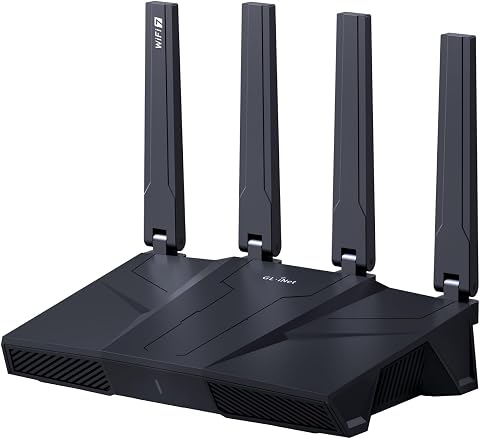
GL.iNet GL-BE9300 Flint 3 Wi-Fi 7 Router
- ✔ Coverage claim: Up to 2,000 sq. ft.
- ✔ Device capacity claim: Over 100 devices
- ✔ Remote access: Supported
Wi-Fi 7 features for a crowded holiday home
The Flint 3 supports Wi-Fi 7, with advertised wireless speeds up to 9 Gbps. Its listed technologies include Multi-Link Operation (MLO), enhanced OFDMA, 4K QAM and preamble puncturing, features intended to improve speed, latency and connectivity in busy environments.
That makes it an appealing upgrade for homes with multiple people streaming, gaming or working at once. Those headline capabilities depend on compatible devices and real network conditions; a new router alone cannot guarantee a particular speed or eliminate every connection issue.
VPN and filtering tools add useful control
GL.iNet lists WireGuard and OpenVPN speeds of up to 680 Mbps. The manufacturer notes that actual performance varies with factors such as the internet provider, network environment, VPN server location and VPN service. For households that route traffic through a VPN, those stated speeds offer a concrete reason to consider the Flint 3.
AdGuard Home support provides a web interface for filtering selected digital ads and unwanted tracking through DNS. It gives tinkerers more control over browsing, though configuring and maintaining network settings may suit a hands-on owner better than someone who wants everything managed automatically.
A family-friendly option with setup homework
For parents, the router offers support for Bark, including website filtering, safe search and usage limits. That can make it a more thoughtful household gift than a router focused only on speed, especially when family screen-time rules are part of the conversation.
Initial setup can be done using the online tutorial or by connecting a computer to the router over Ethernet and opening its web admin panel. The product information specifically recommends updating firmware during initial setup to improve performance and the user experience, so plan a little time for configuration before guests arrive.
Coverage and trade-offs to weigh
GL.iNet states coverage designed for homes up to 2,000 square feet and connectivity for over a hundred devices. These are manufacturer claims, not a guarantee for every floor plan: walls, placement and interference can affect the signal, so larger or unusually laid-out homes should check their coverage needs carefully.
The Flint 3’s strengths are its Wi-Fi 7 feature set, VPN support, family controls and room for additional plugins. Its trade-offs are that setup includes a firmware update, advanced controls may take some learning, and the advertised speeds and coverage depend on the surrounding network and home. For Black Friday and Cyber Monday shopping, it makes the most sense when those capabilities match the recipient’s actual needs.
More Details on Our Top Picks
GL.iNet GL-BE9300 Flint 3 Wi-Fi 7 Router
The GL.iNet Flint 3 combines tri-band Wi-Fi 7 with VPN support, AdGuard Home and parental-control features. It is a strong candidate for a busy household that wants more network control, provided someone is comfortable handling initial setup and firmware updates.
Pros:
- Wi-Fi 7 with MLO and other listed technologies
- WireGuard and OpenVPN support
- AdGuard Home and Bark support
- Designed for over a hundred connected devices
Cons:
- Firmware update is recommended at initial setup
- Advertised speeds and coverage depend on network conditions
- Advanced controls may take time to configure
Best for: Tech-minded households with many connected devices, VPN users and families who want network filtering and usage controls.
Not ideal for: Anyone seeking a completely hands-off setup or needing guaranteed coverage across a specific home layout.
Bottom line: Consider the Flint 3 as a holiday upgrade for a connected home that will make use of Wi-Fi 7, VPN and family-control features.
Affiliate disclosure: As an Amazon Associate we earn from qualifying purchases. Prices and availability are accurate as of the time of publishing.
Halloween Picks
halloween
As an affiliate, we earn on qualifying purchases.