
🔍 Read the full analysis: A Fresh Look At AI In “TURBINE — WERK 9” on ThorstenMeyerAI.com

Get the latest gadgets delivered free with Prime
- Fast, free delivery on millions of items
- Prime Video, Amazon Music and more included
- Member-only deals all year
TL;DR
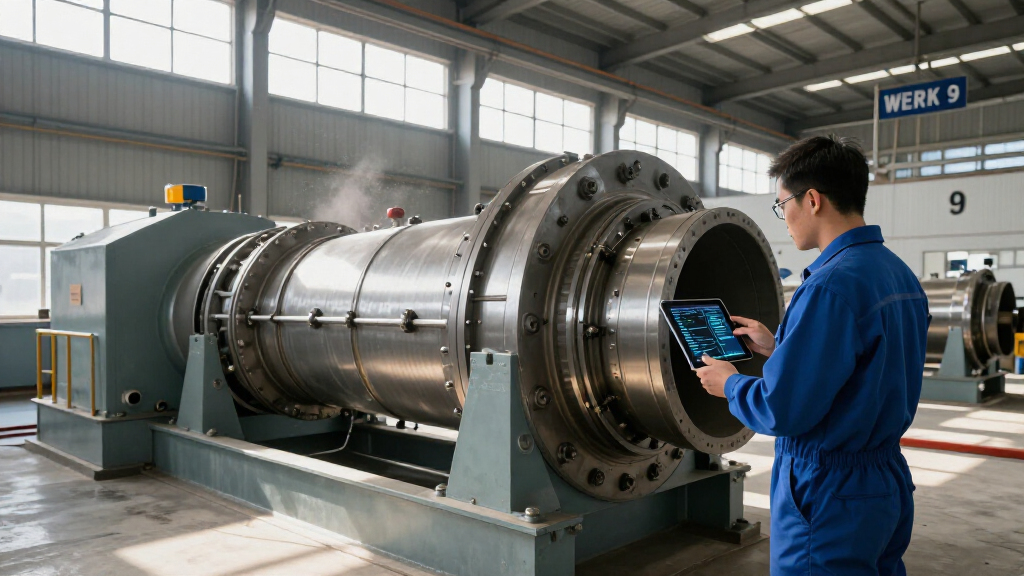
TURBINE — WERK 9 presents an industrial space as an interactive browser experience, with scrolling driving the motion of an SVG rotor. Its description highlights interface and visual design, but does not establish that the project uses AI or automation.
TURBINE — WERK 9 is an interactive browser-based field guide that uses a scroll-driven SVG rotor to link movement through a webpage with the mechanics of an industrial setting, according to the original presentation on ThorstenMeyerAI.com. The project is framed as a design experience for people interested in interactive web work, though its published description does not confirm that artificial intelligence is part of the implementation.
The experience is described as an alternative to a conventional brochure: visitors move through the page, and their scroll input drives an animated rotor made from SVG paths. The design aims to make page navigation feel connected to a physical mechanism while keeping the visual object clear and legible.
ThorstenMeyerAI.com characterizes the project as an interactive field guide, pairing an industrial visual atmosphere with an interface intended to encourage exploration. Its presentation says a fuller case study examines how the rotor’s motion was shaped, how the visual system was organized, and how a physical-feeling space was translated into a browser experience.
The page points readers to both a live version and a design teardown. The available description does not provide technical specifications, development dates, performance data, or details about the team behind the work. It also does not describe a deployed AI feature, model, or automated workflow.
Interactive web field guide · Design report
A Fresh Look At AI In “TURBINE — WERK 9”
A scroll-driven SVG rotor turns page navigation into an industrial design experience. The published description explains the interaction—but does not confirm that AI powers it.
“What if a web page behaved less like a brochure and more like a machine you could walk around?”— ThorstenMeyerAI.com
01 / The experience
A page that moves like a mechanism
The presentation frames the project as an alternative to a conventional brochure: visitors explore the page while their scrolling drives an animated industrial form.
Movement becomes navigation
Scrolling is described as the interaction that carries visitors through the browser experience.
SVG responds to the page
The central rotor is built from SVG paths and animated in response to scroll input, according to the project description.
A browser-based space
The field-guide framing invites exploration and connects the industrial atmosphere to an interactive interface.
Visitor scrolls
A familiar browser gesture starts the sequence.
Page advances
Movement through the content becomes part of the experience.
Rotor animates
The SVG form responds to the scroll-driven interaction.
Design unfolds
Visual storytelling and navigation share one gesture.
02 / The AI question
What the description does—and does not—say
The reported implementation detail is browser behavior and vector paths. No model, AI-generated animation, automated workflow, or AI-powered feature is identified in the available presentation.
This is a limit of the available information, not proof that AI played no role behind the scenes.
03 / Claims at a glance
Known details, open questions
The project presentation offers a design overview rather than a technical audit. This comparison keeps its stated details separate from information it does not provide.
| Topic | In the presentation | Not specified |
|---|---|---|
| Interaction | ✓ Scrolling drives rotor motion | Detailed implementation or controls |
| Visual asset | ✓ Rotor made from SVG paths | Tools used to create the SVG |
| Artificial intelligence | ~ No AI use confirmed | Whether AI aided design, code, or content |
| People and timeline | ~ No names or dates given | Team, client, launch date, and milestones |
| Measured outcomes | ~ Design aims are described | Testing, engagement, and performance data |
Design intent
The project aims to make navigation feel connected to a physical mechanism while keeping the visual object clear and legible.
Evidence boundary
Those aims are presented as design intent. The available description does not report user testing or measured outcomes.
04 / What to explore next
Follow the experience back to its source
The presentation points readers to a live version and a fuller teardown. Those materials may add context on the rotor, visual system, and browser adaptation.
Further reporting would be needed to establish whether AI tools were involved, who created the project, and how the interaction performs across devices.
Quick answers
Key questions
What is TURBINE — WERK 9?
An interactive browser-based field guide linking page scrolling to the movement of an animated SVG rotor.
Does the project use AI?
The published description does not confirm AI use or name an AI model or AI-powered feature.
How does the interaction work?
According to the presentation, a visitor’s scrolling drives the rotor’s motion as they move through the page.
Where can readers learn more?
ThorstenMeyerAI.com links to a live version and a fuller design teardown covering the rotor, visual system, and browser adaptation.
Why Scroll Drives the Rotor
The project draws attention to how a familiar browser action can serve as more than a way to move down a page. Here, scrolling is presented as the interaction mechanism for an animated industrial form, joining navigation and visual storytelling in one gesture. That approach may interest designers building interactive sites, especially those looking for ways to give an interface a strong relationship to its subject.
The AI connection in the title and promotional framing needs a careful distinction. The published description specifically explains an interaction built with browser behavior and vector paths; it does not say AI generates the animation or powers the experience. For readers assessing AI-related design work, that makes the project’s confirmed contribution a web interaction and visual system, not a documented AI application.
The framing also matters for users: an interface can invite exploration without making its purpose opaque. The field-guide format gives the movement a stated organizing idea, while the rotor provides a visible response to input. Whether that balance works in practice depends on the live experience, which the description invites visitors to view.
Products Worth Considering

Logitech MX Master 4 for Mac, Ergonomic Bluetooth Mouse with Haptic Feedback, Ultra-Fast Scrolling, USB-C Charging, for MacOS, iPadOS, Windo

Amazon Kindle Paperwhite Signature Edition (12th Generation, 2024), 32 GB, Metallic Black

Sony WH-1000XM6 Wireless Noise-Canceling Over-Ear Headphones, Blue, Bundle
As an affiliate, we earn on qualifying purchases.
A Field Guide in the Browser
The project is presented through ThorstenMeyerAI.com as a design teardown focused on interactive web experience. Its central question is how a page might behave less like a static brochure and more like a space visitors can explore. The answer described is a browser interface whose visual movement is tied to scrolling.
The supplied presentation points to a live room and a fuller case study, but gives no publication date or project timeline. It names no designer, studio, client, or development team, so none can be identified from the available details. The project’s industrial setting is conveyed through its framing and rotor motif rather than through a supplied account of a particular facility or machine.
That distinction sets the limits of the report: the described work can be explained as an interactive design project, but the available information is not a technical audit or an independent account of its construction. The stated use of SVG and scroll input is the extent of the implementation detail provided.
“What if a web page behaved less like a brochure and more like a machine you could walk around?”
— ThorstenMeyerAI.com
AI Use and Build Details
The available description does not confirm that artificial intelligence was used to make or operate TURBINE — WERK 9. It identifies a scroll-driven SVG rotor and a browser-based interaction, but does not specify whether AI played any role in design, coding, content, or personalization.
Other details are also absent, including the project’s launch date, the people or organization responsible, the tools used to create the SVG, accessibility features, and how the animation behaves on different devices. No user testing, engagement figures, or performance measurements are provided. The claims about the experience’s intended feel and clarity are presented as design aims, not independently measured outcomes.
Live Experience and Case Study
Readers can visit the live room linked from ThorstenMeyerAI.com and consult the full design teardown for further detail. The presentation says that case study covers how the rotor’s motion was shaped, how the visual system was organized, and how the physical-feeling setting was adapted for a browser.
Further reporting would be needed to establish whether AI tools were involved, who created the project, and how the interaction performs in use. The published description does not give a date for additional updates or identify a next release, so no further milestone is confirmed.
Source: ThorstenMeyerAI.com
Key Questions
What is TURBINE — WERK 9?
It is an interactive browser-based field guide that links scrolling through a webpage to the movement of an animated SVG rotor.
Does the project use AI?
The published description does not confirm AI use. It describes a scroll input and SVG paths, without naming an AI model or AI-powered feature.
How does the interaction work?
According to the project presentation, a visitor’s scrolling drives the rotor’s motion, making the movement through the page part of the visual experience.
Where can readers learn more?
ThorstenMeyerAI.com links to a live version and a fuller design teardown. The available description says the case study discusses the rotor, visual system, and browser adaptation.
Source: ThorstenMeyerAI.com