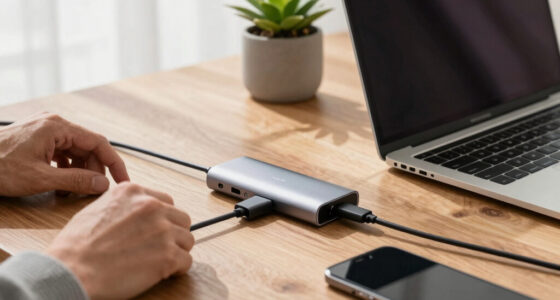
To reduce accidental activations on safety wearables, adjust the gesture sensitivity settings and disable features during activities with unintentional movements. Make sure your device is properly worn and kept clean to prevent false triggers. Keep the battery charged and update firmware regularly for peak performance. You can also customize controls to fit your routine and avoid interference from external factors like water or extreme temperatures. If you want more tips, there’s plenty to explore next.
Key Takeaways
- Adjust gesture control sensitivity and disable features during activities prone to accidental triggers.
- Ensure proper device fit and positioning to prevent false activations from loose straps or misalignment.
- Regularly update firmware and calibrate sensors for accurate detection and reduced false alarms.
- Enable energy-saving modes and manage power to maintain stable device performance.
- Avoid external interference by keeping the device clean, dry, and away from extreme temperatures.
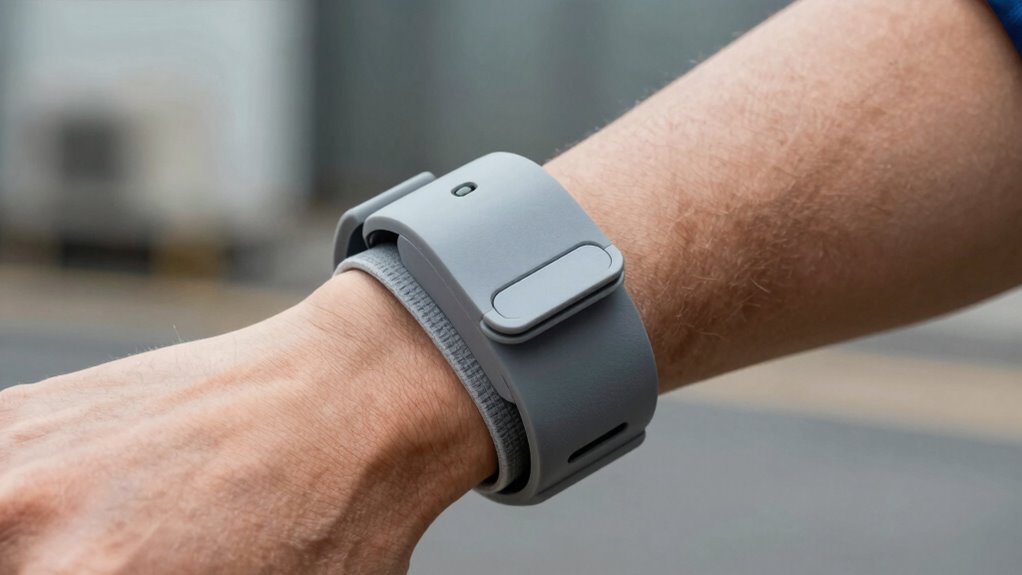
Have you ever experienced your safety wearable activating accidentally, causing unnecessary alarm or inconvenience? It’s frustrating when technology goes off at the wrong moment, especially when you’re trying to stay safe. Fortunately, there are practical steps you can take to minimize these false alarms. One key aspect is understanding and managing gesture controls. Many safety wearables use gesture controls to activate or deactivate features, but these can be triggered accidentally if your movements are misinterpreted. To reduce this, start by adjusting the sensitivity settings if your device allows it. Lowering sensitivity prevents minor or unintended gestures from activating the device. Also, be mindful of how you wear your device; loose straps or improper positioning can lead to accidental gestures being registered. Practice deliberate, controlled movements when activating the device to avoid unintended activations. Additionally, some devices include gesture control settings that can be customized or temporarily disabled to prevent accidental triggers during specific activities. Battery management plays a vital role in preventing false alarms too. When your device’s battery is low, it might behave unpredictably, sometimes triggering alarms unnecessarily. Make it a habit to monitor your battery level regularly and recharge before it drops too low. Keeping your wearable charged ensures all sensors and controls function correctly, reducing the likelihood of accidental activations. If your device has an energy-saving mode, consider enabling it, as it can help stabilize performance and prevent erratic responses. Additionally, some wearables have a feature that temporarily disables gesture controls or certain functions to prevent accidental triggers during specific activities or when the device detects unusual movement. Familiarize yourself with these settings and enable them when needed, especially during rest or sleep. Regularly updating your device’s firmware can also improve sensor accuracy and overall performance and help prevent false activations. Proper maintenance, like checking for sensor calibration, can also enhance device reliability. Keep your wearable clean and free of debris, as dirt or sweat can interfere with the sensors and cause misreads. External factors like water or extreme temperatures can also impact the device’s performance and should be avoided. If your wearable has customizable controls, consider disabling non-essential features or those prone to accidental activation. For example, disable gesture controls during activities like sleeping or exercising where unintentional movements are common. To further prevent false alarms, consider device customization options that tailor the device’s behavior to your daily routine. Additionally, understanding how sensor interference can affect your device’s performance is crucial for maintaining accurate operation. Overall, understanding your device’s features and maintaining it properly can greatly reduce accidental activations, making your safety wearable a more reliable tool in times of need.
safety wearable gesture sensitivity adjustment
As an affiliate, we earn on qualifying purchases.
As an affiliate, we earn on qualifying purchases.
Frequently Asked Questions
Can Software Updates Improve Wearable Activation Accuracy?
Yes, software updates can improve wearable activation accuracy through firmware enhancements and better gesture recognition. By refining the firmware, developers can optimize how the device detects intentional triggers, reducing false activations. Improved gesture recognition algorithms make it easier for your wearable to distinguish between real commands and accidental movements. Regular updates guarantee your device stays responsive, accurate, and reliable, enhancing safety and user experience.
Are There Specific Wearables Less Prone to Accidental Activation?
Think of some wearables as well-guarded fortresses—designed with features to prevent unwanted alarms. Devices with thoughtful design modifications and adjustable button sensitivity are less prone to accidental activations. Look for wearables that allow you to customize sensitivity levels or have larger, more tactile buttons. These features act like sturdy walls, keeping accidental triggers at bay while ensuring you can activate the device intentionally when needed.
How Does User Training Impact Accidental Activations?
User training markedly reduces accidental activations by boosting your familiarity with the wearable’s functions. When training is effective, you learn how to operate the device properly, avoiding unintentional presses or gestures. Familiarity with the device’s features and limitations helps you recognize potential triggers for accidental activation. Consistent, clear training ensures you’re confident in using the wearable correctly, which ultimately minimizes false alarms and enhances safety.
Can Environmental Factors Influence Wearable Activation?
Environmental interference and clothing material effects can definitely influence wearable activation. If you wear the device in areas with high electromagnetic interference, it might activate unintentionally. Thick or metallic clothing can also hinder sensors, causing false triggers. To minimize this, you should test your wearable in different environments and choose clothing materials that don’t interfere with signals. Regularly checking your device’s settings helps guarantee accidental activations stay low.
What Maintenance Routines Help Prevent Accidental Triggers?
Think of your safety wearable as a trusted guardian, needing regular check-ups to stay alert. You should routinely calibrate sensors to guarantee accuracy and adjust the button design for easy, intentional use. Keep the device clean and free of debris, and inspect for wear and tear. These simple maintenance routines act like a shield, preventing accidental triggers and ensuring your wearable’s protective power remains unwavering when you need it most.
wearable device firmware update kit
As an affiliate, we earn on qualifying purchases.
As an affiliate, we earn on qualifying purchases.
Conclusion
To prevent accidental activations, always double-check your safety wearables before use and guarantee they fit snugly without being too tight. Some might worry these devices are cumbersome or intrusive, but modern designs prioritize comfort and ease of use. Remember, taking a moment to verify your gear can save you from unnecessary disruptions or false alarms. Ultimately, proper handling and awareness keep your safety wearable working effectively, giving you peace of mind without hassle.
adjustable strap fitness tracker
As an affiliate, we earn on qualifying purchases.
As an affiliate, we earn on qualifying purchases.
waterproof activity tracker with customizable controls
As an affiliate, we earn on qualifying purchases.
As an affiliate, we earn on qualifying purchases.