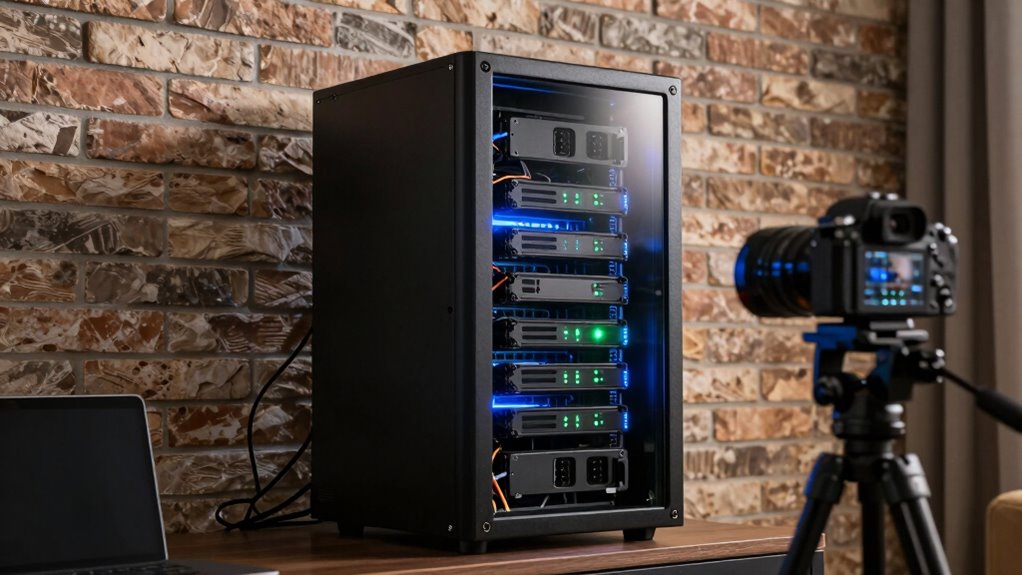

You might think cloud storage is enough, but local video storage is more important than you realize. It gives you quick access, full control over your data, and keeps your videos safe even if the internet goes down or cloud providers face issues. Plus, it helps protect your privacy and avoids extra costs. If you keep exploring, you’ll discover how local storage can truly safeguard your valuable media and keep it accessible whenever you need it.

Get the latest gadgets delivered free with Prime
- Fast, free delivery on millions of items
- Prime Video, Amazon Music and more included
- Member-only deals all year
Key Takeaways
- Provides instant access and quick retrieval, eliminating buffering delays and dependence on internet speed.
- Ensures data privacy and security by reducing risks of breaches and unauthorized third-party access.
- Offers reliable offline access, unaffected by internet outages or service provider issues.
- Supports handling large video files efficiently, ideal for content creators and extensive media libraries.
- Acts as a secure backup, safeguarding valuable digital content from cloud outages and subscription disruptions.

In today’s digital world, storing videos locally has become increasingly important for ensuring quick access and data security. While cloud backup services and streaming platforms have gained popularity, they shouldn’t replace the value of having your videos stored on physical devices. Cloud backup offers convenience, but it also introduces concerns about internet reliability, data privacy, and long-term access. If your internet connection drops or your cloud provider experiences an outage, your ability to access important videos could be compromised. Additionally, relying solely on streaming services means you depend on external servers, which may have restrictions, latency issues, or even sudden removal of content. Local storage gives you control over your media, allowing instant retrieval without buffering delays or security worries about third-party access.
Having videos stored locally also means you’re less vulnerable to the risks associated with cloud-based solutions. Data breaches, hacking, or accidental deletions from cloud platforms can jeopardize your collection. With physical storage devices—like external hard drives, NAS systems, or even SD cards—you maintain ownership and oversight of your data. This control not only enhances security but also ensures that your videos remain accessible regardless of internet status or service provider changes. This is especially true when considering data privacy as a critical factor in digital media management. It’s worth noting that physical storage options can be tailored to fit different needs, from portable drives to large-scale server solutions. These options also often include redundant backup systems, which further safeguard your valuable content. This control not only enhances security but also ensures that your videos remain accessible regardless of internet status or service provider changes. For many, these factors make local storage a critical backup plan, especially when dealing with sensitive or valuable content.
Local storage minimizes risks like data breaches and ensures ongoing access without internet dependence.
Furthermore, local storage supports a seamless viewing experience. Streaming services excel at providing vast libraries, but they often come with subscription fees, regional restrictions, or limited offline options. When you store videos locally, you can watch your favorite content anytime, without relying on internet speed or data plans. It’s particularly advantageous for high-resolution videos, where buffering and lag can ruin the viewing experience. Plus, managing your own library allows for customization—organizing, editing, or backing up content exactly how you want, without platform-imposed limitations. Relying on cloud storage can also introduce additional costs or limitations that may not suit long-term media management needs.
Lastly, local storage is essential for content creators, videographers, and hobbyists who produce or collect large volumes of videos. Cloud backup may be suitable as a secondary measure, but it’s often insufficient for huge files or projects requiring immediate access. Physical storage solutions are scalable, cost-effective in the long run, and provide peace of mind knowing your work won’t be lost due to cloud outages or subscription lapses. In essence, while streaming services and cloud backups are valuable tools, they shouldn’t replace the reliability, security, and convenience of having your videos stored locally. It’s a safeguard that ensures your collection remains accessible, protected, and under your control at all times. Recognizing the importance of local data storage is crucial for safeguarding your digital media.
external hard drive for video storage
As an affiliate, we earn on qualifying purchases.
As an affiliate, we earn on qualifying purchases.
Frequently Asked Questions
How Secure Is Local Video Storage Compared to Cloud Options?
Local video storage can be quite secure if you implement proper safeguards. Unlike cloud options, it limits remote access, reducing potential hacking points. You can enhance security by using data encryption, ensuring your footage stays protected even if someone gains physical access. While it doesn’t offer the same convenience for remote viewing, local storage gives you more control over your data and security measures, making it a reliable choice for sensitive videos.
What Are the Cost Differences Between Local and Cloud Storage?
The cost difference between local and cloud storage is huge—like comparing a tiny puddle to an ocean. Local storage often requires a significant upfront investment in hardware, but it saves money long-term thanks to no recurring fees. With video compression and storage scalability, local options can expand as your needs grow, whereas cloud costs can skyrocket with increased video quality and volume. You control your expenses better with local storage.
Can Local Storage Handle High-Resolution Video Files Efficiently?
Yes, local storage can handle high-resolution video files efficiently, especially when combined with effective video compression techniques. Compression reduces file sizes without sacrificing quality, making storage more manageable. Additionally, local storage offers better storage scalability, allowing you to expand capacity as your needs grow. This setup guarantees quick access, smooth playback, and reliable storage, making it ideal for managing high-res videos without relying on internet bandwidth or cloud services.
How Easy Is It to Access Videos Stored Locally From Multiple Devices?
About 80% of users find accessing locally stored videos across multiple devices straightforward. You’ll appreciate that local storage often supports various video formats, ensuring compatibility with most devices. With device synchronization, your videos stay accessible and organized, no matter which device you use. This setup simplifies sharing and viewing, making it easier to enjoy your content seamlessly across smartphones, tablets, and computers without relying solely on cloud services.
What Backup Options Are Recommended for Local Video Storage?
You should back up your local videos using reliable options like external hard drives, network-attached storage (NAS), or cloud services. To keep backups effective, regularly perform video compression to save space without losing quality, and organize your storage with clear folders and labels. This guarantees quick access, minimizes data loss risks, and maintains a tidy library, making your video management more efficient and secure.
NAS network attached storage device
As an affiliate, we earn on qualifying purchases.
As an affiliate, we earn on qualifying purchases.
Conclusion
So, while cloud options seem convenient, don’t overlook the quiet strength of local storage. It’s your trusted partner, quietly safeguarding your memories and moments, ready when you need them most. In a world of fleeting connections, it’s a steady anchor, offering peace of mind and control. Embrace the comfort of knowing your videos are close, secure, and always within reach—because sometimes, the best security is just a little closer to home.
As an affiliate, we earn on qualifying purchases.
large capacity external hard drive
As an affiliate, we earn on qualifying purchases.
As an affiliate, we earn on qualifying purchases.
Columbus Day / Indigenous Peoples' Day Picks
long weekend sales
As an affiliate, we earn on qualifying purchases.