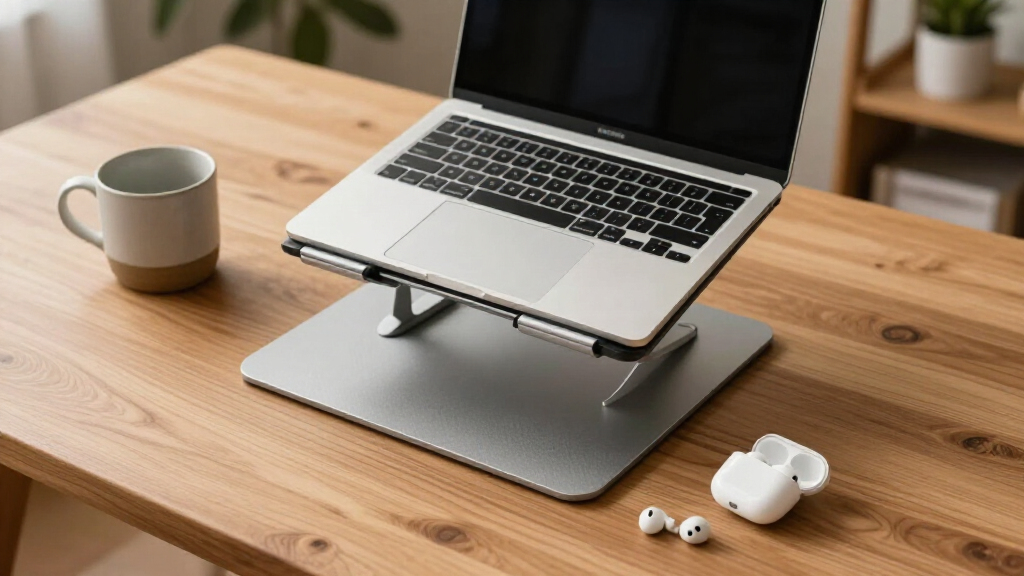

Ergonomic laptop stands solve one of the most common desk problems: the laptop screen sitting far below eye level, forcing your neck into a downward hunch for hours. After comparing 14 popular models, the Besign LSX7 stands out as my best overall pick thanks to its 360° rotating base, solid height range, and foldable design that travels well. The Lifelong Aluminum 20-inch Riser is the stronger choice if you need serious height for a fixed workstation, while the Amazon Basics Adjustable Stand delivers the best budget-friendly entry point. The main tradeoff in this category is height range versus portability — taller stands improve posture more but rarely fold flat — followed by stability, since wobbling defeats the purpose of a fixed screen position. Keep reading for the full breakdown of all 14 stands and which one fits your setup.
Get ready for Prime Big Deal Days — try Prime free
Exclusive member deals on October 6–7, plus fast free delivery. Cancel anytime.
Start your free trialAs an affiliate, we earn on qualifying purchases.
Complete the kit



Key Takeaways
- The amazon.com/dp/B0BT9L688F?tag=peppereyes-20&ascsubtag=dc-612350″ target=”_blank” rel=”nofollow sponsored noopener”>Besign LSX7 won best overall because it was the only stand combining a 360° rotating base, a genuinely tall height range, and a foldable frame — most competitors managed only two of these three traits.
- Height range varied more than any other spec: the Lifelong 20-inch riser reached workstation-grade elevations while fixed-angle stands like the Lamicall and Besign LS03 capped out at a single comfortable-but-limited height.
- 360° swivel bases (Besign LSX7, Tounee, MOALLIA N86, Urmust) proved most valuable for shared desks and client-facing work, but every rotating model sacrificed some rigidity compared to fixed stands.
- Budget stands under $25, including the Amazon Basics and unbranded adjustable risers, were sturdier than expected but used thinner aluminum that flexed under heavier 16-inch gaming laptops.
- Detachable and telescopic designs (Besign LS03, Tounee) were the clear winners for travelers, collapsing smaller than any foldable-only model — worth prioritizing if your stand moves between locations daily.
| Lifelong Aluminum Adjustable Laptop Stand, 20″ Riser, Grey | 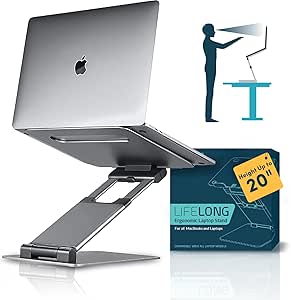 | Best for Standing Desk Setups | Material: Aluminum | Maximum Height: 20 inches | Arm Extension: 13 inches | VIEW LATEST PRICE | See Our Full Breakdown |
| Besign LSX7 Laptop Stand with 360° Rotating Base |  | Best for Collaborative Workspaces | Compatibility: 10-15.6 inch laptops | Material: Metal | Support Weight: 13 lbs | VIEW LATEST PRICE | See Our Full Breakdown |
| Riwuct Aluminum Alloy Laptop Stand for Desk |  | Best Budget Pick | Material: Aluminum alloy | Max Height: 7.48 inches | Weight Capacity: 8.8 lbs | VIEW LATEST PRICE | See Our Full Breakdown |
| LOXP Adjustable Laptop Stand for Desk, Portable Airflow Laptop Riser |  | Best for Travel and Commuters | Max Load Capacity: 15.4 lbs (7 kg) | Supported Laptop Size: Up to 15.6 inches | Material: Sturdy metal | VIEW LATEST PRICE | See Our Full Breakdown |
| Laptop Stand for Desk, Adjustable Laptop Riser Holder |  | Best Heavy-Duty Value | Max Support Weight: 17.6 lbs | Material: Sturdy metal | Compatibility: Laptops 10-15.6 inches | VIEW LATEST PRICE | See Our Full Breakdown |
| Tounee Telescopic Laptop Stand with 360° Swivel Base |  | Best for Sit-Stand Desks | Height Range: 2.1″ to 21″ | Maximum Load: 22 lbs | Material: Aluminum alloy | VIEW LATEST PRICE | See Our Full Breakdown |
| MOALLIA N86 360 Rotating Laptop Stand |  | Best for Collaboration | Material: Aluminum alloy | Rotation: 360° | Folded Dimensions: 11.42 x 2.36 x 1.87 inches | VIEW LATEST PRICE | See Our Full Breakdown |
| Besign LS03 Aluminum Laptop Stand |  | Best Simple Fixed Elevation | Compatibility: 10-15.6 inch laptops | Material: Aluminum alloy | Maximum Load: 8.8 lbs | VIEW LATEST PRICE | See Our Full Breakdown |
| Tonmom Laptop Stand for Desk |  | Best Ultralight Travel Pick | Height Adjustment: 2.78 to 6.5 inches | Weight: 0.53 pounds | Folded Dimensions: 10.5 x 1.96 x 0.68 inches | VIEW LATEST PRICE | See Our Full Breakdown |
| Nulaxy Ergonomic Adjustable Laptop Stand |  | Best Stability for Heavy Laptops | Supported Devices: 10-16 inch laptops | Maximum Load: 22 lbs (10 kg) | Stability Mechanism: Dual-rod support | VIEW LATEST PRICE | See Our Full Breakdown |
| Lamicall Aluminum Laptop Stand for 10-17.3 inch Laptops |  | Best for Large Laptops | Compatibility: Laptops 10″ to 17.3″ | Material: Aluminum alloy | Base: Large, heavy, stable | VIEW LATEST PRICE | See Our Full Breakdown |
| Adjustable Laptop Stand for Desk, Metal Laptop Riser Holder |  | Best Heavy-Duty on a Budget | Support Weight: 17.6 lbs (8kg) | Compatibility: Laptops 10-15.6 inches | Material: Metal | VIEW LATEST PRICE | See Our Full Breakdown |
| Amazon Basics Sturdy and Portable Ergonomic Laptop Stand for Desk |  | Best Travel Pick | Height Adjustment: Up to 7 inches | Supported Devices: Laptops and tablets 10 to 15.6 inches | Material: Lightweight, rust-resistant aluminum | VIEW LATEST PRICE | See Our Full Breakdown |
| Urmust 360° Rotating Laptop Stand for 10-17 inch Devices |  | Best for Collaboration | Compatibility: 10-17 inch laptops | Rotation: 360 degrees | Weight Capacity: 22 lbs | VIEW LATEST PRICE | See Our Full Breakdown |
| ergonomic laptop stand | Material | Compatibility | Foldable |
|---|---|---|---|
| Lifelong Aluminum Adjustable L | Aluminum | Laptops 10-17 inches, tablets | — |
| Besign LSX7 Laptop Stand with | Metal | 10-15.6 inch laptops | — |
| Riwuct Aluminum Alloy Laptop S | Aluminum alloy | — | — |
| LOXP Adjustable Laptop Stand f | Sturdy metal | — | Yes |
| Laptop Stand for Desk | Sturdy metal | Laptops 10-15.6 inches | Yes |
| Tounee Telescopic Laptop Stand | Aluminum alloy | Laptops 10-17" | Yes |
| MOALLIA N86 360 Rotating Lapto | Aluminum alloy | Laptops 11-16 inches; device thickness under 0.8 inches | Yes |
| Besign LS03 Aluminum Laptop St | Aluminum alloy | 10-15.6 inch laptops | Yes (detachable) |
| Tonmom Laptop Stand for Desk | — | Laptops 10-15.6 inches | Yes |
| Nulaxy Ergonomic Adjustable La | Not specified | — | Yes |
| Lamicall Aluminum Laptop Stand | Aluminum alloy | Laptops 10" to 17.3" | — |
| Adjustable Laptop Stand for De | Metal | Laptops 10-15.6 inches | Yes |
| Amazon Basics Sturdy and Porta | Lightweight, rust-resistant aluminum | — | — |
| Urmust 360° Rotating Laptop St | Metal | 10-17 inch laptops | — |
More Details on Our Top Picks
Lifelong Aluminum Adjustable Laptop Stand, 20″ Riser, Grey
Most stands in this roundup top out around 7 or 8 inches, which relegates them to seated use. The Lifelong Aluminum Adjustable Laptop Stand goes all the way up to 20 inches of height, making it the clear choice for anyone who alternates between sitting and standing at the same desk. With 20 arm-length positions, this model offers a granularity of adjustment that fixed-height options like the Besign LS03 simply can’t match. Compared with the Besign LSX7, the Lifelong trades rotational flexibility for raw vertical reach. The tradeoff is stability at full extension: the taller the stand, the more wobble you’ll notice when typing, and the manufacturer doesn’t publish a weight rating, which gives me pause with heavier 17-inch machines. It also demands an external keyboard and mouse at any height, since typing directly on a raised laptop defeats the ergonomic purpose entirely.
Pros:- Extends to 20 inches — the tallest reach in this roundup
- 20 arm positions allow fine height tuning
- Folds flat for storage or travel between workspaces
- Works with both laptops and tablets from 10 to 17 inches
Cons:- No published weight capacity, a real risk for heavier machines
- Noticeable wobble at maximum height, especially on uneven desks
- Overkill for buyers who only need a seated riser
Best for: Remote workers who want a sit-stand workflow without buying a full standing desk
Not ideal for: Owners of heavy 17-inch gaming laptops — the unspecified weight capacity and tall profile invite wobble
- Material:Aluminum
- Maximum Height:20 inches
- Arm Extension:13 inches
- Adjustments:20 arm-length positions
- Compatibility:Laptops 10-17 inches, tablets
- Design:Foldable, riser-style
- Color:Grey
Our verdict“Buy this if you want genuine standing-desk height from a portable stand; skip it if you never leave your chair.”
Besign LSX7 Laptop Stand with 360° Rotating Base
Sharing your screen shouldn’t mean picking up your laptop and shuffling it around a table. The Besign LSX7 solves that with a 360° rotating base, a feature only the Tounee Telescopic and Urmust stands in this lineup can match. Its 13-pound weight rating is another differentiator — higher than the Riwuct’s 8.8 lbs, so 16-inch MacBook Pro and gaming laptop owners can use it without worry. Height and angle adjustments put it in the same ergonomic territory as the LOXP, but the swivel base makes this option better suited to meeting rooms and shared desks where the screen regularly turns toward a colleague or client. The open frame also keeps airflow moving, which matters for thermally stressed machines. Tradeoffs? The footprint is generous, so owners of very small 10-11 inch laptops may find the platform dwarfs their device, and the rubber grips will likely wear with heavy daily rotation over time.
Pros:- 360° rotating base makes screen sharing effortless
- 13 lb weight capacity handles heavy 15-16 inch laptops
- Height and angle adjust independently for proper ergonomic positioning
- Open-frame design supports airflow and cooling
Cons:- Large footprint crowds smaller desks
- Rubber grips may wear down with heavy rotating use
- Rotation adds moving parts that cheaper fixed stands avoid
Best for: Office workers and consultants who frequently show their screen to people sitting beside them
Not ideal for: Ultra-compact laptop owners and minimalists with tight desk space — the base is bulky
- Compatibility:10-15.6 inch laptops
- Material:Metal
- Support Weight:13 lbs
- Rotation:360° swivel base
- Adjustability:Height and angle adjustable
- Ventilation:Open-frame airflow design
- Color:Black
Our verdict“This pick makes the most sense for anyone whose screen regularly turns toward an audience; solo workers can get similar ergonomics for less elsewhere.”
Riwuct Aluminum Alloy Laptop Stand for Desk
Not everyone needs a 20-inch riser or a rotating base — sometimes simple elevation done well is the whole job. The Riwuct Aluminum Alloy Laptop Stand delivers that at a lower price than the Lifelong or Besign LSX7 while keeping the essentials: adjustable height up to 7.48 inches, angle customization, and a folding frame that slips into a bag. The aluminum construction keeps it light for commuting, and non-slip pads stop the dreaded desk-slide that plagues cheaper risers. Compared with the Amazon Basics stand, the Riwuct offers more angle flexibility in a slimmer fold. The compromises are real, though. The 8.8-pound capacity is the lowest in this batch, so heavy workstation-class laptops are off the menu, and the two-arm design gives larger machines a less planted feel than the LOXP’s broader support. At any raised height, you’ll want an external keyboard — the stand lifts the screen to eye level, not your hands to the screen.
Pros:- Affordable pricing undercutting most adjustable rivals in this lineup
- Folds compactly for backpack or laptop-bag transport
- Non-slip pads keep the laptop planted during use
- Aluminum build stays cool and dissipates heat well
Cons:- Lowest weight capacity in this batch at 8.8 lbs
- Two-arm support feels less stable with larger devices
- Requires an external keyboard for real ergonomic benefit
Best for: Students and hybrid workers who want solid seated ergonomics without a big spend
Not ideal for: Owners of heavy 16-17 inch laptops — the 8.8 lb limit and two-arm design won’t inspire confidence
- Material:Aluminum alloy
- Max Height:7.48 inches
- Weight Capacity:8.8 lbs
- Supported Laptop Size:10 to 16 inches
- Design:Foldable riser with angle adjustment
- Stability Features:Non-slip pads
- Ventilation:Open-frame airflow
- Color:Silver
Our verdict“A smart value buy for lighter laptops and seated setups — spend more only if you need serious height or heft tolerance.”
LOXP Adjustable Laptop Stand for Desk, Portable Airflow Laptop Riser
If your stand lives in a bag as often as on a desk, weight and folded size matter more than maximum height. That’s where the LOXP Adjustable Laptop Stand positions itself: a portable, folding design paired with a surprisingly high 15.4-pound load rating — well above the Riwuct’s 8.8 lbs and comfortably in Besign LSX7 territory. The enhanced ventilation cutouts mean a working laptop on a hotel desk or café table keeps its fans quiet. Compared with the Lifelong’s towering 20-inch frame, the LOXP’s shorter range is the deliberate trade: it prioritizes a compact folded profile over standing-desk ambitions, which is exactly what frequent travelers should want. The limitation worth flagging is the hard 15.6-inch size ceiling. If you carry a 16-inch or 17-inch machine, this stand is out — the platform simply won’t cradle it safely, and the anti-slip pads sit too far inboard for wider chassis designs.
Pros:- 15.4 lb capacity far exceeds most travel-oriented stands
- Folds into a compact, bag-friendly profile
- Enhanced ventilation design keeps thermals in check
- Non-slip pads protect the laptop and the desk surface
Cons:- Hard 15.6-inch compatibility ceiling excludes larger machines
- Shorter height range than dedicated desk risers like the Lifelong
- Folding joints add setup and teardown time versus one-piece stands
Best for: Frequent travelers and café-hopping remote workers who pack a stand daily
Not ideal for: Owners of 16-17 inch laptops — the platform size cap is a firm limit, not a guideline
- Max Load Capacity:15.4 lbs (7 kg)
- Supported Laptop Size:Up to 15.6 inches
- Material:Sturdy metal
- Foldable:Yes
- Heat Dissipation:Enhanced ventilation design
- Stability Features:Non-slip pads
- Adjustability:Height and angle adjustable
Our verdict“The most sensible pick for people whose stand travels with them — desk-bound users with big laptops should look elsewhere.”
Laptop Stand for Desk, Adjustable Laptop Riser Holder
Sometimes the winning formula is simply more capacity for the money. This Adjustable Laptop Riser Holder carries a 17.6-pound rating — the highest in this batch, edging out the LOXP’s 15.4 lbs and comfortably clearing the Besign LSX7’s 13 lbs. That headroom matters for buyers with thick gaming laptops or machines wearing rugged cases, where lesser stands flex or creak. Multiple ventilation holes handle the extra heat those powerful machines produce. Like the Riwuct, it folds for portability, though its metal construction makes it heavier to carry than the aluminum Riwuct — this is a desk-first stand that tolerates occasional travel rather than the reverse. The 10-15.6-inch compatibility range is the main frustration: the weight rating invites heavy machines, but 16 and 17-inch laptops won’t fit the cradle. And unlike rotating options such as the Tounee Telescopic, every height change requires manual readjustment, which gets tedious if you reposition often.
Pros:- Highest weight capacity in this batch at 17.6 lbs
- Multiple ventilation holes suit heat-producing gaming laptops
- Folds for occasional transport or storage
- Anti-slip construction keeps heavy machines secure
Cons:- 15.6-inch size limit undercuts its own heavy-duty appeal
- Manual height adjustment is tedious for frequent repositioning
- Metal build is heavier than aluminum rivals for carrying
Best for: Owners of heavy gaming or workstation laptops under 15.6 inches who want maximum load headroom
Not ideal for: 16-17 inch laptop owners and frequent travelers — the size cap excludes big machines and the metal build adds bulk
- Max Support Weight:17.6 lbs
- Material:Sturdy metal
- Compatibility:Laptops 10-15.6 inches
- Foldable:Yes
- Ventilation:Multiple ventilation holes
- Adjustability:Manual height and angle adjustment
- Stability Features:Anti-slip design
Our verdict“Choose this for brute load capacity on a stationary desk; pass if your laptop is oversized or your stand needs to travel light.”
Tounee Telescopic Laptop Stand with 360° Swivel Base
Most stands in this roundup lift a laptop five or six inches; the Tounee telescopes from 2.1 to 21 inches, which is the difference between a typing riser and a genuine standing-workstation tool. That range makes it a natural companion for anyone alternating between sitting and standing throughout the day, something the Besign LS03 — capped at 5.7 inches — simply cannot do. The 360° swivel base mirrors the MOALLIA N86, but the Tounee pairs it with a 22 lb load rating, so heavier 17-inch machines sit securely at full extension. The tradeoff is footprint and friction: at maximum height it needs a deep, stable desk, and rotating the base takes deliberate force rather than a casual spin.
Pros:- Telescopes from 2.1 to 21 inches for sit-stand flexibility
- 22 lb load rating handles large 17-inch laptops
- 360° rotating base for easy screen sharing
- Folds flat despite its extended height range
Cons:- Footprint too large for very small desks
- Base rotation requires noticeable force
- Limited color options
Best for: Home-office workers who alternate between sitting and standing and need true full-height elevation
Not ideal for: Anyone with a shallow desk or cramped workspace — at 21 inches extended it dominates small surfaces
- Height Range:2.1″ to 21″
- Maximum Load:22 lbs
- Material:Aluminum alloy
- Base Rotation:360°
- Compatibility:Laptops 10-17″
- Foldable:Yes
Our verdict“Buy this if you want a single stand that works at both sitting and standing desk heights; skip it if your desk space is tight.”
MOALLIA N86 360 Rotating Laptop Stand
The MOALLIA N86 earns its spot for one specific strength: friction-free 360° rotation that makes spinning a screen toward a client or teammate effortless. Compared with the Tounee telescopic stand, which also rotates but resists movement, the N86 is built around the swivel as its core feature. Its aluminum build dissipates heat well, and at 2 pounds folded down to slim travel dimensions, it competes with the Tonmom on portability — though the Tonmom is lighter still. The compromises are real, though: laptops thicker than 0.8 inches won’t sit properly in vertical placement, and the locking screw adjustments require you to remove the laptop before repositioning, which interrupts workflow more than the tool-free designs in this lineup.
Pros:- Smooth 360° rotation for instant screen sharing
- Adjustable height and viewing angles
- Folds to a slim, 2-pound travel profile
- Aluminum construction aids heat dissipation
Cons:- 0.8-inch device thickness limit excludes many thicker laptops
- Laptop must be removed before adjusting screws
- Locking mechanism feels cumbersome versus tool-free rivals
Best for: Consultants, designers, and managers who frequently share their screen across a table
Not ideal for: Owners of thick gaming or workstation laptops over 0.8 inches — the cradle won’t hold them properly
- Material:Aluminum alloy
- Rotation:360°
- Folded Dimensions:11.42 x 2.36 x 1.87 inches
- Weight:2 pounds
- Compatibility:Laptops 11-16 inches; device thickness under 0.8 inches
- Foldable:Yes
- Color:Silver
Our verdict“This pick makes the most sense for screen-sharing-heavy work, provided your laptop is slim enough to fit the cradle.”
Besign LS03 Aluminum Laptop Stand
Not everyone wants knobs, telescoping tubes, or a swivel base — and the Besign LS03 is the strongest argument for keeping things simple. Its fixed 5.7-inch elevation hits the ergonomic sweet spot for eye-level typing at a standard desk, with no adjustment hardware to loosen or fiddle with, unlike the screw-based MOALLIA N86. The aluminum body keeps laptops cool through natural ventilation, and the detachable design packs flatter than most one-piece rivals. Where it falls short is capacity and range: the 8.8 lb weight limit rules out heavier machines, and unlike the Tounee, there’s no path to a standing-height setup. If your laptop is a 13 to 15-inch ultrabook and your desk is a desk — not a standing converter — the simplicity pays off.
Pros:- Fixed 5.7-inch elevation aligns with natural ergonomic posture
- No adjustment hardware to loosen or maintain
- Open aluminum design ventilates effectively
- Detachable and foldable for flat storage
Cons:- 8.8 lb load limit excludes heavier laptops
- No height flexibility beyond the fixed elevation
- Rubber grips may wear down with heavy use
Best for: Ultrabook owners who want a set-and-forget riser at a standard sitting desk
Not ideal for: Owners of heavy gaming laptops or anyone wanting standing-height elevation — neither is supported
- Compatibility:10-15.6 inch laptops
- Material:Aluminum alloy
- Maximum Load:8.8 lbs
- Elevation:Up to 14.5 cm / 5.7 inches
- Foldable:Yes (detachable)
- Color:Silver
Our verdict“This model is better suited to buyers who value a rock-solid, zero-fuss riser over adjustability they’d never use.”
Tonmom Laptop Stand for Desk
At 0.53 pounds and under an inch thick when folded, the Tonmom is the stand you’ll actually pack, not the one that stays on your desk. The MOALLIA N86 is marketed as portable too, but it weighs nearly four times as much — a real difference in a carry-on. Height adjustment runs from 2.78 to 6.5 inches, covering the practical range for sitting-desk ergonomics even if it can’t touch the Tounee’s standing heights. Anti-slip pads do honest work keeping a laptop planted on smooth hotel desks. The honest tradeoff is thermal performance: unlike the Nulaxy’s heat-vent panel or the Besign’s open frame, the Tonmom offers no dedicated cooling, and very thick laptops may sit awkwardly in the cradle.
Pros:- Featherweight 0.53-pound build slips into any bag
- Folds to under 0.7 inches thick
- Adjustable 2.78-6.5 inch height range
- Anti-slip pads keep laptops stable on smooth surfaces
Cons:- No cooling features for heat-sensitive machines
- 15.6-inch size cap excludes larger laptops
- Cradle may not accommodate thicker chassis designs
Best for: Frequent travelers and digital nomads who prioritize weight and packed size above all else
Not ideal for: Owners of thick gaming laptops or thermally stressed machines — the lack of any cooling design compounds both problems
- Height Adjustment:2.78 to 6.5 inches
- Weight:0.53 pounds
- Folded Dimensions:10.5 x 1.96 x 0.68 inches
- Compatibility:Laptops 10-15.6 inches
- Foldable:Yes
- Color:Black
Our verdict“Choose this if grams and packed bulk matter most; pick the Nulaxy if you need cooling on the road instead.”
Nulaxy Ergonomic Adjustable Laptop Stand
The Nulaxy’s dual-rod support mechanism is what separates it from the lighter stands here — it carries a 22 lb rating, matching the Tounee, and resists the wobble that single-arm designs like the Tonmom can develop under a 16-inch machine. Its geometric heat-vent panel also gives it the most deliberate cooling approach in this batch, where the Tonmom offers none. The catch is adjustability: unlike the Tonmom or MOALLIA, there’s no advertised height or angle range, so buyers are trusting a single fixed ergonomic geometry rather than tuning it to their body. The unspecified material is another transparency gap for anyone comparing build quality against the openly aluminum Besign LS03. Still, for a big laptop that needs to stay planted and cool, this is the safer platform.
Pros:- Dual-rod support eliminates wobble under heavy laptops
- 22 lb maximum load handles large machines
- Geometric heat-vent panel actively aids cooling
- Folds into a compact travel footprint
Cons:- No specified height or angle adjustability
- Material construction not disclosed
- Capped at 16-inch laptops
Best for: Owners of heavier 15-16 inch laptops who need a rigid, well-ventilated platform
Not ideal for: Buyers who want to fine-tune height or angle to their exact seating position — adjustability is not clearly specified
- Supported Devices:10-16 inch laptops
- Maximum Load:22 lbs (10 kg)
- Stability Mechanism:Dual-rod support
- Cooling:Geometric heat-vent panel
- Foldable:Yes
- Material:Not specified
Our verdict“This stand makes the most sense for heavy, heat-prone laptops that overwhelm lighter risers — as long as a fixed height suits you.”
Lamicall Aluminum Laptop Stand for 10-17.3 inch Laptops
Most stands in this roundup tap out at 15.6 or 16 inches, which leaves owners of 17-inch gaming laptops and larger workstations stuck. This Lamicall model is one of the few that accepts machines up to 17.3 inches, and its large, heavy base keeps a big laptop from wobbling when you type — a problem I’d expect smaller units like the Amazon Basics riser to struggle with at that size. The ventilated aluminum also pulls heat away, which matters more for high-wattage machines. The tradeoff is portability: that stability-boosting base makes it heavier to schlep than true travel stands, and the height adjustment range is narrower than taller risers like the Tounee telescopic model. If your priority is supporting a big laptop steadily rather than extreme ergonomics, this pick makes the most sense.
Pros:- Accommodates laptops up to 17.3 inches, larger than most stands in this roundup
- Heavy, stable base prevents shaking on bigger machines
- Ventilation holes plus aluminum construction help dissipate heat
- Height and angle are both adjustable for ergonomic positioning
Cons:- Limited height adjustment range compared with telescopic rivals
- Heavier base undermines portability despite being foldable
Best for: Owners of 16-17.3 inch gaming or workstation laptops who need a stable daily desk riser
Not ideal for: Frequent travelers — the heavy base that makes it stable also makes it one of the less portable options here
- Compatibility:Laptops 10″ to 17.3″
- Material:Aluminum alloy
- Base:Large, heavy, stable
- Adjustability:Height and angle adjustable
- Ventilation:Multiple ventilation holes
- Portability:Foldable for travel
Our verdict“The standout choice if you run a 17-inch laptop and need rock-solid stability at a desk, though travelers and users wanting maximum height should look elsewhere.”
Adjustable Laptop Stand for Desk, Metal Laptop Riser Holder
With a 17.6 lb weight capacity, this metal riser outmuscles pricier options — the Amazon Basics stand manages just 11 lbs — making it a smart fit for chunky business laptops or anyone who occasionally props a laptop with a dock attached. Compared with the Lamicall above, it costs less while still offering both height and angle adjustment, and the foldable frame travels reasonably well. The catch is size: it tops out at 15.6 inches, so 16- and 17-inch machines need not apply. The rubber anti-slip mats grip well out of the box but are the component most likely to degrade first, and there’s little in the way of extras or finish options. This option stands out for buyers who want maximum load capacity per dollar, not premium polish.
Pros:- 17.6 lb load capacity exceeds most similarly priced stands
- Adjustable height and angle for genuine ergonomic tuning
- Foldable design packs down for travel
- Ventilation holes keep thermals in check
Cons:- No support for laptops larger than 15.6 inches
- Rubber mats may wear down over time, reducing grip
- Very limited color and finish options
Best for: Budget-conscious desk workers with heavier laptops or docking setups who still want foldability
Not ideal for: Owners of laptops over 15.6 inches — the platform simply won’t accommodate larger machines
- Support Weight:17.6 lbs (8kg)
- Compatibility:Laptops 10-15.6 inches
- Material:Metal
- Foldable:Yes
- Ventilation:Multiple ventilation holes
- Adjustability:Height and angle
Our verdict“The value play for heavy 15-inch-class laptops, as long as your machine fits and you don’t mind a no-frills finish.”
Amazon Basics Sturdy and Portable Ergonomic Laptop Stand for Desk
At 1.7 lbs and folding to just 10 x 8.7 x 1.8 inches, this is the stand that actually earns a permanent spot in a backpack — something neither the heavier Lamicall nor the rotating Urmust can claim. It still delivers a respectable 7 inches of height adjustment, enough to lift a screen to eye level for most seated setups, and the rust-resistant aluminum with ventilated panels handles heat and wear on the road. The compromises are real, though: an 11 lb load rating means larger or heavier laptops can feel tippy, and it demands a flat, solid surface — a couch cushion or hotel bed won’t do. Compared with the budget metal riser above, it trades load capacity for a lighter, more packable frame. For hybrid workers and frequent travelers, that trade is worth making.
Pros:- Genuinely portable at 1.7 lbs with a slim folded profile
- Up to 7 inches of height adjustment for proper screen elevation
- Ventilated aluminum design aids cooling
- Rust-resistant build holds up to travel wear
Cons:- 11 lb load capacity limits heavier machines
- Requires a flat, solid surface for stable use
Best for: Hybrid and traveling workers who pack a stand daily and use laptops up to 15.6 inches
Not ideal for: Owners of heavy 16-inch-plus laptops — the 11 lb capacity and light frame can’t keep them stable
- Height Adjustment:Up to 7 inches
- Supported Devices:Laptops and tablets 10 to 15.6 inches
- Material:Lightweight, rust-resistant aluminum
- Loading Capacity:11 lbs (5 kg)
- Folded Size:10 x 8.7 x 1.8 inches
- Weight:1.7 lbs / 0.77 kg
Our verdict“The clear choice if the stand lives in your bag rather than on your desk, provided your laptop is 15.6 inches or smaller.”
Urmust 360° Rotating Laptop Stand for 10-17 inch Devices
The 360° rotating base is the reason this stand exists: spin your laptop toward a colleague across the desk without lifting it or fighting cables. Unlike the Besign LSX7, which offers rotation but caps out at 15.6 inches, the Urmust pairs its swivel with support for 10-17 inch machines and a 22 lb capacity — the highest in this roundup. That makes it a natural fit for designers running reviews, clinicians sharing screens, or anyone whose screen gets turned regularly. The price is convenience of a different kind: you must remove the laptop before adjusting height or angle, which breaks the quick-tweak workflow that fixed-height stands allow, and the wide metal base eats desk real estate. This model is better suited to a dedicated workstation than a bag that travels with you.
Pros:- 360° rotation makes screen sharing effortless
- 22 lb capacity is the strongest in the roundup
- Fits laptops from 10 to 17 inches
- All-metal vented construction aids cooling on heavy machines
Cons:- Laptop must be removed to adjust height or angle
- Heavy base occupies considerable desk space
Best for: Desk-based professionals who frequently share their screen with others and run larger laptops
Not ideal for: Anyone with a small desk or who travels — the heavy rotating base is bulky and meant to stay put
- Compatibility:10-17 inch laptops
- Rotation:360 degrees
- Weight Capacity:22 lbs
- Material:Metal
- Height Adjustment:Multiple settings
- Cooling System:All-metal with vents
Our verdict“The best pick for screen-sharing workflows and heavy laptops, as long as it can claim permanent residence on a roomy desk.”
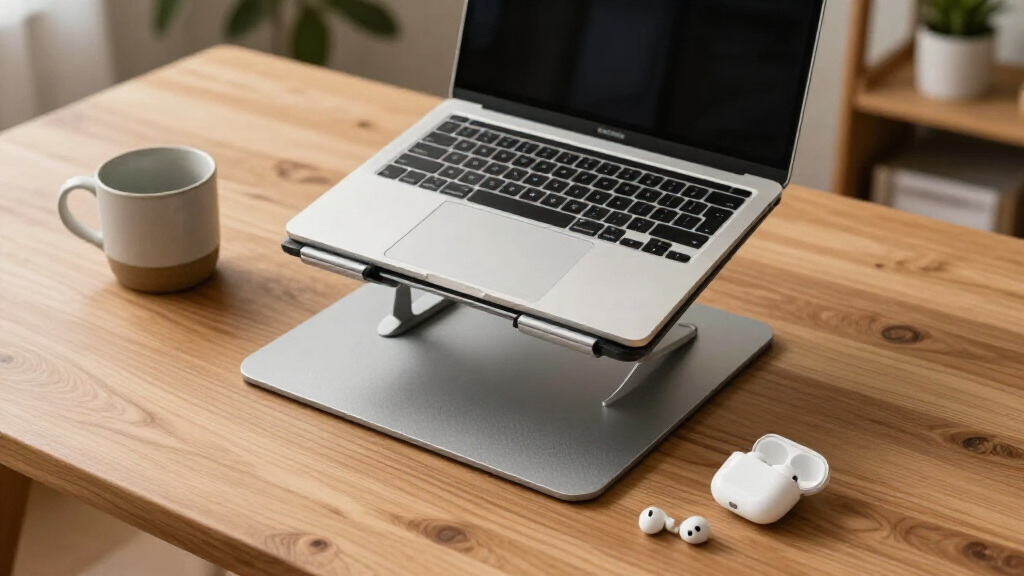
How We Picked
My ranking centers on what actually determines whether a stand gets used daily: ergonomic range, stability, build quality, portability, and price-to-performance. Ergonomic range came first — a stand that cannot raise your screen to eye level fails at its one job, so I weighted height adjustment range and angle flexibility more heavily than any other factor. Stability followed closely, because a wobbly platform makes typing unpleasant and can allow laptops to slide, which meant favoring wider bases, rubber contact points, and locking mechanisms over clever-but-flexy designs.
Build quality separated the aluminum-alloy models from thinner stamped-metal competitors, especially for buyers running 16-17 inch laptops that expose weak frames. Portability mattered as a tiebreaker: foldable and detachable designs ranked above rigid ones at equal performance, since most buyers occasionally move their setup. Finally, I judged value relative to what each stand gives up — a $20 stand with honest limitations ranked ahead of an $80 stand that only marginally beats $35 alternatives. The order below reflects a deliberate balance: workstation-grade height at the top, versatile mid-range picks in the middle, and niche or compromised options ranked lower with clear warnings about who should still buy them.
| ergonomic laptop stand | Material | Foldable |
|---|---|---|
| Lifelong Aluminum Adjustable L | Aluminum | — |
| Besign LSX7 Laptop Stand with | Metal | — |
| Riwuct Aluminum Alloy Laptop S | Aluminum alloy | — |
| LOXP Adjustable Laptop Stand f | Sturdy metal | Yes |
| Laptop Stand for Desk | Sturdy metal | Yes |
| Tounee Telescopic Laptop Stand | Aluminum alloy | Yes |
| MOALLIA N86 360 Rotating Lapto | Aluminum alloy | Yes |
| Besign LS03 Aluminum Laptop St | Aluminum alloy | Yes (detachable) |
| Tonmom Laptop Stand for Desk | — | Yes |
| Nulaxy Ergonomic Adjustable La | Not specified | Yes |
| Lamicall Aluminum Laptop Stand | Aluminum alloy | — |
| Adjustable Laptop Stand for De | Metal | Yes |
| Amazon Basics Sturdy and Porta | Lightweight, rust-resistant aluminum | — |
| Urmust 360° Rotating Laptop St | Metal | — |
Factors to Consider When Choosing Ergonomic Laptop Stands
Choosing an ergonomic laptop stand involves more than picking the tallest or cheapest option. These are the broader factors that shaped my rankings — and the common mistakes that leave buyers with a stand they stop using within a month.Height Range: The Whole Point of the Purchase
The most frequent mistake buyers make is choosing a stand that only lifts the laptop 3-4 inches, which barely changes neck angle for most seated adults. A properly positioned screen puts the top third of the display at or slightly below eye level, which for a typical desk setup means raising the laptop 6-10 inches above the surface. Taller options like the Lifelong 20-inch riser exist because standard adjustable stands often max out too low for taller users or higher desks. Remember the tradeoff: greater height demands a wider, heavier base to stay stable, so ultra-tall stands rarely travel well. Measure your seated eye height relative to your desk before buying — guessing is how most returns happen. Also note that once the screen is at eye level, you will need an external keyboard and mouse, since typing on a raised laptop destroys your wrists. Budget for those accessories as part of the total ergonomic investment.
Stability and Weight Capacity
Stability is where cheap stands quietly fail. A stand can look identical to a premium model in photos yet flex and wobble under a heavier machine because the aluminum is thinner or the joints lack locking hardware. If you own a 16-17 inch laptop, especially a gaming or workstation model weighing 4-5 pounds, check weight capacity before anything else, and favor designs with locking knobs like the MOALLIA N86 over friction-only hinges. Rotating bases introduce another stability variable — the swivel mechanism is a natural weak point, so the best rotating stands pair the turntable with a broad, weighted foot. Typing behavior matters too: heavy typists generate vibrations that cheaper stands amplify into visible screen shake. A useful rule of thumb is that a stand should weigh at least a third of what your laptop weighs. Lighter stands are easier to carry but you will feel every keystroke bounce.
Portability: Honest About How You Actually Work
Buyers routinely overestimate how portable they need their stand to be. If your laptop lives on one desk, a rigid or detachable stand is the better choice — it will be stiffer and often cheaper than a folding equivalent. Foldable designs only earn their premium if the stand genuinely moves: between home and office, into a backpack for travel, or between rooms. Detachable models like the Besign LS03 break down flatter than any hinge-based folder, which matters if bag space is tight. Telescopic designs offer a middle path, adjusting height in small increments while collapsing reasonably small, though their sliding sections can develop play over time. Also check folded thickness rather than folded footprint — a stand that folds to the size of a book but stays 2 inches thick fits fewer bags than a flat panel. Match the format to your real routine, not your aspirational one.
Cooling and Material Quality
Laptop stands incidentally improve thermals by lifting the machine off a desk and opening airflow underneath, but designs differ in how much they help. Open-frame and ventilated designs allow air to circulate freely, while solid-back stands can trap heat against the chassis — a real concern for thin performance laptops that throttle under load. Aluminum itself acts as a passive heat sink, drawing warmth away from the base, which is one reason I favor it over plastic at any price point. Beyond cooling, material quality predicts lifespan: thicker aluminum alloy frames survive years of height adjustments, while thin stamped metal can crack at stress points around hinges and folding joints. Check the contact pads too, since cheap rubber feet harden and slide within a year, and replacements rarely fit. A well-vented, solidly built stand protects both your posture and a $1,500 laptop, which makes spending an extra $15 on build quality an easy call.
Rotating Bases: Genuinely Useful or a Gimmick?
360° swivel bases appear on four stands in this lineup, and they divide opinion for good reason. For anyone who shares their screen during meetings, collaborates across a desk, or works between two monitor positions, a rotating base saves constant laptop repositioning and reduces cable strain. For solo workers with a fixed setup, the turntable adds cost, a failure point, and slight rotational play that never gets used. There is also a security angle: a rotating stand lets you turn your screen away from windows and passersby instantly, which matters in open offices and cafés. When evaluating rotating models, check whether the swivel has tension control or locking positions — free-spinning bases can rotate accidentally when you nudge the laptop. My advice is simple: if you cannot name a specific recurring situation where you would spin the base, spend the same money on height range or build quality instead.
Price Tiers and When to Pay More
This category has three meaningful price bands, and knowing which one you belong to prevents overspending. Under $20, you get functional fixed-height or basic adjustable stands — perfectly adequate for a secondary desk or a first attempt at better posture, but expect thinner metal and limited height. The $25-45 mid-range is where the best value lives, covering most adjustable, foldable, and rotating stands in this roundup with negligible quality sacrifice. Above $50, gains become incremental: premium materials, higher weight ratings, and finer adjustment increments that only matter for heavy laptops or very specific height needs. A common mistake is assuming a premium stand fixes ergonomics on its own — screen height, chair height, and viewing distance work together, so a $35 stand paired with a proper chair beats an $80 stand on a kitchen stool. Buy into the tier that matches your laptop’s weight and how often you adjust your setup, not the highest number you can justify.
Frequently Asked Questions
Do I need a keyboard and mouse if I use a laptop stand?
Yes, in almost every case. Raising your laptop to eye level angles the keyboard steeply upward, forcing your wrists into extension that can cause strain within weeks of daily use. The stand fixes your neck but breaks your wrists unless you add an external keyboard and mouse on the desk surface. This is the single most overlooked cost in laptop stand purchases — factor roughly $30-60 for basic peripherals on top of the stand itself. If you absolutely cannot use external peripherals, choose a low-profile stand that lifts the screen only slightly and pair it with more frequent breaks, though this is a compromise rather than a solution. The full ergonomic setup is stand plus keyboard plus mouse, working together.
Is a 360° rotating base worth the extra money?
It depends entirely on your workflow rather than any inherent quality difference. Rotating bases earn their price when you regularly show your screen to someone across the desk, jump between video calls and note-taking positions, or work in spaces where you need to angle your screen away from glare or onlookers. If your laptop sits in one spot and faces one direction all day, the swivel mechanism adds cost and a small amount of rotational play with no practical benefit — money better spent on height range or a heavier base. Among the rotating models I compared, those with tension control or locking detents felt more secure than free-spinning versions. Be honest about whether you would actually use the rotation weekly; most buyers who pay for it rarely spin it.
Can a cheap stand hold a heavy 16 or 17 inch gaming laptop safely?
Some can, but this is where cheap stands most often fail, so check two specs before buying: the stated weight capacity and the frame construction. Gaming laptops weighing 4-5 pounds stress thin aluminum joints, hinge mechanisms, and folding points that handle a 2.5-pound ultrabook without complaint. Signs of trouble include any listed capacity under 10 pounds, friction-only height adjustment without a locking knob, and single-support-arm designs. Locking-knob models like the MOALLIA N86 and wide-base fixed stands handle heavy machines best because the weight rests on structure rather than clamped hinges. Also watch for the laptop sliding on tilted surfaces — heavier machines generate more downward force, so rubber contact pads must be large and grippy. If your laptop is on the heavy side, spending a bit more on build quality protects a machine worth twenty times the stand’s price.
What height should an ergonomic laptop stand actually reach?
The target is raising the top third of your screen to eye level while you sit or stand with a straight neck — for most seated adults at a standard 29-inch desk, that means lifting the laptop roughly 6-10 inches, though your torso height and chair setup shift this number. Many popular stands max out at 5-6 inches, which helps but leaves shorter-of-full-range users still tilting their heads down. Before buying, sit at your desk, look straight ahead, and note where your eyes land relative to the laptop’s closed lid; the gap between the lid’s top edge and your eyeline is roughly the elevation you need. Taller users and people with higher desks often need the 8-12 inch class of stands. One caution: as height increases, so does the lever force on the base, so the tallest usable stands are heavier and wider — that is physics, not poor design.
Do laptop stands actually help with neck and shoulder pain?
They help with the specific problem they address — the forward head tilt caused by looking down at a low screen — and that tilt is a major contributor to neck and upper-back pain for laptop users. Studies on workstation ergonomics consistently link screen position to neck flexion angle, and raising the screen is the most direct fix available. However, a stand alone will not resolve pain caused by poor chair support, an unsuitable desk height, or long uninterrupted sessions, so expect partial rather than total relief unless you address the full setup. Most people who switch to a properly positioned stand notice reduced end-of-day neck stiffness within one to two weeks. Pair the stand with an external keyboard, brief hourly movement breaks, and a chair that supports your lower back for the full benefit. If pain is sharp or persistent, see a physiotherapist — no desk accessory substitutes for medical advice.
Conclusion
After comparing all 14 stands, the right choice comes down to your laptop, your desk, and how often your setup moves. For most buyers, the Besign LSX7 is the best overall pick: it delivers a genuinely tall height range, a 360° rotating base, and a foldable frame at a mid-range price, covering more use cases than anything else in the lineup. If pure value is the priority, the Amazon Basics Adjustable Stand handles the fundamentals — height adjustment, ventilation, and a stable base — for under $25, making it the smartest entry point for a first ergonomic setup. Buyers with fixed workstations and taller desk configurations should look to the Lifelong Aluminum 20-inch Riser, whose elevation range no compact stand in this group can match.
For beginners testing whether a stand improves their posture at all, the Lamicall or Besign LS03 are low-commitment starting points — the LS03 in particular detaches flat for occasional travel. Heavy 16-17 inch laptop owners get the most secure platform from the MOALLIA N86, whose locking knobs out-hold friction hinges under serious weight. And for frequent travelers, the Tounee Telescopic stand balances adjustable height with a collapsed size that fits a bag. Whatever you choose, remember the stand is half the equation — add an external keyboard and mouse, and your neck will thank you within the first week.
Fall yard work Picks
leaf blowers
As an affiliate, we earn on qualifying purchases.